

Half a million WordPress sites are running Converter for Media right now, and the plugin holds a 4.9-star rating across more than 1,000 reviews on WordPress.org. That is not a number you earn by accident.
But popularity and star counts do not tell you whether a plugin will work on your specific server, what “Pro” actually unlocks, or whether the pricing model makes sense for a site with 8,000 images in the media library. That is what this review covers.
I went through the full plugin documentation, the changelog, the Pro pricing page, the support forums, and independent test reports to give you a clear picture of what Converter for Media does well, where it struggles, and who should look at something else.
At a glance
| Plugin | Converter for Media |
| Developer | Mateusz Gbiorczyk (mattplugins.com) |
| WordPress.org | wordpress.org/plugins/webp-converter-for-media/ |
| Current version | 6.6.4 (August 5, 2026) |
| Active installs | 500,000+ |
| Rating | 4.9 / 5 (1,097 reviews) |
| Free tier | Yes – unlimited WebP conversion on your own server |
| Pro starts at | $50 per year (120,000 conversions/year) |
| Pro unlock | AVIF format, remote server processing, image resizing |
| Unlimited sites | Yes – one license covers unlimited WordPress installs |
| Tested on | Apache shared hosting, PHP 7.4+ |
| Not ideal for | Nginx beginners, pure lossy JPEG compression needs |
Quick verdict
Quick verdict: Converter for Media
Converter for Media is one of the best free WordPress WebP plugins available in 2026. The free version converts your entire media library to WebP with no image count limits, no API keys, and no monthly quotas. It just runs on your server.
The Pro version is compelling for AVIF support, but its pricing model is unusual: you pay per image conversion count, not per site. That works in your favor if you run many sites but have a modest image library. It works against you if you have tens of thousands of images and plan to regenerate frequently.
Best for: WordPress sites on Apache or shared hosting that want fast, free WebP conversion with no ongoing cost. Also good for agencies managing many sites that want AVIF at a reasonable per-conversion price.
Consider alternatives if: You need lossy JPEG compression alongside format conversion, you are on Nginx and do not want to touch server config files, or you have a very large media library that would eat through conversion quotas quickly.
What is Converter for Media?
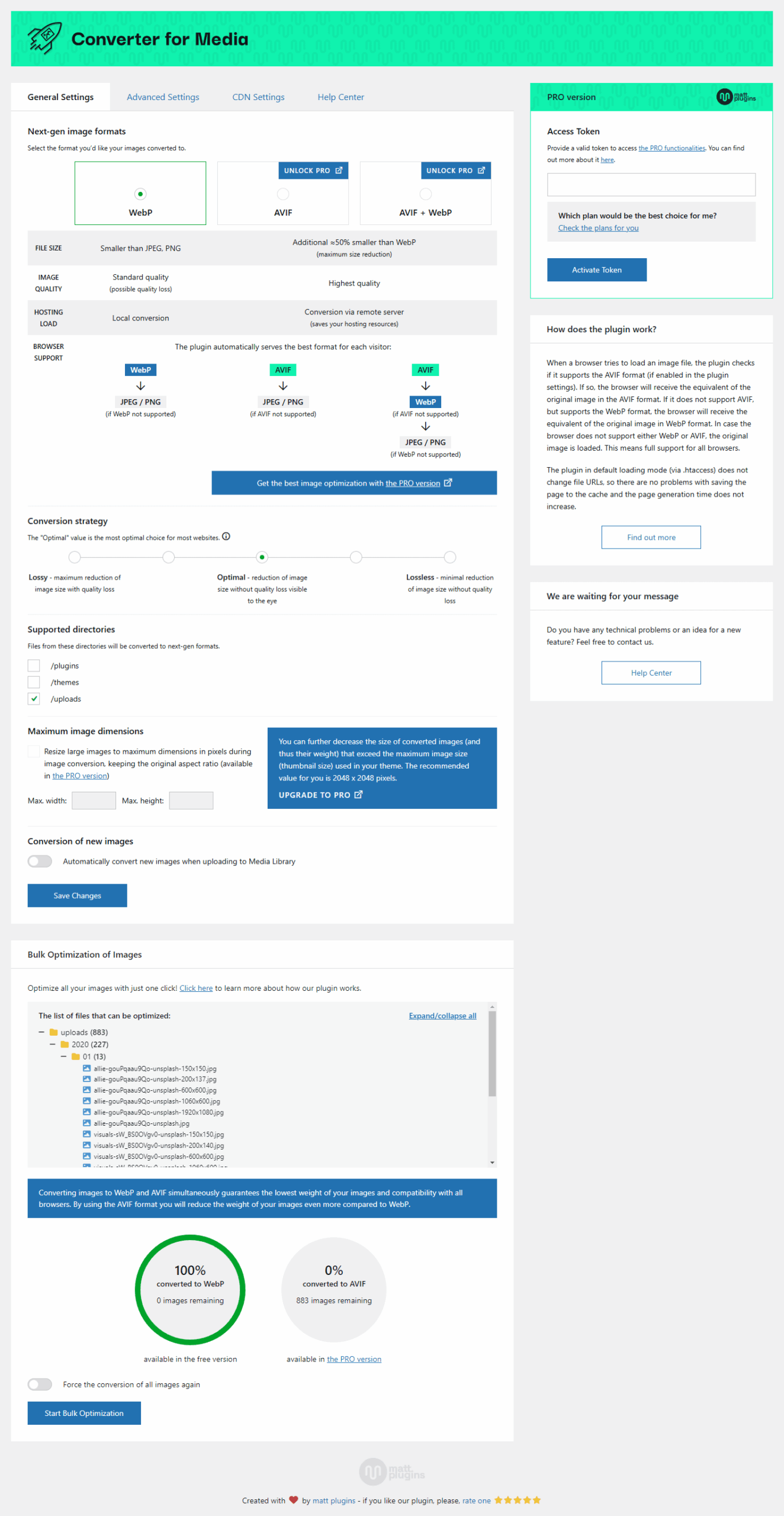
Converter for Media is a WordPress plugin that converts images from JPEG, PNG, and GIF into modern web formats: WebP (free) and AVIF (Pro). The goal is to reduce image file weight without changing the visual quality, which makes pages load faster.
It was originally released in 2019 under the name “WebP Converter for Media.” When AVIF support arrived, the plugin was rebranded to reflect the expanded scope. The slug on WordPress.org (webp-converter-for-media) still reflects the original name, which causes mild confusion when searching.
The plugin works by creating converted copies of your images alongside the originals. Your original JPEG or PNG stays untouched inside /wp-content/uploads/. The WebP (and optionally AVIF) versions land in /wp-content/uploads-webpc/. When a browser requests an image, the plugin intercepts that request and serves the format the browser supports best.
Converter for Media is not a lossy image compressor in the traditional sense. It does not squeeze a JPEG at 60% quality to cut file size. It converts formats. The size reduction comes from the compression efficiency of WebP and AVIF as formats, not from reducing image quality. If you need aggressive JPEG compression alongside format conversion, you will want a different tool or a combination.
Who it is best for
Solo site owners on shared hosting: The free tier is genuinely complete for a single WordPress site with a modest media library. You get unlimited WebP conversions, bulk optimization, and automatic conversion on upload. There is nothing to pay and nothing that expires.
Freelancers managing several client sites: One Pro license covers unlimited WordPress installs. If you manage 10 or 20 client sites, you are not paying per site. The image count is shared across all sites, which requires a bit of planning, but the math often works out favorably compared to per-site licensing.
Agencies that want AVIF across a fleet: The same unlimited-sites structure makes AVIF rollout across a large client portfolio much cheaper than with some competing tools. Business-tier plans handle millions of conversions per year.
Apache or shared hosting users: The plugin’s .htaccess-based image serving mode works smoothly on Apache. Performance is good and setup is automatic.
Not ideal for: Nginx users without server admin access (manual config required), teams that need lossy JPEG quality reduction as part of their optimization workflow, or sites using a CDN other than BunnyCDN.
Setup and first use
Installing the plugin follows the standard WordPress flow: search for “Converter for Media” in the plugin directory, install, and activate. The settings panel appears under Settings > Converter for Media.
The default configuration is sensible. WebP is pre-selected as the output format, the /uploads directory is included, and the recommended .htaccess loading mode is active. For most Apache sites, clicking “Start Bulk Optimization” at this point is enough to get going.
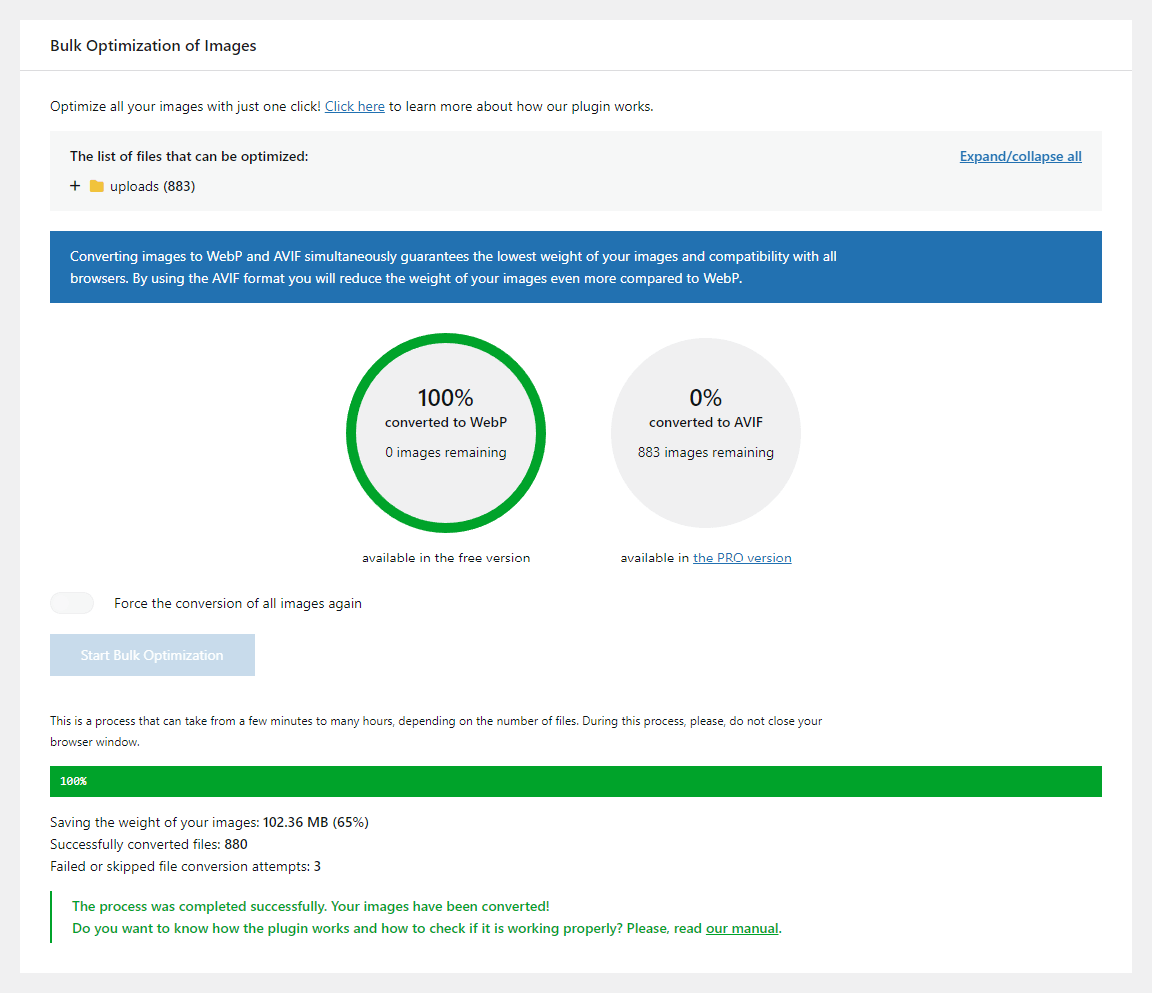
The bulk optimization runs as a background process in the browser. It shows a progress bar and a count of converted images. You do not need to stay on the page.
I found the setup genuinely frictionless on a standard Apache shared hosting environment. The plugin detected my server configuration correctly, wrote the necessary .htaccess rules, and began serving WebP within minutes of clicking the button.
The experience is notably different on Nginx. If your hosting does not support .htaccess, you need to add specific rewrite rules to your Nginx server block configuration. This requires server admin access and some familiarity with Nginx config files. The plugin provides documentation, and there are community guides available, but it is not a one-click experience. Beginners on Nginx should factor this into their decision.
Free features: WebP conversion
The free version covers WebP conversion from JPEG, PNG, and GIF source files. Here is what you get without spending anything.
Unlimited conversions on your own server. There is no image count cap, no monthly quota, and no API key. Your server’s GD or Imagick extension does the work locally. As long as your server supports WebP output (most do), you can convert every image in your library.
Bulk optimization. A single button processes the entire media library in one pass. You can also trigger conversion for individual images from the Media Library.
Automatic conversion on upload. Any new image you add to WordPress is converted immediately at upload time. You do not need to run bulk optimization again for new content.
Format fallback. The plugin detects browser support and serves the right format automatically. Browsers that do not support WebP receive the original image. No manual coding required.
WP-CLI support. Three commands are available for server-level operation: wp converter-for-media calculate (count convertible images), wp converter-for-media regenerate (convert all), and wp converter-for-media regenerate --force (force reconversion). This is useful for large sites managed over SSH.
Original files preserved. Your JPEG and PNG originals are never touched. Converted files sit alongside them in a separate directory. Uninstalling the plugin cleans up the converted files and the .htaccess rules it added.
Auto-delete oversized conversions. If a converted file turns out larger than the original (this can happen with already-compressed JPEGs), the plugin can automatically discard it and fall back to the original. This prevents the edge case where “optimization” actually makes things worse.
How images are actually served
Understanding the serving mechanism matters for troubleshooting and for knowing whether the plugin will work in your environment.
When a browser requests image.jpg, the plugin does not serve a file literally named image.avif or image.webp. It intercepts the request via .htaccess rules (on Apache) or Nginx config directives and transparently serves the converted equivalent from /wp-content/uploads-webpc/. The browser receives the right format without the URL in the HTML changing.
This means you do not need to regenerate thumbnails or change any image tags in your content. The swap happens at the server level, invisibly.
There are four loading modes:
Via .htaccess (recommended on Apache): Rules are written to your .htaccess file. Image serving happens at the disk level, not through PHP. This is the fastest option and the one most users should use.
Via Nginx: Same concept, but the rules go into the Nginx server block instead of .htaccess. Requires server admin access to configure.
Pass Thru (PHP): All image requests route through a PHP script, which then decides which format to serve. This works on almost any server setup, including Nginx without custom config access. The trade-off: every image request involves PHP execution, which is slower than disk-level serving. The plugin itself describes this as a significantly worse option. Use it as a last resort, not a default.
Remote server (Pro): The conversion itself is offloaded to Converter for Media’s own servers rather than your local GD/Imagick. This helps on shared hosting where the GD/Imagick installation does not support WebP, or where local processing creates a performance hit during bulk optimization. Remote conversion reportedly achieves better compression than local GD in some cases.
Pro features: AVIF and more
The Pro version adds three things on top of the free tier.
AVIF format support. AVIF is the younger sibling of WebP. According to the plugin’s own documentation and independent tests, AVIF files weigh roughly 50% less than their WebP equivalents while maintaining comparable visual quality. Browser support has reached over 90% of global usage as of 2026, making it a reasonable default for most sites.
You can enable AVIF alongside WebP so every image gets two converted versions. The plugin serves AVIF to browsers that support it and falls back to WebP, then to the original. This is the safest approach for broad compatibility.
Remote server conversion. Instead of relying on your hosting’s GD or Imagick library, conversions run on Converter for Media’s cloud servers. This has two practical benefits: it works on hosts where WebP output is not enabled locally, and it removes the CPU load of batch conversion from your own server during bulk optimization.
Image resizing. Oversized uploads (for example, a 4000px wide photo) can be automatically scaled down during conversion. This handles the case where someone uploads full-resolution camera photos without resizing first.
Pricing
The Pro pricing model deserves a careful read, because it is different from how most WordPress plugins are sold.
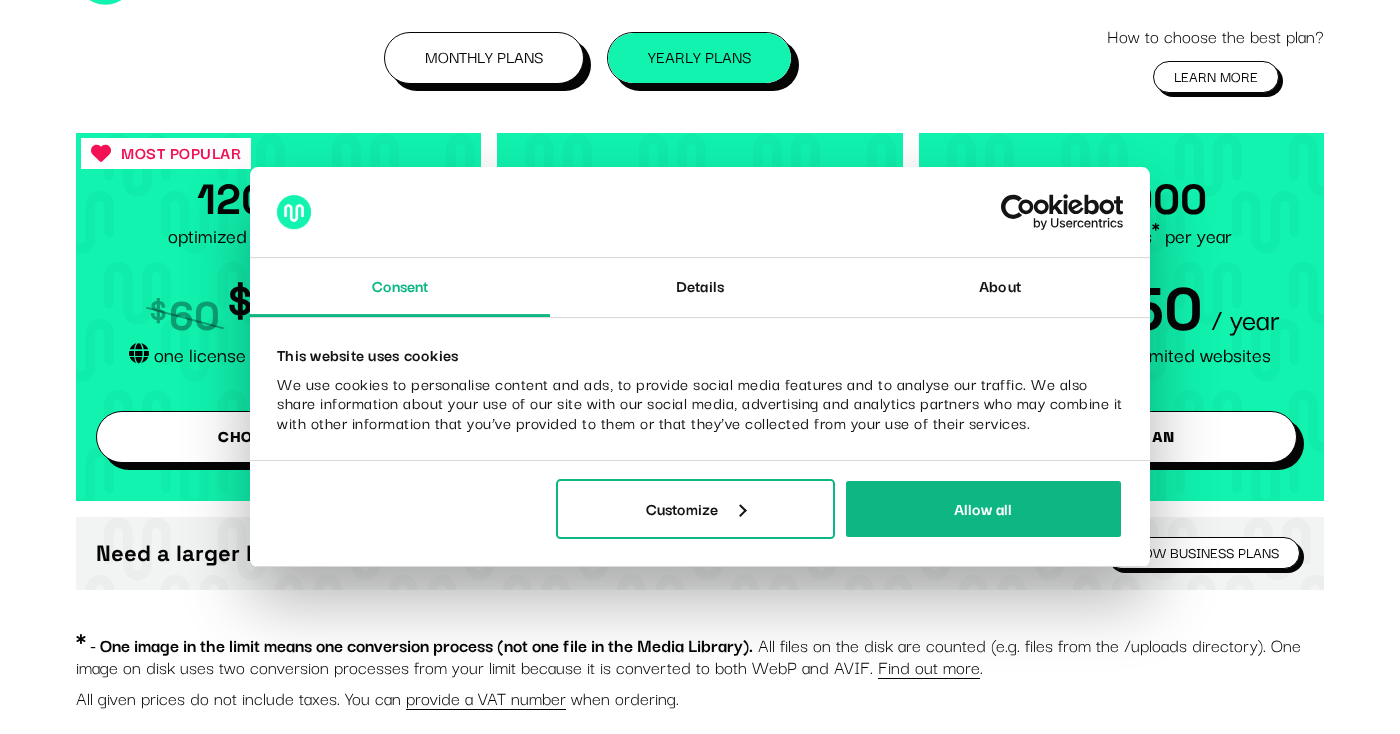
You are not buying a per-site license. You are buying a conversion quota: a set number of image conversions per year (or per month on the monthly plans). One license works on unlimited websites. One conversion equals one image converted to one format. If you convert a single image to both WebP and AVIF, that costs two conversions.
Monthly plans
| Plan | Price | Conversions |
|---|---|---|
| Starter | $5/month | 10,000/month |
| Plus | $10/month | 25,000/month |
| Growth | $25/month | 70,000/month |
Yearly plans (save ~17%)
| Plan | Price | Conversions |
|---|---|---|
| Basic | $50/year | 120,000/year |
| Standard | $100/year | 300,000/year |
| Professional | $250/year | 840,000/year |
Business plans
| Plan | Price | Conversions |
|---|---|---|
| Business S | $500/year | 2,000,000/year |
| Business M | $1,500/year | 7,500,000/year |
| Business L | $2,500/year | 15,000,000/year |
What this means in practice:
If your site has 5,000 images and you want to convert each to WebP and AVIF, that is 10,000 conversions. The Basic plan at $50/year covers that with room to spare for new uploads throughout the year.
If your site has 100,000 images, converting everything to both formats would cost 200,000 conversions. You would need at least the Standard plan ($100/year).
Where the model gets complicated is regeneration. If you switch servers, change your image dimensions, or otherwise need to bulk-reconvert your library, every image counts again. That can exhaust a year’s quota in a single operation.
The unlimited-sites policy is genuinely valuable for agency use. Ten client sites each with 5,000 images would cost 100,000 conversions, covered by the Standard plan. Per-site licensing across ten sites would typically cost more.
Monthly limits do not roll over. Unused conversions expire at the end of each billing period.
All paid plans include a 30-day money-back guarantee.
Pros and cons
Pros
- Free WebP conversion with no limits: unlimited conversions on your own server, no quota, no expiry. Rare in this plugin category.
- Original files never modified: your source images stay intact. You can roll back cleanly at any time.
- One license covers unlimited sites: excellent value for freelancers and agencies managing multiple WordPress installs.
- Exceptional track record: 500,000+ active installs and a 4.9-star rating sustained over years of active use.
- Actively maintained: two releases in August 2026 (v6.6.4 and v6.6.3), plus a major security hardening update in January 2026 (v6.5.2). Developer responds quickly in support forums.
- WP-CLI support: batch conversion from the command line is available and documented.
- Automatic conversion on upload: new images are handled without any manual steps.
- Auto-deletes conversions worse than the original: prevents the plugin from quietly making things worse with already-compressed sources.
- 30-day money-back guarantee on Pro.
Cons
- AVIF is Pro-only: free tier is WebP only. Several competitors include AVIF in their free tiers.
- Conversion-count pricing requires planning: the quota model is unusual. Bulk regeneration on a large library can consume a full year’s allowance in one run.
- Nginx requires manual server configuration: not beginner-friendly. Users without server admin access may be stuck with the slower Pass Thru mode.
- CDN support limited to BunnyCDN: no official integration for Cloudflare, Jetpack CDN, or other providers.
- Not a lossy compressor: the plugin only converts formats. It does not reduce JPEG quality or strip metadata without Imagick.
- Pass Thru mode is significantly slower: PHP-based image serving creates overhead on every image request.
- Monthly quotas do not roll over: unused conversions are lost at the end of each billing period.
Alternatives
EWWW Image Optimizer: Runs entirely on your own server, offers unlimited lossless compression free, and includes WebP. AVIF support is available. Strong choice if you want a free tool that handles more than just format conversion (it also does lossless/lossy JPEG compression). The paid tier starts at $7/month and adds cloud-based compression.
ShortPixel: Credit-based pricing. Free 100 images/month. Supports WebP and AVIF, plus aggressive lossy/lossless/glossy compression modes. Well-regarded compression quality in independent benchmarks. Better choice if image quality and compression efficiency are top priorities.
Imagify: Clean UI, WebP and AVIF support, free quota of roughly 20 MB/month, then paid plans starting around $5/month. Integrates with WP Rocket (same parent company). Good pick if you are already using WP Rocket and want a consistent interface.
Smush: Popular free tier, but WebP is not included in the free version. SmushPro is needed for WebP conversion. Better known for its lossless compression of JPEG and PNG than for modern format support.
CompressX: A newer, lighter plugin offering free WebP and AVIF conversion. Still building its user base compared to Converter for Media, but worth watching for simple-use-case needs.
Converter for Media’s strongest differentiator against this list is the free unlimited local WebP tier. If you do not need lossy JPEG compression and you are on Apache, it is hard to beat for zero cost.
Final verdict
Converter for Media earns its place in the must-consider list for any WordPress site owner thinking about image optimization in 2026.
The free tier is the most compelling free WebP option available for Apache and shared hosting users. There are no quotas, no registration walls, no API keys, and no expiring trials. You install the plugin, run bulk optimization, and WebP serves automatically from that point forward.
The Pro version is a reasonable upgrade if you need AVIF. The conversion-count pricing is unusual, but the unlimited-sites policy makes it uniquely cost-effective for agencies and freelancers managing a fleet of sites. A $50/year Basic plan covering 12 client sites is a straightforward win over per-site alternatives.
The areas where the plugin falls short are real but targeted: Nginx users without server admin access face a friction point, the CDN integration story is thin, and the plugin is not designed for lossy compression. None of those are hidden flaws; they are honest limitations of a tool built for a specific job.
If your job is converting format-to-format on an Apache or shared hosting stack, Converter for Media is the first plugin I would recommend. If you need more than that, one of the alternatives listed above is likely a better fit.
Rating: 4.5 / 5