


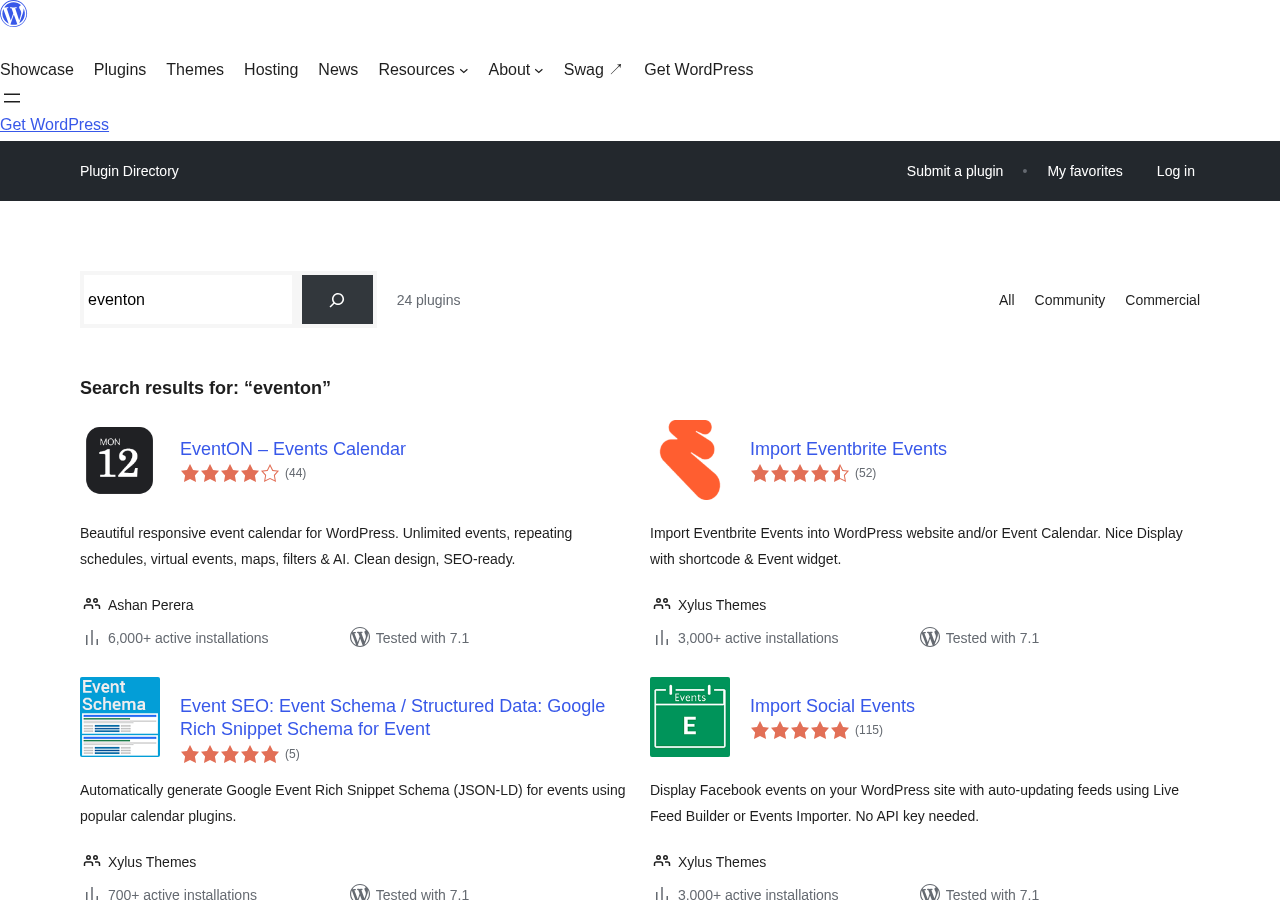
EventON is a WordPress event calendar plugin with a distinctive visual identity: instead of a standard grid, it defaults to a tile or accordion layout where clicking an event name slides open the details inline. The plugin has been around since at least 2012, accumulated over 63,000 sales on CodeCanyon before the developer moved to a direct-sale model, and now offers a free Lite version on WordPress.org alongside a paid Full version sold at myeventon.com.
I tested the demo, went through the free Lite install data, and reviewed the addon pricing model in depth. Here is what I found.
Basis of this review. I navigated the official EventON demo at demo.myeventon.com, which runs EventON version 5.0.12 on WordPress 7.1. I also reviewed the WordPress.org listing for EventON Lite, the myeventon.com full version purchase page, the addon catalog, and publicly available user feedback. I did not purchase the Full version or any addons for this review. Where features are described from documentation rather than direct testing, the text says so.
Quick verdict
EventON is a solid choice for site owners who want a visually distinctive event calendar with a one-time payment option. The $50 one-time price for a single-site Full license is genuinely competitive in a market where most calendar plugins now charge annual subscriptions. The tile-based layout looks polished out of the box and stands apart from the standard grid calendars.
The trade-offs are real. The Lite free version on WordPress.org is limited in scope and has a modest install count (6,000+) compared to the 63,000+ CodeCanyon history. The addon system, which is where the real feature depth lives, uses annual subscriptions that stack up quickly. And the plugin is maintained by a solo developer, which matters for long-term support expectations.
At a glance
- Best for: Small to mid-size sites that want a distinctive-looking calendar without an ongoing subscription for the base plugin.
- Easiest win: The $50 Full license for sites that only need the core calendar without ticketing or RSVP.
- Most useful paid addon: Event Tickets ($120/yr) or RSVP Events ($100/yr) for sites that need attendee management.
- Skip if: You need a large community-supported plugin with deep Block Editor integration.
- Watch out for: Addon subscription costs stacking up quickly if you need ticketing, RSVP, and views simultaneously.
What EventON is
EventON is a WordPress plugin for creating and displaying events on a website. It was built by Ashan Perera, a solo developer, and originally sold on CodeCanyon. The plugin is now primarily distributed through myeventon.com as a direct purchase. A stripped-down free version called EventON Lite is available on WordPress.org.
The core visual approach is the tile and accordion layout. Instead of a traditional calendar grid where every date cell shows event titles, EventON displays events in collapsible cards or tiles that expand on click. This gives the calendar a distinctive app-like appearance that differentiates it from plugins like The Events Calendar or Modern Events Calendar.
The plugin supports 200+ features by its own count, including recurring events, virtual events via Zoom and Jitsi, multiple calendar views, location and map integration, multiple organizers, FAQs per event, social sharing, and an AI content generation feature powered by OpenAI.
Addons extend the plugin’s capabilities significantly. Ticketing, RSVP management, frontend submissions, advanced filtering, seating charts, and specialized calendar views are all sold as separate addon subscriptions.
Who EventON is best for
Strong fit:
- Small businesses and community organizations that want a modern-looking event calendar without an annual plugin subscription.
- WordPress developers building client sites where a distinctive tile-based calendar layout is a design requirement.
- Event organizers who want basic display plus AI-assisted content creation for event descriptions.
- Sites that need virtual event support (Zoom and Jitsi) integrated into the calendar without additional plugins.
- Agencies and power users who can justify addon costs for specific functionality like ticketing or RSVP on appropriate client projects.
Weaker fit:
- Sites that need a traditional grid calendar out of the box without purchasing the Full Cal addon.
- Organizations looking for a plugin with a large community, extensive theme compatibility documentation, and multiple support tiers.
- Teams that need ticketing plus RSVP plus advanced filtering simultaneously, since buying all three addons pushes annual costs well above the one-time plugin price.
- Developers who prefer a fully Block Editor-native plugin. EventON’s admin interface is not Gutenberg-first.
Setup and first impressions
The Lite version installs from WordPress.org like any standard plugin. The Full version is a zip download from myeventon.com after purchase, installed via the standard WordPress plugin uploader.
On activation, EventON adds its own admin menu section. The settings panel covers general options including calendar colors, date formats, time zones, and default event behaviors. A live preview area in the admin lets you check how color choices will render before committing.
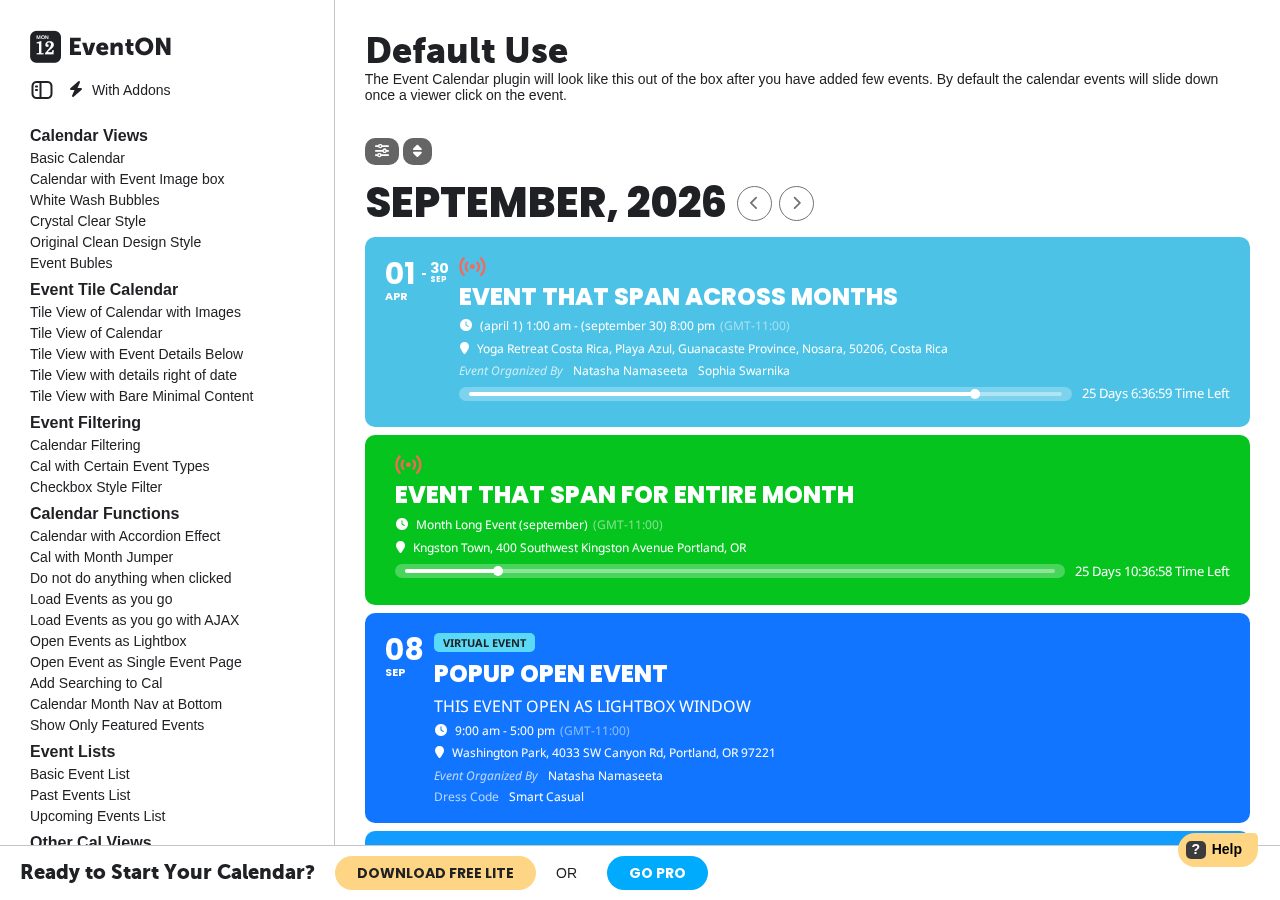
The demo running at demo.myeventon.com gives a good sense of the layout options. The following displays are available on the demo:
- Basic Calendar (default accordion/tile layout)
- Tile View with images
- Tile View with event details below
- Tile View with bare minimal content
- White Wash Bubbles style
- Crystal Clear style
- Original Clean Design style
- Schedule View
- Filter-driven views with checkbox filtering
The tile view with images is the strongest visual presentation. Events appear as cards with a featured image, title, date, and location visible before expansion. Clicking opens the full event detail inline, with FAQs, multiple images, organizer info, and social sharing controls rendered inside the card.
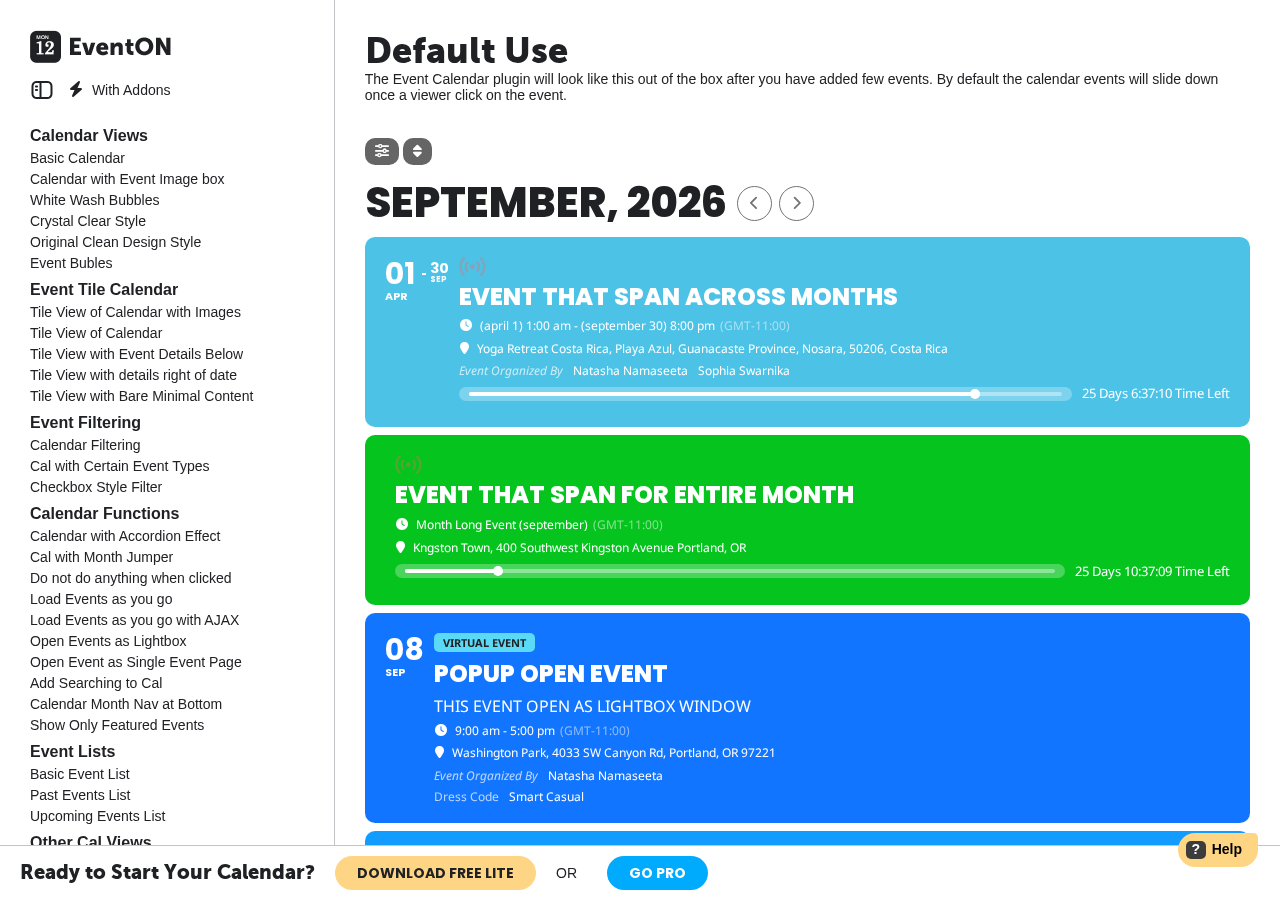
The month navigation strip at the top of the calendar lets visitors jump forward and back by month. A search bar filters events by keyword. The filter panel, where available, provides checkbox filtering by category, tag, or custom taxonomy.
Calendar views and layouts
This is where EventON’s design investment is most visible.
The default accordion layout works well for sites that want a compact presentation. Events sit in a list ordered by date. Each event shows the title and date in a horizontal bar. Clicking expands the bar to reveal the full event content inline, with no page load required.
The tile view swaps the horizontal bars for a grid of cards. Each card is configurable: you can choose whether to show images, what metadata to surface, and how much detail appears before the click. This works particularly well for event-heavy sites like festivals or community organizations that want to create visual interest.
The bubble view is a more stylized option where events are presented in rounded containers with strong color contrast. It is a distinctive choice for smaller event counts where each event deserves visual emphasis.
The Schedule View provides a day-by-day timeline, similar to Google Calendar’s schedule mode. This is cleaner for sites running a dense event program across multiple days.
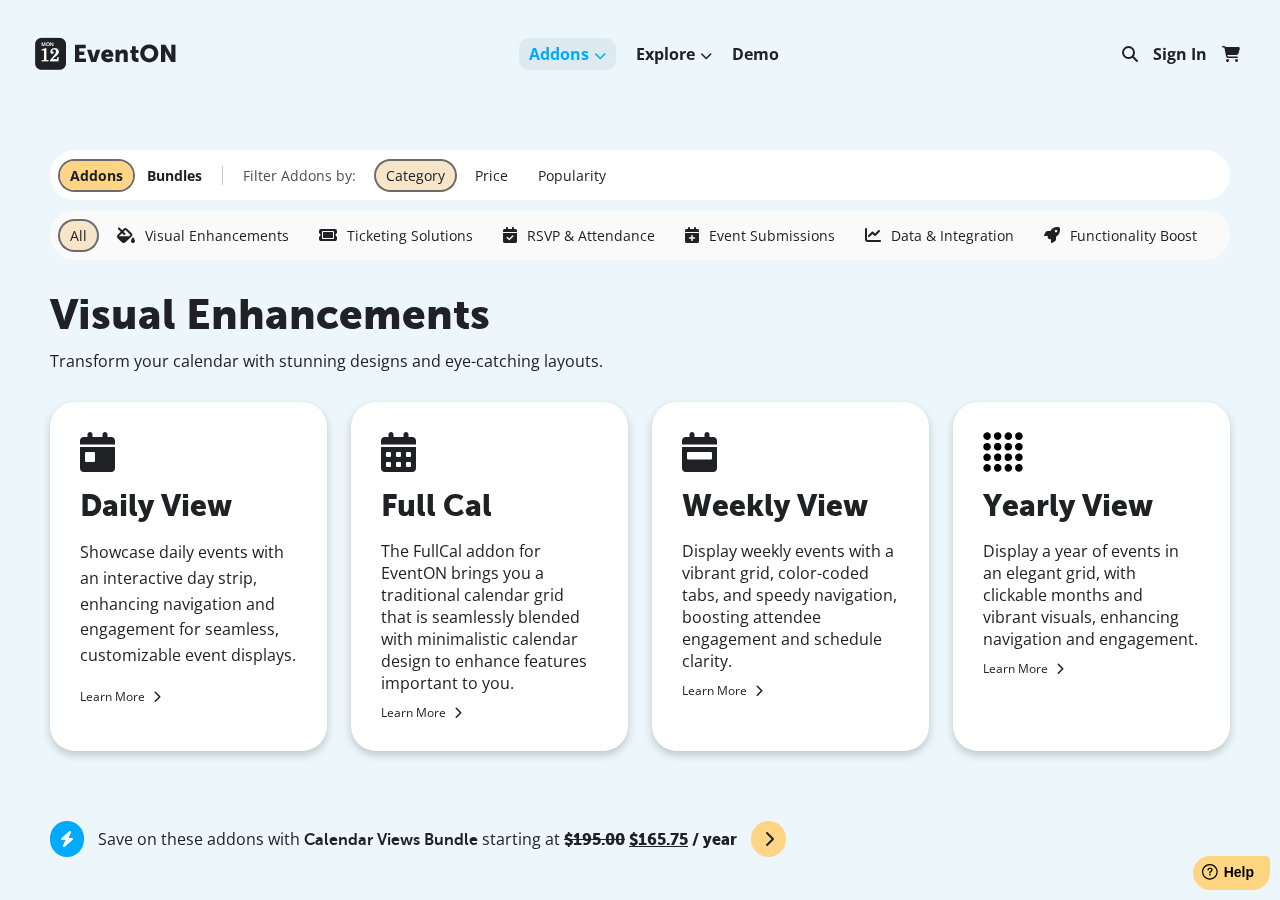
The Full Cal addon ($55/year) adds a traditional month-grid view for visitors who expect the standard calendar interface. This addon is sold separately, which is worth noting: if you specifically need a standard grid calendar, budget for that addon on top of the base Full license.
Event creation and management
The event creation interface adds a structured meta panel to the WordPress post editor. You fill in:
- Event title and description
- Start and end date and time with time zone selection
- Venue name and address with optional Google Maps embed
- Organizer name(s)
- Event categories and tags
- Featured image and additional images
- Event status (virtual, physical, hybrid)
- Repeat settings for recurring events
The AI feature (powered by OpenAI) can assist with writing event titles and descriptions. This uses the OpenAI API, which requires your own API key configured in the plugin settings. The integration is optional and does not affect core calendar functionality.
The EventTop Designer tool, included in the Full version, is a drag-and-drop editor for customizing the layout of the event top bar (the visible section before a user clicks to expand). You can control which data fields appear and in what order, and preview changes in real time.
Recurring events
EventON’s Full version supports recurring events with daily, weekly, monthly, yearly, and custom interval options. You can set an end date for the series or let it run indefinitely.
This is a meaningful differentiator from some competitors. The Events Calendar’s free plugin has limited recurring support; full recurring control requires a paid plan starting at $259 per year on that platform. EventON’s Full version at $50 one-time includes recurring events at the base purchase level.
The Repeat Customizer addon ($40/year) extends recurring event handling with the ability to customize individual occurrences within a series and override settings per-instance.
Virtual events
Virtual event support is built into EventON Full for both Zoom and Jitsi. Zoom integration uses OAuth authentication, which makes the attendee experience smooth without manual link pasting. Jitsi integration is available in both Lite and Full versions.
The plugin supports hybrid event mode, where an event can be designated as both physical and virtual simultaneously. Both the physical venue address and the virtual meeting link appear in the event details.
The Virtual Plus addon ($20/year) extends virtual event capabilities further with livestream progress bars and additional display options for hybrid events.
Ticketing
The core EventON plugin does not include a built-in ticket sales system. Ticketing is handled through the Event Tickets addon ($120/year), which uses WooCommerce to process ticket purchases.
Additional ticketing-related addons include:
- Ticket Variations and Options ($70/year) for tiered pricing and custom ticket types
- Check-ins ($30/year) for attendance tracking at the door
- QR Code ($30/year) for QR-based entry scanning
- PDFer ($40/year) for automatic PDF ticket generation
- Dynamic Pricing ($30/year) for time-sensitive pricing rules
- Seats ($150/year) for interactive venue seating charts with per-section pricing
- RSVP Events ($100/year) for free-attendance event registrations
The tiered addon approach gives EventON flexibility: you pay only for the ticketing features you actually use. A site selling simple WooCommerce tickets without seating charts does not need the Seats addon. A community site using free RSVPs does not need the Event Tickets addon.
The practical trade-off: if you need Event Tickets plus RSVP Events plus Check-ins, that is $250/year in addons on top of the $50 one-time plugin license. At that point, your annual recurring addon cost exceeds the initial plugin purchase, and that cost recurs each year.
Addon system
EventON’s addon catalog covers over 40 individual extensions organized into categories:
| Category | Examples | Price range |
|---|---|---|
| Calendar views | Full Cal, Yearly View, Weekly View, Daily View | $40-$55/yr |
| Ticketing | Event Tickets, Ticket Variations, Dynamic Pricing | $30-$120/yr |
| RSVP and attendance | RSVP Events, RSVP Waitlist, Check-ins | $30-$100/yr |
| Event submissions | Action User, ActionUser Plus | $50-$80/yr |
| Data and integrations | ICS Importer, CSV Importer, Event API, RSS Feed | $40-$50/yr |
| Communication | Subscriber, Reminders | $40-$50/yr |
| Specialty | Speakers and Schedule, Event Wishlist, Polls, Weather, Moon Data | $30-$70/yr |
Addons are sold as annual subscriptions. Bundles offer approximately 15% savings:
- Calendar Views Bundle: $165.75/year (from $195)
- Ticketing Bundle: $450.50/year (from $530)
- Essentials Bundle: 7 core customization addons at a bundled rate
Pricing
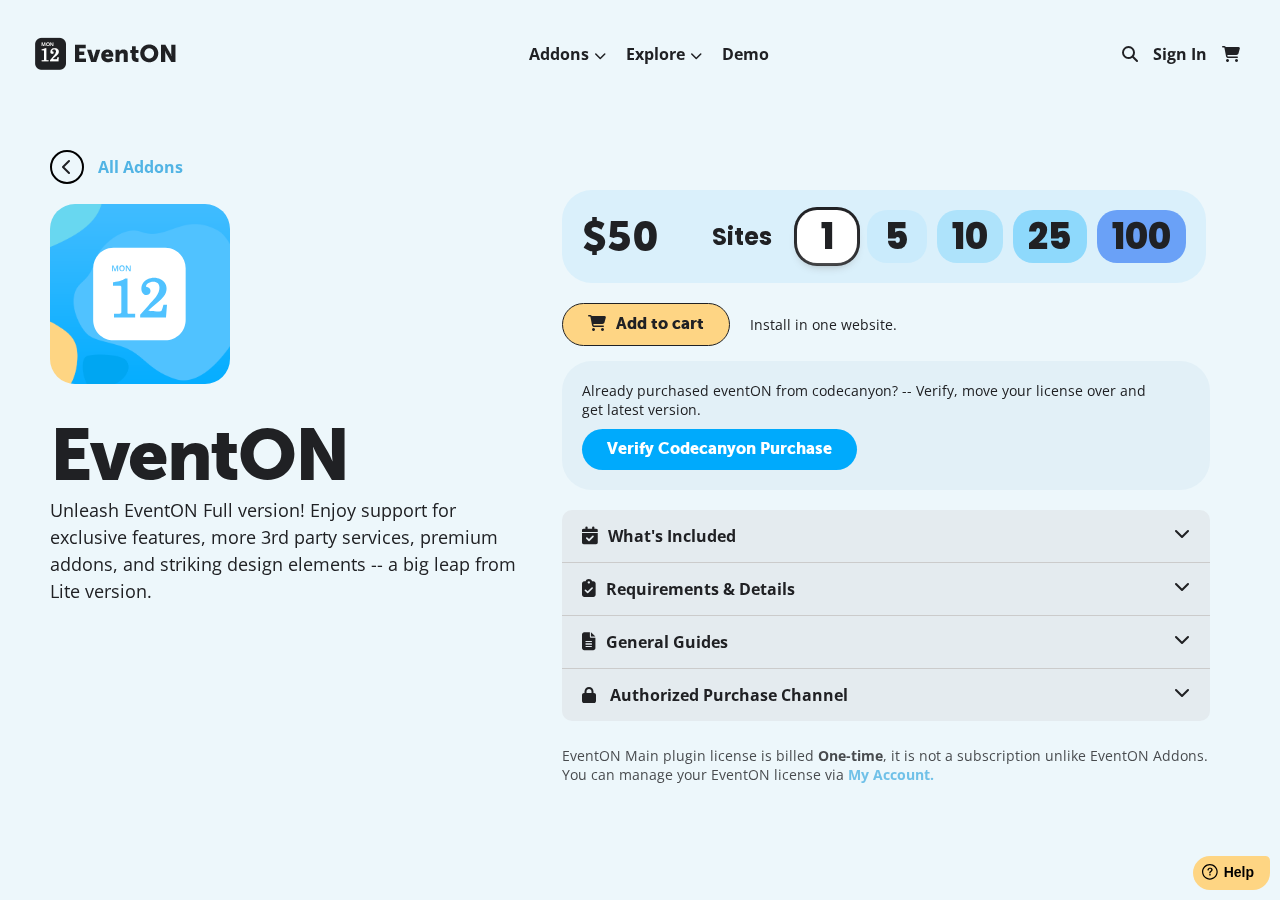
EventON uses a split pricing model: the core plugin is a one-time purchase, while addons are annual subscriptions.
EventON Lite (free, WordPress.org)
Basic calendar functionality with Jitsi virtual event support, standard accordion and tile layouts, basic filtering, and limited customization. No premium addon support. Suitable for sites that need simple event display without ticketing, RSVP, or advanced views.
EventON Full (one-time purchase)
| License | Price | Sites |
|---|---|---|
| 1 site | $50 | 1 website |
| 5 sites | $150 | Up to 5 websites |
| 10 sites | $250 | Up to 10 websites |
| 25 sites | $500 | Up to 25 websites |
| 100 sites | $1,000 | Up to 100 websites |
Includes lifetime plugin updates and one year of support. One-time payment; does not auto-renew.
Addons (annual subscriptions, sold separately)
Individual addons range from $20 to $150 per year. Bundles provide approximately 15% savings on grouped addon sets.
If you previously purchased EventON on CodeCanyon, the developer offers a license transfer process to move your CodeCanyon license to the myeventon.com system.
Comparison context: The Events Calendar’s minimum paid plan starts at $259 per year. Modern Events Calendar’s core plugin runs around $89 per year for one site. EventON Full at $50 one-time is significantly cheaper as a base plugin cost, but factor in addon costs before assuming overall savings.
Pros and cons
Pros
- One-time $50 pricing for the Full plugin is competitive against annual-subscription competitors
- Distinctive tile-based, bubble, and accordion calendar layouts set it apart visually
- Recurring events included in the Full version without an extra addon cost
- Virtual event support for both Zoom (OAuth) and Jitsi built into the base plugin
- AI-assisted event content generation via OpenAI API integration
- Extensive addon catalog covering ticketing, RSVP, seating, submissions, and specialized views
- Bundle options for approximately 15% savings on grouped addon sets
- iCal and Google Calendar export available
- Time zone support for international events
- CodeCanyon license transfer process available for legacy purchasers
Cons
- Addon subscription costs stack quickly; ticketing plus RSVP plus a view addon can push annual recurring costs above the initial plugin price
- Traditional month-grid calendar view requires the Full Cal addon ($55/yr) on top of the base plugin
- 6,000+ active installs for EventON Lite is modest compared to competitors with 600,000+ installs or more
- Maintained by a solo developer, which introduces long-term support continuity uncertainty
- Not Gutenberg-native; the event creation admin UI uses a legacy meta-panel approach
- The Lite free version has limited functionality, making it difficult to evaluate the full product without purchase
- Support renewal terms after the first included year are not prominently documented on the pricing page
Alternatives
The Events Calendar
The Events Calendar is the most-installed WordPress events plugin with 600,000+ active installs. The free version delivers genuine month, list, and day views, Google Maps integration, and JSON-LD SEO markup. Paid plans start at $259/year under the 2026 Liquid Web structure and include full recurring events, ticketing, and advanced views. Better for organizations that prioritize a large ecosystem and long-term track record, though the 2026 ownership transition has introduced pricing friction for legacy users.
Modern Events Calendar
Modern Events Calendar offers a comprehensive free version on WordPress.org and a paid tier around $89/year. It provides a wider variety of calendar views out of the box than EventON, including a traditional grid, timeline, and list views without requiring addon purchases. A stronger pick for teams that want layout variety without managing a separate addon catalog.
Sugar Calendar
Sugar Calendar is a lightweight plugin focused on clean calendar display without feature sprawl. It integrates with existing WordPress content structures and is a practical option for sites that need a straightforward calendar without a full event management system attached.
Event Organiser
Event Organiser is a free, developer-friendly events plugin with strong recurring event logic. It supports granular recurrence patterns and includes iCal import and export. A sensible alternative for sites where sophisticated recurring events are the primary requirement and ticketing is not needed.
Final verdict
EventON earns its place in the market with a genuinely distinctive design approach and an attractive one-time pricing structure. The $50 Full license, combined with built-in recurring events and virtual event support, makes it a credible choice when the primary requirement is a polished-looking calendar with no annual base cost.
The decision gets more complex as soon as you start adding addons. Ticketing alone is $120/year. Add RSVP and you are at $220/year in recurring costs. At that point, the one-time payment advantage of the core plugin shrinks considerably compared to alternatives that bundle more into their base subscription price.
My recommendation: start with the free Lite version to test the interface and layout style. If the tile and accordion design fits your site’s aesthetic, the Full version at $50 is a reasonable one-time spend. Before purchasing, list every addon you actually need and calculate the first-year total cost including addons, then compare that figure against a full-year cost of The Events Calendar or Modern Events Calendar with equivalent features.
For sites that genuinely only need the base calendar with recurring events and virtual support, EventON Full represents good value. For sites building a complete event management system with ticketing, submissions, and advanced filtering from day one, the true total cost comparison matters more than the headline $50 plugin price.
FAQ
Is EventON free?
A free version called EventON Lite is available on WordPress.org with 6,000+ active installations. Lite includes the basic tile and accordion calendar layouts, Jitsi virtual event support, and basic filtering. The Full version costs $50 as a one-time purchase for one site and unlocks premium addon compatibility, Zoom OAuth integration, the EventTop Designer, and advanced customization options. Most of EventON’s powerful features require Full plus specific addon purchases.
How much does EventON cost?
EventON Full is a one-time purchase: $50 for one site, $150 for five sites, $250 for ten sites, $500 for twenty-five sites, and $1,000 for one hundred sites. The core plugin does not renew automatically. Addons for features like ticketing, RSVP, and advanced calendar views are sold separately as annual subscriptions ranging from $20 to $150 per addon per year.
Does EventON support recurring events?
Yes. The Full version includes recurring event support with daily, weekly, monthly, yearly, and custom interval options, all at the base $50 purchase price. The Repeat Customizer addon ($40/year) adds per-instance override capability within a series.
Can EventON sell event tickets?
Not in the base plugin. Ticket sales require the Event Tickets addon ($120/year), which uses WooCommerce for payment processing. Additional addons handle ticket variations ($70/yr), QR check-in ($30/yr), PDF tickets ($40/yr), and seating charts ($150/yr). The free Lite version does not support ticketing.
Is EventON compatible with the WordPress Block Editor?
EventON works on WordPress sites running the Block Editor, but the event management admin interface uses a classic meta-panel layout rather than native Gutenberg blocks. Full Gutenberg-native event creation is not a current feature.
What is the difference between EventON Lite and EventON Full?
EventON Lite is the free WordPress.org version with basic calendar views, Jitsi virtual support, and limited customization. EventON Full enables premium addons (Event Tickets, RSVP Events, etc.), adds Zoom OAuth integration, unlocks the EventTop Designer for custom top-bar layouts, and enables advanced color and style customization. Most of EventON’s more powerful features require Full plus specific addon purchases.
How does EventON compare to The Events Calendar?
The Events Calendar has a much larger install base (600,000+ vs. 6,000+ for EventON Lite) and a 15-year community track record. EventON’s key advantage is the one-time base plugin pricing ($50 vs. $259/year minimum for The Events Calendar’s paid tier) and the visually distinctive tile layout. Both require addon costs to unlock full ticketing and RSVP. Choose The Events Calendar for ecosystem breadth; choose EventON for one-time pricing and visual differentiation.
Explore more plugin reviews in the WordPress plugin reviews section.