


LifterLMS sits in an interesting position in the WordPress LMS market. It has a genuinely capable free core, a flexible add-on model, and a founder-led team that shows up every week for live office hours with users. It is also a plugin where the pricing picture can confuse: the free version will not accept payments out of the box, and the bundle options have changed enough over the years that most third-party reviews are out of date on cost.
This review covers LifterLMS as it stands in August 2026: the free plugin, the current bundle pricing, what the bundles actually include, where the free version has real limits, and who the product fits well versus who should look elsewhere.
Note on basis: this review is built on the official lifterlms.com feature pages, current pricing verified August 2026, the WordPress.org plugin listing and its 391 user reviews, the most recent changelog through version 10.1.0, and published user feedback. A hands-on install of the free plugin was not completed in a live sandbox for this review window. The $1 trial demo (described below) provides 30 days of full-feature access and is the recommended hands-on path before purchasing. Where a feature is described from documentation rather than direct testing, the text says so.
At a glance:
- Plugin: LifterLMS, version 10.x (last updated August 18, 2026)
- Developer: LifterLMS / GoFetch Inc.
- WordPress.org active installs: 10,000+
- Rating: 4.8 stars from 391 reviews on WordPress.org
- Free tier: genuinely comprehensive course builder with unlimited courses, memberships, and students; payment gateways require a paid add-on
- Paid bundles: Earth at $199/year (1 site), Universe at $299/year (5 sites), Infinity at $799/year (unlimited sites)
- $1 trial: 30-day hosted demo site with full Infinity Bundle access
- Bottom line: the most complete free WordPress LMS core available, with a deep add-on ecosystem for teams that need payment processing, advanced quizzes, group enrollment, or coaching tools
Quick verdict
LifterLMS makes the strongest case in the WordPress LMS category for starting free. The core plugin on WordPress.org gives you unlimited courses, unlimited memberships, unlimited students, a course builder, a quiz engine, certificates, badges, drip content, prerequisites, and a gradebook, all without spending a dollar. That is a more complete free offering than most competing plugins.
The catch is payments. If you want to charge for your courses, you need a paid add-on: the Stripe extension costs $149/year separately, or you buy into one of the bundles. The Earth Bundle at $199/year for one site covers Stripe, PayPal, and WooCommerce checkout alongside a cart abandonment recovery tool. For most single-site creators, that is the entry price for a monetized course business on LifterLMS.
The platform stands out with two features that competitors handle less well: a built-in private coaching layer that lets you sell one-to-one coaching sessions alongside courses, and weekly live office hours with the LifterLMS team itself, available from Universe and above. For coaches and consultants, that combination is hard to replicate in the WordPress LMS space.
- Best for: independent course creators, coaches and consultants, schools and educational institutions, and agencies building LMS sites on a per-client basis.
- Best plan for solo creators: Earth Bundle at $199/year for one monetized course site.
- Best plan for coaches: Universe Bundle at $299/year for multiple sites plus email marketing integrations and live office hours.
- Best plan for agencies: Infinity Bundle at $799/year for unlimited sites and 15 advanced add-ons.
- Standout: the most capable free core in the WordPress LMS category; private coaching add-on; weekly live office hours support; self-hosted with full data ownership.
- Watch out for: payment gateways are not in the free tier; Groups (cohort management) is an expensive separate add-on unless you are on Infinity; the add-on cost model can be confusing to map before you buy.
What LifterLMS is
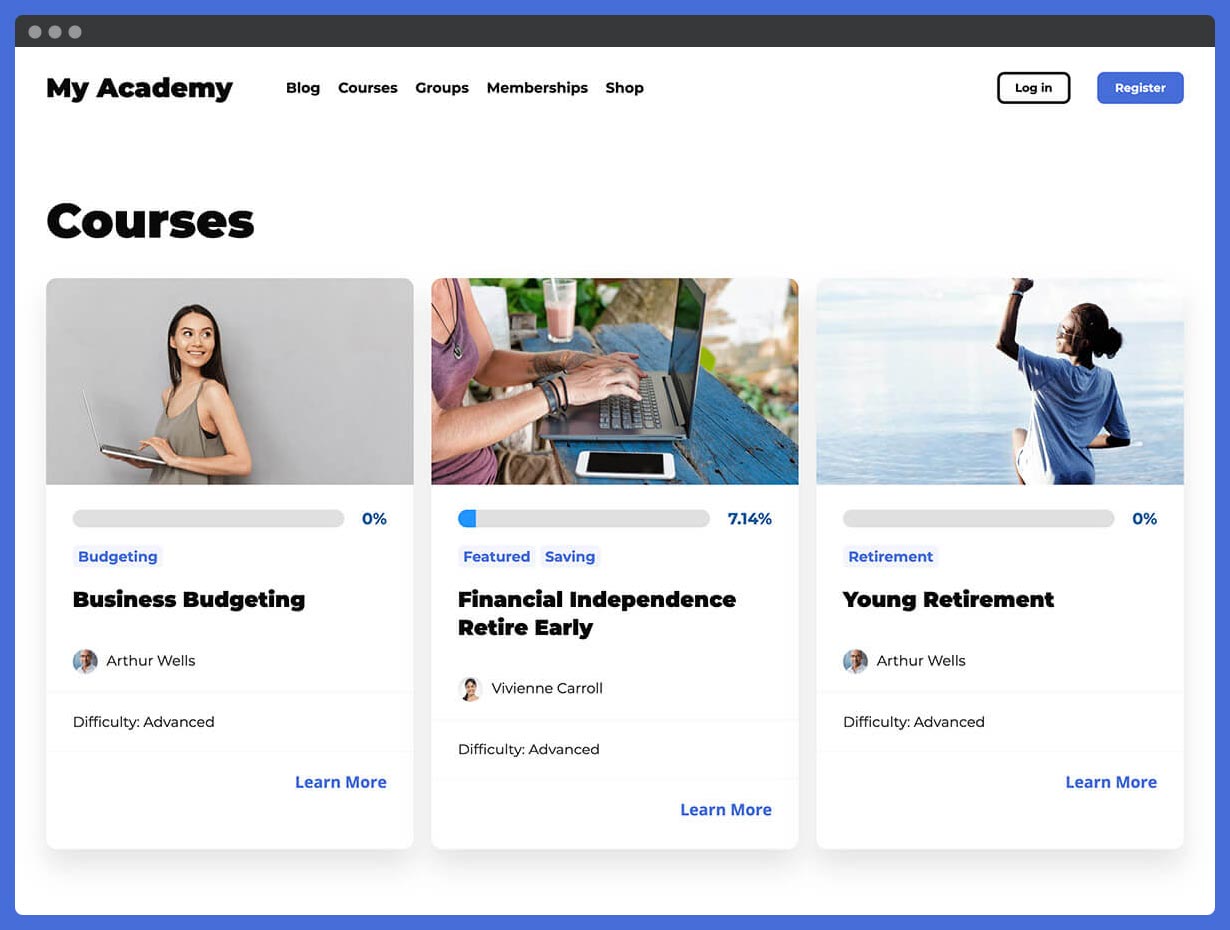
LifterLMS is a self-hosted WordPress plugin for building online course sites, membership programs, and coaching businesses. You install it from the WordPress.org plugin directory, configure it from the WordPress admin, and build courses using a drag-and-drop builder that organizes content into sections and lessons. Memberships, quizzes, certificates, and a student dashboard are all built into the free plugin.
The company behind LifterLMS is GoFetch Inc., led by founder and CEO Chris Badgett. The product has operated as an independent LMS-focused company since around 2014 and has not gone through the kind of ownership or team changes that some competitors in the category experienced in 2025 and 2026. The plugin is actively maintained: version 10.1.0 landed in August 2026 with new AI integration hooks, lesson time tracking, and quiz enhancements.
The WordPress.org listing shows 10,000+ active installs and a 4.8 out of 5 rating from 391 reviews, of which 365 are five-star. The plugin is tested up to WordPress 7.1 and requires PHP 7.4 or higher.
LifterLMS is self-hosted and data-owned. Your course content, student records, and membership data live on your own WordPress hosting account, not on a vendor cloud. If you cancel a paid bundle, the free plugin continues to run, and your content stays on your server.
Who LifterLMS is best for
Strong fit:
- Independent course creators and educators launching a first course on a budget. The free core handles course structure, quizzes, certificates, and student management without any upfront cost. You pay when you need to accept money.
- Coaches and consultants who combine online courses with one-to-one client work. LifterLMS has a private coaching add-on that allows you to create dedicated coaching areas, discussion spaces, and individual session materials alongside course content. This is not standard in competing WordPress LMS plugins.
- Schools and educational institutions managing structured programs with prerequisites, drip content, continuing education units, and multi-instructor assignments. The free core covers all of these without a paid license.
- Companies building employee or customer training portals. The Groups add-on enables organizations to sell bulk seat access, appoint group leaders, and track learner progress with front-end reporting dashboards.
- WordPress agencies building course sites for clients. The Infinity Bundle covers unlimited client sites and includes all advanced add-ons, making per-client deployment straightforward from one license.
- Buyers who want to test a full LMS before committing. The $1 trial gives you 30 days on a hosted demo site with the full Infinity Bundle feature set, across three demo templates (Expert, Business, School), with no automatic charge after the trial ends.
Weak fit:
- Course creators who have no WordPress experience and want a point-and-click hosted platform. LifterLMS requires you to manage hosting, security, backups, and plugin updates yourself.
- Teams that need a native mobile app. LifterLMS does not include a mobile app in any bundle.
- Buyers who expect a fully bundled all-in-one at the entry price point. The Earth Bundle covers payment gateways but excludes advanced features like Groups, Social Learning, and Assignments, which require Infinity or separate add-on purchases.
- Organizations that need a hands-off software-as-a-service learning platform with no technical responsibility. Self-hosted WordPress LMS plugins involve server-level decisions that hosted platforms do not.
Setup and user experience
Installing the free plugin follows the standard WordPress workflow: search for “LifterLMS” in Plugins, install, activate. A five-step setup wizard launches on first activation to walk through site name, currency, payment configuration, and an optional demo course install. The wizard is guided and clear, based on the official WordPress.org screenshot, though it does not bypass the fact that payment configuration still requires a separate paid add-on unless you are choosing free enrollment.
I reviewed the plugin settings structure and admin screenshot from the official WordPress.org listing. The admin interface uses a dedicated LifterLMS section in the WordPress sidebar with sub-menus for Courses, Memberships, Quizzes, Certificates, Reporting, and Settings. The layout is organized and consistent with WordPress admin conventions, which reduces the learning curve for users who already know WordPress.
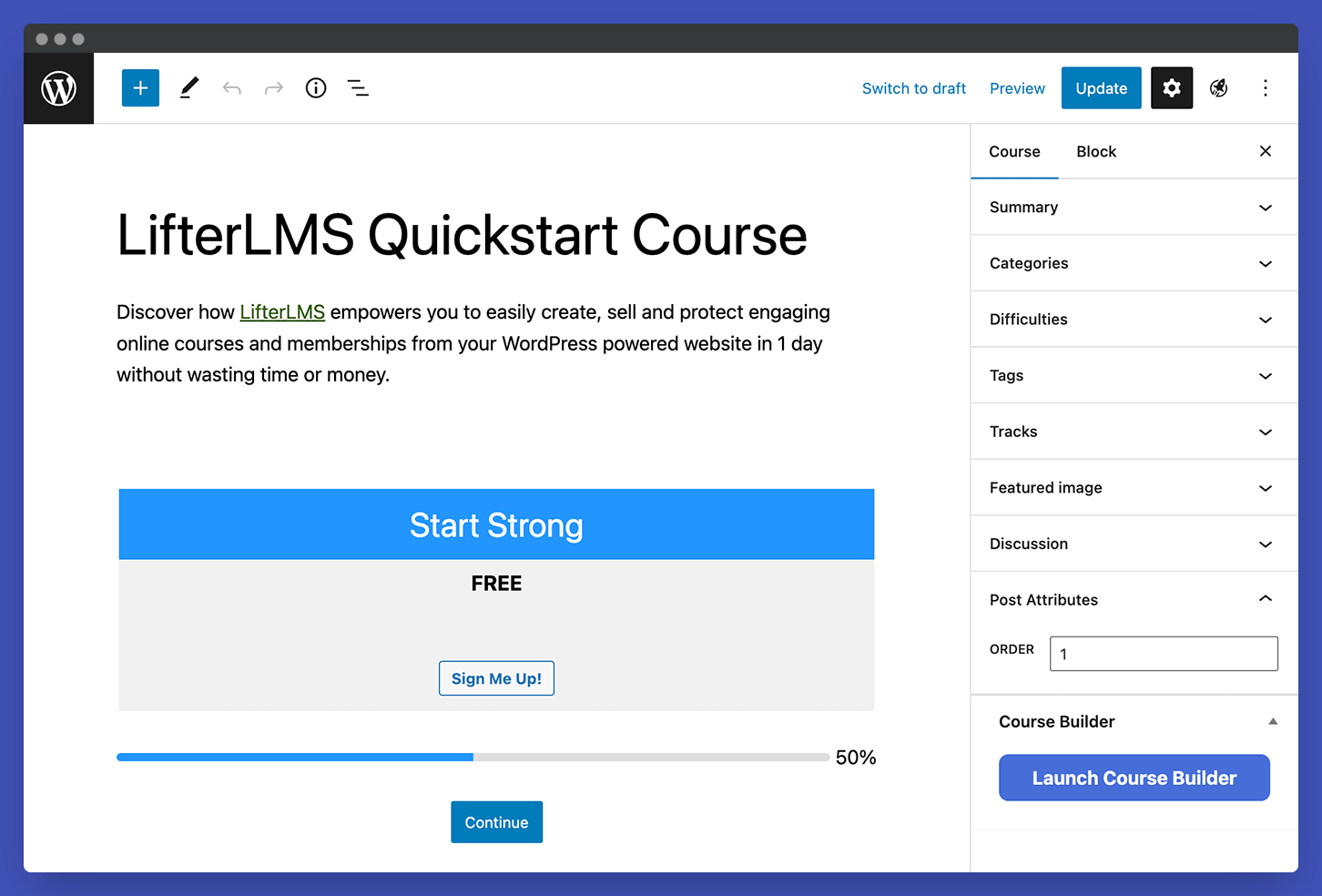
The Course Builder uses a visual drag-and-drop interface. Sections, lessons, and quizzes are added and rearranged on a single screen. Content within lessons uses the standard WordPress block editor (Gutenberg), so any block-compatible element, such as video embeds, PDFs, H5P interactive content, images, and custom blocks, works inside lessons without additional plugins.
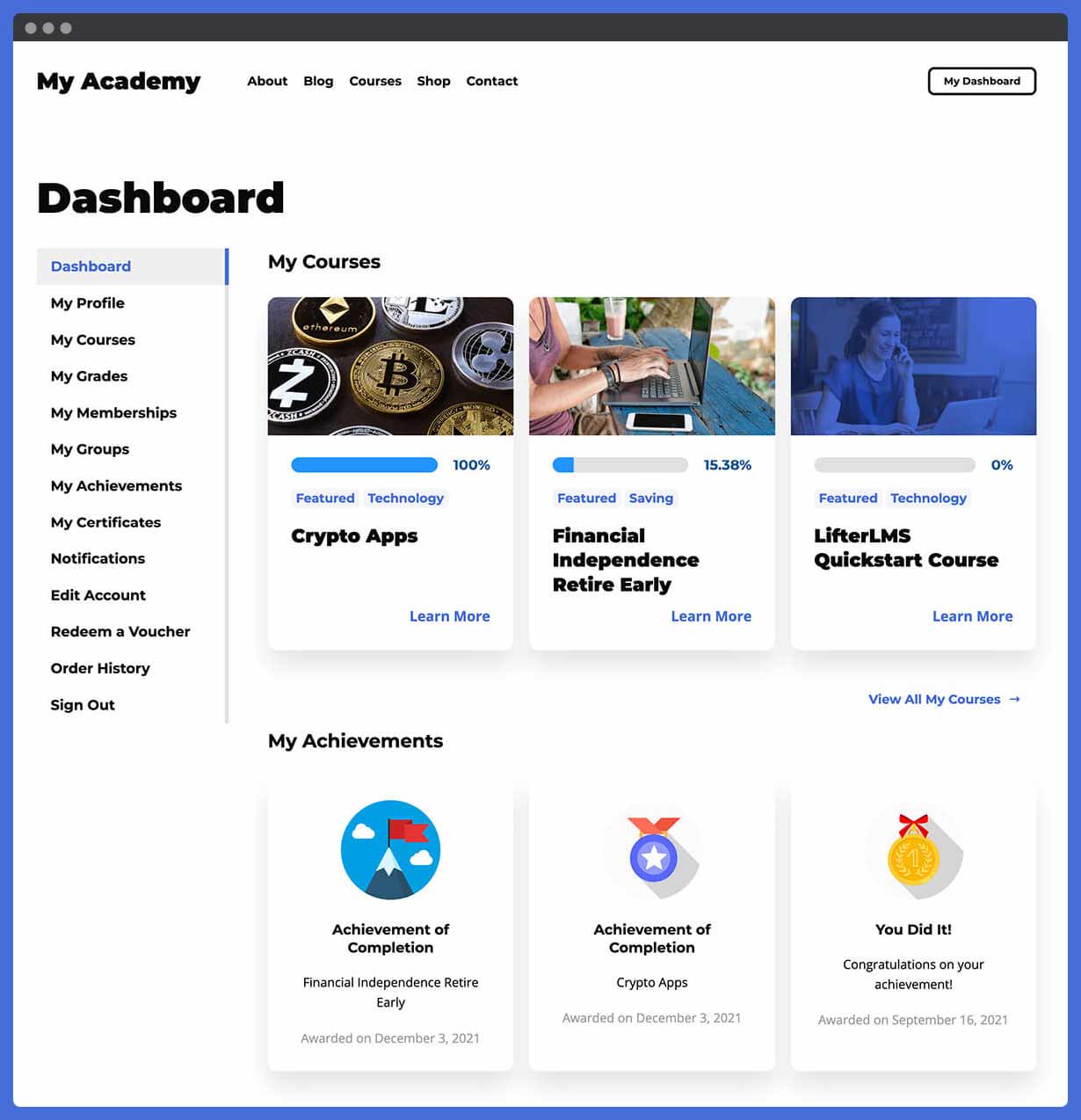
The student dashboard is a front-end page that logged-in learners use to track their progress, access current courses, manage their membership, and update account details. This is built into the free core, with no additional configuration required beyond placing the provided shortcode on a page during setup.
The $1 demo site is the cleanest way to evaluate the full platform experience before committing. You choose one of three pre-built templates (Expert for individual course creators, Business for training portals, School for academic programs), get a fully configured site hosted by LifterLMS for 30 days, and explore every feature that the Infinity Bundle includes. The company explicitly states there is no automatic charge after the trial ends and offers a money-back guarantee on the $1 itself.
Core features
Course builder and content organization
The course builder handles multi-tier content organization: sections group related lessons, lessons hold the actual learning material, and quizzes attach to lessons or sit at the section level. Audio, video, text, images, and downloadable files are all supported as lesson content types. Lesson downloads allow students to access worksheets, eBooks, and PDFs offline directly from the lesson page.
Drip content scheduling releases lessons on a fixed date, a defined number of days after enrollment, or based on a specific prerequisite completion. Prerequisites can be set at the lesson level or the course level: a student cannot access a lesson or course until they have completed a prior step. Both features are available in the free core.
Course tracks group multiple courses into a degree program, certification path, or learning sequence, which is useful for structured curricula where students complete courses in a defined order. Course import and export allows migration between WordPress sites and serves as a backup mechanism for course content.
Memberships
LifterLMS includes membership functionality in the free core. You can create unlimited membership levels, restrict access to courses, pages, posts, and forums by membership tier, set members-only pricing on individual courses, and automatically enroll new members in designated courses upon purchase.
The membership engine handles content restriction sitewide: if a page or post is protected, non-members see a customizable access-denied message rather than the restricted content. Membership subscriptions (recurring billing) require the Stripe or PayPal add-on, which is part of the Earth Bundle and above.
This built-in membership capability is a meaningful differentiator. Competing plugins like LearnDash required a separate plugin (MemberDash) to replicate this functionality, and that plugin was only bundled into plans from 2026. LifterLMS has offered this in the free core from the beginning.
Quiz engine
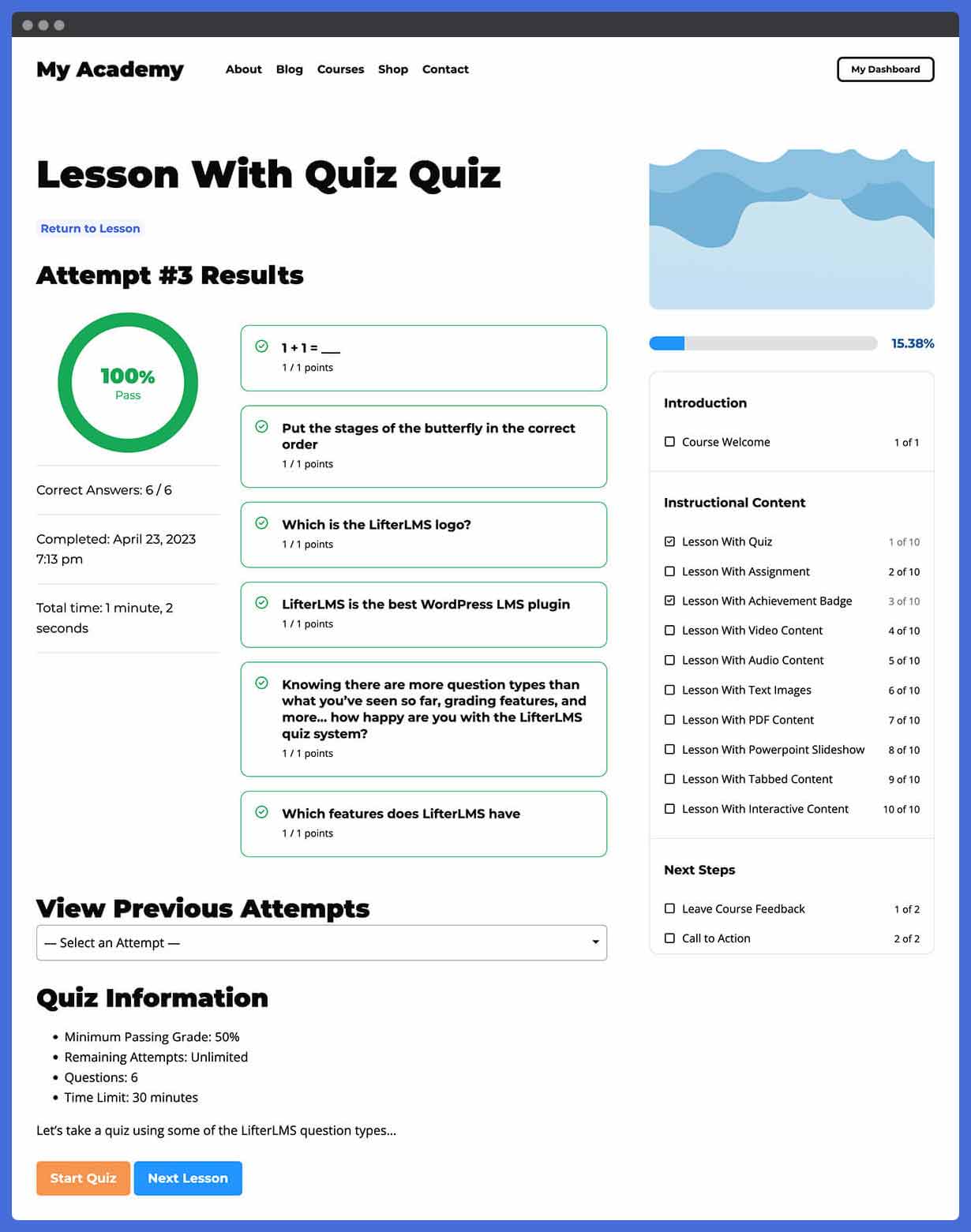
The quiz builder supports multiple question types: multiple choice, true/false, fill-in-the-blank, image choice, and essay/short answer. A question bank system lets you store and reuse questions across multiple quizzes. Quiz configuration includes time limits, passing thresholds, randomized question order, randomized answer order, and retry attempt limits.
Based on the documented feature set and user reviews, the quiz engine is solid for standard assessment needs. It does not match the breadth of LearnDash’s eight question types (which include manual-graded essays, sorting, and matrix sorting), but it covers the formats that most course creators need. The Advanced Quizzes add-on, available on the Infinity Bundle or separately, extends the question type library further.
The v10.1.0 update added accessible expand controls for answer details in quizzes and addressed a quiz attempt completion issue related to minimum time requirements. The plugin also added lesson time tracking, which lets instructors set a minimum time requirement before a student can advance, similar to video progression enforcement in LearnDash.
Certificates and achievement badges
Certificates are generated automatically when students meet a quiz score threshold or complete a course. A certificate builder lets instructors customize the certificate template with text, images, and dynamic variables such as student name, course name, completion date, and score. Certificates are available as printable PDFs.
Achievement badges reward students for specific milestones: completing a lesson, finishing a course, achieving a quiz score, or reaching a set number of enrollments. Both certificates and badges are included in the free core.
One user review on WordPress.org noted that linking certificates to specific courses felt complicated. This matches the general pattern I found in the documentation: the certificate engine is capable, but the configuration workflow has some friction points that are not always obvious on first setup.
Private coaching and social learning
LifterLMS includes features for private coaching that most competing WordPress LMS plugins do not offer as tightly integrated. Coaches can create dedicated private areas for individual clients, separate from group courses, where coaching materials, session notes, and private discussions live in a structured space. Upsells from a course to a coaching program are built into the access plan framework.
Social learning features allow course creators to add discussion areas, timelines, and community spaces inside the course environment. BuddyPress and bbPress integrations extend this into dedicated forum systems if a full community platform is needed. The Social Learning add-on (Infinity Bundle or separate purchase) provides the more structured social features.
Ecommerce and payments
The free core does not include a payment gateway. To sell courses, you need either the Stripe Extension, the PayPal Extension, or the WooCommerce integration, which are available individually or as part of the Earth Bundle and above.
The access plan model is one of LifterLMS’s more distinctive payment features. Rather than a simple single-price setup, access plans allow you to offer multiple purchase options for the same course: a one-time purchase, a subscription, a payment plan (monthly installments for a total price), and a free enrollment, all selectable from a single checkout screen. Students choose which access model works for them.
Additional ecommerce features included in various bundles:
- Cart abandonment recovery (Earth and above): automatically follows up with students who started checkout but did not complete purchase.
- Name your price (Earth and above): allows students to choose how much they pay, useful for pay-what-you-can courses or community programs.
- Course bundles: package multiple courses at a single price.
- Coupons: create discount codes with percentage or fixed-amount values, geo-targeting, URL-based activation, and affiliate-ready coupon tracking.
- Voucher/bulk sales: generate activation codes for institutional or organizational purchases where a single buyer distributes access to multiple students.
- Gift system: allow students to purchase course access as a gift for another user.
Reporting and gradebook
The free core includes a gradebook that tracks per-student quiz scores, course completion status, and overall grades across all enrolled courses. The reporting section provides sales and enrollment reports with filtering by time period, course, membership, and student.
Based on the WordPress.org screenshots and documented features, the reporting covers the essential data an individual course creator needs to monitor their platform. A small number of user reviews specifically called out the reporting as needing improvement, particularly for advanced analytics and certificate assignment workflows. The platform does not offer a dedicated reporting dashboard comparable to LearnDash’s ProPanel at any bundle tier.
Groups and cohort management
The Groups add-on enables cohort-style enrollment: an organization purchases a set number of seats, a group leader assigns those seats to learners, and the group leader can view learner progress from a front-end dashboard without WordPress admin access. This maps directly to corporate training scenarios where an L&D team manages a course program without sharing admin credentials.
The Groups add-on is available in the Infinity Bundle or as a standalone purchase at $299/year for a single site. This is a meaningful cost decision for buyers whose primary use case is organizational training: the Infinity Bundle at $799/year covers unlimited sites and includes all other advanced add-ons, while the standalone Groups add-on at $299/year applies to one site only.
Integrations
LifterLMS integrates with a range of third-party tools:
- Email marketing: Mailchimp and Kit (Universe Bundle and above), with Constant Contact and ActiveCampaign available via the Zapier connection.
- Form plugins: Gravity Forms, WPForms, Ninja Forms, and Formidable Forms (Universe Bundle and above), for collecting assignment submissions or custom learner data.
- Payment gateways: Stripe, PayPal, and WooCommerce checkout (Earth Bundle and above).
- Zapier: connects LifterLMS events to 7,000+ apps for enrollment automation, CRM updates, and notification workflows.
- H5P and Tin Can API: allows importing interactive content created in external authoring tools.
- BuddyPress and bbPress: community forum and social profile integration.
- Text messaging via Twilio: SMS notifications for enrollment, quiz completion, and other learner events (separate add-on).
The Sky Pilot theme, included with Universe and above, is a purpose-built WordPress theme for LifterLMS sites. It is not required to use LifterLMS, and the plugin works with any well-coded WordPress theme. Sky Pilot provides a pre-designed starting point for course site design without custom theme work.
Pricing
LifterLMS uses a free core plus paid bundle or individual add-on model. Prices shown reflect the current introductory offer of 50% off the first year; verify current pricing at lifterlms.com before purchasing.
| Plan | Price (introductory) | Sites | Key additions over free |
|---|---|---|---|
| Free core | Free (WordPress.org) | Unlimited | Courses, memberships, quizzes, certificates, badges, student dashboard, gradebook |
| Earth Bundle | $199/year | 1 | Stripe, PayPal, WooCommerce payments, cart abandonment recovery, name your price |
| Universe Bundle | $299/year | 5 | Everything in Earth + Sky Pilot theme + email marketing (Mailchimp, Kit) + form integrations + weekly mastermind + private Facebook group |
| Infinity Bundle | $799/year | Unlimited | Everything in Universe + 15 advanced add-ons including Groups, Social Learning, Assignments, Advanced Quizzes, Advanced Videos, Private Coaching areas, PDFs, events, and more |
A lifetime Infinity Bundle license is available at $10,000.
The $1 trial gives 30-day access to a hosted demo site with the full Infinity Bundle feature set. Three demo templates are available: Expert (individual course creator), Business (training portal), School (academic program). No automatic charge after 30 days, and LifterLMS offers to refund the $1 if you are not satisfied.
A 30-day, 100% money-back guarantee applies to paid bundle purchases.
What the add-on cost model means in practice
If you are a single-site course creator who needs payment processing and email marketing but not Groups or advanced quizzes, the Universe Bundle at $299/year covers your full stack. If you need Groups for an organizational training use case on one site, the standalone Groups add-on is $299/year, which equals the full Universe Bundle price. For that buyer, the Infinity Bundle at $799/year becomes more attractive because it includes Groups alongside 14 other advanced add-ons across unlimited sites.
Individual add-on pricing is available for specific features like Stripe ($149/year) or Assignments, which can be a cost-effective path for buyers who know exactly which one or two add-ons they need and do not want the full bundle.
Pros and cons
Pros
- The most comprehensive free core in the WordPress LMS category. Unlimited courses, unlimited memberships, unlimited students, full course builder, quizzes, certificates, and a gradebook, all at no cost.
- Full data ownership: course content and student records live on your own server. No vendor cloud lock-in.
- Private coaching integration that lets instructors sell one-to-one coaching alongside online courses, a differentiator not standard in competing plugins.
- $1 trial for 30 days of full Infinity Bundle access, with no automatic charge and a money-back guarantee on the $1 itself.
- Weekly live office hours with the LifterLMS team (Universe and above), a level of support access unusual in this category.
- Actively maintained: version 10.1.0 was released in August 2026, with security patches, feature additions, and bug fixes across the recent release cycle.
- Flexible access plan model: sell the same course at different price points (one-time, subscription, payment plan) from a single checkout screen.
- Memberships are in the free core, not a separate paid add-on, enabling sitewide content protection without extra licensing cost.
- Works with any well-coded WordPress theme; the Sky Pilot theme adds a purpose-built design option for Universe and Infinity users.
- Zapier integration connects LifterLMS to 7,000+ apps for enrollment automation, CRM syncing, and custom notification workflows.
- H5P and Tin Can API support allows importing externally created interactive eLearning content.
- Course import and export functionality for site migration and content backup.
- Independent company: no ownership changes, leadership departures, or portfolio consolidations in 2025 or 2026.
Cons
- Payment gateways are not included in the free core. Accepting money for courses requires the Stripe or PayPal add-on, which pushes the entry price to at least $149/year for Stripe alone, or $199/year for the Earth Bundle.
- The Groups add-on costs $299/year for a single site, or requires the Infinity Bundle at $799/year for unlimited sites. Organizational and cohort training use cases carry a significant price step.
- Active installs on WordPress.org are 10,000+, which is lower than some competing plugins (Tutor LMS reports 100,000+). This does not affect the plugin’s functionality but reflects a smaller install base for community-generated resources and third-party integrations.
- Reporting could be stronger. User reviews specifically note the reporting dashboard as an area needing improvement, and there is no advanced analytics layer comparable to LearnDash’s ProPanel included in any bundle.
- Certificate configuration has a learning curve. Multiple user reviews note difficulty linking certificates to specific courses without consulting the documentation.
- No native mobile app in any bundle. Mobile access is via the browser-based responsive interface only.
- Weekly mastermind and live office hours are restricted to Universe and above, leaving Earth Bundle buyers with standard ticket-based support.
- Setup requires solid WordPress knowledge. Non-technical users face the same general learning curve as any WordPress plugin-based platform.
Alternatives to LifterLMS
LearnDash. The other main self-hosted WordPress LMS contender. LearnDash has no free version, a starting price of $259/year, and went through a major organizational restructuring in 2026 when StellarWP was dissolved by Liquid Web, reducing the LearnDash product team. Its quiz engine is broader (eight question types including manual-graded essays and matrix sorting), and it has a stronger cohort management system natively on the Pro tier. Choose LearnDash if you need the deepest quiz types in the category, or if you are already committed to the Liquid Web ecosystem.
Tutor LMS. A strong competitor with 100,000+ active installs and a free core that includes native eCommerce (no add-on required for Stripe and PayPal). The v4.0 release in July 2026 brought a major UI redesign and a new mobile-optimized learner experience. Pro starts at $199/year for one site. Choose Tutor LMS if you want built-in payment processing without a paid add-on, a cleaner modern interface out of the box, or a course marketplace setup with front-end instructor enrollment.
Sensei LMS. A WordPress LMS plugin built around WooCommerce for payments. Free core available; paid extensions through the Automattic/WooCommerce ecosystem. A natural fit for stores already running WooCommerce who want to add course products. Choose Sensei LMS if you are already using WooCommerce and want a tightly integrated course selling experience within an existing product catalog.
MasterStudy LMS. A WordPress LMS plugin with strong design-quality output and built-in Zoom integration for live sessions. Choose MasterStudy if your course model combines self-paced content with synchronous live webinars and you want both managed from one plugin.
Teachable. A hosted SaaS course platform that removes WordPress entirely. You create an account, upload your content, and sell. No server management. Starts around $348/year with transaction fees on lower tiers. Gives up data ownership and deep design control in exchange for zero technical overhead. Choose Teachable if you are a first-time creator who wants the fastest possible launch with no infrastructure decisions.
Thinkific. Similar positioning to Teachable. Hosted course platform with a limited free plan and community features. Stronger native community tools than Teachable. Monthly pricing from around $36/month. Choose Thinkific if you want a SaaS starting point with a free tier and built-in community features before committing to a WordPress-based LMS.
For buyers committed to self-hosted WordPress, the 2026 choice is typically LifterLMS versus Tutor LMS for feature parity at the free tier and entry price, or LifterLMS versus LearnDash for depth of quiz types and enterprise cohort management.
Final verdict
LifterLMS earns its position as the most complete free WordPress LMS plugin available in 2026. The free core is not a stripped-down marketing tool: it handles unlimited courses, unlimited memberships, and unlimited students with a full quiz engine, drip content, prerequisites, certificates, and a student dashboard. Most course creators can build a complete, structured learning experience without spending anything.
The paid tier is where LifterLMS requires honest evaluation. If you need to accept money for your courses, the cost starts at $149/year for Stripe alone or $199/year for the Earth Bundle. If you need cohort management through the Groups add-on, the Infinity Bundle at $799/year is the cost-effective path. Buyers who try to assemble a specific feature set from individual add-ons should map out their full add-on list and compare it against the Infinity Bundle before purchasing individually.
What LifterLMS does distinctively well, and that the alternatives do not replicate cleanly, is the private coaching integration and the live weekly office hours. For coaches, consultants, and educators whose business model blends structured course content with individual client work, those two features represent genuine platform differentiation. The founder-led, independent company structure also matters for long-term planning: no portfolio consolidations, no layoffs, no brand dissolution to factor into your platform commitment.
If you are starting fresh with no existing WordPress site and want the fastest possible course launch, Tutor LMS’s free-with-native-eCommerce approach may reduce setup friction. If you need the deepest quiz engine in the category, LearnDash remains the option with the broadest question types, even amid its 2026 organizational questions. If you are an independent course creator, coach, or school building on WordPress for the long term, LifterLMS is the most complete and independently stable LMS investment available in 2026.
Use the $1 trial before you buy. Thirty days of full Infinity Bundle access is a meaningful commitment from a plugin company, and the three-template demo site gives you a realistic view of what you are building before you invest.
FAQ
Is LifterLMS free?
Yes. The LifterLMS core plugin is available at no cost on the WordPress.org plugin directory. It includes unlimited courses, unlimited memberships, unlimited students, a course builder, quizzes, certificates, achievement badges, drip content, prerequisites, a student dashboard, and a gradebook. Payment gateways are not included in the free version and require a paid add-on or bundle.
What is included in the LifterLMS free version vs. paid?
The free core covers the full course creation and delivery stack: course builder, lesson organization, quizzes with question banks, certificates, badges, memberships, content drip, prerequisites, reporting, and student management. Paid add-ons or bundles add payment processing (Stripe, PayPal, WooCommerce), cart abandonment recovery, email marketing integrations, form integrations, the Sky Pilot theme, advanced quiz types, assignments with manual grading, group enrollment management, social learning tools, private coaching areas, and more.
How much does LifterLMS cost?
The free core is available at no charge from WordPress.org. Paid bundles start at $199/year (Earth, one site) and go to $299/year (Universe, five sites) and $799/year (Infinity, unlimited sites). A lifetime Infinity Bundle license is available at $10,000. Individual add-ons like the Stripe extension are sold separately starting at $149/year. All prices reflect the introductory 50% first-year offer active as of August 2026; verify at lifterlms.com before purchasing. A 30-day money-back guarantee applies to paid plans.
Can I try LifterLMS before buying?
Yes. LifterLMS offers a $1 trial that gives you 30 days of access to a hosted demo site with the full Infinity Bundle feature set. Three demo templates are available: Expert (individual course creator), Business (employee or customer training), and School (academic program). The company states there is no automatic charge after the 30 days end, and they offer to refund the $1 if you are not satisfied.
How does LifterLMS compare to LearnDash?
LifterLMS has a free core; LearnDash has no free version and starts at $259/year. LifterLMS includes memberships in the free tier; LearnDash only bundled its membership tool (MemberDash) from 2026 following a portfolio consolidation. LearnDash’s quiz engine supports eight question types including manual-graded essays, sorting, and matrix sorting, which is broader than LifterLMS’s standard quiz builder. LearnDash went through a significant organizational restructuring in 2026 when Liquid Web dissolved the StellarWP portfolio brand and reduced the product team. LifterLMS operates as an independent company with no comparable changes in 2025 or 2026.
Does LifterLMS have a mobile app?
No. LifterLMS does not include a native mobile app in any bundle. Students access courses through the browser-based responsive interface on mobile devices. If a native app is a hard requirement, evaluate platforms that offer one natively.
What payment gateways does LifterLMS support?
The Stripe Extension and PayPal Extension are available as paid add-ons or through the Earth Bundle and above. A WooCommerce gateway integration allows using WooCommerce checkout and its supported payment methods. The free core does not include any payment gateway; free enrollment is available from the free core, but paid enrollment requires at least one of these add-ons.
Can I use LifterLMS for employee training?
Yes. The free core covers structured courses with prerequisites, drip content, quizzes, and certificates, which are the core requirements for employee training. The Groups add-on (Infinity Bundle or $299/year standalone) adds bulk seat sales, group leader roles with front-end reporting, and cohort management, which are the specific features that corporate L&D teams typically need.
Is LifterLMS still being actively developed?
Yes. Version 10.1.0 was released in August 2026, and the plugin has seen regular updates throughout 2026 including security patches, feature additions (WordPress Abilities API integration for AI tools, lesson time tracking, quiz enhancements), and bug fixes. The WordPress.org listing shows the plugin was updated two days before this review was written.