


Spam does not arrive through one door. It hits your comment section, your contact forms, your registration page, and your WooCommerce checkout. A plugin that covers one of those surfaces while leaving the others open is not solving your problem; it is relocating it.
I went through seven of the most active and established anti-spam plugins for WordPress: their WordPress.org ratings, active install counts, free versus paid tiers, form coverage, and how they actually behave under realistic conditions. Where I tested a plugin directly in a sandbox, that is noted. Where I relied on official documentation or public materials, that is noted too. This is not a rehash of feature lists.
How I chose these WordPress anti-spam plugins
The shortlist came from WordPress.org plugin directory data, current search results for anti-spam queries, community recommendations, and direct evaluation of plugins with meaningful install counts and active maintenance records.
Selection criteria:
- Active installs and rating. Any plugin under 10,000 installs was excluded unless it offered something genuinely unique.
- Coverage breadth. Does it handle comments only, or also contact forms, registrations, and WooCommerce?
- Detection approach. Cloud API, local honeypot, CAPTCHA, or hybrid?
- Free tier quality. Is the free version genuinely useful or a restricted teaser?
- GDPR and privacy posture. Does it send visitor data to external servers, and is that disclosed clearly?
- Active maintenance in 2026. Last updated date, changelog quality, and developer responsiveness.
I kept the list to seven plugins because the anti-spam category has clear leaders and a well-defined middle. Adding more would not improve clarity.
Quick comparison table
| Plugin | Best for | Free version | Starting paid price | Detection approach | Main limitation |
|---|---|---|---|---|---|
| Akismet | Personal bloggers, non-commercial sites | Yes (non-commercial only) | ~$10/month (Pro, 1 site) | Cloud ML database | Commercial use costs significantly more than alternatives |
| CleanTalk | Commercial sites, WooCommerce stores | 7-day trial only | $12/year (1 site) | Cloud API + SpamFireWall | No permanent free tier; cloud data transmission |
| WP Armour | Form-heavy sites (CF7, WPForms, Elementor) | Yes (most forms) | $19.99/year (Extended, 1 site) | JavaScript honeypot | WooCommerce checkout requires Extended |
| Antispam Bee | GDPR-sensitive sites, comment-only | Yes (forever, commercial OK) | Free only | Local honeypot and database | Comments only; no form plugin coverage |
| Titan Anti-Spam | Sites wanting spam and security in one plugin | Yes (commercial OK) | $39/year (Starter, 1 site) | Local database + ML (Pro) | Smaller database; less WooCommerce coverage |
| Zero Spam | Developer-managed multi-surface protection | Yes (plugin free) | $8/month (Zero Spam API) | JS honeypot + IP reputation | PHP 8.2+ required; admin complexity |
| hCaptcha | Privacy-conscious reCAPTCHA replacements | Yes (full CAPTCHA) | $99/month (Pro, passive mode) | CAPTCHA challenge | Visible challenge on free; Pro is expensive |
1. Akismet Anti-Spam: the established default for WordPress sites
Akismet has been running since October 2005. Over 5 million WordPress sites use it, making it the most-installed anti-spam plugin in existence. Automattic, the company behind WordPress.com, WooCommerce, and Jetpack, built and maintains it. The spam database is trained on 573 billion blocked samples across 100 million websites and is the largest in the category.
The case for Akismet on a personal blog is simple: install it, get a free API key (zero cost for non-commercial sites), and spam in your comment section effectively stops. No CAPTCHA for visitors, no configuration after setup, no ongoing cost. For a personal blogger, this is the correct answer.
The commercial picture is different. Any site that shows advertising, sells products, promotes a service, or generates affiliate income requires a paid plan. Pro costs approximately $9.95/month for one site ($119.40/year). CleanTalk covers the same site for $12/year and adds WooCommerce protection and registration spam blocking that Akismet does not include by default. For budget-aware commercial sites, that comparison matters.
Best for: personal bloggers, non-commercial sites, and developers who want a set-it-and-forget-it comment spam filter backed by Automattic’s global database.
Key features
- Cloud-based spam filtering with no CAPTCHA friction for visitors
- Global database trained on 573+ billion spam samples from 100+ million websites
- Native integrations with Contact Form 7, Gravity Forms, and Formidable Forms
- Transparent comment status history in WordPress admin
- Automatic discarding of high-confidence spam
- MCP tool integration and Connectors page support added in v5.7 (April 2026)
- 5+ million active installs, 4.7/5 stars from 1,186 reviews
Pricing: Free (pay-what-you-want, non-commercial only). Pro approximately $9.95/month for 1 commercial site. Business approximately $49.95/month for unlimited sites.
Limitation: Commercial use requires a paid plan at a price that CleanTalk undercuts substantially. Does not cover registration spam or WooCommerce checkout by default.

Pros
- Most-installed anti-spam plugin; 20-year track record
- Best spam database: 573B+ blocked samples across 100M+ websites
- Free for personal non-commercial blogs with no feature restrictions
- CAPTCHA-free for visitors; invisible filtering
- Native CF7, Gravity Forms, and Formidable Forms integrations
- Made by Automattic; deeply compatible with WordPress core
Cons
- Free tier restricted to non-commercial use; commercial definition is broad
- Pro pricing significantly higher than CleanTalk for equivalent comment coverage
- Does not cover registration, WooCommerce checkout, or login forms by default
- Requires a WordPress.com account to get an API key
- Sends comment data to Automattic’s cloud (GDPR considerations for EU sites)
2. CleanTalk: best value anti-spam for commercial WordPress sites
CleanTalk’s pitch is straightforward: full-site spam protection for $12 per year, no CAPTCHA, no commercial restriction, and coverage across every form type your WordPress site is likely to run. That price is one-tenth of Akismet Pro for a single commercial site.
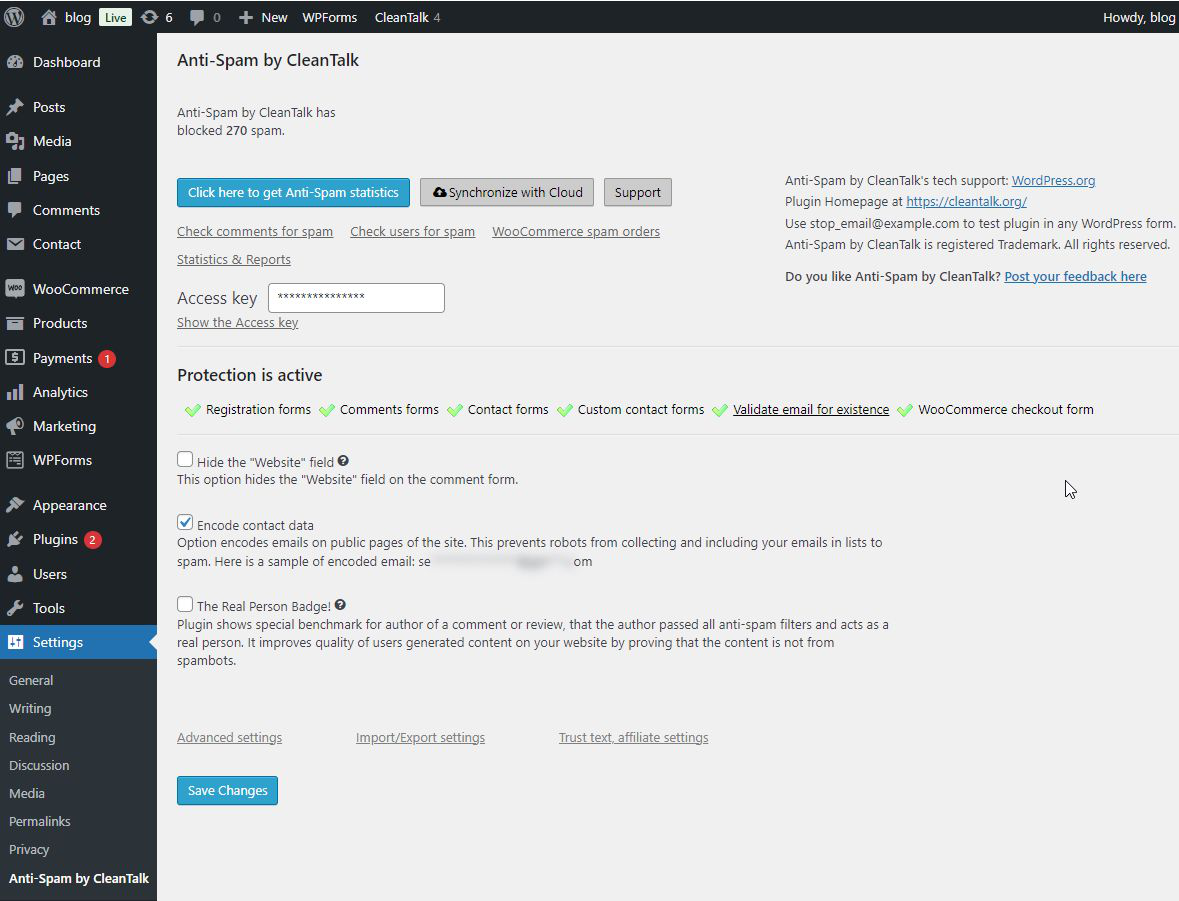
The value calculation sharpens when you look at what CleanTalk covers that Akismet does not: registration spam, WooCommerce checkout spam, login form spam, and contact forms across 50+ plugin integrations. CleanTalk protects all of those through a single subscription and access key.
The SpamFireWall feature adds a layer that most alternatives lack: it checks incoming IPs against CleanTalk’s database of known spam bots before the request reaches WordPress’s PHP layer. For high-traffic sites under sustained bot pressure, that pre-filter is a meaningful performance benefit.
With 200,000+ active installs and a 4.8/5 rating from 3,211 reviews, CleanTalk’s track record is substantial. The trade-off from Akismet is a smaller spam database (1.1 million sites versus 5+ million) and a cloud model that has the same GDPR implications at a much lower price. For commercial sites that need to stop WooCommerce checkout spam and registration spam alongside comment spam, CleanTalk is the most cost-efficient option on this list.
Best for: commercial WordPress sites that need broad spam coverage across comments, registrations, WooCommerce, and contact forms at the lowest sustainable annual cost.
Key features
- Protection across 50+ form types: comments, registrations, login, WooCommerce checkout, contact forms, booking forms, subscriptions, and more
- SpamFireWall blocks known spam bot IPs at the HTTP level before WordPress loads
- Real-time email validation, blocking disposable and fake email addresses
- Spam audit tools: scan existing comments and users against the blacklist
- Web-based analytics dashboard with per-site spam stats and trends
- Country, language, and stop-word blocking options
- 200,000+ active installs, 4.8/5 stars from 3,211 reviews
Pricing: 7-day free trial (no credit card required). $12/year for 1 site. Multi-site volume discounts available.
Limitation: No permanent free tier after trial. Smaller spam database than Akismet. Cloud data transmission has GDPR implications.
Read the full CleanTalk review.
Pros
- $12/year for one commercial site with no site-type restriction
- Broadest form coverage in the category through one subscription
- SpamFireWall blocks spam bots before they reach PHP
- Real-time email validation and spam audit tools included
- No CAPTCHA for visitors; all filtering is invisible
- 7-day trial with no credit card required
- 4.8/5 stars across 3,211 reviews
Cons
- No permanent free tier; protection stops if subscription lapses
- Sends visitor data to CleanTalk’s cloud (GDPR disclosure required)
- Smaller spam database than Akismet
- Annual renewal required to maintain protection
3. WP Armour: best zero-config honeypot for form-heavy WordPress sites
WP Armour covers more WordPress forms for free than any other plugin on this list. Activate it, and bot protection starts automatically on Contact Form 7, WPForms, Gravity Forms (non-Ajax), Elementor Forms, Fluent Forms, Divi, WordPress comments, and registrations. No API key, no account, no configuration.
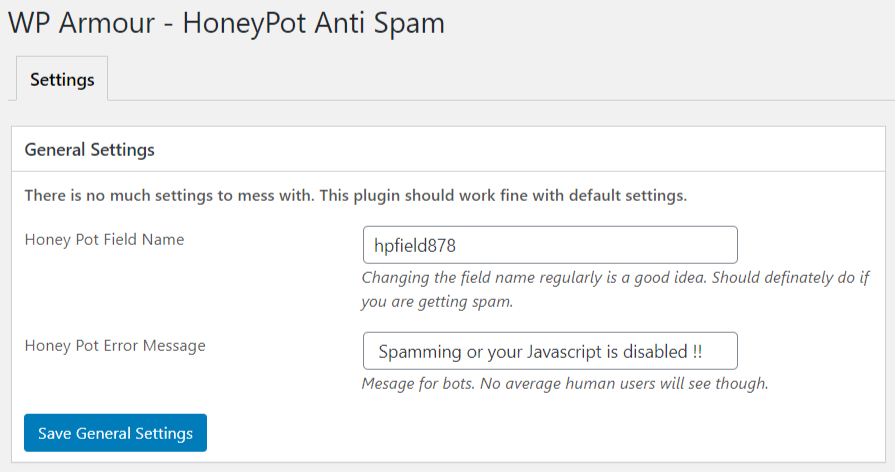
The detection approach is smarter than a standard honeypot. Most honeypot plugins inject the hidden field server-side in PHP; determined bots can learn to recognize and skip those fields. WP Armour injects the honeypot via JavaScript. Since spam bots cannot execute JavaScript, the honeypot field simply does not exist from their perspective. It is never filled, so the submission fails the server-side check automatically. The field name is also unique per installation, which makes blanket bypasses harder.
The numbers back this up: 400,000+ active installs and a near-perfect 5-star rating from 1,436 reviews across six years of use. For a plugin that costs nothing for the most common form types, that adoption and satisfaction rate is hard to argue with.
The limitation is clear: WooCommerce checkout, Ninja Forms, Ajax-based Gravity Forms, and several other integrations require WP Armour Extended, starting at $19.99/year. For sites where all the spam is coming through supported free-tier forms, the free version is all you need.
Best for: WordPress sites using Contact Form 7, WPForms, Gravity Forms, Elementor, or Fluent Forms that want zero-config bot protection without CAPTCHA or external API calls.
Key features
- JavaScript-based honeypot injection (bots cannot execute JS; the field does not exist from their perspective)
- Unique per-installation honeypot field name; harder to bypass than generic honeypots
- Free coverage: WP Comments, WP Registration, Contact Form 7, WPForms, Gravity Forms (non-Ajax), Elementor Forms, Fluent Forms, Formidable Forms, Divi, BBPress, Theme My Login, and more
- Admin test widget confirms protection status per form when logged in
- GDPR compliant: no external API calls, no cookies, no user tracking
- Extended adds: spam logs, IP blocking, keyword filter, WooCommerce checkout, Ninja Forms, Ajax Gravity Forms, MC4WP, Beaver Builder, Bricks Builder, and more
- 400,000+ active installs, 5/5 stars from 1,436 reviews
Pricing: Free (core plugin, most common forms). Extended: $19.99/year (1 site), $49.99/year (5 sites), $99.99/year (up to 100 sites).
Limitation: WooCommerce checkout and several additional form plugins require the paid Extended tier. JavaScript dependency (non-JS browsers, extremely rare, would not see the honeypot). Human-submitted spam bypasses honeypot logic.
Read the full WP Armour review.
Pros
- Free for the most common WordPress form plugins with zero setup
- No API key or account required; install and protect
- JavaScript-based injection is harder for bots to bypass than PHP honeypots
- GDPR compliant: fully on-server with no external calls
- Near-perfect 5-star rating from 1,400+ reviews
- Admin test widget confirms coverage without inspecting source code
- Unique honeypot field name per installation
Cons
- WooCommerce checkout protection requires Extended tier
- Ajax-based Gravity Forms and Ninja Forms also require Extended
- No free spam log or IP blocking dashboard
- Support thread resolution rate in the public forum is limited
- Human-submitted spam is not caught by honeypot logic
4. Antispam Bee: best free anti-spam plugin for GDPR-sensitive sites
Antispam Bee is the strongest free answer when your specific requirement is: no cost, no commercial restriction, no CAPTCHA, and no external data transmission. It runs entirely on your server. No API key, no account, and no personal data leaves your installation by default. It is the right choice for EU sites that need to demonstrate GDPR compliance without relying on cloud-based processing.
The plugin covers the default WordPress comment form. That scope is fixed and intentional. If you also need contact form protection or WooCommerce coverage, Antispam Bee will not help with those. But for the use case it targets, 700,000+ active installs and a 4.8/5 rating from 226 reviews confirm it works.
Detection is layered: a honeypot field catches bots filling invisible fields, comment timing analysis flags submissions faster than any human could type, approved commenter trust reduces friction for returning readers, Gravatar validation adds a trust signal for users with registered avatars, and an optional country filter can block comments from geographic regions unlikely to generate legitimate traffic.
The difference from Akismet’s free tier is meaningful: Antispam Bee imposes no commercial restriction and sends no comment data to external servers by default. For a small business, a portfolio, or an EU-hosted blog, those two properties remove the two most common friction points of using Akismet free.
Best for: privacy-focused or GDPR-sensitive WordPress sites that use default WordPress comments and want a completely free, account-free, cloud-free spam filter with no commercial restriction.
Key features
- Honeypot field, comment timing analysis, approved commenter trust, Gravatar validation, local spam database, country filtering, and language filtering
- 100% server-side by default (no external API calls unless optional country or language features are enabled)
- Completely free for all site types including commercial; no plan tiers
- Dashboard statistics widget showing spam count by detection method
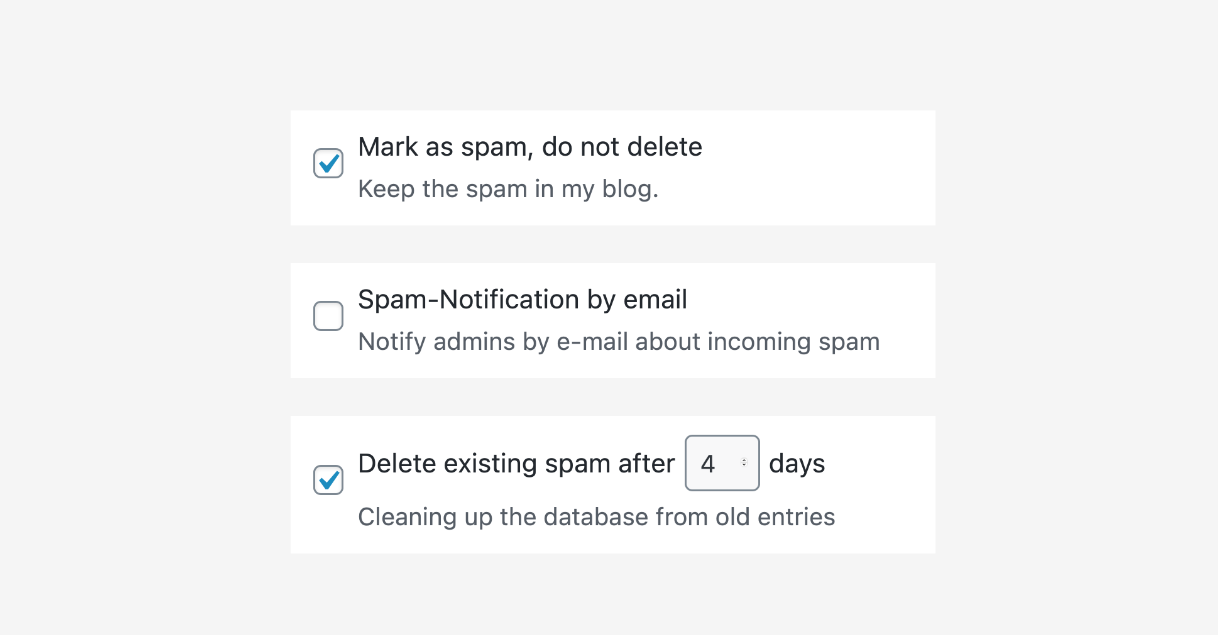
- Spam handling options: hold, auto-delete after N days, or immediate delete on high-confidence reasons
- Maintained by pluginkollektiv; 700,000+ active installs, 4.8/5 stars from 226 reviews
Pricing: Free. No paid tier. No commercial restriction. Free forever.
Limitation: Comment-only scope. Does not protect Contact Form 7, WPForms, Gravity Forms, WooCommerce, or any third-party form plugin. Incompatible with Jetpack Comments, Disqus, and wpDiscuz.
Read the full Antispam Bee review.
Pros
- Completely free for all site types including commercial; no restrictions
- No API key, no account, and no external data transmission by default
- GDPR-friendly by design; most checks are local server-side operations
- No CAPTCHA friction for commenters
- Multiple detection layers: honeypot, timing, country, language, and local database
- 700K+ installs and 4.8/5 stars confirm real-world effectiveness
Cons
- Comment-only scope; no form plugin integration
- Incompatible with Jetpack Comments, Disqus, and wpDiscuz
- Local spam database less comprehensive than Akismet’s global database for novel spammers
- Country and language filtering involve optional external service calls
- Interface is functional but dated; feature explanations are minimal for new users
5. Titan Anti-Spam and Security: best free plugin for spam plus security in one install
Most site owners treat spam protection and security hardening as separate problems: one plugin for comments, another for login protection and WordPress hardening. Titan combines both in a single free plugin with no commercial restriction and no API key required.
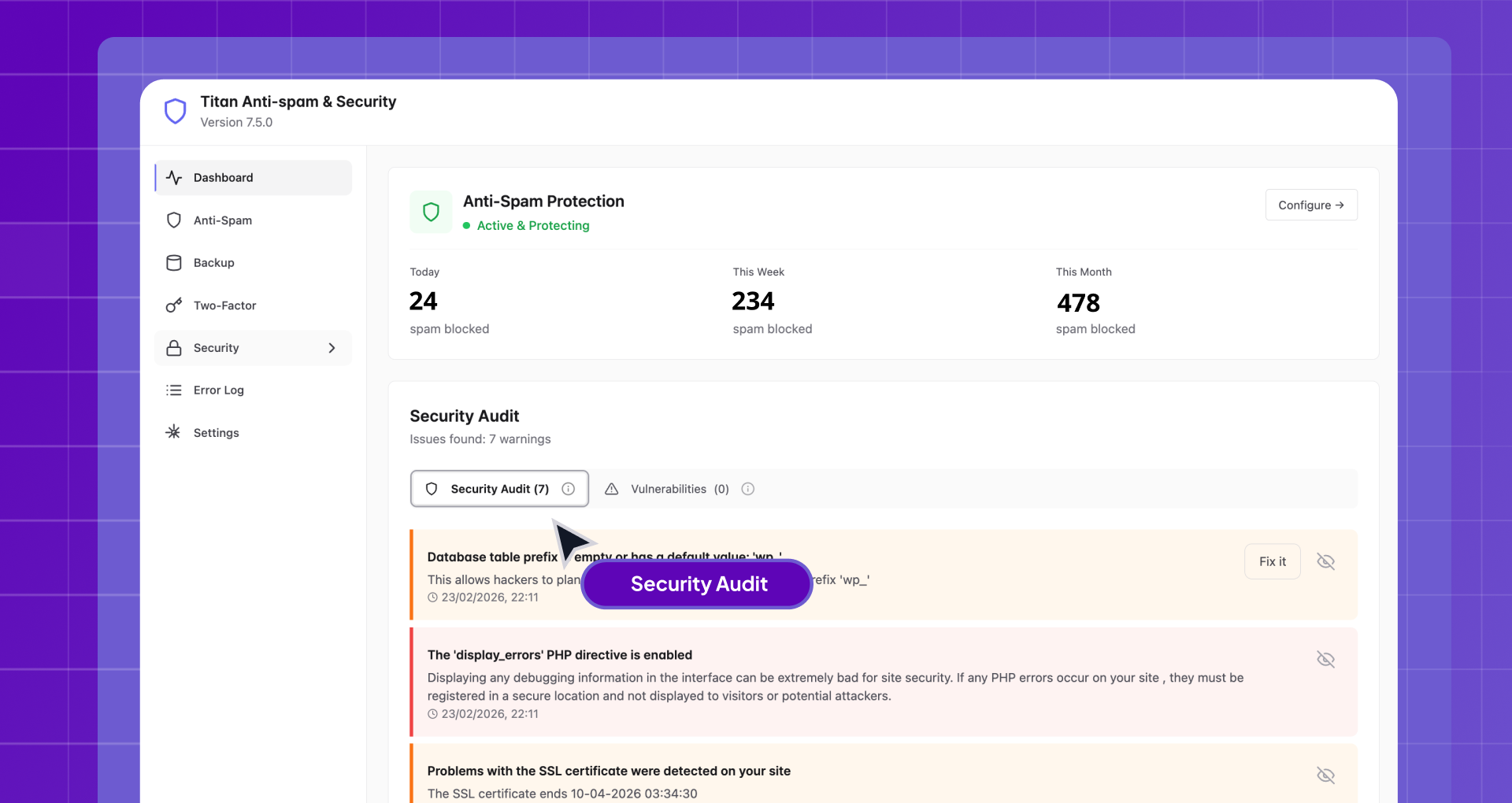
The free tier covers comment spam filtering, a WordPress security hardening checklist (disable XML-RPC, hide the WordPress version, enforce strong passwords, remove author enumeration, and more), and login attempt limiting with IP lockout. Each hardening option is individually toggleable with a plain-language explanation; this is not a one-click harden-everything action, it is a deliberate checklist you apply per setting.
The Pro tier adds machine learning spam detection, bulk scanning of existing comments and users, two-factor authentication with TOTP support, vulnerability scanning for plugins and themes, and automated backups to FTP or Dropbox. At $39/year for one site (current promotional price), those additions cover what would normally require separate plugins for spam ML, 2FA, and backups.
Titan’s spam detection uses a local database rather than per-submission cloud API calls, which avoids the GDPR complications of Akismet and CleanTalk. The trade-off is a smaller community database (50,000+ active installs versus Akismet’s 5 million), which means less training data for novel spam patterns.
Best for: sites that want comment spam filtering and security hardening basics in one free plugin, without the commercial restrictions of Akismet and without running two separate tools.
Key features
- Comment spam filtering with no CAPTCHA and no commercial restriction on the free tier
- Security hardening checklist: XML-RPC disable, WordPress version hiding, strong password enforcement, author enumeration removal, and more
- Login attempt limiting with IP lockout and admin email notifications
- Local database approach: no per-submission external API calls by default
- Pro adds machine learning detection, 2FA (TOTP), vulnerability scanner, and scheduled backups to FTP or Dropbox
- Made by Themeisle (1M+ WordPress users across their product range)
- 50,000+ active installs, 4.5/5 stars from 370 reviews
Pricing: Free (no commercial restriction, no API key, no account). Starter: from $39/year (1 site, promotional price). Growth: from $99/year (5 sites). Scale: from $199/year (50 sites).
Limitation: Less WooCommerce and multi-form coverage than CleanTalk. Smaller spam database than Akismet. Pro installation requires running both the free plugin and a separate Pro add-on simultaneously.
Read the full Titan Anti-Spam review.
Pros
- Free for all site types including commercial; no account or API key needed
- Combines spam filtering and security hardening in one plugin
- Local database avoids per-submission cloud API calls and GDPR complications
- Pro bundles ML detection, 2FA, vulnerability scanner, and backups for $39/year
- Security hardening is individual toggles with clear explanations, not a bulk-apply action
- Backed by Themeisle; actively maintained in 2026
Cons
- Smaller spam database than Akismet or CleanTalk
- Less WooCommerce and contact form coverage than CleanTalk
- Pro requires two plugins (free plus add-on) installed simultaneously
- Some reported update-related stability issues in one-star reviews
- No external analytics dashboard for spam trends
6. Zero Spam for WordPress: best for developers who need broad multi-surface coverage
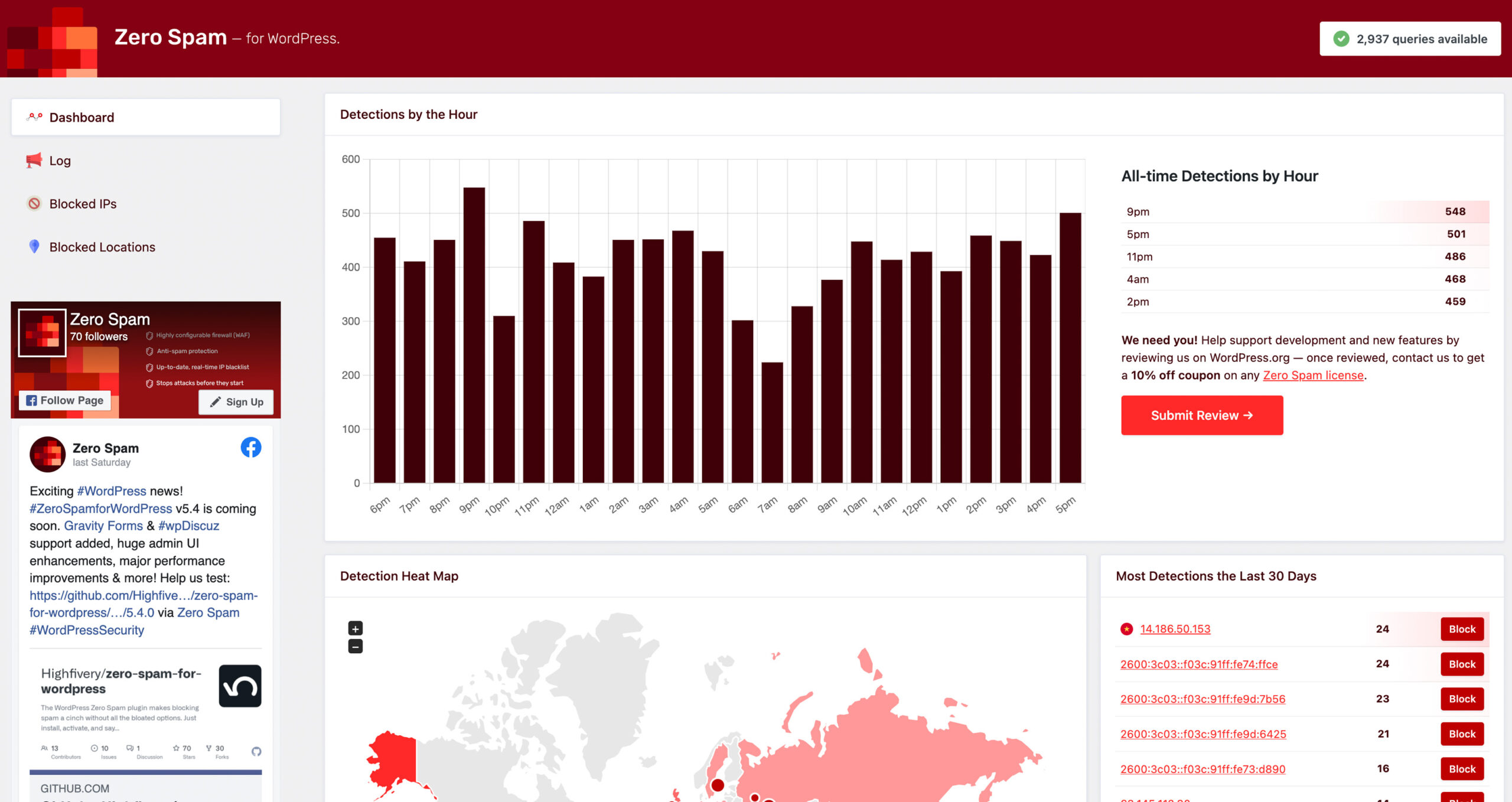
Zero Spam for WordPress is the only plugin on this list that covers WordPress comments, WooCommerce registrations, GiveWP donation forms, Gravity Forms, Contact Form 7, WPForms, Formidable Forms, Fluent Forms, wpDiscuz, Mailchimp for WordPress sign-ups, and ProfilePress in a single free install. For technically capable site owners who run a mix of form types and want a single anti-spam layer across all of them, that breadth is meaningful.
The detection model is layered: David Walsh’s JavaScript form detection provides the primary invisible filter, Stop Forum Spam and Project Honeypot integration add IP reputation checks from community-maintained databases, and the optional Zero Spam API adds proprietary reputation data. REST API and WP-CLI support make it the most developer-friendly option on this list.
The caveats are real. PHP 8.2 and WordPress 6.9 are required, which eliminates older hosting environments. The admin panel is more complex than simpler alternatives and carries persistent upsell prompts for the paid Zero Spam API. The community is smaller than Akismet or WP Armour. The 4.1/5 rating from 143 reviews, while positive, reflects a smaller user base than the confident five-star plugins above.
For a developer managing WordPress sites with diverse form setups and modern hosting, Zero Spam is worth a serious look. For a non-technical site owner who wants zero configuration, WP Armour handles the most common form scenarios with simpler setup.
Best for: technically capable site owners and developers who need spam protection across a broad range of surfaces including WooCommerce, donation forms, and multiple contact form plugins, on modern PHP 8.2+ hosting.
Key features
- JavaScript honeypot plus Stop Forum Spam plus Project Honeypot (all free)
- Integrations: WP Comments, WP Registration, WP Login, WooCommerce, GiveWP, Gravity Forms, Contact Form 7, WPForms, Formidable, Fluent Forms, wpDiscuz, Mailchimp for WP, ProfilePress
- Detailed attack log with per-entry detection reason for diagnosing false positives
- Geolocation blocking by country, region, city, or postal code
- Disposable email detection at the registration level
- REST API and WP-CLI support for programmatic management
- 20,000+ active installs, 4.1/5 stars from 143 reviews
Pricing: Plugin is free. Optional Zero Spam API: Explorer (free, 10 requests/month), Essentials ($8/month or $78/year, 10K requests), Business ($15/month or $144/year, 50K requests), Platform ($100/month, unlimited, 3 sites).
Limitation: PHP 8.2 and WordPress 6.9 required. Admin interface complexity with persistent API upsell. Smaller install base and community than alternatives. IP reputation blocking can produce false positives on shared IP ranges.
Read the full Zero Spam review.
Pros
- Broadest free form coverage on this list: WooCommerce, donation forms, wpDiscuz, and 10+ form plugins
- Multiple IP reputation databases: Stop Forum Spam, Project Honeypot, and optional Zero Spam API
- Detailed attack log with per-entry reason for diagnosing false positives
- REST API and WP-CLI for developer and agency workflows
- Disposable email blocking and geolocation controls included
- No CAPTCHA for visitors
Cons
- PHP 8.2 and WordPress 6.9 required; drops out for older hosting environments
- Persistent API upsell prompts across multiple admin screens
- Admin complexity; multiple tabs and integration toggles require deliberate setup
- Smaller community and fewer tutorials than Akismet or WP Armour
- IP reputation checks can block legitimate users on shared IP ranges
7. hCaptcha for WordPress: best CAPTCHA plugin for privacy-conscious sites
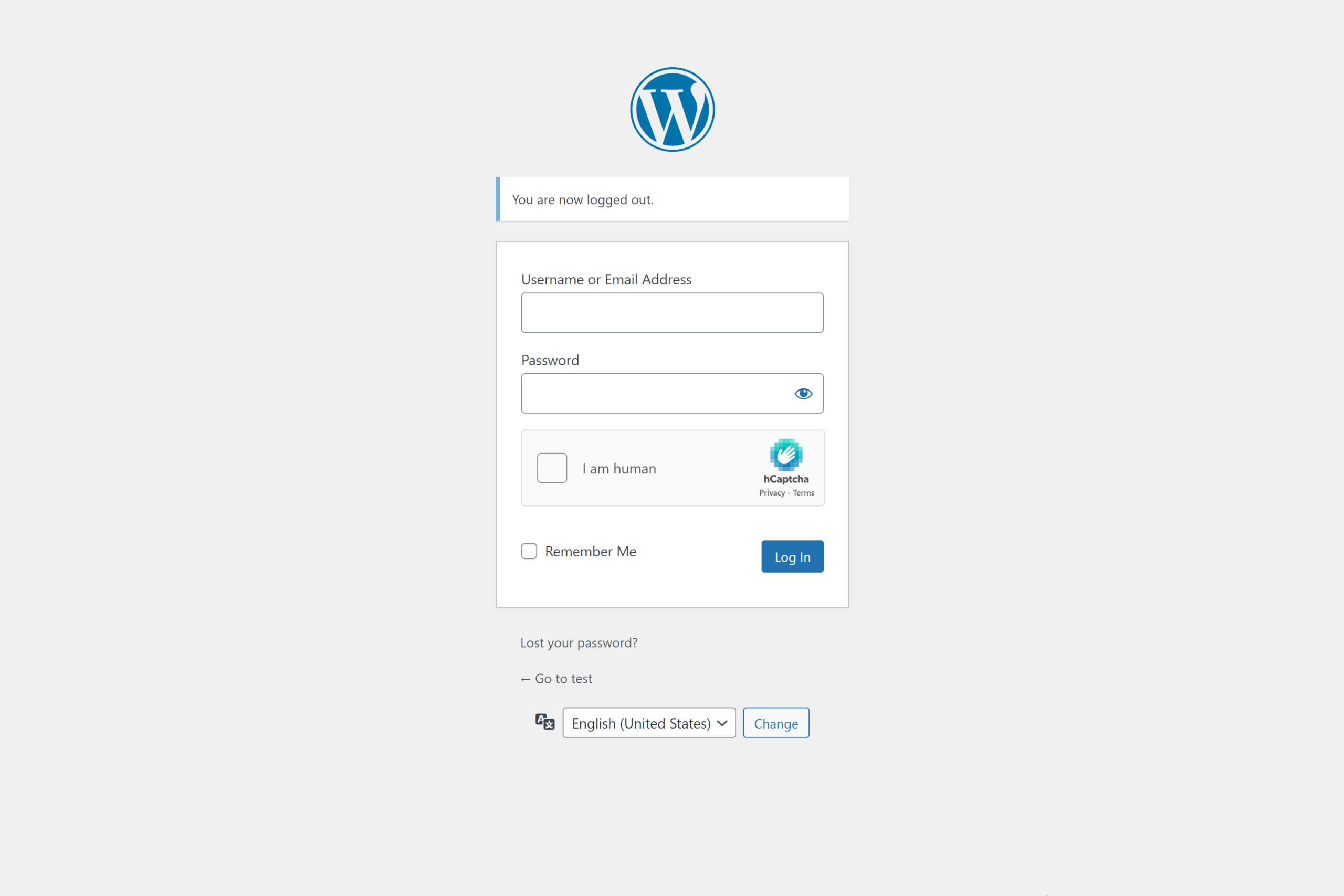
hCaptcha takes a fundamentally different approach from every other plugin on this list. Instead of filtering form data after submission, it blocks bots at the form level with a CAPTCHA challenge before anything submits at all. Whether that fits your site depends on whether you can accept visible friction for legitimate visitors.
The case for hCaptcha over Google reCAPTCHA is primarily about privacy. hCaptcha holds ISO 27001 and ISO 27701 certifications, participates in the EU-US Data Privacy Framework, does not track users across the web, and does not profile visitor data for advertising. For sites migrating away from reCAPTCHA under GDPR requirements, hCaptcha is the clearest privacy-forward alternative. The built-in Migration Wizard handles the transition in a few clicks.
The free tier is genuinely capable: all 60+ integrations (WooCommerce, Contact Form 7, Elementor, Gravity Forms, WPForms, Ninja Forms, and more) are available at no cost. The built-in honeypot and minimum submit time protection catch some bots without showing any challenge at all, reducing visible friction for real users on the free plan.
Pro’s 99.9% passive mode is the compelling upgrade, but at $99/month annually, it is an enterprise-grade expense that most WordPress sites cannot justify. For most sites, the free tier with a standard CAPTCHA widget is the practical option.
Best for: site owners migrating away from Google reCAPTCHA; sites with GDPR or CCPA certification requirements; teams that need CAPTCHA-based bot protection across multiple form types.
Key features
- 60+ native integrations including WooCommerce, CF7, Elementor, Gravity Forms, WPForms, Divi, Ninja Forms, Jetpack, and more
- Privacy-first by design: ISO 27001, ISO 27701, EU-US Data Privacy Framework
- Migration Wizard: one-click migration from Google reCAPTCHA or Cloudflare Turnstile
- Built-in honeypot and minimum submit time (catches bots before CAPTCHA needed)
- Delayed API loading option: no page load impact for visitors who do not interact with forms
- IP allowlist, denylist, and country blocking built in
- WordPress Abilities API integration for WP-CLI and AI-assisted site management (WordPress 6.9+)
- 70,000+ active installs, 4.6/5 stars from 86 reviews
Pricing: Basic (free): full CAPTCHA, all integrations, no time limit. Pro: $99/month billed annually (99.9% passive mode, custom themes, analytics). Enterprise: custom pricing.
Limitation: Visible CAPTCHA widget on the free tier can reduce form completion rates. Pro passive mode costs $99/month minimum, making it expensive for most sites. hCaptcha solves a different problem than server-side filters like Akismet; it is not a like-for-like replacement for invisible filtering.
Read the full hCaptcha review.
Pros
- Privacy-first with ISO 27001 and ISO 27701 certifications
- 60+ integrations in one plugin: WooCommerce, CF7, Elementor, Gravity Forms, and more
- Free tier includes all integrations with no time limit
- Migration Wizard simplifies switching from reCAPTCHA or Turnstile
- Delayed API loading eliminates page load impact for non-form visitors
- Built-in honeypot adds invisible filtering on top of CAPTCHA
Cons
- Visible CAPTCHA on free tier introduces friction that can reduce form conversions
- Pro passive mode costs $99/month minimum ($1,188/year), expensive for most sites
- Different protection model from server-side filters; not a replacement for Akismet or CleanTalk
- Requires hcaptcha.com account and sitekey to activate
How to choose a WordPress anti-spam plugin
Choose Akismet if you run a personal non-commercial blog and want a set-it-and-forget-it comment spam filter with the deepest spam database in the category. The free plan is genuinely free with no feature restrictions for personal use.
Choose CleanTalk if you run a commercial site, WooCommerce store, or membership site and want the broadest spam coverage at the lowest annual cost. At $12/year, it covers comments, registrations, WooCommerce, and contact forms in a single subscription that Akismet Pro cannot match on price.
Choose WP Armour if your site uses Contact Form 7, WPForms, Gravity Forms, Elementor Forms, or Fluent Forms and you want zero-config bot protection that installs and works with no setup. For WooCommerce checkout coverage, upgrade to Extended at $19.99/year.
Choose Antispam Bee if you only need comment spam protection, your site is GDPR-sensitive, and you want a permanent free solution with no cloud API, no commercial restriction, and no account required.
Choose Titan Anti-Spam if you want comment spam filtering and security hardening in one free plugin, with the option to add 2FA and backups via a single paid upgrade at $39/year.
Choose Zero Spam if you run modern PHP 8.2+ hosting, need spam protection across WooCommerce, donation forms, and multiple contact form plugins simultaneously, and want developer tools like REST API and WP-CLI built in.
Choose hCaptcha if you are migrating away from Google reCAPTCHA and need a privacy-certified CAPTCHA alternative that covers 60+ form integrations, or if GDPR certification requirements drive your CAPTCHA provider selection.
FAQ
What is the best free WordPress anti-spam plugin?
The answer depends on what you need to protect. For comment spam on personal or commercial blogs with no cost ever, Antispam Bee is completely free with no commercial restriction, no API key, and no external data sharing. For form spam across Contact Form 7, WPForms, and Elementor alongside WordPress comments, WP Armour’s free version covers all of those with zero configuration. For full-site protection including WooCommerce and registrations, CleanTalk’s 7-day trial is the most comprehensive starting point, but a paid subscription is required afterward.
Can I use more than one anti-spam plugin at the same time?
Yes, with caveats. hCaptcha (form-level CAPTCHA) and Akismet (comment classifier) can run on the same site without conflict because they operate at different layers. Running CleanTalk alongside Akismet creates redundant comment processing with no meaningful benefit. A honeypot plugin like WP Armour and a comment filter like Antispam Bee could technically coexist, but the overlap on comments is unnecessary. The cleanest approach for most sites is one primary anti-spam plugin matched to your coverage needs, with hCaptcha layered on top if you also want CAPTCHA-level protection on specific high-risk forms.
Do WordPress anti-spam plugins affect site speed?
Most do not measurably. Honeypot-based plugins like WP Armour and Antispam Bee run server-side checks only at form submission time, with no per-page-load impact. Cloud-based plugins like Akismet and CleanTalk make an API call at form submission time, which adds a small network request but does not block page rendering. hCaptcha can impact page load if the API loads on every page; using the delayed API loading option prevents this. Titan may have a minor overhead from login protection checks, but this is not perceptible on typical hosting.
Is WordPress anti-spam protection GDPR compliant?
It depends on the plugin. Antispam Bee is GDPR-compliant by design; all checks are local by default with no visitor data sent externally. WP Armour similarly makes no external calls and is fully on-server. Akismet and CleanTalk send visitor data (IP addresses, email addresses, comment content) to their cloud APIs, which requires GDPR disclosure in your privacy policy. hCaptcha sends IP and browser data on form submission but holds ISO 27701 certification and participates in the EU-US Data Privacy Framework. Titan uses a local database and avoids per-submission external calls. Zero Spam contacts Stop Forum Spam, Project Honeypot, and optional geolocation services, each involving external IP data transmission.
What is the difference between a honeypot and a CAPTCHA for spam protection?
A honeypot is a hidden form field invisible to real users but filled by spam bots that blindly complete all form fields. The server detects the filled field and rejects the submission; visitors never see or interact with it. A CAPTCHA is a visible challenge a user must complete to prove they are human. Honeypots are frictionless but do not stop all bots, particularly sophisticated ones that can detect and skip known honeypot fields. CAPTCHAs stop more bots but add a step that some visitors will abandon. Most plugins on this list use honeypots or invisible server-side filtering; hCaptcha is the exception.
Which anti-spam plugin should you install?
For most commercial WordPress sites that need spam stopped across the entire site, CleanTalk at $12/year delivers the broadest coverage at the lowest cost. For personal blogs, Akismet free is the correct default. For form-heavy sites with Contact Form 7, WPForms, or Elementor, WP Armour’s free tier handles the most common cases with zero configuration. For EU-based sites where GDPR compliance means no external data transmission, Antispam Bee handles comments and WP Armour Extended covers forms.
None of the plugins on this list are wrong choices for their intended use case. The decision comes down to what surfaces you need to protect, whether you can accept a cloud API, and how much you want to spend per year.