


What we checked: We installed or researched 8 WordPress page builder plugins across editor experience, performance, free vs. paid feature splits, WooCommerce support, pricing structures, and agency viability. Where direct sandbox testing was not available (Divi Builder Plugin, Thrive Architect), we researched from official feature pages, documentation, pricing pages, and independent user reports, with clear disclosure throughout.
Choosing a WordPress page builder in 2026 is not as simple as picking the most popular option. Elementor has over 10 million active installs, but a developer building a custom WooCommerce store would make a different choice than a marketer building landing pages, or a freelancer managing 30 client sites. The right builder depends on what you need it to do, how much technical control you want, and what you are willing to pay when the introductory pricing expires.
We compared eight builders across editor experience, performance, free-tier limits, paid feature access, WooCommerce support, and long-term pricing. This is what we found.
How We Chose These Plugins
- Setup simplicity and first-run editor experience
- Free tier value and where the paywalls land
- Design control and feature depth on paid plans
- WooCommerce and theme-building capability
- Performance and code output quality
- Licensing and pricing model for individuals and agencies
- Community size and third-party addon ecosystem
- Stability and update track record
Quick Comparison: Top 5 WordPress Page Builders
| Plugin | Best for | Free tier | Standout feature | Main limitation |
|---|---|---|---|---|
| Elementor | All-rounder: freelancers, agencies, non-developers | Yes (40+ widgets) | Largest ecosystem; full site builder in Pro | Performance overhead; v4 transition bugs in mid-2026 |
| Bricks Builder | Performance-first developers and agencies | Playground only | Native CSS Grid, Query Loop Builder, no jQuery | Steep learning curve; no WordPress.org listing |
| Breakdance | Feature-complete agency builder with speed | Yes (80 elements) | 42 KB baseline vs. Elementor’s 570 KB; forms and WooCommerce included in Pro | Smaller ecosystem; Soflyy deprecation history |
| Beaver Builder | Long-term agency stability | Yes (lite, 20 modules) | 12-year stability record; Beaver Themer on all paid plans | Slow feature roadmap; limited form builder |
| Brizy | Budget-friendly with AI generation | Yes (36+ elements) | AI website generator included in all Pro plans | Smaller community (70,000 active installs) |
The Best WordPress Page Builder Plugins: Ranked
1. Elementor: Best Overall WordPress Page Builder
Best for: Non-developers, freelancers, and agencies building full WordPress sites
Free version: Yes (40+ widgets, Atomic Editor, basic templates)
Pricing: Pro plans for a single site start at the Essential tier; full-feature access from Advanced Solo. Check elementor.com/pricing for current rates.
Standout: 10+ million active installs; widest free widget library; complete site builder in Pro
Watch out for: V4 Atomic Editor transition bugs in mid-2026; Hello theme auto-install; performance overhead on complex pages
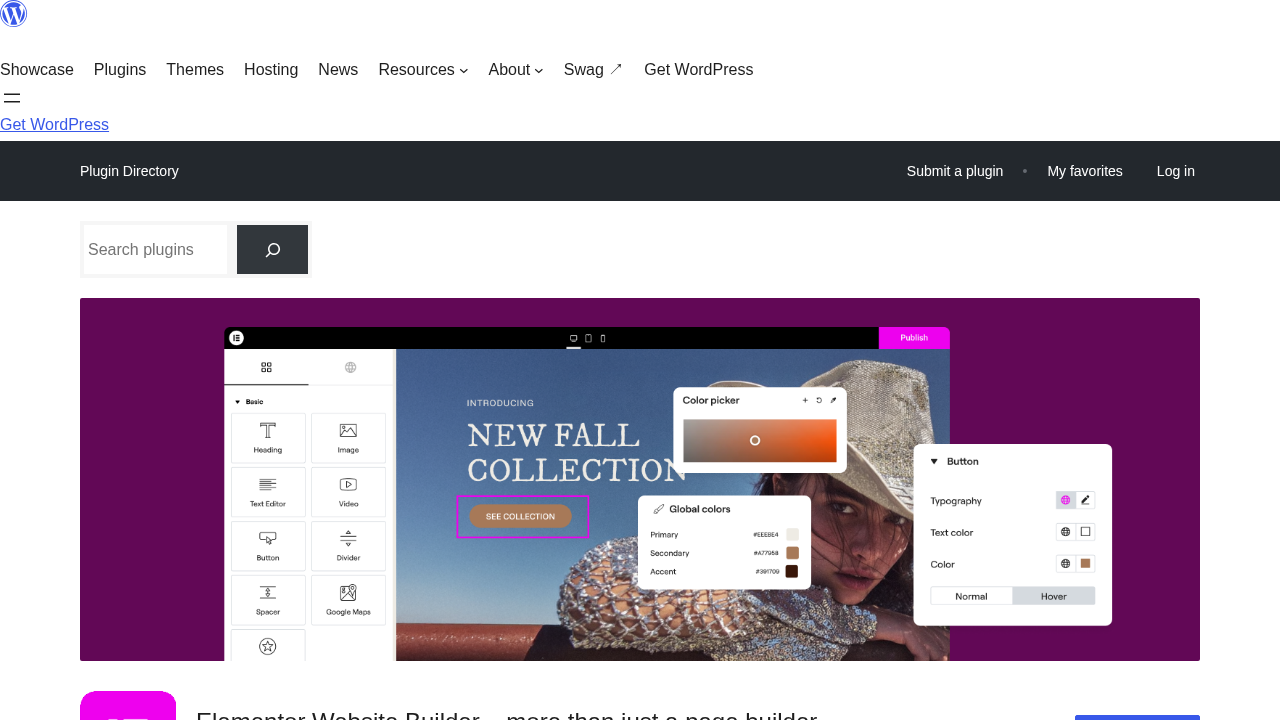
Elementor is the most-installed WordPress page builder by a significant margin. That install count is not a vanity number: it means more tutorials, more third-party addons, more themes built to work with Elementor, and a larger hiring pool if you need someone to maintain your site. When a general-purpose WordPress site has a specific requirement, the Elementor ecosystem usually has an answer.
The core plugin is free and includes the v4 Atomic Editor, 40+ widgets, and basic templates. The Pro tier adds Theme Builder (custom headers, footers, post templates), Popup Builder, Form Builder, WooCommerce Builder, dynamic content, custom CSS, and 60+ additional widgets.
The v4 Atomic Editor, released in March 2026, redesigns the builder around CSS variables, global classes, and reusable components. It is a real design-system workflow upgrade over v3. The transition has also introduced real bugs and a steeper learning curve that has frustrated existing users. On new projects, starting with Atomic is the right approach. On existing client sites, read the recent WordPress.org reviews and have a testing plan before updating.
Key features: Drag-and-drop Atomic Editor; 40+ free widgets (100+ with Pro); Theme Builder; Popup Builder; Form Builder with submission log; WooCommerce Builder; dynamic content from ACF and custom fields; motion effects; Elementor One tier adds AI generation, image optimization, and email delivery under a shared credit system.
Pricing: Free plugin on WordPress.org. Pro plans: Essential (1 site, limited widget set), Advanced Solo (1 site, full feature set), Advanced (3 sites), Expert (25 sites). Elementor One bundles Pro features with additional cloud services. Region-adjusted pricing applies. 30-day money-back guarantee on annual plans. Check elementor.com/pricing for current rates.
Pros
- 10+ million active installs and the widest third-party ecosystem of any WordPress page builder
- Most comprehensive free tier in the category: 40+ widgets, Atomic Editor, templates
- Full site building platform in Pro: headers, footers, popups, forms, WooCommerce, dynamic content
- Atomic Editor v4 introduces a real design-system workflow with global variables, classes, and reusable components
- 30-day money-back guarantee on annual plans
Cons
- v4 Atomic transition introduced real bugs and workflow disruptions in mid-2026
- Hello Elementor theme auto-installs or is suggested on activation, surprising users on existing sites
- Performance overhead requires a caching plugin for competitive Core Web Vitals on complex pages
- Third-party addon sprawl can create a complex, hard-to-maintain plugin dependency chain
- Elementor One credit system is not transparent about real usage costs per action
Read our full Elementor review for hands-on setup, the Atomic Editor walkthrough, and a detailed free vs. Pro comparison.
2. Bricks Builder: Best for Performance-Focused Developers
Best for: Developers and agencies where Core Web Vitals are a primary deliverable
Free version: Playground only at try.bricksbuilder.io (no WordPress.org listing; no free download)
Pricing: From $79/year for a single site; all plans include every feature. Check bricksbuilder.io for current rates.
Standout: Native CSS Grid and Flexbox controls; Query Loop Builder; no jQuery; cleanest HTML output in this comparison
Watch out for: Steep learning curve; installed as a theme, not a plugin; each multisite subsite counts separately against license limits
Bricks Builder is technically a WordPress theme, not a plugin, which is the first important planning detail: adopting Bricks means switching your active theme, not installing an additional plugin. There is no WordPress.org listing and no free downloadable version. The team offers a free online playground at try.bricksbuilder.io where you can test the full builder before purchasing.
What makes Bricks stand out is code quality. It runs without jQuery, uses native CSS Grid and Flexbox controls accessible directly in the builder UI, and generates HTML that a developer would not be embarrassed to ship. On equivalent pages, Bricks sites produce smaller, more efficient stylesheets than Elementor or Divi builds, and they do it with fewer optimization steps.
The pricing model is transparent: all plans include every feature, with no tiered feature walls. A solo developer gets the same Query Loop Builder and WooCommerce design tools as an agency buying an unlimited-site plan.
Key features: Native CSS Grid and Flexbox layout controls; Query Loop Builder for post grids and dynamic content; CSS class system (style once, update everywhere); WooCommerce Builder; no jQuery dependency; unlimited custom breakpoints; mobile-first and desktop-first layout modes.
Pricing: Single site from $79/year; 5 sites from $149/year; 10 sites from $249/year; unlimited sites also available. All plans include every feature. Check bricksbuilder.io for current rates.
Pros
- Cleanest HTML output of any builder in this comparison
- Native CSS Grid and Flexbox controls without extra plugins or custom code
- Transparent pricing: all features on all plans, no tiered feature walls
- Query Loop Builder handles any WordPress data type visually, including ACF fields
- No jQuery: lighter page weight and faster JavaScript execution from the start
Cons
- Steeper learning curve than Elementor or Divi (CSS knowledge assumed, not optional)
- Installed as a theme, not a plugin: switching away later requires rebuilding the site
- No free downloadable version; playground testing only
- Smaller third-party addon ecosystem than Elementor
- Multisite subsites each count separately toward license limits
Read our full Bricks Builder review for hands-on playground testing, the CSS class system deep dive, and who should make the switch from Elementor.
3. Breakdance: Best Feature-Complete Builder for Agencies
Best for: Freelancers and agencies who want performance plus built-in forms, popups, and WooCommerce without plugin sprawl
Free version: Yes (80 elements, available at breakdance.com; no license key required)
Pricing: Pro plans available for single sites and agency/unlimited use. 60-day money-back guarantee. Check breakdance.com/pricing for current rates.
Standout: 42 KB baseline assets vs. Elementor’s 570 KB; forms, WooCommerce, and popups included in Pro; MCP AI building added in v3.0
Watch out for: Smaller ecosystem than Elementor; Soflyy’s deprecation of Oxygen Builder is relevant context for long-term commitment decisions
Breakdance is made by Soflyy, the company behind WP All Import and the now-discontinued Oxygen Builder. That last point is worth acknowledging: if you are evaluating a long-term commitment to a builder, the Oxygen deprecation is context worth reading before deciding. That said, Breakdance 3.0 (July 2026) is the most ambitious version of the product to date, and the plugin is actively developed.
The headline performance stat is real: Breakdance loads 42 KB of assets on a clean install versus Elementor’s 570 KB. There is no jQuery dependency. On equivalent pages, Breakdance sites achieve better Core Web Vitals scores than Elementor builds without additional optimization work.
What makes Breakdance compelling for agencies is what is included in Pro without extra cost: a form builder, a popup builder, WooCommerce customization, ACF and MetaBox dynamic content support, and a header/footer builder. Breakdance 3.0 also added MCP-based AI building (build pages through natural language prompts using Claude, Codex, or Cursor), a rebuilt Selectors system that removes automatic wrapper classes on elements, and CSS Variables for site-wide design tokens.
Key features: 145 Pro elements (80 free); Flexbox-based layout engine; Form Builder, Popup Builder, and WooCommerce Builder included in Pro; ACF and MetaBox dynamic content support; Zero Theme and Themeless Mode options; CSS Variables; native click, hover, and scroll interactions without custom JavaScript; MCP-based AI page building (v3.0).
Pricing: Free version available at breakdance.com. Pro plans cover single and unlimited sites. 60-day money-back guarantee. Check breakdance.com/pricing for current rates.
Pros
- 42 KB baseline vs. Elementor’s 570 KB: meaningful real-world performance advantage
- Forms, WooCommerce, and popups included in Pro without buying separate plugins
- Free tier is genuinely functional with 80 elements
- MCP-based AI building is a real workflow accelerator (v3.0)
- 60-day money-back guarantee: longest in this comparison
Cons
- Soflyy’s deprecation of Oxygen Builder raises legitimate long-term commitment questions
- Smaller third-party addon and community ecosystem than Elementor or Divi
- Learning curve when switching from a different builder’s mental model
- Historical Oxygen lifetime license holders should research carefully before committing to another Soflyy product
Read our full Breakdance review for hands-on editor testing, free vs. Pro feature breakdown, and performance benchmark details.
4. Divi Builder: Best for Multi-Site and Lifetime License Value
Best for: Freelancers and agencies building multiple client sites who want unlimited usage and a lifetime license option
Free version: No (interactive demo at demo.elegantthemes.com; no WordPress.org listing)
Pricing: $89/year (Annual Access) or $249 one-time (Lifetime Access); both cover unlimited websites. Check elegantthemes.com/join for current rates.
Standout: Unlimited site usage on every plan; $249 one-time lifetime license; 200+ modules; 2,000+ pre-built layouts
Watch out for: Standalone plugin still runs Divi 4; Divi 5 shipped for the Divi Theme in February 2026 but has not yet reached the standalone plugin
The Divi Builder Plugin is the standalone version of Elegant Themes’ Divi visual editor. Unlike the Divi Theme, which replaces your WordPress theme entirely, the Builder Plugin works on top of any existing theme. If you are happy with Astra, GeneratePress, Kadence, or any other theme and want to add a capable visual editor without switching themes, this is a practical option.
The strongest argument for Divi is the pricing model: $89 per year or $249 one-time for lifetime access, with both options covering unlimited websites and no per-site fees. For an agency or freelancer building 10 or more sites, the math is difficult to argue with. The $249 lifetime license, in particular, has no equivalent among the major builders in this comparison.
The honest limitation in mid-2026: the standalone plugin runs Divi 4. Elegant Themes shipped the full Divi 5 architectural rebuild for the Divi Theme in February 2026, including a CSS-first architecture, Loop Builder, global variables, and seven responsive breakpoints. The standalone plugin is next in line for Divi 5, with Elegant Themes stating it “will not require a lengthy beta phase,” but no specific release date has been confirmed.
Key features: Works on any WordPress theme without requiring a theme switch; same module library as the Divi Theme (200+ modules); Theme Builder for custom headers, footers, and post templates; 2,000+ pre-built layout packs; visual front-end editing with section-row-column-module structure; 30-day money-back guarantee.
Pricing: $89/year (Annual Access) or $249 one-time (Lifetime Access). Both include Divi Builder Plugin, Divi Theme, Extra Theme, and Bloom plugin. Unlimited website usage on all plans. Check elegantthemes.com/join for current rates.
Pros
- Unlimited site usage on every plan, including the $89/year entry tier
- $249 one-time lifetime license is unique in this comparison
- Works on any WordPress theme without requiring a theme replacement
- 2,000+ pre-built layouts and 200+ modules
- Comprehensive documentation and a large, established community
Cons
- Standalone plugin runs Divi 4, not the Divi 5 released for the theme in February 2026
- No free downloadable version; demo access only
- Divi 4 carries heavier page weight than Divi 5 or Bricks/Breakdance; caching optimization required
- Third-party ecosystem in transition as developers update for the incoming Divi 5 plugin API
- Shortcode-based content storage in Divi 4 creates migration complexity if you switch builders later
Read our full Divi Builder review for a detailed breakdown of what the standalone plugin does, what Divi 5 means for it, and who the lifetime license is right for.
5. Beaver Builder: Best for Long-Term Agency Stability
Best for: Freelancers and agencies who prioritize stability, clean code, and long-term maintainability over feature count
Free version: Yes (lite version on WordPress.org; 100,000+ installs; 20 basic modules)
Pricing: Premium plans from $89/year (Starter) to $546/year (Unlimited with white labeling). Check wpbeaverbuilder.com for current rates.
Standout: 12 years in active production; Beaver Themer (site-wide templates) included on all paid plans; clean code output competitive with Bricks
Watch out for: Limited free lite version; slower feature roadmap than competitors; no standalone form builder with submission management
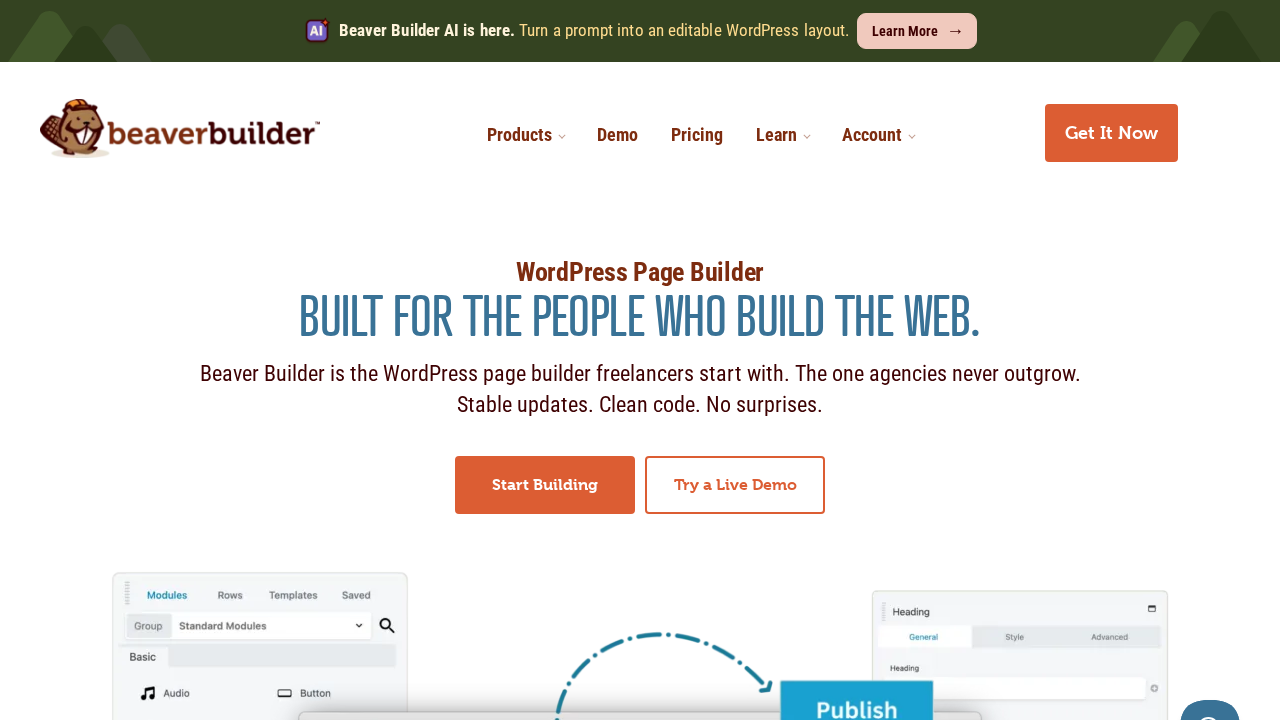
Beaver Builder has been in active development since November 2014. Over those 12 years it has built a reputation for one thing that no amount of marketing can substitute: it does not break client sites on update day. For agencies managing portfolios of 20 or 50 client sites, that track record carries more weight than a feature list.
The front-end editor is fast and clean. You see your page as visitors will see it as you build, with no back-end preview delay. The free lite version on WordPress.org provides 20 modules for simple pages. All paid plans add 170+ templates, additional modules, the Beaver Builder Theme, and Beaver Themer (the site-wide template builder for custom headers, footers, archive pages, and dynamic post templates). Beaver Themer being included on every paid plan rather than sold as a separate add-on is a genuine differentiator.
The honest limitation: Beaver Builder’s feature roadmap moves deliberately slowly. In 2026, that means no native AI generation, no motion effects library, and a widget count that falls short of Elementor. That is a trade-off if you value reliability. It is a real limitation if you want cutting-edge tooling.
Key features: Front-end drag-and-drop editor with live preview; row-and-column layout model; 20 modules free, expanded module set on paid plans; 170+ pre-built templates; Beaver Themer (site-wide templates: headers, footers, archive pages, post templates) included on all paid plans; Unlimited plan adds white labeling and multisite network management.
Pricing: Starter from $89/year; Plus from $199/year; Professional from $399/year; Unlimited $546/year. All paid plans include the Beaver Builder Theme and Beaver Themer. Check wpbeaverbuilder.com for current rates.
Pros
- 12 years of production stability with a consistent track record for non-breaking updates
- Clean code output: better Core Web Vitals baseline than Elementor or Divi 4 out of the box
- Beaver Themer included in all paid plans (not sold as a separate add-on)
- Front-end editing with live preview is faster for design-and-review workflows
- Row-and-column layout model is immediately intuitive for new team members
Cons
- Limited free lite version: 20 modules only, no theme builder, no templates, no Beaver Themer
- Slower feature roadmap: no AI generation, no native motion effects library in 2026
- No standalone form builder with conditional logic and submission management
- Smaller third-party addon ecosystem than Elementor
- Professional-grade agency features require the $199+ per year plans
Read our full Beaver Builder review for hands-on testing of the free lite version, a detailed look at premium features, and an honest take on the agency use case.
6. Brizy: Best Budget Page Builder with AI Generation
Best for: Freelancers, small agencies, and non-developers who want a clean interface, strong multi-site value, and AI generation built in
Free version: Yes (36+ elements, 500+ pre-made blocks, contextual editing, responsive controls)
Pricing: Personal $69/year (1 site); Freelancer $119/year (25 sites); Agency $239/year; White Label $359/year (100 sites)
Standout: Contextual editing interface (controls appear next to the element, not in a remote sidebar); Brizy AI 1.7 website generation from a text prompt included in all Pro plans
Watch out for: 70,000 active installs means a smaller community and fewer third-party resources than Elementor or Divi
Brizy (published by ThemeFuse) takes a different approach to the editor experience. Instead of routing all styling options through a persistent sidebar, Brizy surfaces controls contextually, directly next to the element you are editing. Click a text block and a small formatting toolbar appears above it. Click an image and image controls appear near the image. The sidebar is absent from the default editing workflow.
This approach makes the learning curve noticeably shorter than Elementor’s. For a first-time page builder user, the absence of a multi-panel sidebar and dozens of widget categories is meaningfully less disorienting.
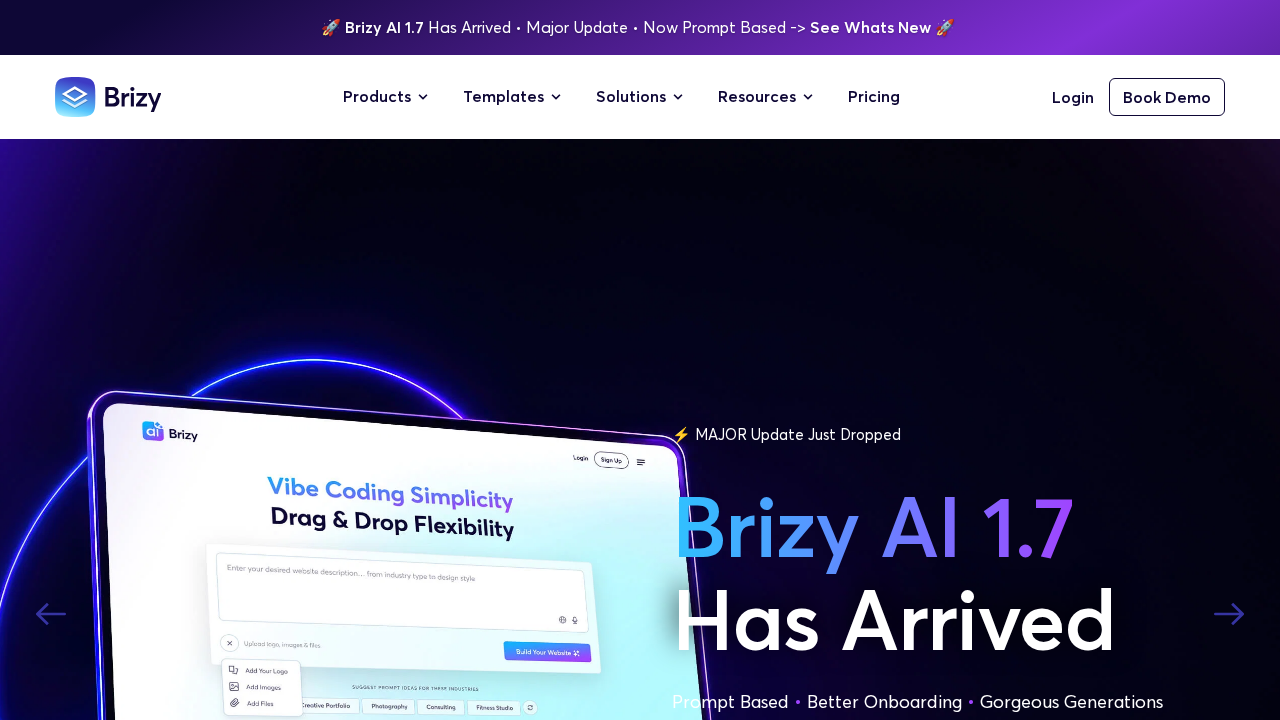
The AI website generation feature (Brizy AI 1.7) deserves a specific mention: you describe your site in a text prompt and Brizy generates a complete WordPress layout with pages, sections, and placeholder content. This is not a credit-based add-on or a separate purchase; it is included in all Pro plans. At $119/year for 25 sites on the Freelancer plan, Brizy offers the best per-site cost of any builder in this comparison for multi-site workflows.
Key features: Contextual editing interface (no persistent sidebar required for most tasks); 36+ free elements; 500+ pre-made blocks; 4,000+ icons; Theme Builder; Pop-up Builder; WooCommerce Builder; Brizy AI 1.7 website generation from text prompt (all Pro plans); dynamic content; White Label option.
Pricing: Free plugin on WordPress.org. Pro: Personal $69/year (1 site), Freelancer $119/year (25 sites), Agency $239/year, White Label $359/year (100 sites). Check brizy.io/pricing-wordpress for current rates.
Pros
- Contextual editing interface: fastest onboarding curve in this comparison
- AI website generation (Brizy AI 1.7) included in all Pro plans, not an add-on or credit purchase
- Best per-site value for multi-site workflows at the Freelancer tier ($119/year for 25 sites)
- Free tier is functional for simple pages with full contextual editor access
- Affordable Pro entry point at $69/year that includes Theme Builder
Cons
- 70,000 active installs vs. Elementor’s 10 million: smaller community, fewer tutorials, fewer add-ons
- Third-party addon ecosystem is significantly smaller than Elementor or Divi
- WordPress.org screenshots are outdated and do not reflect the current editor interface
- Theme Builder, popups, and WooCommerce all require a Pro plan
- Less documentation available for edge cases and complex customizations
Read our full Brizy review for a detailed look at the contextual editor, free vs. Pro feature comparison, and Brizy AI 1.7 in practice.
7. SeedProd: Best for Landing Pages and Coming-Soon Pages
Best for: Solopreneurs, marketers, and small businesses building landing pages, opt-in pages, and professional coming-soon pages
Free version: Yes (coming soon, maintenance mode, and basic landing page features on WordPress.org; 700,000+ installs)
Pricing: Introductory rates: Basic from $39.50/year, Plus from $99.50/year, Pro from $199.50/year, Elite from $239.60/year. Renewal rates are higher (Basic $79, Plus $199, Pro $399, Elite $599). WooCommerce requires Elite tier. Budget at renewal rates. Check seedprod.com/pricing for current rates.
Standout: 700,000+ active installs; 4.9-star rating; 350+ templates; 15+ email marketing integrations
Watch out for: WooCommerce only on the most expensive Elite tier; renewal pricing significantly higher than introductory rates; not a general-purpose site builder
SeedProd started in 2011 as a coming-soon page plugin and has since expanded into a full landing page builder and WordPress theme builder. The 700,000+ active installs and 4.9-star rating across 4,600+ WordPress.org reviews are earned: the coming-soon and maintenance mode tools have been genuinely reliable for over a decade.
As a landing page builder, SeedProd is strong. The template library covers opt-in pages, sales pages, webinar registration pages, and thank-you pages with professional designs. The drag-and-drop editor is clean, and the 15+ email marketing integrations (Mailchimp, ConvertKit, ActiveCampaign, HubSpot, and more) connect without custom code.
As a general-purpose WordPress page builder, SeedProd is more limited. WooCommerce support is locked to the Elite tier at the highest price point. Theme building requires at least the Plus plan. The pricing model uses introductory rates at checkout that are significantly lower than the renewal rates you will pay from year two onward.
Key features: Coming soon and maintenance mode (fully free); drag-and-drop landing page builder; WordPress theme builder for headers, footers, and post templates (Plus tier and above); 350+ templates; 15+ email marketing integrations; AI-assisted content and image generation on paid plans; WooCommerce store builder (Elite tier only).
Pricing: Free on WordPress.org. Introductory rates: Basic $39.50/year, Plus $99.50/year, Pro $199.50/year, Elite $239.60/year. Full renewal rates: Basic $79, Plus $199, Pro $399, Elite $599. WooCommerce requires Elite tier. Check seedprod.com/pricing for current rates. Plan budgets at the renewal rate, not the introductory price.
Pros
- 700,000+ installs and 4.9-star rating: proven track record for coming-soon and landing pages
- 350+ professionally designed templates for landing pages and WordPress themes
- 15+ email marketing integrations out of the box without custom code
- Clean, user-friendly editor with a low learning curve
- AI-assisted content and image generation on paid plans
Cons
- WooCommerce support locked to the Elite tier (most expensive plan)
- Renewal pricing is substantially higher than introductory rates: budget at the full renewal price
- Not a complete general-purpose site builder: theme building and WooCommerce require higher-tier plans
- The free landing page template selection is heavily restricted before requiring an upgrade
- Not a replacement for a dedicated form builder (WPForms, Gravity Forms) for complex form workflows

Read our full SeedProd review for hands-on testing of the free version, a detailed look at each pricing tier, and an honest comparison of who SeedProd is right for.
8. Thrive Architect: Best for Conversion-Focused Marketers
Best for: Marketers, coaches, course creators, and solopreneurs building high-converting sales funnels and landing pages on WordPress
Free version: No (30-day money-back guarantee; no WordPress.org listing)
Pricing: Thrive Suite subscription: $299/year introductory, renewing at $599/year; up to 5 websites on the base plan. Check thrivethemes.com for current rates.
Standout: 300+ conversion-focused templates; 22+ email marketing integrations; full Thrive Suite (9 tools: A/B testing, lead forms, scarcity, testimonials, quiz builder, online courses) included
Watch out for: No standalone product; must buy the full Thrive Suite; subscription-only pricing with no lifetime option; base plan limited to 5 websites
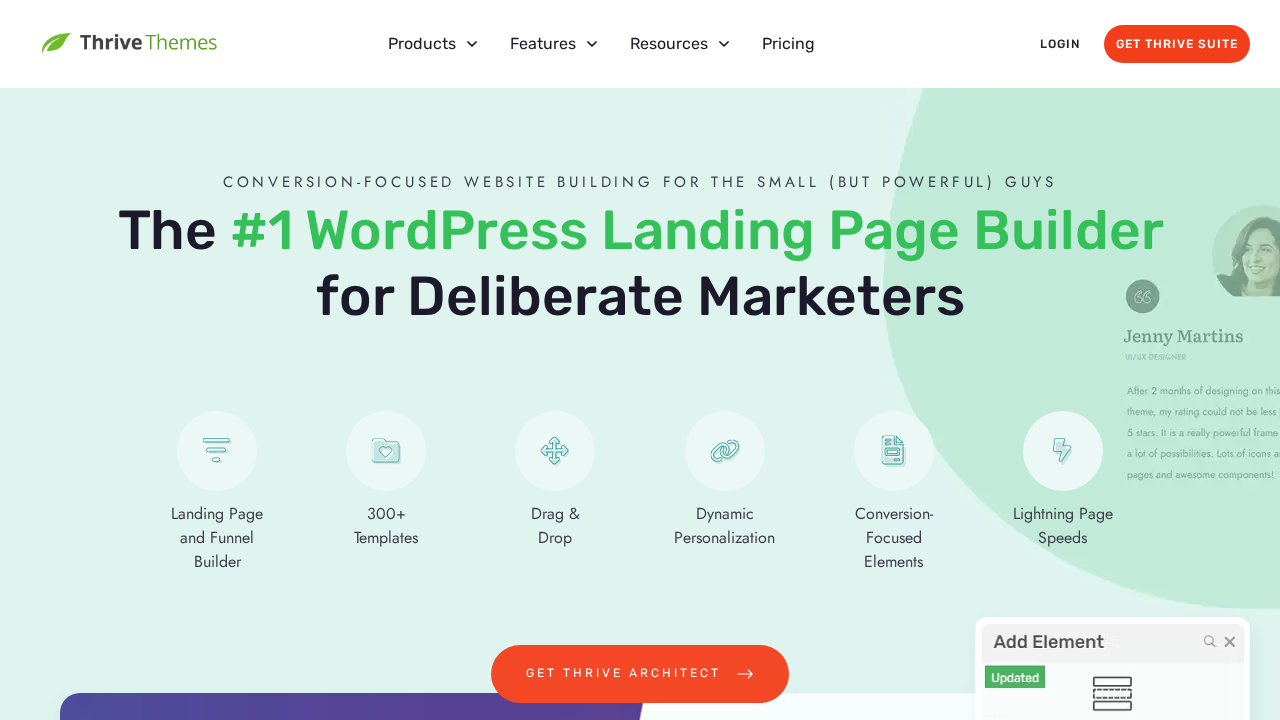
Thrive Architect is built with a specific buyer in mind: the marketer or course creator who needs to build high-converting pages on WordPress without hiring a developer. The template library is organized around conversion scenarios: opt-in pages, sales pages, webinar registration, video sales letter pages, and thank-you pages. The element library prioritizes conversion: countdown timers, testimonials, lead capture forms, and CTA sections.
What separates Thrive Architect from every other builder in this comparison is the Thrive Suite ecosystem. The subscription includes nine integrated tools: Architect for page building, Leads for opt-in forms and lead magnets, Optimize for A/B testing, Ultimatum for countdown and scarcity campaigns, Ovation for testimonials, Apprentice for online courses, Theme Builder for site-wide design, Quiz Builder for lead quizzes, and Comments for discussion.
The honest trade-off is the pricing model. There is no standalone Architect license. You buy the full Thrive Suite, subscription only. The base plan covers up to 5 websites. The intro price of $299/year renews at $599/year. For someone who only needs a page builder, this is an expensive entry point. For someone who needs the full funnel stack, the cost compares favorably to assembling each tool separately.
Key features: Conversion-focused front-end visual editor; 300+ templates organized by marketing goal; 22+ email marketing integrations (Mailchimp, ActiveCampaign, ConvertKit, and more); Smart Sections for reusable page blocks that update everywhere; bundled Thrive Suite (9 tools including A/B testing and lead forms); 30-day money-back guarantee.
Pricing: Thrive Suite subscription: $299/year introductory, renewing at $599/year. Base plan covers up to 5 websites. Agency pricing requires contacting sales. No standalone Architect license; no free version; no lifetime option. Check thrivethemes.com for current rates.
Pros
- 300+ conversion-focused templates organized by marketing goal (opt-in, sales page, webinar, etc.)
- 22+ email marketing integrations built in without additional plugins
- Full Thrive Suite (9 tools) included: A/B testing, lead forms, scarcity, testimonials, courses
- Smart Sections for reusable page blocks that update everywhere when the source changes
- 30-day money-back guarantee
Cons
- No standalone product: the full Thrive Suite subscription is required
- No free version and no WordPress.org listing
- Introductory price ($299/year) renews at $599/year: plan budgets at the renewal rate
- Limited to 5 websites on the base plan; agency pricing requires contacting sales
- No lifetime license option; subscription-only model
Read our full Thrive Architect review for a detailed breakdown of the Thrive Suite ecosystem, conversion-focused template library, and how the pricing compares to buying tools individually.
How to Choose the Right WordPress Page Builder
For most non-developers: Start with Elementor. The free version lets you evaluate the editor before paying. The Pro tier is a complete site building platform. The ecosystem around it means answers are easy to find when something goes wrong.
For agencies who care about Core Web Vitals and code quality: Bricks Builder is the strongest technical choice. If the learning curve is a concern, Breakdance is a strong middle ground: better performance than Elementor, a gentler learning curve than Bricks, and forms, WooCommerce, and popups included in Pro without extra cost.
For multi-site and agency volume: Divi’s $249 one-time lifetime license and unlimited-site policy have no equivalent in this comparison. Beaver Builder’s stability track record makes it the lower-risk choice for agencies where update-day reliability is a real operational concern.
For budget-conscious freelancers: Brizy’s Freelancer plan at $119/year for 25 sites is the best per-site value in this list. AI generation being included at no additional cost is a practical differentiator for client onboarding.
For marketers building conversion funnels: SeedProd for specialists building mainly landing and opt-in pages. Thrive Architect for teams who need the full funnel stack, including A/B testing, scarcity, lead forms, and testimonials all under one subscription.
For developers building custom WordPress sites: Bricks Builder, without reservation. If Gutenberg compatibility alongside your builder work is a priority, using the native WordPress block editor on content pages alongside Bricks for design-heavy pages is the cleaner architecture.
Frequently Asked Questions
Which WordPress page builder is best for beginners?
Elementor is the most beginner-friendly option in terms of available tutorials, community resources, and third-party guides. The free version provides a functional editor to learn on before committing to a paid plan. Brizy is also a strong choice for first-time users: the contextual editing interface, where controls appear next to elements rather than in a persistent sidebar, has a noticeably shorter onboarding curve.
Which page builder is best for performance and Core Web Vitals?
Bricks Builder produces the cleanest HTML output and lowest baseline page weight of the eight builders in this comparison. Breakdance is a close second, loading 42 KB of baseline assets versus Elementor’s 570 KB. Beaver Builder also generates clean code competitive with Bricks. If Core Web Vitals are a primary project deliverable, Elementor and Divi 4 require more optimization work (caching, asset optimization) to reach the same scores as leaner builders.
Is there a free WordPress page builder that is actually usable?
Elementor’s free tier is the most capable: 40+ widgets, the Atomic Editor, and basic templates for building individual pages. Breakdance’s free tier covers 80 elements and is genuinely functional for real pages. Brizy’s free tier includes 36+ elements and 500+ pre-made blocks with the full contextual editor. All three free tiers reach their limits when you need Theme Builder, forms, or popups, which require a paid upgrade on all platforms.
What is the best WordPress page builder for WooCommerce?
Bricks Builder and Elementor Pro both include full WooCommerce Builder capabilities (custom product pages, shop templates, cart, and checkout). Breakdance includes WooCommerce tools in Pro without requiring a higher plan tier. Beaver Builder and Brizy cover WooCommerce on paid plans. Divi covers WooCommerce on any plan level. SeedProd requires the Elite tier for WooCommerce. For the most complete WooCommerce customization without extra cost, Bricks Builder and Breakdance are the strongest options.
Can you use multiple page builders on the same WordPress site?
Technically yes, but it is not recommended. Running two page builders on the same site adds duplicate assets, increases page weight, and creates maintenance complications when updates conflict. The cleaner approach is to choose one builder and use it consistently. The practical exception: the native WordPress block editor (Gutenberg) can coexist with most page builders on separate pages with minimal overhead, since they edit different content on different pages.
Final Verdict
There is no single best WordPress page builder for every project. The right choice depends on your technical confidence, your performance requirements, your licensing needs, and whether you want a general-purpose site builder or a specialized tool.
Elementor is the default recommendation for the widest range of users: it has the most features, the largest ecosystem, and the most available help when something unusual comes up. For performance-sensitive projects and developer-led builds, Bricks Builder is the stronger technical choice. For agencies who need stability over novelty, Beaver Builder has a track record that no other builder in this list can match. For budget-conscious multi-site work, Brizy’s Freelancer plan is hard to beat on value. And for conversion-focused marketing, Thrive Architect bundles a full funnel toolkit that would cost significantly more if assembled from individual plugins.
Read the individual reviews linked throughout this guide for hands-on details on each plugin before committing to a paid plan.