


You need to accept money through your WordPress site. You find a shortlist of form plugins, open three or four tabs of pricing pages, and realize that every plugin frames its payment features differently. Some charge a platform fee on top of Stripe’s fee. Some put payment gateways behind the most expensive plan tier. Some include them free but only for specific gateways. Some are built primarily as form builders where payments are a feature, and one on this list is built primarily as a payment and donation plugin where form building is the delivery mechanism.
I compared eight WordPress form plugins specifically through the lens of accepting payments. I looked at which payment gateways each plugin supports, what those gateways cost you in platform fees, what plan tier you need to reach before payments work, and what else you get at that tier. I also looked at how each plugin handles the form-building side, since a payment form that is painful to build or to customize creates real problems at checkout.
All eight plugins on this list have individual hands-on reviews on this site. Each entry below links to the full review where you can go deeper.
How I Chose These Plugins
I applied five filters when evaluating payment-capable WordPress form plugins:
Stripe or PayPal integration (or both). A plugin without a card payment path is a contact form, not a payment form. Every plugin on this list connects to at least one major gateway.
Payment gateway variety. Stripe and PayPal serve the vast majority of use cases in North America and Europe, but some sites need regional gateways. I noted which plugins extend to Razorpay, Mollie, Square, Authorize.net, and others.
Platform fee transparency. Several plugins charge a percentage of each transaction on top of Stripe’s standard rates. I flagged these because the cost compounds quickly. A plugin that charges 3 percent on top of Stripe’s 2.9 percent means you pay nearly 6 percent per transaction. Paying for a Pro plan often eliminates the platform fee and pays for itself quickly under any volume.
What tier payment actually requires. A plugin can technically “support” payments at the free tier while locking every real use case behind a $200/year plan. I checked what you get at each upgrade point.
Form-building quality alongside payments. Conditional logic, multi-step forms, and submission storage matter even when the form collects money. I noted where the plugin forces you to choose between payment features and standard form-building features.
Quick Comparison Table
| Plugin | Free payments | Platform fee | Gateway variety | Best for |
|---|---|---|---|---|
| Fluent Forms | Stripe (1.9% fee) | 1.9% on free tier | 8 gateways on Pro | Best overall value |
| Forminator | Stripe + PayPal | No platform fee | 2 gateways free | Best free option |
| WPForms | Stripe (3% fee) | 3% on free tier | 4+ gateways on Pro | Beginner-friendly |
| Gravity Forms | No free version | No platform fee | 10+ via add-ons | Developer workflows |
| Paymattic | Stripe + offline | No platform fee | 15 gateways | Donations and payment-first |
| Formidable Forms | Stripe + PayPal | Verify at publish | 4+ gateways | Order forms and calculators |
| Ninja Forms | No (add-on required) | No platform fee | 5+ via add-ons | Modular buyers |
| Everest Forms | No (Pro only) | No platform fee | 6+ gateways | Budget Pro buyers |
1. Fluent Forms: Best Overall Value for Payment Forms
Read our full Fluent Forms review
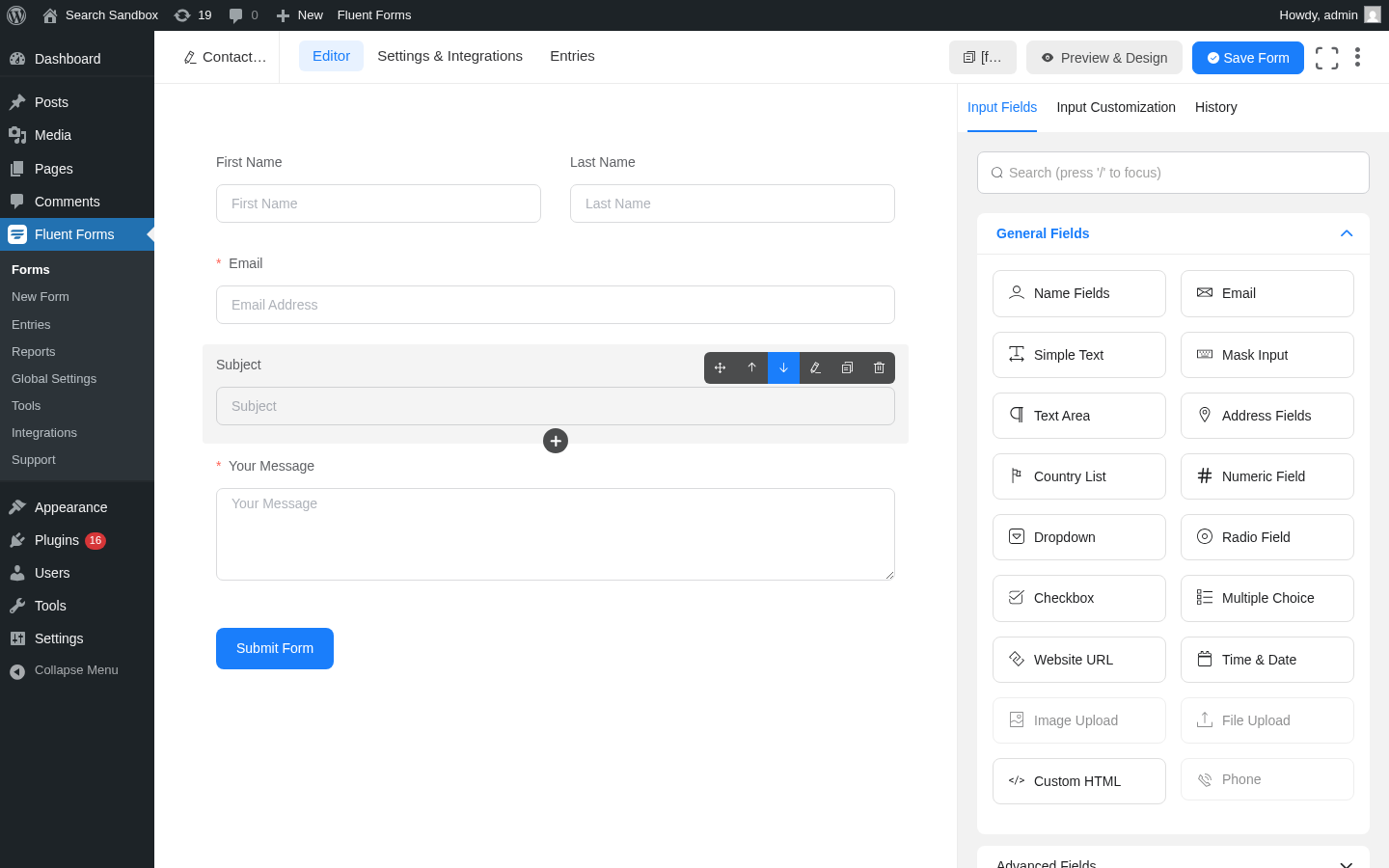
Fluent Forms is published by WP Manage Ninja and holds 700,000+ active installs. It is the form builder I would recommend first to most WordPress site owners who need to collect payments, because it gives you working payment capability at the free tier and competitive Pro pricing that removes every meaningful restriction.
The free version includes Stripe payment forms with a 1.9 percent platform fee on every transaction. That fee is on top of Stripe’s standard 2.9 percent + 30 cents, putting your effective rate at about 4.8 percent plus 30 cents per transaction on the free plan. Upgrading to any paid Fluent Forms plan removes the 1.9 percent fee entirely, leaving you with standard Stripe rates. For most sites doing any real volume, the upgrade pays for itself.
The free tier also includes conditional logic, which is not common in this category. You can build forms that show or hide payment options based on what a visitor selects, with no upgrade required. Entry storage is also free.
Best for: Small businesses, freelancers, and agencies who want working Stripe payments at no cost and need conditional logic without paying extra.
Key features
- Drag-and-drop builder with 65+ input fields
- Free Stripe integration (1.9% platform fee, removed on paid plans)
- Conditional logic included free
- Multi-step forms (Pro)
- Conversational form mode (Free, advanced options in Pro)
- Entry storage in WordPress database (Free)
- AI form builder (Free)
- PayPal, Razorpay, Paddle, Square, Paystack, Mollie, Authorize.net (Pro)
- 60+ third-party integrations (mostly Pro)
- Reporting dashboard
Payment highlights
- Free: Stripe with 1.9% Fluent Forms fee. Form accepts card payments immediately.
- Pro: Stripe fee removed. Adds PayPal, Razorpay, Paddle, Square, Paystack, Mollie, Authorize.net. Subscription/recurring payments supported.
Pricing
- Free: Full form builder + Stripe (with 1.9% fee)
- Single Site: $63/year (promotional) or $279 lifetime
- Agency (5 sites): $127/year or $479 lifetime
- Unlimited: $239/year or $719 lifetime
Pros
- Stripe payments work on the free plan
- Conditional logic included at no cost
- Strong free tier across the board
- Lifetime license available
- Actively developed with regular security updates
Cons
- 1.9% platform fee on free tier adds up under volume
- PayPal and regional gateways require a paid plan
- Recurring subscriptions locked to paid plans
2. Forminator: Best Free Option for WordPress Payment Forms
Read our full Forminator review
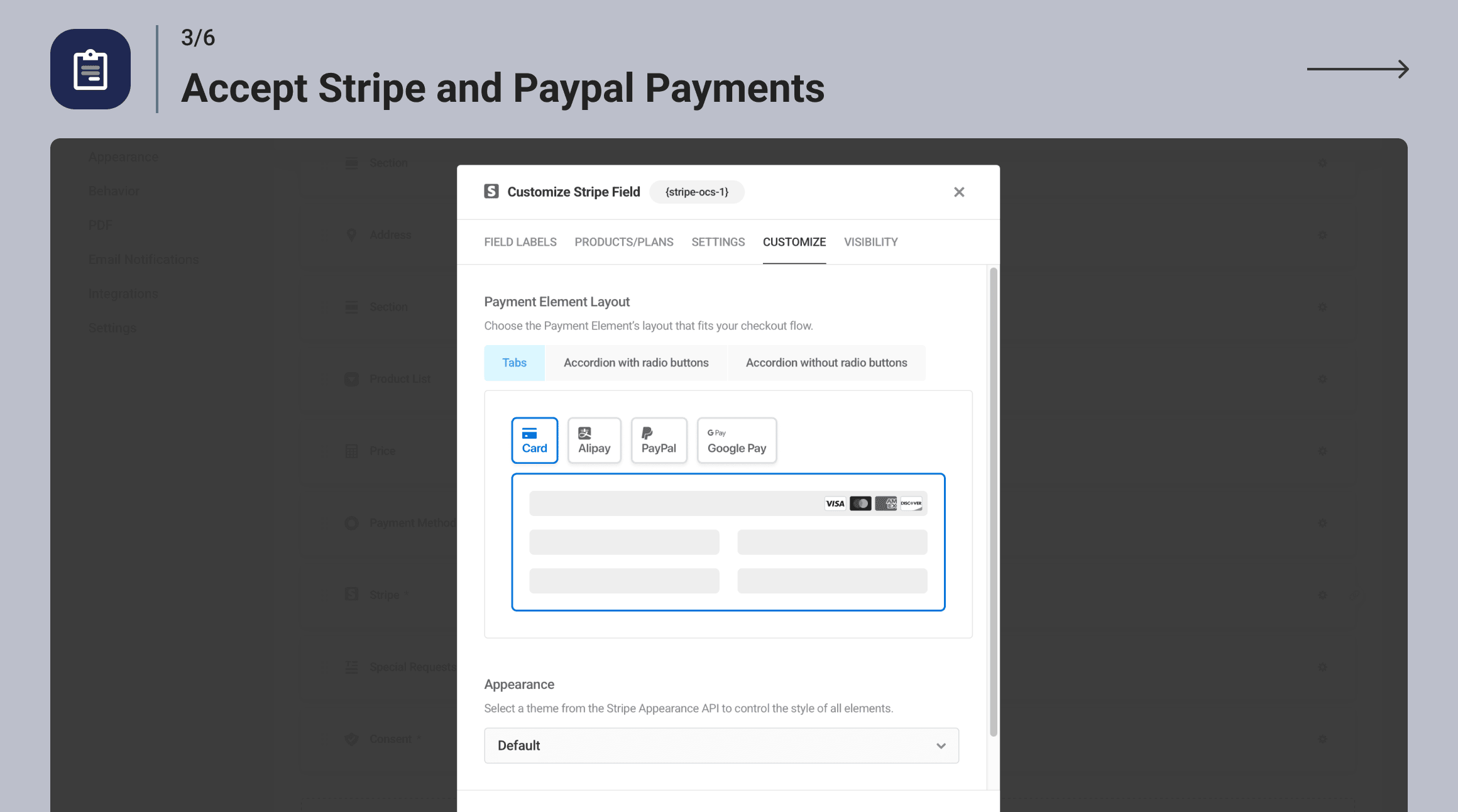
Forminator is published by WPMU DEV and offers one of the most generous free tiers in the WordPress form plugin market. The free version includes both Stripe and PayPal payment forms, conditional logic, entry storage, multi-step forms, polls, quizzes, and more. There is no platform fee on either gateway.
With 600,000+ active installs and a 4.8/5 rating across 2,107 reviews on WordPress.org, Forminator is not a fringe plugin. The recent July/August 2026 releases added Stripe Connect OAuth, Stripe Checkout Sessions, and Adaptive Pricing support. The plugin is a Stripe Verified Partner.
One caveat: Forminator saw four security-related releases in a 43-day window in July/August 2026. All were addressed promptly with transparent changelog disclosures, and sites should be on version 1.57.0 or later.
Best for: Site owners who want working Stripe and PayPal payment forms at zero cost and do not want to manage an add-on purchase or worry about platform fees.
Key features
- Drag-and-drop builder for forms, polls, and quizzes
- Stripe and PayPal (both free)
- Stripe Dynamic Payment Element: Apple Pay, Google Pay, Klarna, SEPA, and 35+ additional methods
- Conditional logic (free)
- Save and Resume (free)
- Multi-step forms (free)
- Entry storage and CSV export (free)
- User registration and login forms (free)
- HubSpot, Mailchimp, ActiveCampaign, Google Sheets, Slack (free)
- Stripe Subscriptions (Pro add-on)
- PDF Generator (Pro add-on)
Payment highlights
- Free: Stripe full integration (including SCA compliance, Apple Pay, Google Pay, Klarna) + PayPal. No platform fee.
- Pro add-on: Recurring/subscription billing via Stripe only.
Pricing
- Free: Fully functional with Stripe + PayPal
- Pro Basic (1 site): $36/year (promotional, normally $60)
- Pro Standard (3 sites): $60/year (promotional)
- Pro Plus (10 sites): $120/year (promotional)
Pros
- Stripe and PayPal both free with no platform fee
- Apple Pay, Google Pay, Klarna through Stripe Dynamic Payment Element at no cost
- Conditional logic and multi-step forms included free
- Polls and quizzes in the same plugin
- Stripe Verified Partner status
Cons
- Recurring/subscription billing requires a Pro add-on
- Four security patches in 43 days (July/August 2026) – all fixed, but worth noting
- WPMU DEV membership model can feel like overkill for single-site owners
3. WPForms: Best for Beginners Accepting Payments
WPForms is the most popular form plugin in the WordPress ecosystem with 5 million+ active installs and 14,000+ reviews on WordPress.org. It is also the plugin most likely to come pre-installed on new WordPress hosting accounts. The builder is polished, the template library is massive (2,143 templates), and the onboarding experience is the smoothest in this category.
The catch for payment use cases: the free version charges a 3 percent WPForms platform fee on Stripe transactions. That is the highest platform fee in this comparison. The free version also does not store entries in the WordPress database, which means form submission data arrives only by email unless you enable Lite Connect. For a payment form, not having a local transaction record is a meaningful limitation.
Upgrading to WPForms Pro removes the Stripe fee, adds PayPal Commerce and Square, and enables local entry storage. Pro starts at $199.50/year for 5 sites, which is higher than comparable tiers from Fluent Forms competitors, but you also get conditional logic, multi-page forms, and 2,000+ additional templates.

Best for: Beginners who prioritize setup speed and the largest template library, and are willing to upgrade to Pro to remove fees and unlock local entry storage.
Key features
- Drag-and-drop builder (full-screen editor)
- 2,143 templates (71 free, 2,072 with a paid plan)
- Stripe with 3% platform fee (free tier)
- Conditional logic (Basic+ plan)
- Multi-page forms with progress bars (Basic+)
- Conversational forms (Pro+)
- PayPal Commerce, Square (Pro+)
- Stripe subscriptions, Apple Pay, Google Pay (Pro+)
- Authorize.net (Elite only)
Payment highlights
- Free: Stripe with 3% WPForms fee. No local entry storage.
- Pro ($199.50/year, 5 sites): Stripe without fee, PayPal Commerce, Square, recurring subscriptions.
Pricing
- Lite (Free): $0 — Stripe with 3% fee
- Basic: $49.50/year intro, $99 renewal, 1 site
- Plus: $99.50/year intro, $199 renewal, 3 sites
- Pro: $199.50/year intro, $399 renewal, 5 sites
- Elite: $299.50/year intro, $599 renewal, unlimited sites
Pros
- Most popular plugin with the largest community and tutorial resources
- 2,143+ templates including payment form templates
- Polished, beginner-friendly builder
- Stripe available on free plan
Cons
- 3% WPForms platform fee on free tier Stripe — highest in this comparison
- No local entry storage on free plan
- Payment without fee requires Pro ($199.50/year)
- Renewal pricing doubles after the first year
4. Gravity Forms: Best for Complex Payment Workflows
Read our full Gravity Forms review
Gravity Forms is the benchmark for developer-grade WordPress form plugins. It is premium-only: there is no free version and no WordPress.org listing. Licensing starts at $59/year for one site and goes to $259/year for unlimited sites (Elite). Within those tiers, payment gateways are distributed as add-ons: Stripe and PayPal come with paid plans, but some gateways require higher tiers.
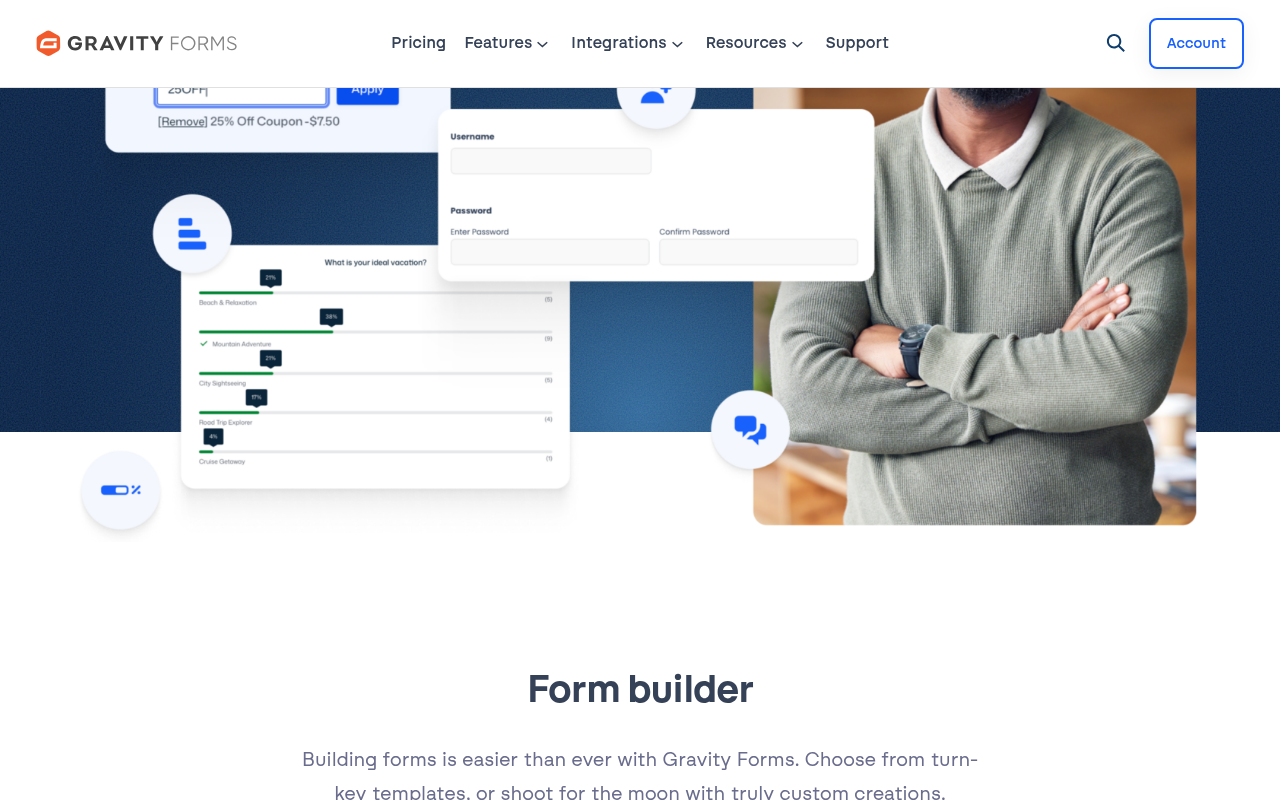
Where Gravity Forms stands apart is in the depth of its conditional logic, calculation fields, and workflow capabilities. The plugin has 500+ action and filter hooks, a full REST API, and a third-party ecosystem (GravityKit, GravityWiz, GravityFlow) that extends it into multi-step approval workflows, CRM sync, and front-end data display. For sites where the payment form is embedded in a larger business process, Gravity Forms is the most capable platform.
The trade-off is price and complexity. For a simple checkout form, Gravity Forms is significantly more expensive than Fluent Forms or Forminator, and the developer-oriented interface has a steeper learning curve than WPForms.
Best for: Developers and businesses building complex payment flows: order forms connected to CRM, multi-step approval-gated payments, or sites that need detailed programmatic control.
Key features
- 500+ developer hooks and filters
- Stripe and PayPal (Pro tier)
- Conditional logic (all paid tiers)
- Calculation fields (all paid tiers)
- Conversational forms (all tiers via add-on)
- Authorize.net, Square, Mollie (Elite or add-on)
- GravityFlow workflow engine (third-party, separate purchase)
- Multi-site support (Elite)
Payment highlights
- No free version.
- Basic ($59/year, 1 site): Stripe and PayPal add-ons included. No platform fee.
- Pro ($159/year, 3 sites): Additional gateways.
- Elite ($259/year, unlimited): All gateways, priority support.
Pricing
- Basic: $59/year, 1 site, 30-day money back
- Pro: $159/year, 3 sites
- Elite: $259/year, unlimited sites, priority support
- Annual billing only; no lifetime option
Pros
- Most powerful conditional logic and calculation engine in this list
- Deep developer API (500+ hooks)
- No platform fee on any tier
- Strong third-party ecosystem (GravityKit, GravityWiz, GravityFlow)
- 15+ year track record
Cons
- No free version; must pay from day one
- Basic tier ($59) covers only 1 site
- Advanced workflows (GravityFlow, GravityView) are separate paid products
- Steeper learning curve than WPForms or Fluent Forms
5. Paymattic: Best for Donations and Payment-First Forms
Read our full Paymattic review
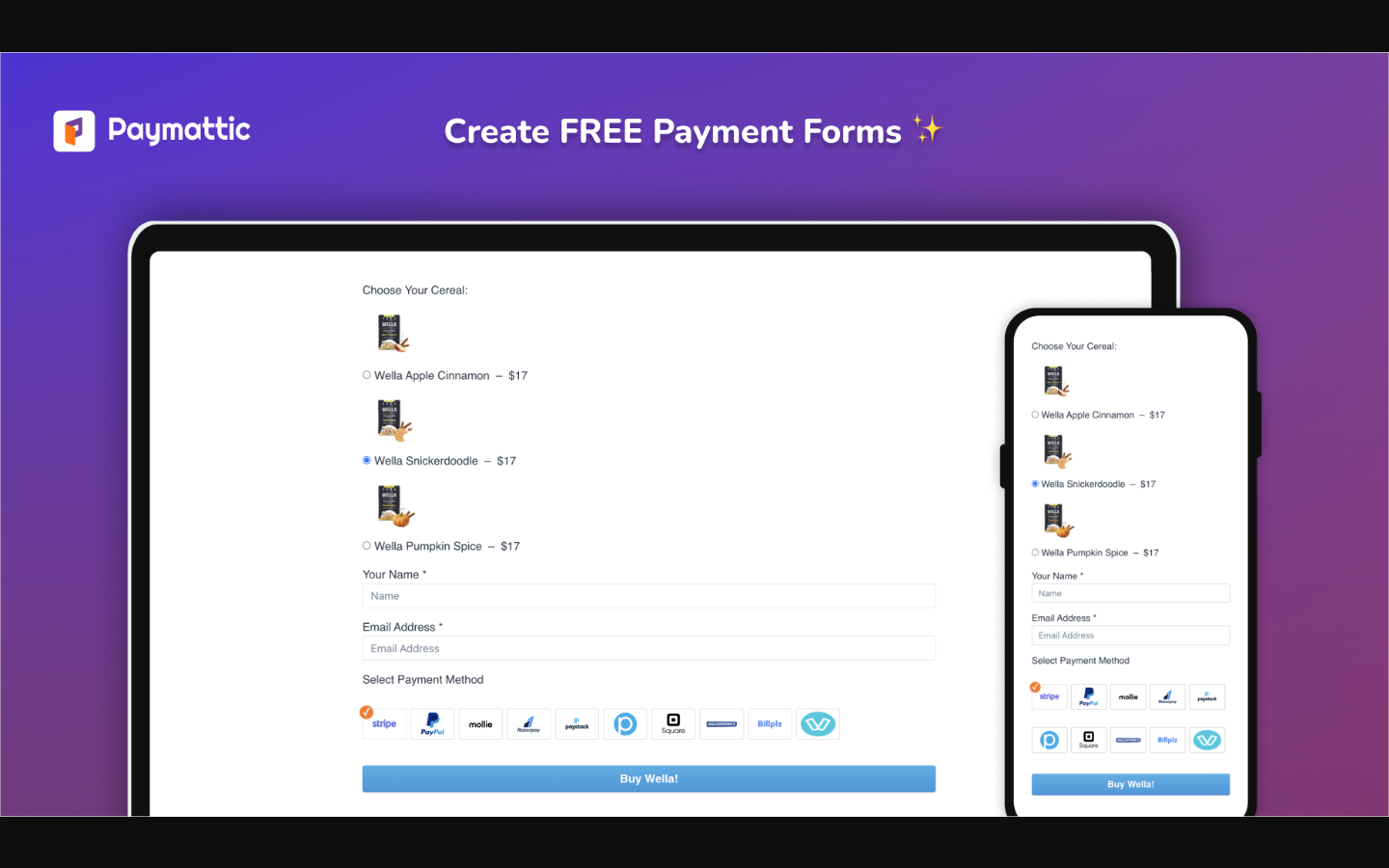
Paymattic is not a general-purpose form builder with payment support added on. It is a payment and donation plugin that includes a form builder as the mechanism for collecting money. That distinction matters when you compare its feature set to the other plugins on this list.
The free version includes Stripe and offline payment with no platform fee, 22 form fields, donation progress bars, PDF invoices, and basic integrations. The paid tier adds 13 additional gateways, subscription payments, conditional logic, multi-step forms, and a full donor and customer management dashboard.
Paymattic has 3,000+ active installs. It is the smallest plugin on this list by install count but the most payment-specialized. If your site’s primary purpose is collecting donations, selling event tickets, or managing recurring contributions, Paymattic’s gateway breadth (15 gateways total on Pro) and donation-specific features are genuinely useful rather than niche edge cases.
Best for: Nonprofits, fundraisers, event organizers, and any site where payment or donation collection is the primary purpose rather than a secondary feature of a contact form.
Key features
- Stripe and offline payment (free)
- Donation progress bar and donor leaderboard
- PDF invoices
- 15 payment gateways total on Pro
- Subscription and recurring donation support (Stripe, PayPal, Square, Moneris, Authorize.net, Xendit)
- Conditional logic (Pro)
- Multi-step forms (Pro)
- Donor and customer dashboards and profiles (Pro)
- Gift Aid declaration support
- Fee Recovery field
- GiveWP migration tool
Payment highlights
- Free: Stripe + offline payment. No platform fee.
- Pro: 13 additional gateways including PayPal, Authorize.net, Square, Mollie, Flutterwave, Paystack, Razorpay, Xendit, Moneris, and more. Recurring subscriptions and donations.
Pricing
- Free: Stripe + offline payment included
- Personal (1 site): from $60/year (promotional) or $233 lifetime
- Agency (20 sites): from $120/year or $449 lifetime
- Unlimited: from $240/year or $602 lifetime
Pros
- Widest gateway selection in this list (15 on Pro)
- No platform fee at any tier
- Donation-specific features not found elsewhere (progress bar, leaderboard, Gift Aid, Fee Recovery)
- Lifetime license available
- Actively developed in 2026
Cons
- Only 3,000+ active installs: smaller community, fewer tutorials
- Conditional logic and multi-step require a paid plan
- General contact form capabilities are more limited than dedicated form builders
6. Formidable Forms: Best for Order Forms and Calculators
Read our full Formidable Forms review
Formidable Forms by Strategy11 is the plugin to reach for when a payment form needs to do math. Quote calculators, mortgage estimators, service configurators, product pricing tools: Formidable’s calculation engine is the strongest built-in option in the WordPress form plugin ecosystem. The plugin also includes Views (front-end data display), which lets you show submitted entries as searchable directories or listings without a separate plugin.
The free version recently added PayPal Commerce (v6.31, May 2026) and Product, Quantity, and Total pricing fields (v6.30), making it meaningfully more payment-capable at no cost. Stripe is also available in the free version. Entry storage is included free, which puts Formidable ahead of WPForms Lite on entry management.
Conditional logic, multi-page forms, file uploads, the calculator engine, and Views all require a paid plan. The entry-level Basic plan at $39.50/year is the most affordable payment-unlocking first step in this roundup.

Best for: E-commerce sites, service businesses, and agencies that need forms to calculate a quote or price in real time before the visitor pays.
Key features
- Drag-and-drop builder with product, quantity, and total fields (free)
- Stripe (free with fee)
- PayPal Commerce (free as of v6.31)
- Calculation engine with formula editor (Basic+)
- 50+ calculator templates (Business plan)
- Views: front-end data display in grid, table, calendar, or map formats (Plus+)
- Conditional logic (Basic+)
- Multi-page forms (Basic+)
- WooCommerce product configurator forms (Elite)
- Zapier (Business+)
- AI form builder with credits (Business+)
Payment highlights
- Free: Stripe (fee applies) + PayPal Commerce. Product, Quantity, and Total fields included.
- Basic ($39.50/year): Unlocks conditional logic and multi-page for payment flows.
- Business ($199.50/year, 7 sites): Full calculator engine + Zapier + additional gateways.
- Elite: WooCommerce integration and Klarna/Affirm payment methods.
Pricing
- Free: Stripe + PayPal Commerce (fees apply)
- Basic: $39.50/year intro, 1 site
- Plus: $99.50/year intro, 3 sites
- Business: $199.50/year intro, 7 sites
- Elite: $299.50/year intro, unlimited sites
- 14-day money-back guarantee
Pros
- Strongest calculation and formula engine in this roundup
- Views for front-end data display included (not a third-party purchase)
- PayPal Commerce and product fields added to free tier
- Entry storage included free
- Longest track record in this list (since 2009)
Cons
- Conditional logic and multi-page forms require a paid plan (Basic+)
- Views require Plus ($99.50), not the entry-level Basic tier
- Calculator templates mostly require the Business plan
- Builder UX is functional but less polished than WPForms
7. Ninja Forms: Best Modular Pick
Read our full Ninja Forms review
Ninja Forms takes a different approach: the core plugin is free and genuinely functional for basic contact forms, while payment gateways, conditional logic, multi-step forms, and CRM integrations are sold as individual add-ons or bundled into plan tiers. This modular model makes sense if you only need one or two specific capabilities and do not want to pay for features you will never use.
The free core includes 28+ form fields (including Signature, hCaptcha, and Cloudflare Turnstile added in 2025), unlimited forms, submission storage, and email notifications. There is no platform fee on any transaction, because payment support requires an add-on purchase rather than being built into the free tier.
For payment capability, the most direct path is the Plus plan at $59.40/year, which bundles 16 add-ons including PayPal, conditional logic, file uploads, multi-step forms, and email marketing integrations. Stripe and Authorize.net are included in the Pro plan ($119.40/year).
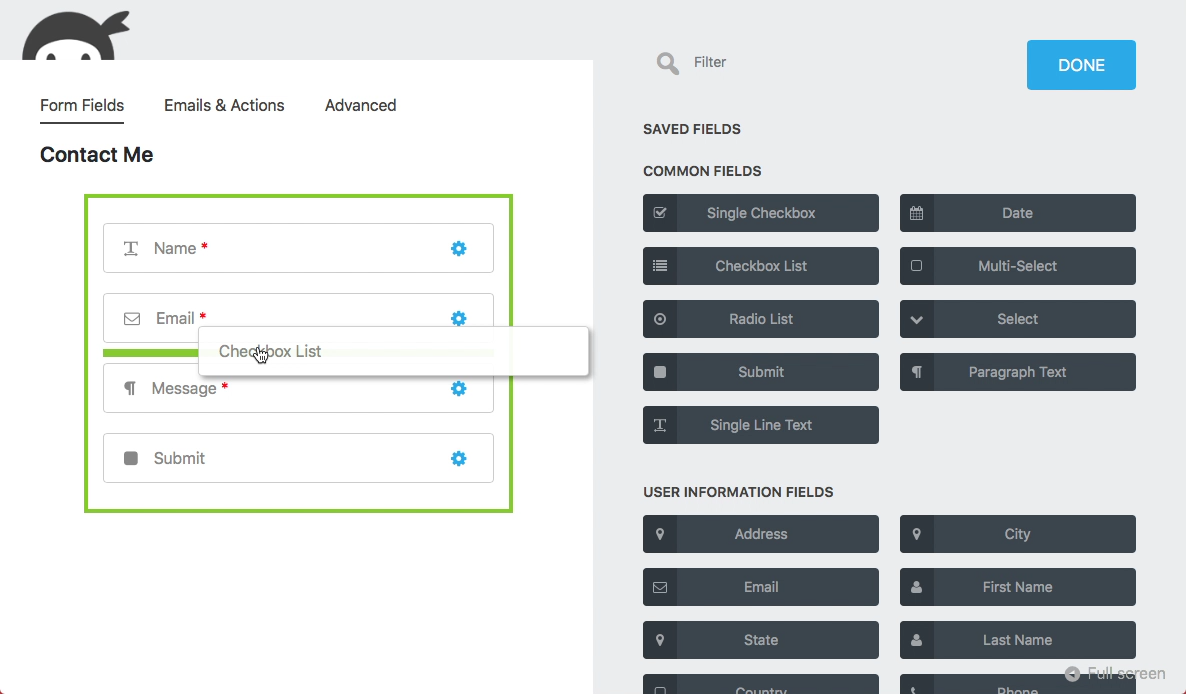
Best for: Site owners who only need a contact form today and want a payment-capable upgrade path without committing to a fully featured platform upfront.
Key features
- 28+ form fields in free core (including Signature, hCaptcha, Cloudflare Turnstile)
- Submission storage (free)
- No platform fee on any tier
- Modular add-on ecosystem (42 add-ons)
- WordPress Abilities API support
- WCAG 2.2 AA accessibility improvements
- PayPal (Plus plan or $29 standalone add-on)
- Conditional Logic ($49/year standalone or Plus+)
- Stripe, Authorize.net (Pro plan or separate add-ons)
- CRM integrations: HubSpot, Salesforce, Zoho (Pro+)
- Zapier, Webhooks ($49/year standalone or Pro+)
Payment highlights
- Free: No payment support.
- Plus ($59.40/year, 3 sites): PayPal included. Conditional logic included.
- Pro ($119.40/year, 20 sites): Adds Stripe and Authorize.net.
- Elite ($299.40/year, unlimited): All add-ons current and future.
Pricing
- Core: Free
- Plus: $59.40/year intro ($99 renewal), 3 sites, 16 add-ons
- Pro: $119.40/year intro ($199 renewal), 20 sites, 28 add-ons
- Elite: $299.40/year intro ($499 renewal), unlimited sites, all add-ons
- Individual add-ons: $29-$49/year each
- 14-day money-back guarantee
Pros
- Genuinely useful free core for basic contact forms
- No platform fee on any tier
- 42 add-ons; pay only for what you use
- Good accessibility work (WCAG 2.2 AA)
- 600,000+ active installs; large community
Cons
- Free version has no payment capability
- Stripe requires Pro plan ($119.40/year) or a standalone add-on
- Conditional logic is a paid add-on even on Plus
- Renewal pricing is significantly higher than the introductory rate
8. Everest Forms: Best for Budget-Conscious Pro Buyers
Read our full Everest Forms review
Everest Forms by WPEverest has 90,000+ active installs and a 4.9/5 rating across 375 reviews, with 94 percent of those being five-star. It is the youngest plugin on this list by install count, but it competes on price and free-tier entry management.
The free version includes 35+ fields, unlimited forms, full entry storage, file and image uploads, 40+ templates, and four layers of spam protection (reCAPTCHA, hCaptcha, Cloudflare Turnstile, Akismet). Those are genuine advantages over WPForms Lite on the entry and file-upload sides. The gap for payment use cases: all payment gateways, conditional logic, multi-step forms, and email marketing integrations require a Pro plan.
The compelling pitch is the Pro pricing and the lifetime license option. Everest Forms Personal starts at $49/year for one site, or $199 as a one-time lifetime purchase. That entry price unlocks Stripe, PayPal, and conditional logic in a single upgrade. Lifetime licensing is unusual in this category and changes the economics for long-running sites significantly.

Best for: Solo site owners and small businesses who want a capable free contact form with entry storage now and a low-cost Pro upgrade path for adding payment capability later.
Key features
- 35+ form fields (free)
- Entry management and CSV export (free)
- File and image uploads (free)
- 40+ form templates (free)
- Multi-layer spam protection: reCAPTCHA v2/v3, hCaptcha, Cloudflare Turnstile, Akismet, CleanTalk, Honeypot (all free)
- Page builder integrations: Elementor, Divi, Bricks, Oxygen, Beaver Builder, WPBakery (free)
- Conditional logic (Pro)
- All payment gateways: Stripe, PayPal, Mollie, Square, Razorpay, Authorize.net (Pro)
- Recurring subscriptions (Pro)
- WooCommerce integration (Pro)
- All email marketing integrations — 15 services (Pro)
- All CRM integrations including HubSpot, Salesforce, Pipedrive, Zoho (Pro)
- E-signature (Pro)
- Style Customizer (Pro, revamped in v3.6.0)
Payment highlights
- Free: No payment gateway support.
- Personal ($49/year, 1 site): All payment gateways unlocked including Stripe and PayPal. No platform fee.
- Plus ($99/year, 5 sites): Same payment features as Personal, more sites.
- Agency ($199/year, unlimited): Full feature set.
- Lifetime options available at each tier.
Pricing
- Free: Full entry management, no payments
- Personal: $49/year or $199 lifetime, 1 site
- Plus (Most Popular): $99/year or $399 lifetime, 5 sites
- Agency: $199/year or $799 lifetime, unlimited sites
- 14-day money-back guarantee
Pros
- Highest per-review rating in this roundup (4.9/5)
- Entry management and file uploads included free
- Lifetime license available at all three tiers
- Affordable entry price for Pro ($49/year)
- No platform fee on any gateway
Cons
- No payment support on the free plan (a real limitation vs Fluent Forms and Forminator)
- Conditional logic also requires Pro
- 90,000 installs: smaller community and tutorial ecosystem
- First-year pricing is discounted; renewals billed at the higher standard rate
How to Choose a WordPress Payment Form Plugin
If you need payments working today at no cost: Fluent Forms (Stripe with 1.9% fee) or Forminator (Stripe + PayPal, no fee). Forminator gives more for free; Fluent Forms has a stronger long-term upgrade path.
If you need Stripe and PayPal both free: Forminator. It is the only plugin on this list with both gateways, conditional logic, and entry storage all in the free version with no platform fee.
If you are a beginner who wants the simplest setup: WPForms. The builder is the most polished and the template library is the largest. Budget for the Pro upgrade if you need fee-free payments.
If payment logic is complex (conditional pricing, approvals, calculated quotes): Gravity Forms for developer-grade control, or Formidable Forms for calculation-heavy use cases.
If you run a nonprofit or donation-driven site: Paymattic. No other plugin in this list includes 15 payment gateways, recurring donation tools, donor dashboards, Gift Aid, and a donation progress bar as part of its core focus.
If you want to pay only for what you use: Ninja Forms with individual add-on purchases, though plan bundles become better value once you need two or more add-ons.
If you want the lowest entry cost for a full-featured Pro plan with lifetime licensing: Everest Forms Personal at $49/year or $199 one-time.
Frequently Asked Questions
Can I accept payments in WordPress without WooCommerce?
Yes. All eight plugins on this list accept payments directly through form submissions, without WooCommerce. WooCommerce is a separate e-commerce system built for product catalogs and shopping carts. Payment forms handle simpler transactions: service fees, event registrations, donations, custom quotes. For complex multi-product stores with cart and checkout flows, WooCommerce is the right tool. For a single payment form on a page, any plugin in this roundup works without it.
Which WordPress form plugin has the best free payment support?
Forminator is the strongest free payment option: Stripe (including Apple Pay, Google Pay, and Klarna) plus PayPal, with no platform fee and no gateway restrictions on the free plan. Fluent Forms comes second with free Stripe but charges a 1.9% platform fee unless you upgrade. WPForms has free Stripe with a 3% fee.
What is a platform fee and how much does it matter?
A platform fee is a percentage the form plugin charges on top of Stripe’s or PayPal’s own processing fee. WPForms charges 3% on its free plan; Fluent Forms charges 1.9% on its free plan. At $1,000 per month in payments: WPForms adds $30, Fluent Forms adds $19, Forminator adds nothing. Upgrading to a paid plan typically removes the platform fee. If you expect meaningful volume, the math on upgrading usually favors paying for a plan.
Which plugin supports the most payment gateways?
Paymattic supports 15 gateways on its Pro plan, including gateways common in Southeast Asia, Africa, and Canada (Razorpay, Flutterwave, Paystack, Xendit, Billplz, Moneris, SSLcommerz). Gravity Forms reaches a similar count through its add-on ecosystem. Most other plugins in this list support Stripe and PayPal well, with Square and Authorize.net as common additions.
Do WordPress form plugins support recurring and subscription payments?
Yes, but usually only on paid plans. Fluent Forms supports subscriptions on paid plans via Stripe and PayPal. Forminator has a Stripe Subscriptions add-on (Pro). WPForms supports recurring billing on the Pro plan. Paymattic supports recurring donations and subscriptions on its paid plan. Ninja Forms offers a Recurly add-on for subscription billing. Everest Forms supports recurring subscriptions on Pro.
Is Gravity Forms worth it if WPForms costs less?
For most small-to-medium WordPress sites, WPForms or Fluent Forms provide enough capability at a lower price. Gravity Forms earns its premium when you need its developer API depth (500+ hooks), custom workflow integrations, or third-party extensions like GravityFlow for multi-step approval processes. If your payment form connects to a CRM, triggers backend logic, or feeds into a custom data pipeline, Gravity Forms is the better investment.
Conclusion
For most WordPress sites collecting payments through a form, the choice comes down to two questions: how much gateway support you need, and whether you are willing to start on a paid plan.
If you want to start free and collect card payments immediately, Fluent Forms and Forminator are the two plugins I would look at first. Forminator gives you more at zero cost (Stripe + PayPal, no fee, conditional logic free). Fluent Forms has a more mature ecosystem, stronger Stripe-focused development, and a cleaner upgrade path as your volume grows.
For beginners who prioritize ease of use over free-tier depth, WPForms is the most approachable option even with its 3% fee and higher Pro price.
For complex payment workflows or developer-built integrations, Gravity Forms remains the benchmark.
For donations and payment-first sites, Paymattic’s 15-gateway Pro plan and donation-specific toolset are genuinely difficult to match elsewhere.
Each plugin on this list has a full individual review with deeper testing notes, screenshots, and pricing breakdowns. Use the comparison table at the top of this post to narrow your shortlist, then read the relevant review before committing.
Pricing data verified in August 2026. Plugin version details accurate at the time of research. Promotional pricing may change; verify at each plugin’s official pricing page before purchasing.