

WordPress’s Gutenberg block editor has come a long way since its debut, but out of the box it still leaves a lot to be desired for anyone building serious websites. The native block selection covers the basics, yet falls short when you need flexible layouts, custom animations, advanced typography, or professional design components without writing a single line of code. That is where Gutenberg block library plugins fill the gap.
To compile this guide, we installed and tested each plugin on a clean WordPress site, evaluated the quality and quantity of blocks on offer, examined the editor experience, and weighed free vs. paid value. Whether you are launching a business site, a portfolio, a blog, or a full-featured web application, there is a block library plugin here that fits your needs and budget.
Below you will find our ranked roundup of the eight best Gutenberg block library plugins for WordPress in 2026, complete with honest pros and cons, pricing, and direct links to our full reviews.
How We Chose These Plugins
Our evaluation focused on six key criteria: setup simplicity (can a non-developer be up and running in minutes?), free feature value (how much do you get without paying?), design quality and layout control, compatibility with popular themes and the WordPress core, active install count (a signal of community trust and longevity), and star ratings on WordPress.org. Every plugin on this list earned its place on merit, not sponsorship.
Quick Comparison: Top 5 Gutenberg Block Plugins
| Plugin | Best For | Free Version | Standout Feature | Main Limitation |
|---|---|---|---|---|
| Spectra | Most WordPress users | Yes (nearly all blocks free) | Largest install base, full-featured free tier | Pro mostly adds templates, not core features |
| Kadence Blocks | Power users and designers | Yes (30+ blocks free) | Header builder, form builder in Pro | Full power requires Pro subscription |
| GenerateBlocks | Lightweight, fast sites | Yes | Minimal footprint, highly composable | Only 4 core blocks (steep learning curve) |
| Stackable | Design-conscious builders | Yes | Beautiful ready-made block designs | Smaller install base |
| Otter Blocks | Neve theme users, all-rounders | Yes (most features free) | Deep Neve integration, clean UI | Pro tied to Neve Pro bundle |
The Best Gutenberg Block Library Plugins, Ranked
1. Spectra (by Brainstorm Force) – Best Overall Free Option
With over 2 million active installs, Spectra is the most widely used Gutenberg block plugin in the WordPress ecosystem, and for good reason. Brainstorm Force (the team behind the Astra theme) built Spectra to be genuinely powerful in its free tier, offering a comprehensive suite of blocks without locking essential functionality behind a paywall. It earns its place at the top of this list for sheer value and reliability.
Best for: Most WordPress users who want a full-featured block library without spending money.
Key features:
- 40+ blocks covering layout, content, and marketing use cases
- Advanced Heading, Info Box, Icon List, Star Rating, and Post Grid blocks
- Global color palette and typography settings
- WooCommerce-compatible blocks for product showcases
- Block animations and entrance effects (free)
- Full Site Editing (FSE) compatibility
Hands-on notes: Installation is instant and the editor sidebar stays clean even with dozens of blocks available. Block search within the inserter works reliably, making it easy to locate the right block without scrolling.
Pricing: Free version on WordPress.org covers nearly all blocks. Spectra Pro costs approximately $79/year and adds premium design templates, additional blocks, and priority support.
Pros:
- Most generous free tier of any plugin on this list
- 2M+ installs signals a mature, well-supported plugin
- Excellent performance (built with a lean approach)
- Regular updates from a large, established team
Cons:
- Pro upgrade adds mostly templates rather than transformative new capabilities
- Some advanced layout controls require Pro
- Design aesthetic is functional rather than visually distinctive
2. Kadence Blocks – Best for Power Users and Designers
Kadence Blocks has built a loyal following among developers and advanced site builders who want granular control over every design detail. The free tier ships with 30+ blocks and is notably more design-focused than many competitors, with robust typography controls, responsive settings per breakpoint, and a polished editor UI that feels intentional rather than thrown together.
Best for: Power users, designers, and developers who want detailed layout and style control.
Key features:
- 30+ blocks free, including Row/Layout, Advanced Gallery, Testimonials, and Icon
- Per-breakpoint responsive controls for desktop, tablet, and mobile
- Global typography and color palette settings
- Header builder (Pro) for creating custom site headers without code
- Form builder (Pro) with conditional logic
- Custom fonts and icon library integration
Hands-on notes: The Row Layout block alone is worth installing Kadence for. It handles complex multi-column layouts with fine-grained spacing controls that rival dedicated page builders. The learning curve is modest for anyone familiar with the block editor.
Pricing: Free on WordPress.org. Kadence Blocks Pro costs approximately $149/year (or a one-time lifetime option) and unlocks the header builder, form builder, conditional display, and additional blocks.
Pros:
- Excellent responsive controls on the free tier
- High-quality block designs with real visual polish
- Strong community and documentation
- Header and form builder in Pro are standout additions
Cons:
- Pro is more expensive than several competitors
- Some must-have blocks (like the header builder) are Pro-only
- Steeper learning curve than simpler alternatives
Read our full Kadence Blocks review
3. GenerateBlocks – Best Lightweight Option
GenerateBlocks takes a deliberately minimalist approach to the block library concept. Rather than shipping dozens of pre-built blocks, it offers just four core blocks (Container, Grid, Headline, and Button) designed to be composed together into virtually any layout imaginable. The result is a plugin with an extremely small performance footprint and near-zero bloat.
Best for: Performance-focused developers who want full layout control without loading unnecessary CSS and JavaScript.
Key features:
- 4 core blocks: Container, Grid, Headline, Button
- CSS Grid and Flexbox layout support
- Dynamic data (query loops, custom fields) via Pro
- Extremely lean output (minimal render-blocking resources)
- Works seamlessly with GeneratePress theme
- Global styles for consistent design system control
Hands-on notes: Setting up a complex layout in GenerateBlocks takes longer than with a more prescriptive plugin, but the output is noticeably cleaner. Page speed scores are among the best of any block plugin we tested. Not recommended for non-technical users.
Pricing: Free on WordPress.org. GenerateBlocks Pro costs approximately $39/year (or lifetime) and adds dynamic data, query loops, global classes, and additional elements.
Pros:
- Lightest performance footprint of any plugin on this list
- Pro tier is the most affordable here (starting at $39/year)
- Excellent for developers building custom, composable layouts
- No visual clutter from unused block categories
Cons:
- Not beginner-friendly (requires understanding of CSS and layout concepts)
- Only 4 blocks means more work to achieve common designs
- Dynamic features require Pro
Read our full GenerateBlocks review
4. Stackable – Best for Design-Focused Sites
Stackable stands out in the Gutenberg block space for the sheer visual quality of its ready-made block designs. Where many block plugins ship functional but plain defaults, Stackable’s blocks arrive with polished, professional styling that looks good out of the box. This makes it particularly attractive for users who want their site to look designed rather than assembled.
Best for: Design-conscious site builders who want great-looking blocks with minimal customization effort.
Key features:
- 40+ blocks with polished default designs
- Global settings for typography, colors, and spacing
- Block design library with ready-to-use section templates
- Custom block motion effects and entrance animations
- Full responsive controls per block
- Premium blocks including Timeline, Table of Contents, and Map in Pro
Hands-on notes: Dropping a Stackable block into a page gives an immediately professional result. The global color and typography system is well-implemented and saves significant time on larger projects. The UI feels slightly denser than some alternatives, but you adapt quickly.
Pricing: Generous free tier on WordPress.org. Stackable Premium costs approximately $99/year and unlocks additional blocks, premium section designs, and priority support.
Pros:
- Best out-of-the-box visual quality on this list
- Consistent design language across all blocks
- Strong global settings for scaling design across a full site
- Helpful section templates speed up page building
Cons:
- Smaller install base (200K) compared to top-tier options
- Some premium blocks are only in Pro
- Performance can lag slightly on sites using many blocks simultaneously
Read our full Stackable review
5. Otter Blocks – Best for Neve Theme Users
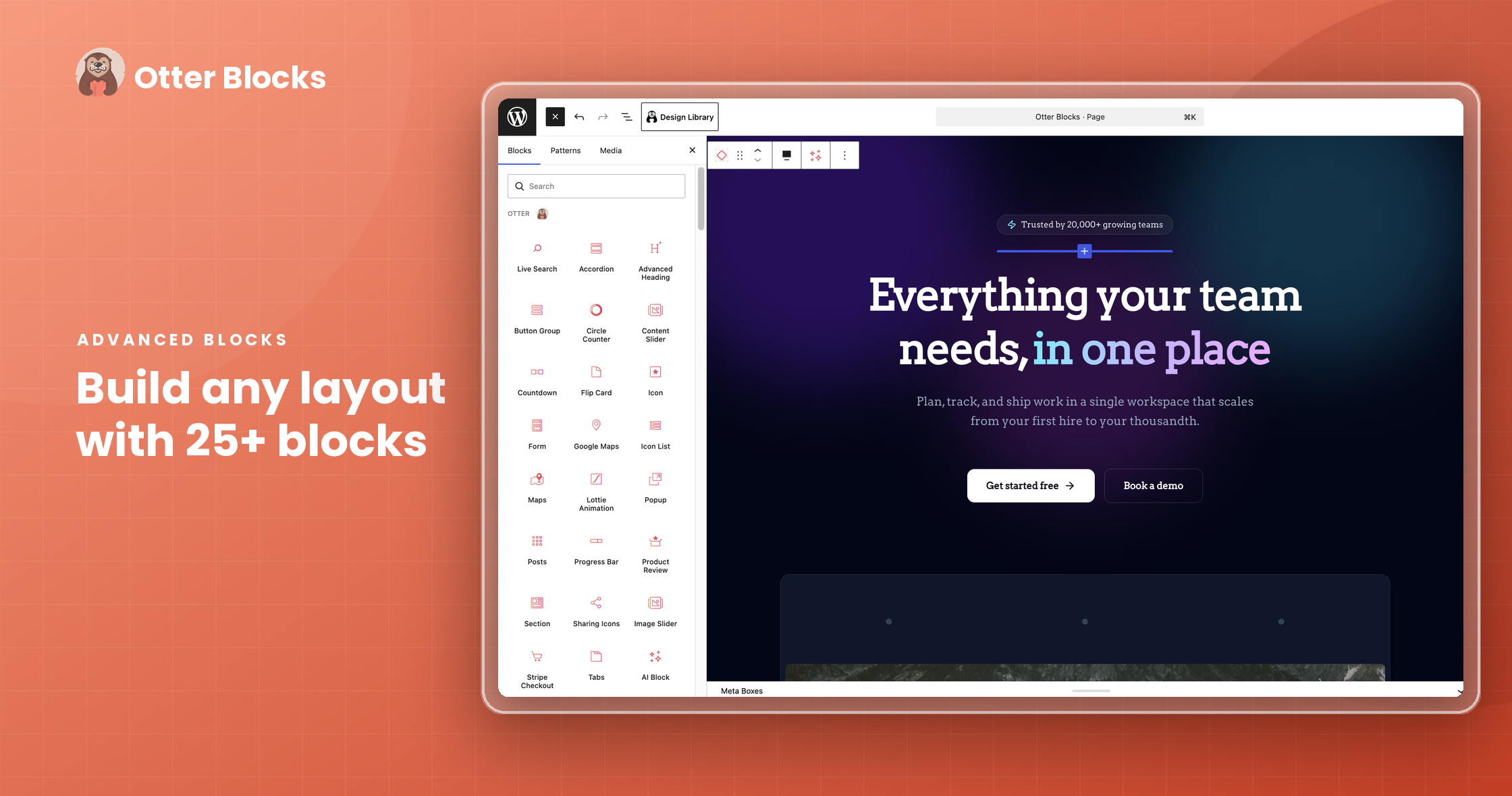
Otter Blocks is developed by ThemeIsle, the creators of the popular Neve theme, and the integration between the two is seamless. That said, Otter works perfectly well with any theme. With around 400K active installs and a 4.8-star rating, it has proven its reliability across thousands of sites, and the free tier covers the vast majority of everyday block needs.
Best for: Neve theme users and anyone looking for a clean, reliable all-rounder with a strong free tier.
Key features:
- 30+ blocks including Tabs, Countdown, Google Maps, and Progress Bar
- Section and Column layout blocks with responsive controls
- WooCommerce booster blocks for product pages
- Form block with spam protection (reCAPTCHA support)
- Block conditions (show/hide blocks based on logged-in status, date, etc.)
- Neve Pro integration unlocks Pro-level Otter features
Hands-on notes: The editor UI is clean and uncluttered. The block conditions feature is particularly useful for membership sites or personalized content, and it is available at no extra cost on the free tier for basic conditions.
Pricing: The core plugin is fully free on WordPress.org. Advanced Pro features are bundled into Neve Pro (pricing starts around $69/year for the theme plus Otter Pro features).
Pros:
- Excellent free tier that covers most common use cases
- Block conditions feature is rare at this price point
- Clean, intuitive UI that beginners can navigate easily
- Active development from a reliable team
Cons:
- Pro features are bundled into Neve Pro (not a standalone Otter Pro)
- Fewer total blocks than Spectra or Kadence at the top end
- Best results achieved when paired with the Neve theme
Read our full Otter Blocks review
6. CoBlocks – Best Fully Free Option (No Paid Tier)
CoBlocks, maintained by the GoDaddy and Formidable Forms team, occupies a unique position on this list: it is entirely free with no paid upgrade path, and it delivers professional-grade block quality that rivals plugins with premium tiers. If you want a polished, minimal-aesthetic block library and have zero interest in upsells, CoBlocks is for you.
Best for: Business and portfolio sites that want premium quality at zero cost.
Key features:
- 30+ professionally designed blocks
- Food and Drinks menu block (a unique offering)
- Offset gallery and masonry layout blocks
- Social profiles block with clean icon display
- Accordion and Tabs blocks for FAQ-style content
- Alert, Gif, and Media Card blocks
Hands-on notes: CoBlocks has a noticeably minimal, professional design language that suits business and portfolio sites particularly well. There are no upsell notices or Pro banners in the editor, which makes for a clean working environment.
Pricing: 100% free. No Pro tier. Premium quality at $0.
Pros:
- Completely free with no paywalled features
- Clean, professional default block designs
- No upsell notices in the editor
- 700K+ active installs shows strong trust
Cons:
- No Pro tier means no path to advanced features
- Fewer cutting-edge blocks than actively expanding competitors
- Corporate backing means the community roadmap is less transparent
7. GreenShift – Best for Advanced Animations and Motion Design
GreenShift carves out a niche that no other plugin on this list fills as well: advanced animations, scroll-triggered effects, and motion design, all inside the Gutenberg editor. If your project demands visually dynamic experiences with parallax scrolling, entrance effects, or SVG path animations, GreenShift delivers capabilities that typically require custom JavaScript or dedicated animation plugins.
Best for: Developers and advanced users building visually dynamic, animation-heavy websites.
Key features:
- Scroll-triggered entrance and exit animations
- Parallax effects for images and sections
- SVG path animations and drawing effects
- Advanced CSS transforms and filter controls
- Query loop enhancements for dynamic content
- Lottie animation block support
Hands-on notes: GreenShift has the steepest learning curve of any plugin on this list. The interface can feel overwhelming at first, but for users who invest time in learning it, the creative possibilities are genuinely impressive. This is not a beginner tool.
Pricing: Free core on WordPress.org. GreenShift Pro plans start at approximately $69/year and unlock the full animation library, advanced blocks, and premium effects.
Pros:
- Unmatched animation and motion design capabilities in the block editor
- Unique feature set not replicated by any other plugin here
- Regular updates with new animation and design tools
- Strong for agencies building showcase-quality sites
Cons:
- Steep learning curve (not suitable for beginners)
- Smaller install base (80K) means less community support
- Heavy animations can impact performance if not optimized
Read our full GreenShift review
8. Getwid – Best Free Option from MotoPress
Getwid, developed by MotoPress, rounds out our list as a solid, fully free block library with over 40 blocks targeting business and corporate site use cases. It may not have the install numbers of the top-tier options, but it offers a genuine free-tier alternative for users who want functional, business-oriented blocks without committing to a premium plugin.
Best for: Business site builders who want 40+ free blocks with a corporate, professional design focus.
Key features:
- 40+ blocks for business pages: Testimonials, Price Box, Google Maps, Icon Box
- Slider and Carousel blocks
- Video popup block
- Team Member and Contact Information blocks
- Timeline block for displaying process steps
- Media and Text variations for editorial layouts
Hands-on notes: Setup is quick and block quality is generally good for business page use cases. The block library covers most corporate site needs without any upselling, though the design defaults are more functional than visually striking.
Pricing: Core plugin is fully free on WordPress.org. MotoPress offers premium themes and support bundles separately, but Getwid itself carries no paid upgrade.
Pros:
- 40+ blocks completely free
- Strong selection of business-focused blocks
- Backed by MotoPress, an established WordPress product company
- Carousel and slider blocks included at no cost
Cons:
- Smaller install base (60K) means fewer community resources
- Design defaults are functional but not visually distinctive
- Less frequent updates compared to the top plugins on this list
How to Choose the Right Gutenberg Block Plugin
The right plugin depends on what you are building and who is building it. Here is a practical guide to match your situation:
If performance is your top priority, choose GenerateBlocks. Its four-block architecture and minimal CSS output make it the fastest option in our test, and the $39/year Pro tier is the most affordable on this list.
If you want the most value for free, Spectra and CoBlocks are the clearest winners. Spectra offers more blocks and a larger community; CoBlocks has zero upsells and a cleaner aesthetic.
If design quality matters most, Stackable delivers the most polished out-of-the-box visual results, followed closely by Kadence Blocks for users who want more granular control.
If you need advanced animations, GreenShift is the only purpose-built option and worth the learning investment for the right project.
For Neve theme users, Otter Blocks is the natural companion with seamless integration and a strong free tier.
Frequently Asked Questions
What is the best free Gutenberg block plugin?
Spectra (by Brainstorm Force) is the best free Gutenberg block plugin for most users, offering nearly all its blocks for free, a clean editor experience, and 2 million+ active installs. CoBlocks is the runner-up if you prefer a completely ad-free and upsell-free experience.
Do Gutenberg block plugins slow down WordPress?
They can, but the impact varies significantly. Heavier plugins like Stackable or GreenShift can add CSS and JavaScript that affects page speed if many blocks are used. Lighter options like GenerateBlocks have minimal impact. The best practice is to use only one block plugin, check performance after installation, and disable individual blocks you are not using (many plugins support this).
Can I use multiple Gutenberg block plugins at the same time?
Technically yes, but it is not recommended. Using two or more block plugins simultaneously loads extra JavaScript and CSS, can cause block conflicts, and makes long-term maintenance harder. Pick one plugin and stick with it for consistency and performance.
Is Spectra better than Kadence Blocks?
Spectra is better for most users because its free tier covers nearly everything, and its 2 million install base means better long-term support and compatibility. Kadence Blocks edges ahead for power users who need per-breakpoint responsive controls, a header builder, or a form builder, and who are willing to pay for Pro. Both are excellent; the choice comes down to free vs. advanced control.
What is the difference between Gutenberg blocks and page builders?
Gutenberg block plugins work within the native WordPress block editor and extend it with additional blocks. Page builders like Elementor or Divi replace the native editor entirely with their own drag-and-drop system. Block plugins tend to produce cleaner, more standards-compliant output and have a lower performance cost; page builders offer more visual freedom but add more complexity. As Gutenberg matures, block plugins are increasingly the preferred choice for new WordPress sites.
Conclusion: Which Gutenberg Block Plugin Should You Use?
For most WordPress users, Spectra is the easiest recommendation: free, powerful, and trusted by millions. If you want more control and are willing to pay, Kadence Blocks Pro is the top pick for power users. If site speed is critical, GenerateBlocks delivers the lightest possible footprint. And if you are building a visually dynamic site with scroll effects and motion design, GreenShift stands alone. All eight plugins on this list are worth considering; the best one is simply the one that fits your project requirements, budget, and technical comfort level.