


Running an online store on WordPress starts with choosing the right eCommerce plugin, and that choice is not as obvious as it looks. WooCommerce dominates market share, but it is not right for every project. A photographer selling presets needs something leaner. A nonprofit running a fundraising campaign needs a tool built around donations. A growing brand with thousands of SKUs might need a headless approach that WordPress alone cannot provide.
I reviewed all eight plugins on this list against their actual feature sets, free tier limits, pricing pages, setup flows, and WordPress.org signals. Each plugin was evaluated through its official documentation, WordPress.org listing data, published pricing pages, and changelog history. The goal is a practical ranking you can use to choose, not a generic comparison of feature bullet points.
How I chose these WordPress eCommerce plugins
The shortlist covers the range of selling use cases you encounter on WordPress sites: full storefronts, digital product delivery, multi-channel selling, simple Stripe payment forms, and donation-first tools for nonprofits. I excluded SaaS-only platforms (Shopify, Squarespace Commerce) because this list is specifically for WordPress plugins.
My selection criteria:
- Product type support. Does the plugin handle the types of things you actually sell: physical goods, digital files, subscriptions, variable products, or donations?
- Setup clarity. How many steps does it take to add a product and accept a first payment?
- Payment gateway options. Is Stripe native? What gateways are free vs. locked behind a paid tier?
- Free tier value. If there is a free plan, does it let you build a real store or just preview one?
- Pricing transparency. Is the starting paid price visible without a sales call?
- Maintenance and support signals. Last updated date, active install count, and review score on WordPress.org.
Quick comparison table
| Plugin | Best for | Free version | Starting paid price | Standout feature | Main limitation |
|---|---|---|---|---|---|
| WooCommerce | Full physical or mixed product stores | Yes | Free core (paid extensions) | Largest extension ecosystem (800+) | Extension costs add up fast |
| Easy Digital Downloads | Digital product sellers | Yes | $99.50/yr (Personal) | Clean digital delivery, software licensing | Physical products not supported |
| SureCart | Modern stores wanting a clean checkout | Yes (limited) | $29/mo (Grow) | Embedded checkout, no transaction fees on paid plans | SaaS-hosted checkout |
| Ecwid | Multi-channel sellers and quick-launch stores | Yes (10 products) | $25/mo (Venture) | Built-in multi-channel and mobile app | Monthly pricing; 10-product free cap |
| WP EasyCart | Simple stores with physical and digital products | Yes (5 products) | $99/yr (Professional) | Annual pricing, tax and shipping included | 5-product free limit |
| BigCommerce for WordPress | Enterprise and high-volume merchants | No | $39/mo (Standard plan) | Headless commerce, unlimited products | Requires BigCommerce SaaS subscription |
| WP Simple Pay | Simple Stripe payment forms without a cart | Yes (limited) | $49.50/yr (Personal) | No cart needed, fast to set up | Not a full store solution |
| GiveWP | Nonprofits and donation-driven fundraising | Yes | $149/yr (GiveWP Plus) | Donor management, peer-to-peer fundraising | Designed for donations, not product sales |
1. WooCommerce: best WordPress eCommerce plugin for full storefronts
WooCommerce is the obvious first choice when you need a complete, flexible eCommerce store on WordPress. It powers over 30% of all online stores worldwide, and that scale reflects something real: the ecosystem depth is unmatched. If you can describe what your store needs to do, there is almost certainly a WooCommerce extension for it.
The core plugin is free. You get product pages, a cart and checkout, order management, basic shipping zones, and native support for WooCommerce Payments (Stripe-powered). Paid extensions are where the range expands: subscriptions, memberships, product bundles, dynamic pricing, advanced shipping rules, and hundreds more.
Best for: Physical product stores, stores with complex product variations, existing WordPress sites adding commerce, and anyone who needs deep customization options.
Key features:
- Product types: simple, variable, grouped, external/affiliate, virtual, and downloadable
- Built-in coupon and discount engine
- Native WooCommerce Payments gateway (Stripe-powered, available in US, UK, CA, AU, NZ, and expanding regions)
- Stripe, PayPal, and 100+ third-party payment gateway extensions
- Shipping zones, flat rate, free shipping, and table rate shipping extensions
- 800+ free and premium extensions on WooCommerce.com
- Integration with Mailchimp, HubSpot, Google Shopping, Facebook, and more
- REST API for custom integrations
Research notes: WooCommerce setup is guided and reasonably well-organized for first-timers. The setup wizard covers currency, payment, shipping, and tax basics in a short sequence. From there, complexity scales with your store’s needs. A simple store selling a few products with flat-rate shipping is straightforward to configure. A store with multiple product variations, tiered pricing, subscriptions, and international shipping requires careful planning around which extensions you need. The extension cost is the main trade-off: the core is free, but building a complete store with subscriptions, memberships, advanced shipping, and a premium theme can easily add $200 to $500 per year in extension costs before you count hosting.
Pricing: WooCommerce core is free. Individual extensions range from $49/yr to $299/yr. WooCommerce Payments has no monthly fee; standard Stripe transaction rates apply. Third-party payment gateways may carry their own processing fees.
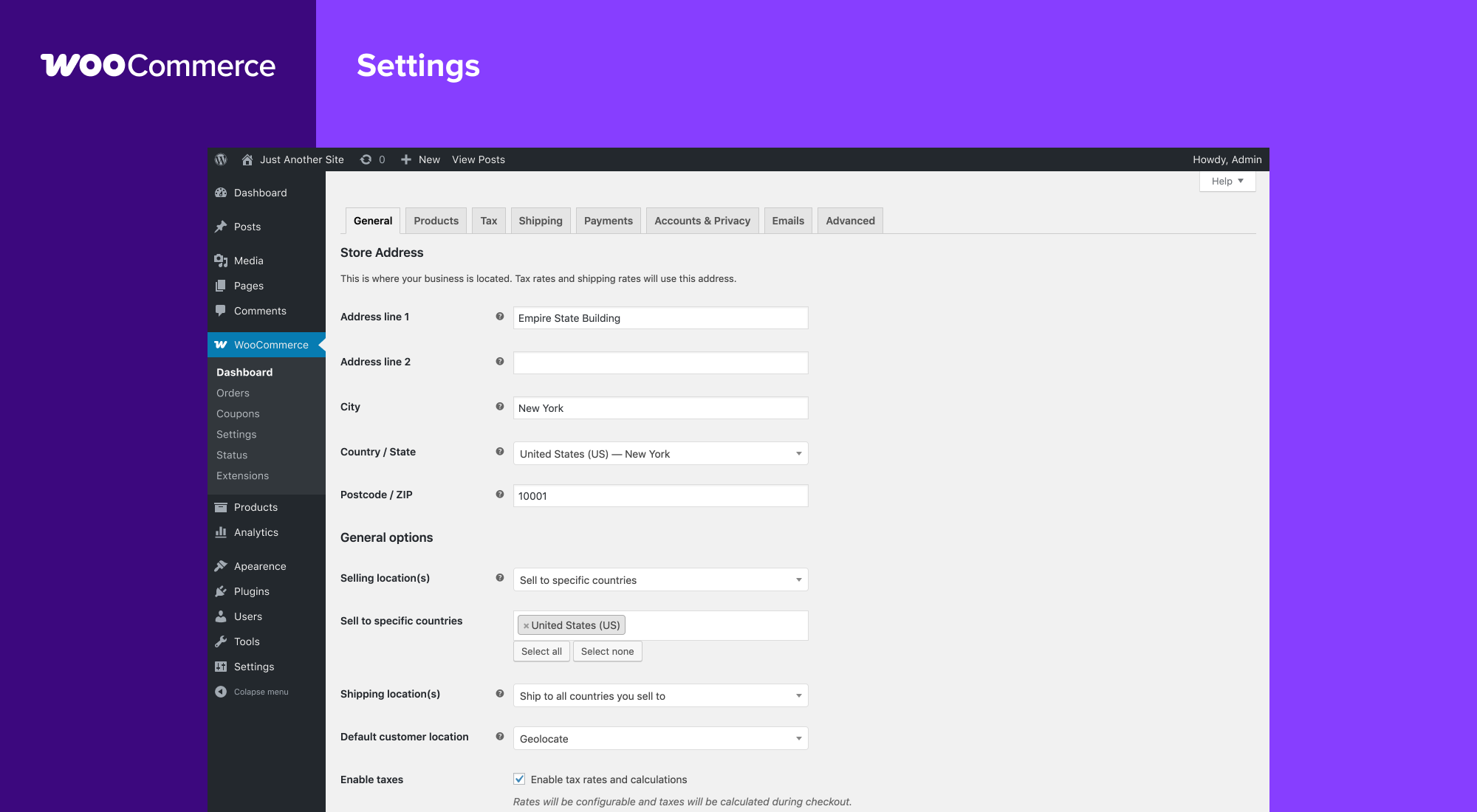
Read the full WooCommerce review for a detailed setup walkthrough and breakdown of which extensions are worth the cost.
Pros
- Largest plugin ecosystem in WordPress eCommerce (800+ extensions)
- Free core handles a real store with no extension costs if you keep it simple
- WooCommerce Payments handles setup without leaving WordPress admin
- Huge community with tutorials, themes, and developer availability
- 7 million+ active installs; extensive documentation
- Regular updates and long-term commitment from Automattic
Cons
- Extension costs add up quickly for feature-complete stores
- Setup complexity grows with store size
- Some features competitors include free require paid WooCommerce extensions
- Performance optimization is needed for large product catalogs
2. Easy Digital Downloads: best WordPress plugin for selling digital products
Easy Digital Downloads (EDD) does one thing and does it well: it helps you sell digital files on WordPress. If your store sells ebooks, software, audio files, design templates, photos, or any other downloadable product, EDD is almost certainly a better fit than WooCommerce. It was built for this use case from the ground up, and that focus shows.
The free version handles core digital product sales with basic payment gateway support. Paid passes unlock recurring payments, software licensing, commissions, and other extensions that digital product businesses typically need as they grow.
Best for: Software developers, designers, photographers, musicians, course creators, and anyone selling downloadable files without physical inventory.
Key features:
- Digital file delivery with download limits and expiry settings
- Variable pricing and payment options per product
- Software licensing extension for managing license keys and activations
- Recurring payments and subscriptions extension
- Commissions and affiliate system extension
- Customer management and purchase history in admin
- REST API for custom integrations
- Purchase receipts and download links delivered by email
Research notes: EDD’s admin interface is noticeably lighter than WooCommerce because it does not try to handle physical inventory. Adding a digital product is simple: upload the file, set a price, optionally configure download limits, and the product is ready. The checkout experience is clean and converts well. The main limitation is also the main strength: EDD does not support physical products. If you sell a mix of digital and physical goods, you will need WooCommerce or a separate solution for the physical side.
Pricing: EDD core is free. Paid plans: Personal $99.50/yr (1 site, core extensions), Extended $199.50/yr (1 site, additional extensions), Professional $299.50/yr (unlimited sites), All Access $499.50/yr (unlimited sites, all extensions). Stripe and PayPal are supported in the free version. Software Licensing and Recurring Payments require a paid plan.
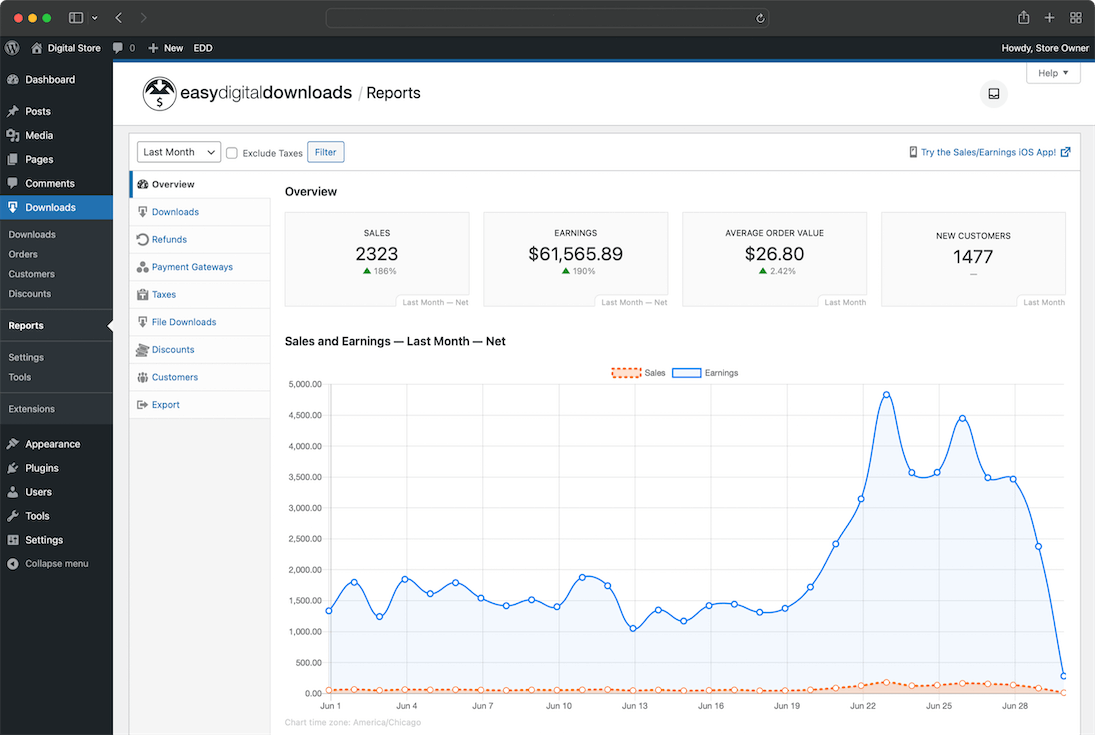
Read the full Easy Digital Downloads review for a complete breakdown of tiers, extensions, and digital delivery setup.
Pros
- Focused entirely on digital product delivery; nothing extraneous
- Clean, lightweight admin compared to WooCommerce
- Software Licensing extension is a standout tool for plugin and theme developers
- 4.7/5 on WordPress.org with 40,000+ active installs
- First-party extensions are well-built and actively maintained
- Straightforward purchase and download flow for customers
Cons
- Physical product support is absent; separate solution needed for mixed stores
- Extension costs add up at higher tiers
- Smaller ecosystem than WooCommerce; fewer third-party integrations
- Recurring Payments and Licensing require a paid plan
3. SureCart: best modern alternative for clean WordPress checkout
SureCart takes a different architectural approach from WooCommerce and EDD. The product catalog and store management live in WordPress, but the checkout process is handled through SureCart’s cloud infrastructure. This removes PCI compliance burden from your hosting server and keeps the checkout fast and reliable even on shared hosting.
The free tier supports an unlimited number of products and basic Stripe payment processing, which is genuinely functional for small stores. Paid plans unlock subscriptions, upsells, affiliate tracking, and other growth features.
Best for: Small to medium stores wanting a modern, clean checkout without complex WooCommerce configuration. Also good for course creators, membership sites, and service businesses selling a product alongside a service.
Key features:
- Cloud-hosted checkout (removes PCI scope from your server)
- Physical, digital, and subscription products
- One-time payments, subscriptions, and installment plans
- Order bumps and upsells at checkout
- Affiliate program management
- Discount and coupon engine
- Customer portal for managing subscriptions and orders
- Abandoned cart recovery (paid plans)
Research notes: SureCart’s setup flow is guided and relatively fast. The product creation interface is clean and modern. The checkout form is embedded and feels native to your site rather than a redirect flow. One important note: because the checkout runs on SureCart’s infrastructure, you are dependent on their uptime and their roadmap for checkout customization. The pricing model is SaaS-based, which some store owners prefer (predictable monthly cost, no per-extension surprises) and others find more expensive long-term compared to owning a WooCommerce setup outright.
Pricing: Free plan (unlimited products, Stripe payments, no SureCart platform fee, basic features). Grow plan $29/mo (subscription products, order bumps, affiliate system). Launch plan $79/mo (removes 3% platform fee, advanced features). Scale plan $179/mo (high volume, priority support). Annual billing saves approximately 20-25%.
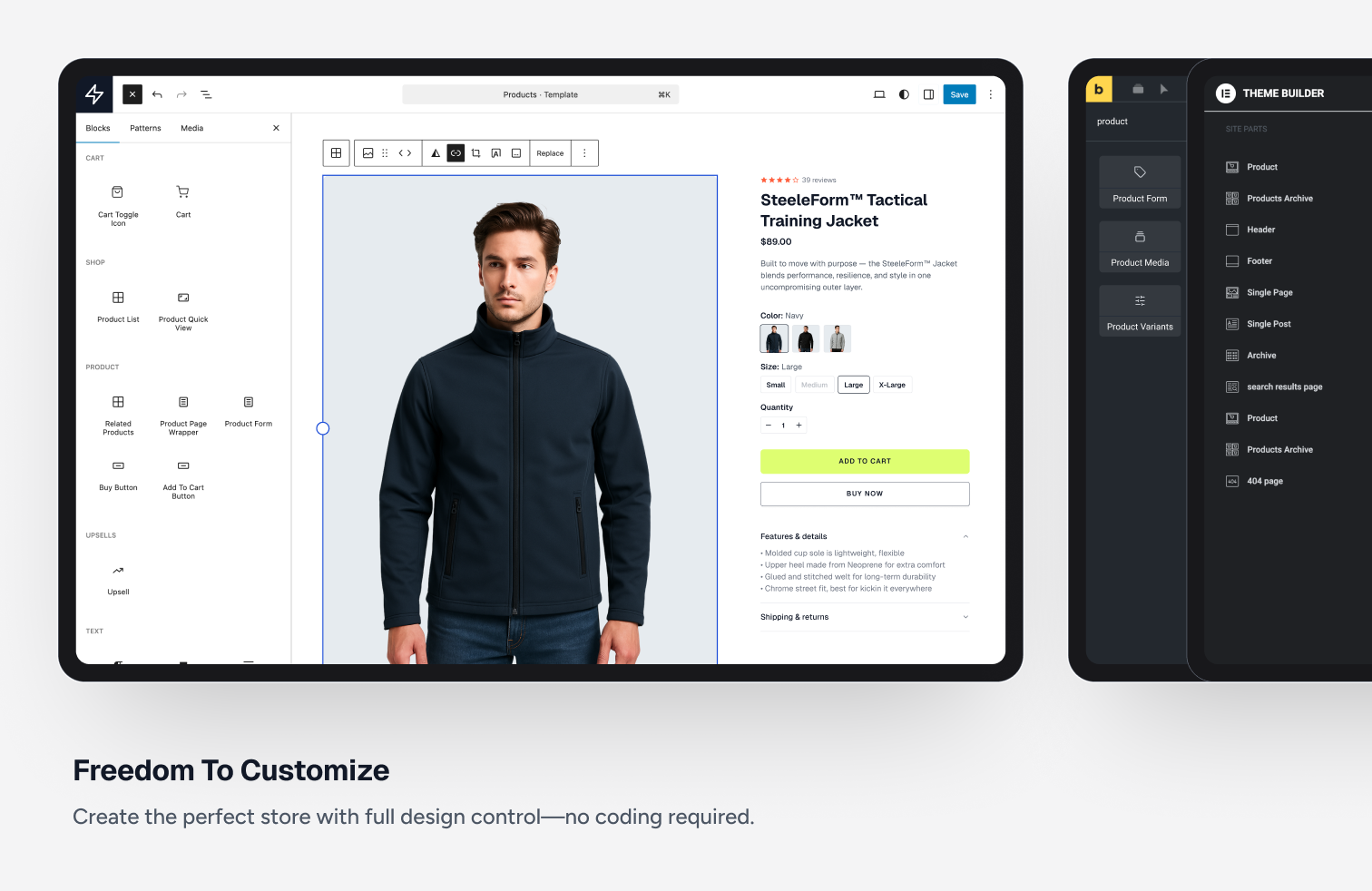
Read the full SureCart review for a hands-on look at the checkout flow, subscription setup, and plan comparison.
Pros
- Clean, modern checkout embedded in WordPress
- Free plan supports unlimited products and basic Stripe payments
- No PCI scope on your hosting server
- Subscription and installment payment support on paid plans
- Active development with frequent feature additions
- 4.8/5 on WordPress.org
Cons
- Checkout depends on SureCart’s cloud infrastructure
- Monthly SaaS pricing feels expensive at scale vs. a one-time WooCommerce setup
- Smaller extension ecosystem compared to WooCommerce
- Some advanced features locked behind higher-tier plans
4. Ecwid Ecommerce Shopping Cart: best for multi-channel selling
Ecwid takes the cloud-hosted approach further than SureCart. Your entire product catalog, inventory, and order management live in Ecwid’s cloud, and you embed the storefront on your WordPress site through the plugin. This means you can sell the same products on Facebook, Instagram, TikTok, and a marketplace simultaneously from one admin panel.
The free plan supports up to 10 products, which is functional for micro-stores and testing. Paid plans lift the product limit and add multi-channel, advanced discount, and inventory features.
Best for: Sellers who want to sell on their WordPress site and social media channels simultaneously. Also good for store owners adding a storefront to an existing site without a major rebuild.
Key features:
- Cloud-hosted catalog and order management
- Multi-channel selling: Facebook, Instagram, TikTok Shop, Google Shopping, Amazon, eBay
- Physical, digital, and subscription products
- Mobile app for order management on the go
- Shipping integrations with major carriers (USPS, FedEx, UPS, DHL)
- Tax automation and multi-currency support
- Product filters, search, and wishlists on paid plans
- Gift cards and discount coupons
Research notes: Ecwid’s setup is one of the fastest on this list. You create an Ecwid account, install the WordPress plugin, and your storefront appears on your site in minutes. The admin panel is hosted on ecwid.com, which keeps the WordPress admin lightweight. Multi-channel setup is similarly guided and well-documented. The main limitation is that your data lives in Ecwid’s cloud: migrating away later requires exporting and re-importing your catalog. If you are building a long-term WordPress-first store, a self-hosted solution like WooCommerce gives you more control over your data.
Pricing: Free plan (10 products, basic payment methods). Venture $25/mo or $21/mo billed annually (100 products, discount coupons, Facebook and Instagram shops). Business $45/mo or $39/mo annually (unlimited products, product filters, Google Shopping). Unlimited $105/mo or $89/mo annually (priority support, advanced analytics).

Read the full Ecwid review for a walkthrough of multi-channel setup, plan comparison, and how the embedded storefront performs on WordPress.
Pros
- Multi-channel selling across social and marketplaces from one admin
- Fast setup; add a store to any existing WordPress site in minutes
- Mobile app for managing orders from anywhere
- Tax and shipping automation built into paid plans
- 4.5/5 on WordPress.org with 20,000+ active installs
Cons
- Product catalog and data stored in Ecwid’s cloud (data portability concerns)
- Free plan limited to 10 products
- Monthly pricing model; annual billing reduces cost
- Less customizable checkout compared to self-hosted WooCommerce
5. WP EasyCart: best all-in-one for simple physical and digital stores
WP EasyCart sits between WooCommerce and SureCart in the complexity-to-feature spectrum. It supports physical, digital, and subscription products in a self-hosted WordPress plugin, with tax and shipping calculations built in. The setup is faster than WooCommerce with fewer decisions to make upfront.
The free tier allows up to five products, which is enough to test the product before committing to a paid plan. Professional and Premium plans lift the product limit entirely and add payment gateways, shipping integrations, and advanced features.
Best for: Small business owners building a mixed physical/digital store who want simpler setup than WooCommerce without sacrificing core store functionality.
Key features:
- Physical, digital, and subscription products
- Built-in tax calculation (US tax-by-state, international VAT support)
- Shipping integrations: USPS, FedEx, UPS, Canada Post live rate lookup
- Payment gateways: Stripe, PayPal, Square, Authorize.net, and others on paid plans
- Coupon and discount code engine
- Customer accounts and order history
- Inventory management with low-stock alerts
- Product reviews, related products, and product image galleries
Research notes: WP EasyCart’s setup wizard walks through currency, payment, and shipping in a compact flow. Product creation is clear and fast. One advantage over WooCommerce is that many features competitors charge extensions for (live shipping rates, tax calculation) are included in the base paid plan. This makes the true cost of a complete store easier to predict. The 5-product free limit means you are essentially evaluating, not operating, a real store on the free tier. Most store owners will need the $99/yr Professional plan from day one.
Pricing: Free (5 products, limited payment gateways). Professional $99/yr (unlimited products, all payment gateways, live shipping rates, tax, coupons). Premium $199/yr (adds subscriptions, affiliate tracking, priority support).

Read the full WP EasyCart review for a detailed look at the setup experience, plan features, and which store types it fits best.
Pros
- Built-in tax and live shipping rate calculation at no extra cost
- Supports physical, digital, and subscription products
- Predictable annual pricing with core features included
- Setup faster and simpler than WooCommerce for most store types
- 4.5/5 on WordPress.org with 3,000+ active installs
Cons
- Free plan limited to 5 products; Professional required for real stores
- Smaller extension ecosystem than WooCommerce or EDD
- Less community documentation and fewer third-party integrations
- Not ideal for very large catalogs needing deep customization
6. BigCommerce for WordPress: best for enterprise and high-volume stores
BigCommerce for WordPress is a headless commerce solution: your product catalog, checkout, and order management live on BigCommerce’s enterprise SaaS platform, while your WordPress site handles content and storefront rendering. This approach removes performance bottlenecks that large WooCommerce stores often face and provides built-in enterprise features, including a 99.99% uptime SLA, global CDN, and PCI compliance, that self-hosted solutions require significant configuration to match.
The trade-off is that you need a BigCommerce subscription in addition to your WordPress hosting. This makes it the most expensive option on this list for small stores, but potentially cost-effective at scale compared to the infrastructure costs of an equivalent high-performance WooCommerce setup.
Best for: High-volume merchants, established brands migrating from SaaS platforms, and developers building headless commerce experiences with WordPress as the CMS layer.
Key features:
- Enterprise-grade catalog (unlimited products on Standard plan and above)
- Headless architecture: WordPress front-end, BigCommerce back-end
- Multi-channel: Google Shopping, Facebook, Instagram, Amazon, eBay
- Built-in B2B features on higher plans (customer groups, quote management)
- PCI DSS Level 1 certified checkout
- Real-time carrier shipping and automated tax
- 65+ payment gateway integrations
- SEO-friendly product page rendering via WordPress
Research notes: BigCommerce for WordPress is not a plugin you set up in an afternoon. It requires connecting your BigCommerce account, configuring the WordPress plugin, and potentially customizing your theme to handle product page rendering. For developers familiar with headless commerce, it is a powerful setup. For solo store owners without technical resources, it is a steep starting point compared to every other option on this list.
Pricing: Requires a BigCommerce plan. Standard $39/mo (up to $50k/yr in sales). Plus $105/mo (up to $180k/yr in sales, abandoned cart recovery). Pro $399/mo (up to $400k/yr in sales). Annual billing saves approximately 25%. Enterprise pricing available for higher volume.
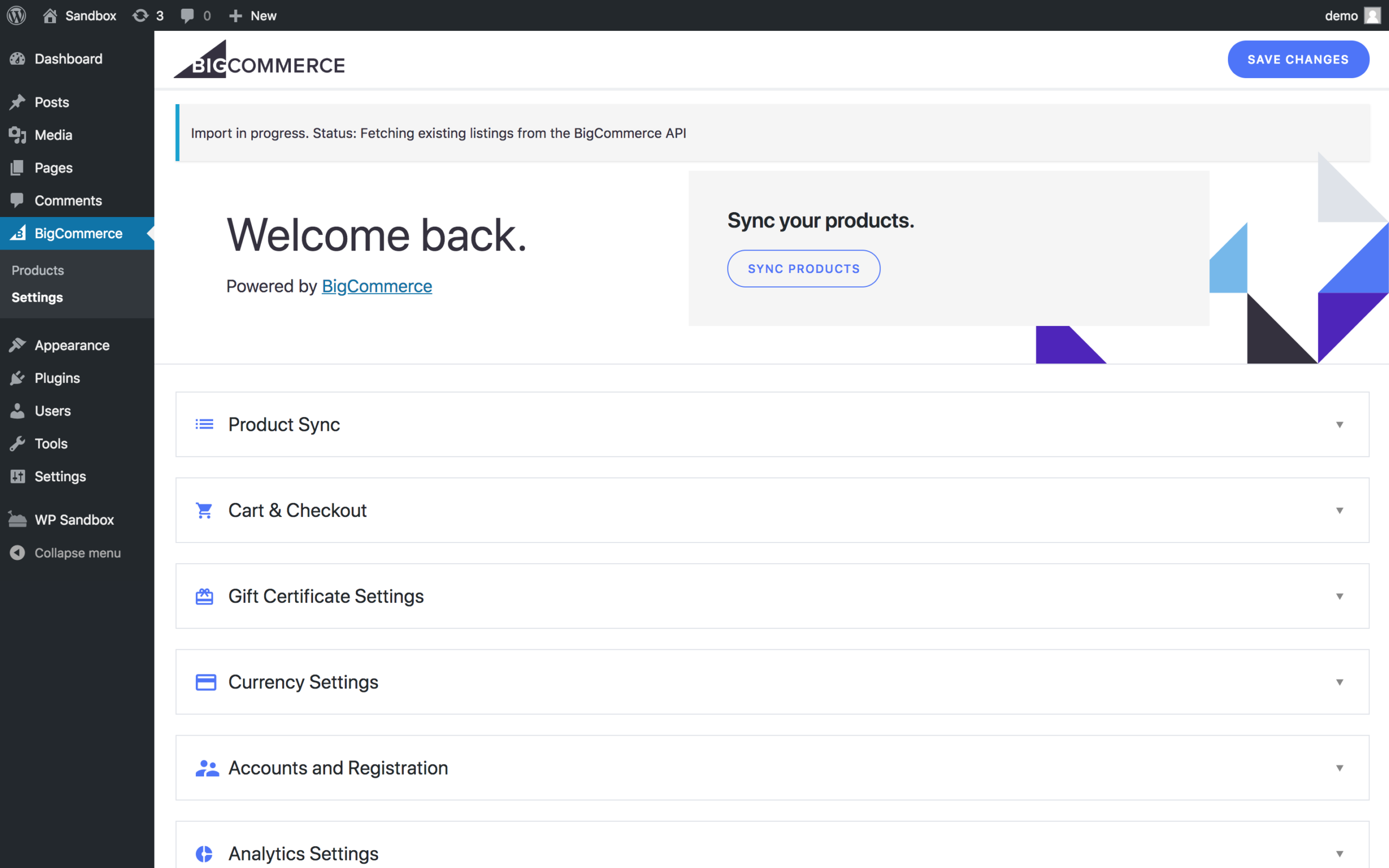
Read the full BigCommerce for WordPress review for a detailed look at setup complexity, multi-channel capabilities, and whether it makes sense for your store size.
Pros
- Enterprise-grade performance and uptime without managing your own infrastructure
- No product count limits on the Standard plan (sales volume limits apply)
- Multi-channel selling built in at the platform level
- PCI-compliant checkout handled by BigCommerce
- Scales to very high product volumes and traffic
Cons
- Requires BigCommerce subscription on top of WordPress hosting
- Most expensive option for small stores
- Steeper setup and technical complexity than other plugins on this list
- Fewer WordPress-native customization options compared to WooCommerce
7. WP Simple Pay: best for accepting Stripe payments without a full store
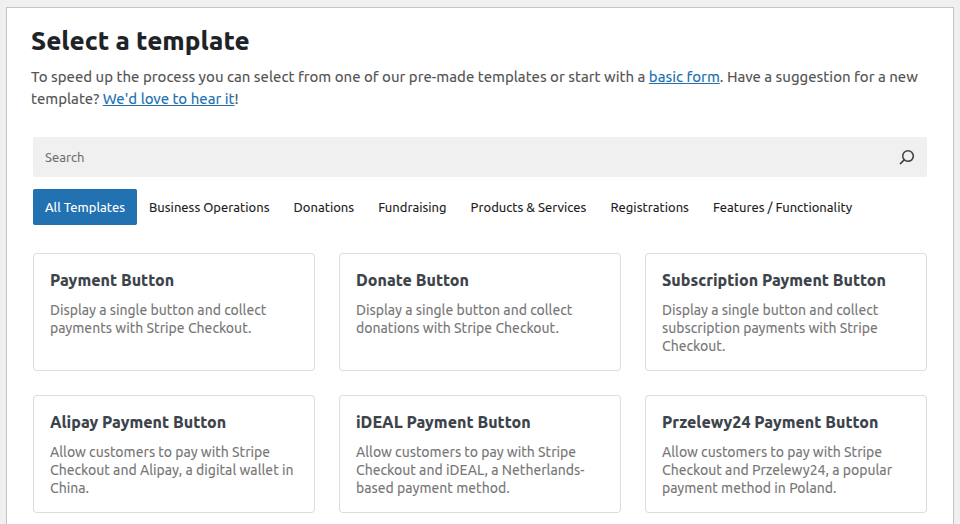
WP Simple Pay is not a shopping cart or a full eCommerce store. It is a Stripe payment form builder for WordPress. If you need to collect one-time or recurring payments for a service, an event, a simple product, or a class enrollment without building a complete store, WP Simple Pay is the most direct path.
You build a payment form, embed it on a page with a shortcode or block, and Stripe handles the transaction. There is no product catalog, no inventory management, and no cart. What you get is a clean, conversion-focused payment form that requires minimal setup.
Best for: Service businesses, coaches, event organizers, and anyone who needs to collect Stripe payments on their WordPress site without the overhead of a full eCommerce plugin.
Key features:
- Stripe payment forms (one-time and recurring payments)
- Subscription and installment payment support (paid plans)
- Buy Now Pay Later via Stripe (Afterpay/Clearpay, Affirm on paid plans)
- Tax rate collection and Stripe Tax integration
- Coupon code support
- Custom form fields and conditional logic (paid plans)
- Stripe Checkout (hosted page) or embedded form options
- 8,000+ active installs (Lite version) on WordPress.org
Research notes: WP Simple Pay’s setup is genuinely fast. Connect Stripe, create a form, choose between embedded and Stripe Checkout hosted page, and you are done. The free version supports basic one-time and recurring payments. Pro plans add subscription features, installment plans, and advanced form logic. What WP Simple Pay does not do: product catalogs, cart and multi-item checkout, shipping, or inventory. If your store has more than one or two products and customers need to select quantities or variants, you need a full eCommerce plugin instead.
Pricing: Free (basic payment forms). Personal $49.50/yr (1 site). Plus $99.50/yr (3 sites, Buy Now Pay Later, payment plans). Professional $199.50/yr (unlimited sites, priority support). The free version works for single-product or single-service payment pages.
Read the full WP Simple Pay review for a breakdown of plan features, form customization options, and when to choose it over a full eCommerce plugin.
Pros
- Fastest setup of any payment collection tool on this list
- No cart or store infrastructure needed
- Clean embedded payment forms
- Subscription and installment payments on paid plans
- 4.4/5 on WordPress.org with 8,000+ active installs (Lite version)
Cons
- Not a full eCommerce solution; no catalog, cart, or shipping
- Stripe-only; no PayPal or other gateway support
- Limited free version; most useful features require a paid plan
- Does not scale to multi-product stores
8. GiveWP: best WordPress plugin for nonprofit donations and fundraising
GiveWP is purpose-built for online donations, not product sales. If you run a nonprofit, charity, school, or faith-based organization and need to collect donations through your WordPress site, GiveWP is the most capable dedicated tool in this space.
The free plugin handles core donation forms, donor management, and basic payment processing. Paid plans and add-ons unlock peer-to-peer fundraising, text-to-give, recurring donations, donor-specific reporting, and CRM integrations.
Best for: Nonprofits, charities, schools, faith communities, and any organization running online fundraising campaigns.
Key features:
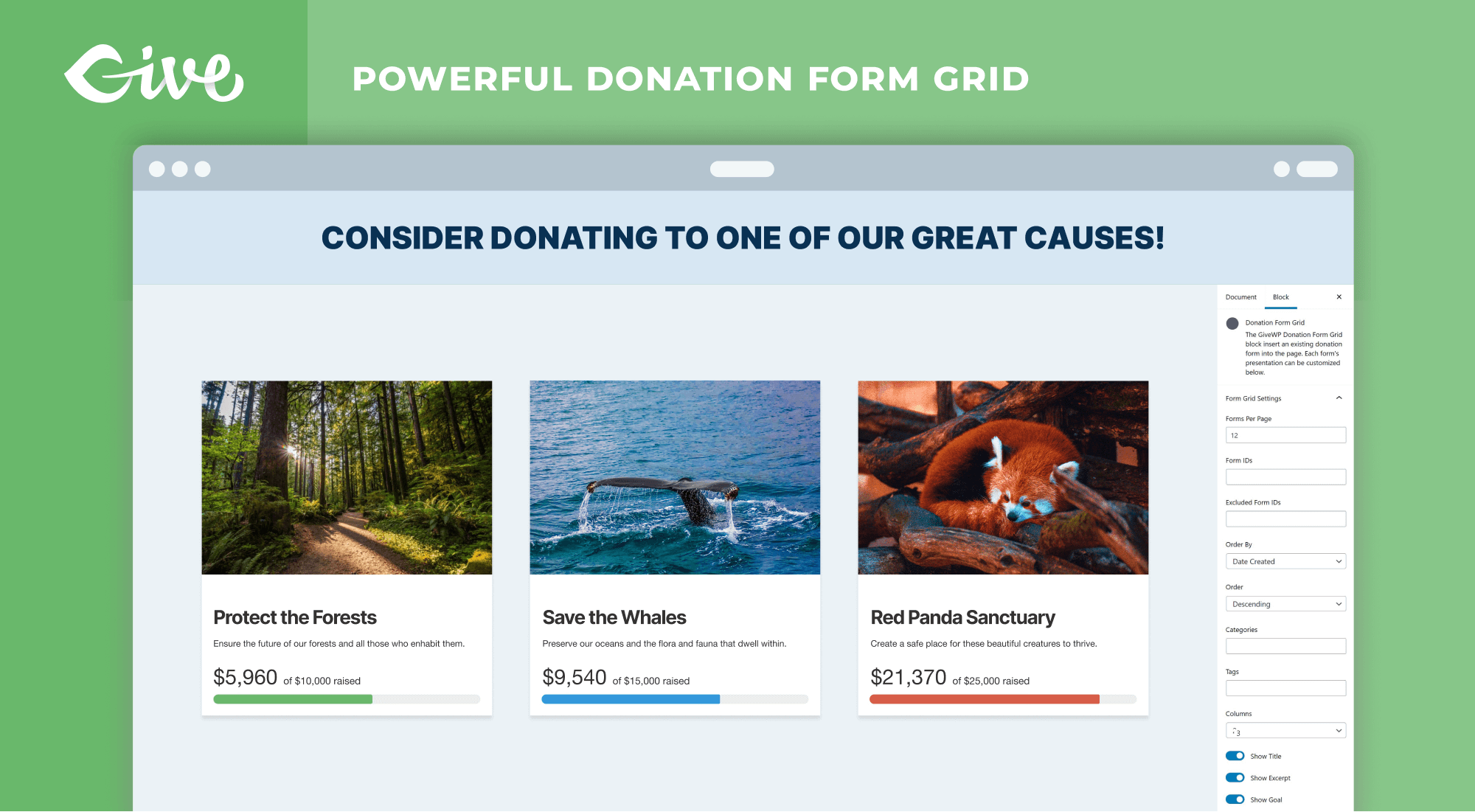
- Donation forms with custom goals and progress meters
- Donor management dashboard with full donation history
- Recurring donations and subscription campaigns (paid add-on)
- Peer-to-peer fundraising with individual fundraiser pages (paid add-on)
- Multiple payment gateways: Stripe, PayPal, Square, Authorize.net, and more
- Tax receipt and donation confirmation emails
- Tribute giving (in honor of or in memory of)
- GDPR-compliant donor data management
Research notes: GiveWP’s donation form creation is straightforward. You set a goal, configure the minimum donation amount, choose display options, and embed the form with a shortcode or block. The donor management panel shows you who donated, how much, and when, which is more than most eCommerce plugins provide for individual customer analytics. The free version is functional but limited: core recurring donations and peer-to-peer fundraising (the features that separate GiveWP from simply adding a PayPal button) require paid add-ons. The GiveWP Plus bundle at $149/yr unlocks the most commonly needed set of add-ons for organizations running active campaigns. Note: GiveWP is not designed for product sales. If you need both donation collection and product sales on one site, you will typically run GiveWP alongside a separate eCommerce plugin.
Pricing: Free (core donation forms, donor management, basic Stripe and PayPal). GiveWP Plus $149/yr (recurring donations, PDF receipts, fee recovery, email reports). GiveWP Pro $349/yr (adds peer-to-peer fundraising, text to give, Salesforce integration). Individual add-ons also available separately.
Read the full GiveWP review for a detailed look at donation form setup, add-on costs, and which plan covers which fundraising features.
Pros
- Purpose-built for donations; cleaner UX for donors than generic checkout forms
- Donor management dashboard with full reporting
- 100,000+ active installs; most widely used WordPress donation plugin
- 4.6/5 on WordPress.org
- Active development with regular feature additions
- Free version is genuinely functional for basic campaign needs
Cons
- Not a product store; cannot sell physical or digital goods
- Recurring donations and peer-to-peer fundraising require paid add-ons
- Paid add-on model means costs vary widely depending on what you need
- Running alongside a separate eCommerce plugin adds site complexity
How to choose the right WordPress eCommerce plugin
Choose WooCommerce if you are building a full physical product store with multiple product types, need deep customization, or want to tap into the largest WordPress eCommerce ecosystem.
Choose Easy Digital Downloads if you sell digital files exclusively. EDD’s clean delivery system, licensing tool, and focused feature set beat WooCommerce for this use case.
Choose SureCart if you want a modern, low-config checkout with subscription support and do not want to manage PCI compliance on your server.
Choose Ecwid if you need to sell on social media channels (Facebook, Instagram, TikTok) alongside your website and want one admin panel for all channels.
Choose WP EasyCart if you have a simple mixed-product store (physical plus digital) and want predictable annual pricing with tax and shipping included.
Choose BigCommerce for WordPress if you are running a high-volume store or enterprise brand that needs dedicated infrastructure, PCI compliance, and multi-channel at scale.
Choose WP Simple Pay if you only need to collect Stripe payments for one or a few products or services, without building a full store.
Choose GiveWP if you run a nonprofit or fundraising organization and need a dedicated donation tool with donor management and campaign reporting.
FAQ
Conclusion
For most WordPress store owners building a physical or mixed-product store, WooCommerce is the default choice and a sound one: the plugin is mature, the ecosystem is deep, and there is a developer or tutorial available for almost every configuration question.
If you sell digital files, Easy Digital Downloads is a cleaner, more focused tool. If you want a modern checkout without WooCommerce’s configuration overhead, SureCart is worth a look. Multi-channel sellers should evaluate Ecwid. And if your primary goal is collecting donations rather than selling products, GiveWP is the purpose-built tool that no other plugin on this list can match for that specific need.
The plugin you choose shapes everything that comes after: payment options, reporting, marketing integrations, and how your store scales. Take the time to test the free tier of your top one or two candidates before committing to a paid plan.