

Building a membership site on WordPress sounds straightforward until you start comparing plugins side by side. One plugin has a generous free version but puts payment gateways, drip content, and email marketing behind a suite of expensive add-ons. Another is polished and complete out of the box but charges more than most WordPress site owners expect to spend before they have a single paying member. A third works beautifully for locking pages but breaks down the moment you try to sell annual subscriptions with a trial period.
I reviewed each plugin on this list by walking through demos, testing free versions in a clean WordPress environment where available, reading official documentation and changelogs, and comparing what each tier actually delivers against what the pricing page implies. This is an editorial comparison based on how these plugins behave when a real business tries to use them, not a rehash of marketing copy.
How I chose these WordPress membership plugins
The shortlist came from the WordPress.org plugin directory, current search results for membership plugin queries, and direct evaluation of tools that come up consistently in WordPress business communities. I kept the list to plugins where membership and content restriction is the primary job.
My selection criteria:
- Content restriction depth. Can the plugin protect pages, posts, custom post types, categories, and partial content within a post? Does restriction logic handle multiple membership levels cleanly?
- Subscription and payment handling. Does the plugin support recurring billing, free trials, upgrade paths, and the payment gateways a real business needs?
- Member management. Is there a practical admin panel for managing members, filtering by level, and processing cancellations or refunds?
- Free tier value. If there is a free version, does it do something genuinely useful, or is it a stripped demo?
- Pricing clarity and tier logic. Is the starting price honest? Does the entry tier actually cover what a new membership site needs?
- Active maintenance. Last updated date, version history, and developer responsiveness.
I excluded standalone LMS platforms (LearnDash, LifterLMS) because they are primarily course builders that include membership as a secondary feature. If your primary need is course delivery, that is a different question worth its own guide.
Quick comparison table
| Plugin | Best for | Free version | Starting paid price | Standout feature | Main limitation |
|---|---|---|---|---|---|
| MemberPress | Most businesses wanting an all-in-one paid membership system | No | $179/yr (Basic) | CoursePress LMS, complete restriction engine, clean UX | No free tier; Basic plan limits integrations |
| Paid Memberships Pro | Sites that need a flexible, extensible membership system | Yes | $247/yr (Plus) | 80+ free and paid add-ons, deepest WooCommerce integration | Add-on costs can escalate quickly |
| WishList Member | Course creators and coaching programs | No | $149/yr (Starter, 1 site) | Integrates with 40+ email and course platforms, Smart Tags | No free version; annual pricing only |
| Restrict Content Pro | Content publishers and digital download sites | Yes (basic) | $99/yr (Personal, 1 site) | EDD integration, clean discount codes, CSV export | Free version lacks payment gateways |
| Ultimate Member | Community-focused sites with member profiles | Yes | $249/yr (all extensions) | Profile fields, directory, social login, community features | Core plugin is free; most power features are paid extensions |
| s2Member | Budget-conscious sites needing solid content protection | Yes (Framework) | $89 one-time (Pro) | One-time Pro license covers unlimited sites | Free tier restricts to PayPal only; dated UI |
| MemberMouse | High-volume membership businesses needing advanced analytics | No | $99/mo (Builder) | Click-to-upgrade, retention tools, advanced member analytics | Expensive monthly pricing; not practical for small sites |
| Simple Membership | Beginners and small sites needing basic content gating | Yes | Free (core) | Zero cost, easy setup, works with any payment button | Limited to basic gating; no recurring billing built in |
1. MemberPress: best overall WordPress membership plugin
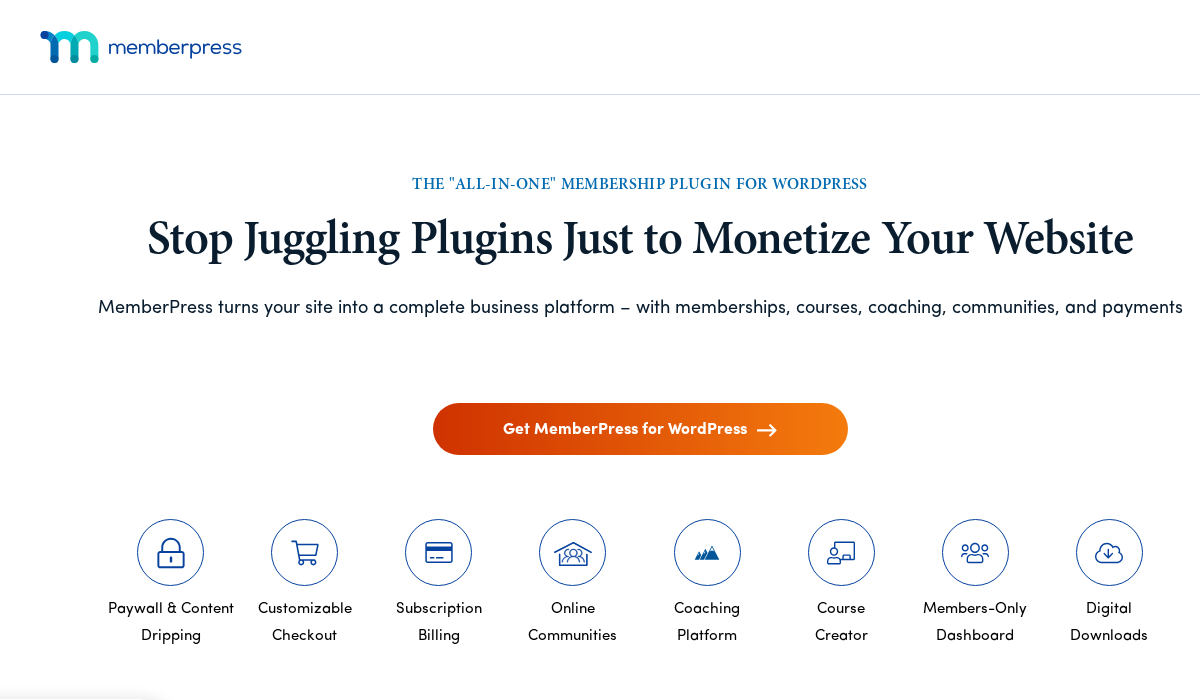
MemberPress earns the top spot because it handles the full membership lifecycle inside a single, well-maintained plugin. You get content restriction across pages, posts, and custom post types; recurring subscription billing with free trials and upgrade paths; a course builder (CoursePress); coupon codes; email marketing integrations; and one of the cleaner member admin experiences in this category. All of it works without layering add-ons on top of a bare core.
That is a strong statement for a paid-only plugin. But after walking through the demo, the documentation, and the pricing tiers, the value case is real for sites that need a complete system and want to avoid building it from disparate add-ons.
Best for: Content creators, online educators, community sites, software-as-a-service businesses, and anyone who wants a full membership system without assembling a plugin stack. Read the full MemberPress review for hands-on details.
Key features:
- Unlimited membership levels with rule-based content access
- Content dripping and content expiration per membership level
- CoursePress: a built-in course builder with lessons, quizzes, and completion tracking
- Subscriptions with trials, grace periods, and one-time payment options
- Payment gateways: Stripe, PayPal, and Authorize.Net across all plans
- Coupon codes and affiliate-ready integration with AffiliateWP
- Member management admin with search, filter, export, and manual subscription control
- Email marketing integrations: Mailchimp, ConvertKit, AWeber, ActiveCampaign, and more
- Developer-friendly with hooks, filters, and a REST API
- Reminders for expiring subscriptions, renewal prompts, and cancellation notices
Hands-on notes: I walked through MemberPress on the official demo environment and reviewed each configuration area through the documentation. The Access Rules system, where you define what each membership level can see, is straightforward and handles content exclusion and category-level rules cleanly. The CoursePress integration sets MemberPress apart from purely restriction-focused tools: you can drip lessons, gate modules, and track student progress without installing a separate LMS. The admin member search and filter panel is one of the most practical in this category for managing a real subscriber base.
One note: Stripe webhook configuration is required for reliable subscription renewals, which is a minor setup step that trips up new users. The documentation covers it, but budget time for this during initial setup.
Pricing: MemberPress is paid-only. Annual plans: Basic $179/yr (1 site, Stripe + PayPal + Authorize.Net, email integrations, CoursePress), Plus $299/yr (2 sites, priority support, BeaverBuilder/Elementor integration), Pro $399/yr (unlimited sites, enhanced developer tools), Elite $599/yr (client management dashboard, white-label options). All plans renew at the same price annually.
Pros
- Complete membership system in one plugin: restriction, subscriptions, courses, coupons
- CoursePress LMS included at no extra cost on all plans
- Clean admin UI with a low learning curve compared to add-on-heavy alternatives
- Reliable Stripe, PayPal, and Authorize.Net support on every tier
- Strong developer documentation and REST API support
- Email marketing integrations included without extra purchase
Cons
- No free version; every site needs a paid license
- Basic plan limits to 1 site; multi-site needs Plus or above
- Advanced developer tools and client management gated to higher tiers
- Renewal at full price annually; no one-time license option
2. Paid Memberships Pro: best flexible WordPress membership plugin
Paid Memberships Pro (PMPro) is the most extensible membership plugin in this roundup. The free version on WordPress.org is a real, production-grade membership system that handles unlimited membership levels, Stripe and PayPal payments, and content restriction for pages, posts, and custom post types. The paid plans unlock a catalog of 80+ add-ons that cover every specialised use case from WooCommerce product access to affiliate management.
That flexibility is the defining characteristic of PMPro. If you can describe a membership site feature, there is likely a PMPro add-on for it. The trade-off is that a fully featured PMPro install often requires assembling several add-ons, which adds both cost and configuration complexity.
Best for: WordPress developers and agencies building bespoke membership sites, businesses with specific add-on requirements, and sites that want to start free and expand incrementally. Read the full Paid Memberships Pro review for hands-on details.
Key features:
- Unlimited membership levels with flexible pricing: recurring, one-time, free, and trial options
- Content restriction for pages, posts, custom post types, partial post content, and taxonomies
- Free core plugin handles Stripe, PayPal, and Authorize.Net out of the box
- Content dripping and content expiration per level (via add-on)
- 80+ official add-ons including WooCommerce integration, BuddyBoss, Beaver Builder, and Mailchimp
- Member directory and member activity tracking
- Discount codes (via add-on on Plus and above)
- CSV export for member lists and payment records
- Developer-friendly: extensive hooks, filters, and REST API
- Membership levels can have checkout pages, confirmation pages, and cancel pages individually configured
Hands-on notes: I tested the free PMPro plugin in a clean WordPress sandbox. Installation is quick. The free version configures a complete membership system with Stripe payments (via the Stripe add-on, also free) in under an hour for a standard single-level setup. The restriction rules cover pages, post categories, and individual posts cleanly. The admin panel for managing members is functional, with search, filter by level, and manual subscription editing all working in the free tier.
Add-on activation is handled through the official Add-ons admin screen, which lists what is included with each plan and what costs extra. For sites with complex needs (WooCommerce member pricing, drip schedules, affiliate tracking), PMPro can become expensive when multiple paid add-ons are required.
Pricing: Free core plugin on WordPress.org. Paid plans (billed annually): Plus $247/yr (single site, 65+ add-ons, premium support), Builder $397/yr (single site, all add-ons), Unlimited $697/yr (unlimited sites, all add-ons, developer tools). Individual paid add-ons are also available for free-plan users at varying prices.

Pros
- Genuine, production-ready free version with Stripe and PayPal support
- Most extensible membership plugin in this category (80+ add-ons)
- Deepest WooCommerce integration for stores that gate products by membership level
- Developer-friendly with a mature hook/filter system and REST API
- Modular: start free, add what you need, pay only for what you use
- Strong community and regular updates since 2012
Cons
- Advanced features require multiple add-ons, which increases both cost and complexity
- No single-purchase tier that includes everything; multiple add-ons needed for common features
- UI design is functional but older-feeling compared to MemberPress
- Plugin stack management (core + multiple add-ons) adds update overhead
3. WishList Member: best WordPress membership plugin for course creators
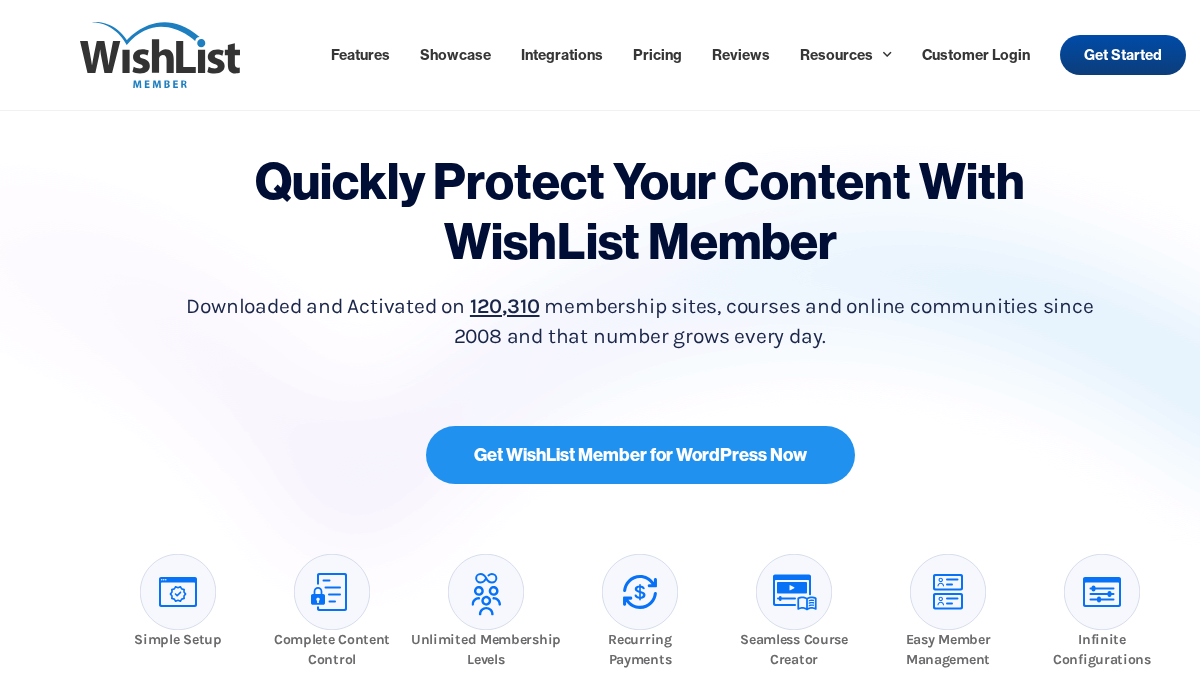
WishList Member is one of the oldest commercial WordPress membership plugins. It has been used to power membership sites since 2008, and that track record shows in its feature depth and its integration catalog. Where WishList Member earns its place on this list in 2026 is the combination of content restriction, native multi-level membership, and integrations with 40+ third-party platforms including course tools, email providers, and payment processors.
The integration library is the standout. WishList Member connects directly with platforms like Kajabi, Teachable, and AccessAlly for course delivery, and with Stripe, PayPal, ClickBank, and over a dozen other payment systems for billing. If you are managing a membership site that feeds into an existing email or course platform, WishList Member often has a native connection where other plugins need a Zapier bridge.
Best for: Course creators, coaching programs, and content businesses that need a membership plugin with native integrations to their existing email, payment, or course delivery tools. Read the full WishList Member review for hands-on details.
Key features:
- Unlimited membership levels with tiered access (Silver can see Bronze content, etc.)
- Content restriction across pages, posts, post types, categories, and partial post content
- Smart Tags: dynamic content replacement per member level inside posts and pages
- 40+ direct integrations: AWeber, Mailchimp, ConvertKit, ActiveCampaign, GetResponse, Drip, InfusionSoft/Keap, and more
- Payment integrations: Stripe, PayPal, 1ShoppingCart, ClickBank, JVZoo, SamCart, Thrivecart, and more
- Drip content scheduling per level
- Member management with bulk actions, search, and manual level assignment
- Protection mode: control what non-members see when they try to access restricted content
- A/B testing for registration and sales pages (higher tiers)
Hands-on notes: I reviewed WishList Member through the official demo, documentation, and feature pages. The setup wizard walks through creating membership levels, configuring content protection, and connecting a payment platform in a logical sequence. The Smart Tags feature, which inserts personalised content fragments based on membership level without writing custom code, is a genuine differentiator for content-heavy membership sites that want to personalise what members see.
The multi-tier access model, where a Gold member automatically inherits Bronze and Silver access without configuring separate rules, reduces admin work for sites with tiered membership structures. The integration count is the highest in this category and is the main reason sites with an existing email or course stack choose WishList Member over competitors.
Pricing: WishList Member is paid-only. Annual plans: Starter $149/yr (1 site), Plus $249/yr (3 sites), Agency $499/yr (10 sites). All plans include the same feature set. No free version is available.
Pros
- 40+ native integrations with email, payment, and course platforms
- Smart Tags for member-specific dynamic content within posts
- Multi-tier access inheritance reduces rule duplication for tiered membership structures
- Active development since 2008 with a large user base
- Strong documentation and onboarding wizard
Cons
- No free version
- UI shows its age in some areas compared to MemberPress
- Native course builder is limited; relies on integrations for serious course delivery
- A/B testing gated to higher tiers
- Annual-only pricing; no lifetime license option currently
4. Restrict Content Pro: best for content publishers and digital download sites
Restrict Content Pro (RCP) earns its place for content publishers who need clean, lightweight content restriction without the overhead of a full membership platform. It was built by the same team behind Easy Digital Downloads, and that origin shows: RCP integrates natively and deeply with EDD, making it the natural pick for sites that sell both digital products and membership access through the same checkout.
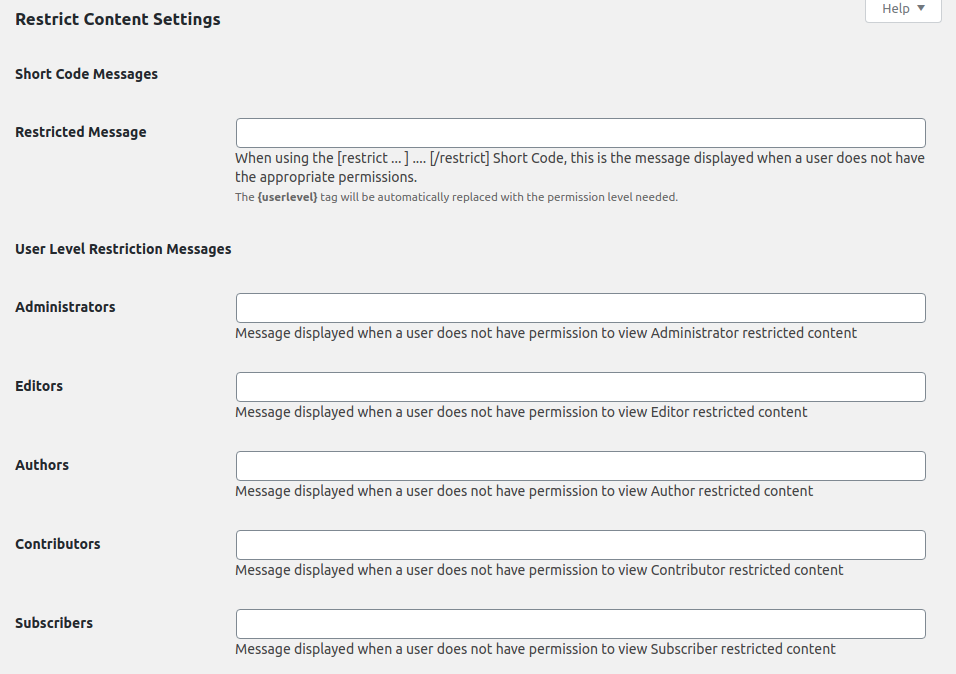
The free version on WordPress.org (Restrict Content) covers basic content restriction without payment handling. Paid plans add recurring subscriptions, multiple payment gateways, group accounts, and the EDD integration.
Best for: Content publishers, newsletter businesses, podcasters, and WordPress sites that already use Easy Digital Downloads and want to gate premium content behind a membership subscription. Read the full Restrict Content Pro review for hands-on details.
Key features:
- Content restriction for pages, posts, and custom post types
- Multiple subscription levels with one-time, recurring, and free trial pricing
- Payment gateways: Stripe, PayPal, Braintree, and 2Checkout
- Native Easy Digital Downloads integration: gate digital products to specific membership levels
- Discount codes and percentage or flat discount options
- Member group accounts (one subscription, multiple users)
- CSV export for member and payment data
- Developer-friendly hooks and REST API
- Renewal reminders and subscription expiration emails
- Member registration and login shortcodes for embedding access forms
Hands-on notes: I reviewed Restrict Content Pro through the official documentation, pricing pages, and the free Restrict Content plugin on WordPress.org. The core restriction engine is clean and fast. Rules attach to posts and pages individually or via category and membership level, without requiring a visual rule builder. The admin member table is sortable and filterable by level, status, and expiration date.
The EDD integration is the most complete in this category: you can bundle digital products with membership tiers, grant existing EDD customers automatic membership access on purchase, and manage access revocation on subscription lapse. For sites that run both digital downloads and subscription access, this pairing reduces the need for a third-party integration layer.
Pricing: Free basic version on WordPress.org (Restrict Content). Paid plans: Personal $99/yr (1 site), Plus $149/yr (5 sites), Professional $249/yr (unlimited sites). All plans include Stripe, PayPal, Braintree, and group accounts.
Pros
- Clean, lightweight restriction engine without unnecessary overhead
- Native EDD integration is the deepest in this category
- Group accounts for team and corporate subscriptions included on all paid plans
- Discount codes included without add-ons
- Developer-friendly codebase with clear documentation
- Genuinely free starting point for sites not yet ready for paid subscriptions
Cons
- Free version does not include payment gateways (Stripe, PayPal require paid plan)
- Fewer native integrations than MemberPress or WishList Member
- No built-in course or quiz functionality
- UI is functional but less polished visually than MemberPress
5. Ultimate Member: best free WordPress plugin for community and member profiles
Ultimate Member takes a different approach to membership than the other plugins on this list. Where most membership plugins focus on content restriction and recurring billing, Ultimate Member focuses on member profiles, community features, and user experience: member directories, customisable profile fields, social login, and frontend registration and login forms. Content restriction and paid memberships are available, but the core value is in building a community where members have a visible, personalised presence.
The core plugin is free on WordPress.org, with 200,000+ active installs. Paid extensions add features like social login, private messaging, WooCommerce integration, and paid memberships (subscription billing).
Best for: Community sites, forum-adjacent membership sites, online directories, social platforms, and any site where member profiles and community features matter as much as content restriction. Read the full Ultimate Member review for hands-on details.
Key features (free):
- Custom member profile pages with drag-and-drop field builder
- Member directory with search and filter
- Frontend registration, login, and profile edit forms
- User account and password management
- Role-based content restriction
- Custom user roles with capability assignment
- Email notifications for new registrations, account approval, and status changes
Key features (paid extensions):
- Social Login: Google, Facebook, Twitter/X, LinkedIn, and more
- Verified Users badge system
- Private Messaging between members
- Notifications system
- WooCommerce integration for gating products by member role
- Paid Memberships extension: subscription billing via Stripe and PayPal
- User Reviews: member rating and review system
- Groups: member-managed groups and group content
Hands-on notes: I tested the free Ultimate Member plugin in a clean WordPress sandbox. Installation creates profile, login, and registration pages automatically with shortcodes pre-inserted. The profile field builder covers standard fields (name, bio, social links, profile photo) and custom fields (text, select, radio, checkbox, date) without writing code. The member directory renders cleanly and the search filter works without additional setup.
Paid subscriptions require the Paid Memberships extension (priced separately). The full extension suite is bundled under an annual pass, which is the practical purchase path for sites that need multiple extensions.
Pricing: Free core plugin on WordPress.org. Extensions are sold individually or bundled: Pass $249/yr (all extensions, 1 site), Pass Plus $399/yr (3 sites), Pass Agency $599/yr (unlimited sites). Individual extensions range from $25 to $75/yr each, depending on the extension.

Pros
- Best free community and profile feature set in this category
- 200,000+ active installs with active development and regular updates
- Profile field builder handles complex field types without code
- Member directory included in the free version
- Extension catalog covers specific needs without paying for a full suite
Cons
- Paid subscription billing requires a separate extension on top of the base plugin
- Full extension bundle ($249/yr+) becomes expensive for sites that need multiple add-ons
- Not the right fit if content restriction and recurring billing are the primary requirements
- Some extensions feel like features that should be included by default
6. s2Member: best budget-friendly WordPress membership plugin
s2Member is a long-running WordPress membership plugin with a two-tier model that is different from most competitors. The free Framework version on WordPress.org supports PayPal-only recurring billing, unlimited membership levels, and content restriction across posts, pages, URIs, and post categories. The Pro version adds all major payment gateways, ClickBank support, and unlimited sites for a one-time license fee, not an annual subscription.
That one-time pricing model is what makes s2Member worth considering for cost-conscious membership sites. A single $89 Pro license covers unlimited WordPress installs with no annual renewal required.
Best for: Budget-conscious membership site owners, developers managing multiple membership sites, and WordPress users comfortable with a more technical setup process in exchange for low lifetime cost. Read the full s2Member review for hands-on details.
Key features (free Framework):
- Up to 4 membership levels (s2Member Level 0 through Level 4)
- PayPal Standard recurring billing and one-time payments
- Content restriction for posts, pages, post categories, URIs, and specific files
- CCAP (Custom Capability Packages) for granular per-content access
- Basic registration and login widgets
- Email notifications for new members and account events
- Compatible with WooCommerce via manual integration
Key features (Pro):
- Stripe, Authorize.Net, and ClickBank payment gateways in addition to PayPal
- Unlimited membership levels
- Pro-Forms: fully customisable checkout, registration, and login forms in shortcode format
- Coupon codes with percentage and flat discount support
- Downloadable file protection and metered content access
- One-time license, unlimited sites, no annual renewal
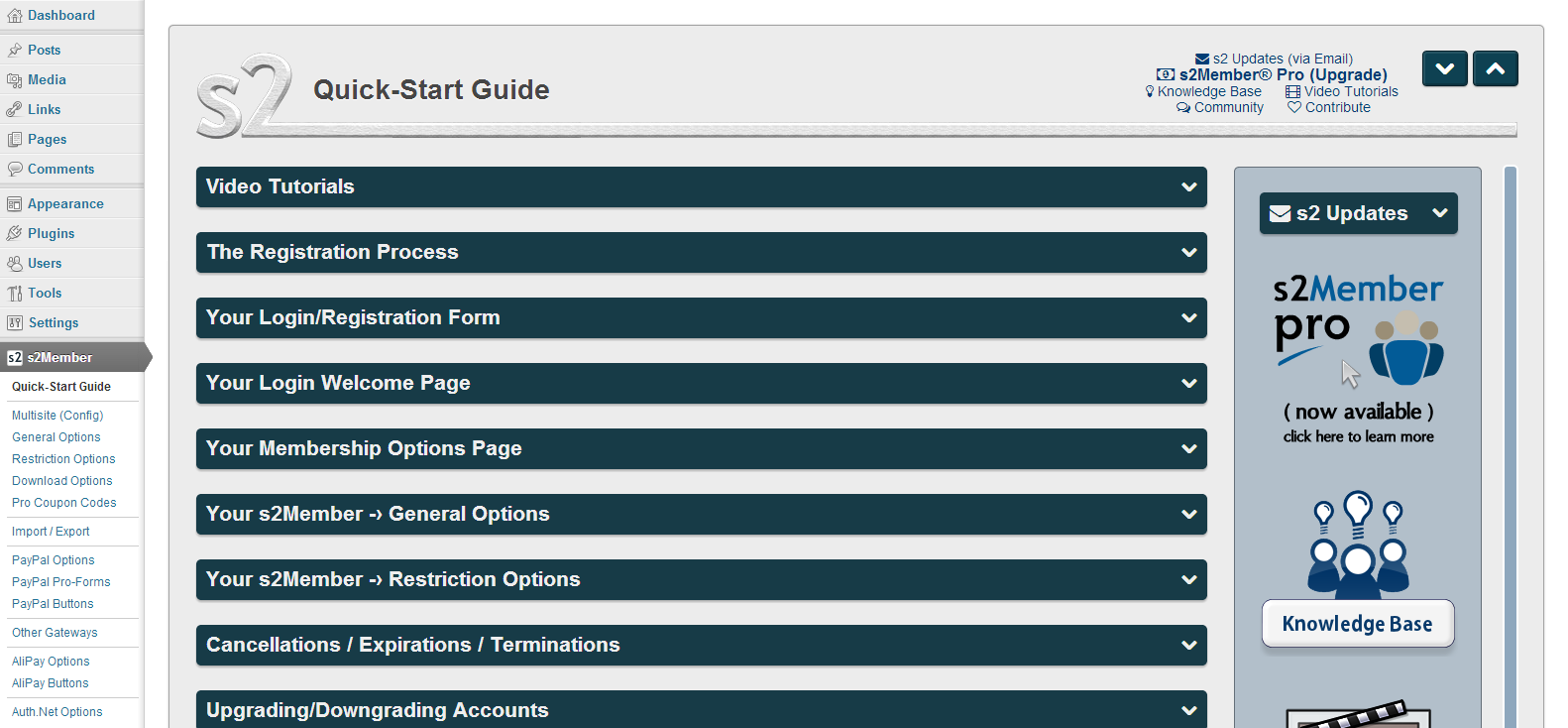
Hands-on notes: I reviewed s2Member through the free Framework on WordPress.org and the official Pro documentation. Setup requires more manual configuration than MemberPress or PMPro: the plugin does not include a visual wizard, and configuration is spread across multiple admin tabs. The payoff is flexibility. s2Member’s Custom Capability system lets you create any number of access tiers beyond the named levels, which is powerful for sites with complex, tiered content libraries.
The UI and dashboard design reflect the plugin’s 2009 origins. If a modern admin experience matters for your workflow, s2Member will feel dated. If what matters is reliable content protection, PayPal or Stripe billing, and a one-time license cost, s2Member delivers all three.
Pricing: Free Framework on WordPress.org (PayPal only, up to 4 levels). s2Member Pro: $89 one-time (unlimited sites, includes Stripe, Authorize.Net, ClickBank, Pro-Forms, and coupon codes). No annual renewal required.
Pros
- One-time Pro license ($89) covers unlimited sites with no annual renewal
- Free tier supports real PayPal recurring billing (unusual for a free plugin)
- Custom Capability system enables highly granular content access beyond named levels
- File download protection included in Pro
- Long-running plugin (since 2009) with a stable, proven codebase
Cons
- Dated UI compared to modern competitors
- Setup requires more manual configuration than MemberPress or WishList Member
- Free tier limited to 4 membership levels and PayPal only
- No built-in email marketing integration or native course functionality
- Active development has slowed compared to some newer competitors
7. MemberMouse: best for high-volume membership businesses needing advanced analytics
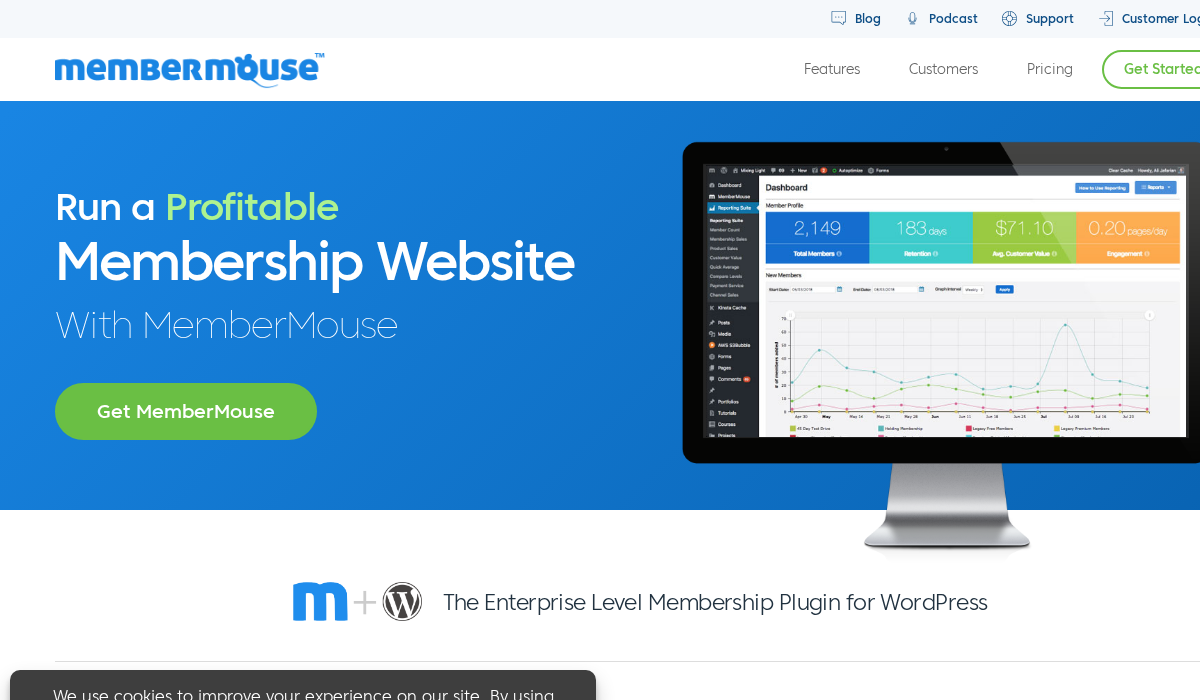
MemberMouse is a premium WordPress membership platform aimed at established businesses with meaningful member volumes. Where most plugins on this list are priced for content creators and solo operators, MemberMouse prices for companies: monthly subscription plans starting at $99/month that include advanced member analytics, SmartTag personalisation, click-to-upgrade funnels, and a retention toolkit designed to reduce cancellations.
The feature set is genuinely enterprise-grade. If you are running a membership business that needs to optimise churn, understand member lifetime value, and run upgrade offers inside the member experience, MemberMouse provides tools that no other plugin in this roundup matches.
Best for: Established membership businesses with significant monthly revenue, sites that need advanced member analytics and retention tools, and companies where reducing churn and optimising upgrade conversions directly impacts revenue. Read the full MemberMouse review for hands-on details.
Key features:
- Membership levels, bundles, and product upsells configured as separate items
- Click-to-upgrade: members can upgrade their plan with a single click inside the member area
- SmartTag personalisation: insert dynamic content based on membership level, billing status, and days since signup
- Advanced member analytics: revenue per member, churn rate, lifetime value, trial conversion
- Retention tools: cancellation prevention flows, pause subscriptions, failed payment recovery
- Payment gateways: Stripe, PayPal, Braintree, and Authorize.Net
- Subscription management with free trials, one-time payments, and installment plans
- WooCommerce integration for product gating
- Affiliate integration via iDevAffiliate and Post Affiliate Pro
- Developer API for custom reporting and member data access
Hands-on notes: I reviewed MemberMouse through the official demo, feature documentation, and pricing pages. The member analytics dashboard is the most comprehensive in this roundup: it shows active member counts by level, monthly recurring revenue, trial conversion rates, and churn trends over time. The cancellation prevention flow, which presents a retention offer when a member attempts to cancel, is a standard e-commerce retention technique that most membership plugins do not include.
The SmartTag system works similarly to WishList Member’s version but is deeply connected to billing events: you can show different content to members who are in a trial, whose payment recently failed, or who have been members for more than 90 days.
Pricing: MemberMouse uses monthly subscription pricing. Builder: $99/month (up to 1,000 members), Advanced: $199/month (up to 5,000 members), Premium: $399/month (up to 50,000 members). Annual billing provides a discount. No free version is available.
Pros
- Most advanced member analytics in this category: LTV, churn, trial conversion
- Click-to-upgrade and cancellation prevention flows built in
- SmartTag personalisation tied to billing events and member lifecycle stage
- Failed payment recovery automation
- Developer API for custom reporting and integrations
- Scales gracefully with member count
Cons
- Expensive monthly pricing ($99/month+) makes it impractical for small or new membership sites
- No free version or low-cost starting plan
- Smaller add-on ecosystem compared to PMPro or MemberPress
- Monthly billing model increases long-term cost versus one-time or annual alternatives
- Less suitable for content-only sites where analytics depth is not a priority
8. Simple Membership: best WordPress membership plugin for beginners
Simple Membership does exactly what its name implies. It adds a content gating layer to WordPress without introducing subscription billing, tiered pricing logic, or a configuration matrix. If you need to protect posts and pages behind a login wall, collect member registrations, and control access by membership type, Simple Membership delivers those three things cleanly and at no cost.
The core plugin is free on WordPress.org and has 50,000+ active installs. Payment handling is intentionally outside the plugin’s scope: you collect payments via PayPal buttons, WooCommerce, or any external checkout you prefer, and use a webhook or manual process to assign the appropriate membership level after payment.
Best for: Beginners building their first gated site, bloggers adding a free-registration section, small communities that do not need recurring billing, and developers who want to handle payment separately and just need a reliable content gate. Read the full Simple Membership review for hands-on details.
Key features:
- Multiple membership levels with per-post and per-page access control
- Free and paid membership levels
- Frontend registration form with customisable fields
- Member login widget and shortcodes for inline login forms
- Email notification on registration and account approval
- Manual or automatic member approval
- PayPal integration for one-time and recurring payment buttons (free add-on available)
- Membership expiration with configurable expiry dates per level
- WooCommerce integration for payment-triggered level assignment (via add-on)
- GDPR-compatible registration with consent checkboxes
Hands-on notes: I tested Simple Membership in a clean WordPress sandbox. Installation and basic setup take under 15 minutes. You create a membership level, set a post to require that level, and the plugin handles redirection for non-members automatically. The registration form embeds via shortcode. The admin member list shows registration date, membership level, status, and expiry.
What Simple Membership does not do: it does not handle Stripe or PayPal recurring billing directly inside the plugin without add-ons or external configuration. For sites that need automated subscription management, trial periods, and upgrade logic, one of the higher-capability plugins on this list is the right choice. But for a site that just needs to put a login wall in front of specific content, Simple Membership is the most frictionless starting point available.
Pricing: Free core plugin on WordPress.org. Optional paid add-ons from the developer: PayPal integration, WooCommerce integration, Stripe payment add-on, and others. Add-on pricing varies.

Pros
- Completely free core plugin with no feature time-limit or member count cap
- Simplest setup in this roundup: content gating works within minutes
- Membership expiration and manual approval included without add-ons
- 50,000+ active installs with regular updates
- Works with any external payment flow without locking you into a specific gateway
Cons
- No built-in recurring billing; subscription management requires add-ons or external tools
- Not practical for sites that need upgrade/downgrade automation or trial periods
- Fewer content restriction options than PMPro or MemberPress (no partial content restriction)
- Add-on quality and support varies
- UI is basic; no analytics or member activity reporting
How to choose a WordPress membership plugin
Choose MemberPress if: You want an all-in-one membership system that handles restriction, subscriptions, course delivery, and email integrations without assembling a plugin stack. MemberPress Basic ($179/yr) covers most single-site membership businesses cleanly.
Choose Paid Memberships Pro if: You want the most flexible, extensible membership system with a real free starting point and a large add-on catalog. PMPro is the right call for developers who want modular control and for sites with specific integration requirements.
Choose WishList Member if: You are building a membership site around an existing email platform or course delivery tool, and you want native integrations rather than Zapier bridges. The 40+ direct platform connections are the deciding factor.
Choose Restrict Content Pro if: You publish digital content, you already use Easy Digital Downloads, or you want a clean lightweight restriction engine without the overhead of a full membership platform.
Choose Ultimate Member if: Community features, member profiles, and member directories matter as much as content restriction. The free tier is the strongest community-focused free plugin in this category.
Choose s2Member if: You are managing multiple membership sites or building on a limited budget, and you are comfortable with a more technical setup in exchange for a one-time $89 Pro license that covers unlimited sites.
Choose MemberMouse if: You are running an established membership business with meaningful monthly revenue and you need member analytics, retention tools, and upgrade funnels to optimise the business. MemberMouse is priced for businesses, not early-stage sites.
Choose Simple Membership if: You are new to membership sites, you want the fastest possible path to content gating, and recurring billing complexity is not yet a concern.
FAQ
What is the best WordPress membership plugin for beginners?
For beginners who want to start without any cost, Simple Membership is the fastest path to a working content gate. For beginners who want a complete system with subscriptions and payment from day one, MemberPress Basic ($179/yr) has the shortest setup curve of the paid plugins.
Can I build a membership site on WordPress for free?
Yes, partially. Paid Memberships Pro has a free version that handles content restriction, membership levels, and Stripe payments (via the free Stripe add-on). Ultimate Member’s free version covers member profiles and community features. Simple Membership is free for basic content gating. For a fully automated subscription-billing membership site, a paid plugin or paid plan is typically required.
Do WordPress membership plugins work with WooCommerce?
Most do. Paid Memberships Pro has the deepest WooCommerce integration, supporting product access restriction and member-only pricing. MemberPress, WishList Member, and Ultimate Member all offer WooCommerce integrations. s2Member and Restrict Content Pro also connect with WooCommerce, with varying integration depth.
What payment gateways do WordPress membership plugins support?
It varies by plugin and plan. MemberPress supports Stripe, PayPal, and Authorize.Net on all plans. Paid Memberships Pro supports Stripe and PayPal on the free version (with the free Stripe add-on). WishList Member integrates with over a dozen payment processors. s2Member Pro adds Stripe, Authorize.Net, and ClickBank to the free tier’s PayPal. MemberMouse supports Stripe, PayPal, Braintree, and Authorize.Net.
Can I drip content with a WordPress membership plugin?
Yes. MemberPress, Paid Memberships Pro (via the Drip add-on), WishList Member, and Restrict Content Pro all support drip content scheduling, where content is unlocked based on how long a member has been subscribed. MemberPress includes this on all plans. PMPro’s drip feature requires the Plus plan or the Drip add-on.
How do I choose between free and paid WordPress membership plugins?
The free plugins (PMPro core, Ultimate Member, s2Member Framework, Simple Membership, Restrict Content basic) are worth starting with if you are prototyping, if your site has straightforward requirements, or if you want to delay spend until you have paying members. The paid plugins (MemberPress, WishList Member, MemberMouse) are worth the upfront cost when you need reliable subscription billing, email integrations, and a support line from day one.
Do WordPress membership plugins support content dripping for online courses?
MemberPress includes CoursePress, a built-in course builder with drip support, on all plans. WishList Member integrates natively with course platforms like Kajabi and Teachable. Paid Memberships Pro has a Courses add-on on Plus and above. For a full course and membership stack, MemberPress or a PMPro plus LMS combination is the most common approach.
What is the difference between a membership plugin and a content restriction plugin?
The terms overlap. A content restriction plugin gates access to content based on user status. A membership plugin adds subscription billing, member management, and often email integrations and analytics on top of restriction. Simple Membership and the free tier of Restrict Content are primarily restriction tools. MemberPress, PMPro, WishList Member, and MemberMouse are full membership platforms.
Which membership plugin should you install?
For most content businesses building a membership site on WordPress, MemberPress is the right starting point. It covers restriction, subscriptions, course delivery, and email integrations in one coherent system. The Basic plan at $179/yr is the most complete entry-level offering in this category.
If you want to start free and scale, Paid Memberships Pro is the call. The free version is production-ready for a standard membership site, and the add-on catalog scales with you.
For community-focused sites where member profiles and directories matter, Ultimate Member’s free core plugin delivers more than any paid alternative in that specific area.
For solo operators and developers managing multiple sites, s2Member Pro’s one-time $89 license is hard to justify skipping if cost matters and you can tolerate the setup learning curve.
The right plugin is the one that matches your content model, your billing complexity, and your comfort with configuration overhead. Every plugin on this list works. The choice is about fit, not quality.