


Picking a WordPress analytics plugin sounds like a five-minute task until you start comparing them. One plugin sends all your visitor data to Google and adds a sharp eCommerce report on top of that. Another keeps everything on your own server with no third-party data transfer at all. A third is the official free plugin from Google itself, and it does something none of the others do: it pulls Search Console data, PageSpeed scores, and AdSense revenue into one dashboard without requiring a paid subscription.
I researched all eight plugins on this list: I compared WordPress.org listing data, tested free versions where available, audited pricing pages and changelogs, and reviewed official documentation. Each plugin earns its place here based on a specific use case, not a generic “good plugin” label.
How I chose these WordPress analytics plugins
The shortlist comes from the WordPress.org plugin directory, current Google SERPs for analytics queries, and direct evaluation of plugins consistently recommended in the WordPress community. I kept the list to plugins where analytics is the core job.
My ranking criteria:
- Data model. Does the plugin send data to Google Analytics (GA4) or keep it self-hosted? This is the most important factor for many site owners.
- Dashboard quality. Can you answer real questions from the WordPress admin without switching tabs to google.com/analytics?
- Free tier value. If there is a free version, does it give you enough to run a real site without paying?
- Privacy and GDPR posture. Is cookieless tracking supported? Is the GDPR compliance story clear?
- Pricing clarity. Is the starting paid price straightforward, and does the first tier actually cover typical site needs?
- Active maintenance. Last updated date, version history, and developer responsiveness in the support forum.
I excluded pure cloud analytics platforms (Plausible, Fathom, Simple Analytics) because this list is for WordPress plugins specifically.
Quick comparison table
| Plugin | Best for | Free version | Starting paid price | Standout feature | Main limitation |
|---|---|---|---|---|---|
| MonsterInsights | GA4 power users needing WooCommerce + AI reports | Yes (Lite) | 9.50/yr (Plus) | AI analytics chat (Charlie Chat), 15+ reports | eCommerce needs Pro at 99.50/yr |
| Google Site Kit | Free, official Google ecosystem integration | Yes (full plugin) | Free | GA4 + Search Console + AdSense + PageSpeed in one | No deep WooCommerce eCommerce data layer |
| WP Statistics | Privacy-first self-hosted analytics | Yes | 19/yr (Single Site) | Geographic map and unlimited goals free | Premium UI is complex; pricier than Burst |
| Burst Statistics | Lightweight, cookie-free self-hosted analytics | Yes | 9/yr (Creator) | 4.9/5 rating, under 4KB script, 60-second setup | Geographic data and UTM gated behind paid plans |
| Analytify | GA4 on a budget, especially with LMS sites | Yes (limited) | 9/yr (StartUp, 2 sites) | eCommerce included at StartUp price; LMS tracking unique | Smaller install base; no AI features |
| Matomo Analytics | Full Google Analytics replacement | Yes (plugin) | 9/mo Cloud | Heatmaps, funnels, A/B testing alongside core analytics | Complex on-premise setup; paid add-ons in EUR |
| Slimstat Analytics | Real-time visitor logs and access-level tracking | Yes | 9/yr (Pro 1 site) | Real-time access log free; lowest paid entry price | Smaller community; 5.4.x had instability issues |
| ExactMetrics | Agencies managing 100+ sites | Yes (limited) | 9.50/yr (Plus) | 100-site plan unique in GA4 connector category | 2.5/5 stars on WordPress.org |
1. MonsterInsights: best WordPress Google Analytics plugin overall
MonsterInsights holds the top spot because it is the most complete GA4 connector for WordPress. It does what no other plugin in this category does: it brings 15+ GA4 reports directly into the WordPress admin, overlays inline analytics on your post list, and adds AI-powered natural language queries through Charlie Chat. If you need to answer “which author drove the most organic traffic last month?” from inside WordPress rather than inside Google Analytics, MonsterInsights is the tool.
The free Lite version connects GA4 via OAuth and shows an overview dashboard with sessions, pageviews, device breakdown, top countries, and top referrers. The 30-day date range cap and the absence of eCommerce and form reports are the practical limits of the free version. It has 2,000,000+ active installs on WordPress.org with a 4.5/5 star rating from 3,148 reviews.
Best for: WooCommerce stores, content publishers needing per-author and per-category attribution, and agencies running multiple sites that need full GA4 eCommerce reporting without toggling between WordPress and Google Analytics.
Key features:
- GA4 OAuth connection with no code required
- Overview dashboard: sessions, pageviews, top countries, top referrals, device breakdown
- 15+ reports on Pro: eCommerce, Forms, Search Console, Content, Publishers, Site Speed, Custom Dimensions, Campaigns, User Journey, Real-time, Landing Pages
- WooCommerce, Easy Digital Downloads, and MemberPress eCommerce tracking (Pro)
- Form tracking for WPForms, Gravity Forms, Ninja Forms, Contact Form 7, and more (Pro)
- AI Headline Analyzer in the Gutenberg editor
- Charlie Chat natural language analytics queries (Pro, 10,000+ AI credits)
- Custom dimensions: author, category, published date, SEO score, focus keyword (Pro)
- GDPR tools: IP anonymization, PII stripping, consent platform integrations
Hands-on notes: I reviewed MonsterInsights through the official feature pages, WordPress.org listing, and public changelog. The free Lite version was reviewed directly via the WordPress.org plugin page. Pro features (eCommerce reports, Charlie Chat, form tracking, custom dimensions) were reviewed through official documentation. The overview dashboard is noticeably more data-dense than competitors at this price range. The AI query interface is unique in this plugin category.
Pricing (promotional rates, verify at purchase time): Plus 9.50/yr (regular 99, 1 site); Pro 99.50/yr (regular 99, 5 sites); Elite 99.50/yr (regular 99, 5 sites + UserFeedback); Agency 99.50/yr (regular 99, 25 sites). 14-day money-back guarantee.
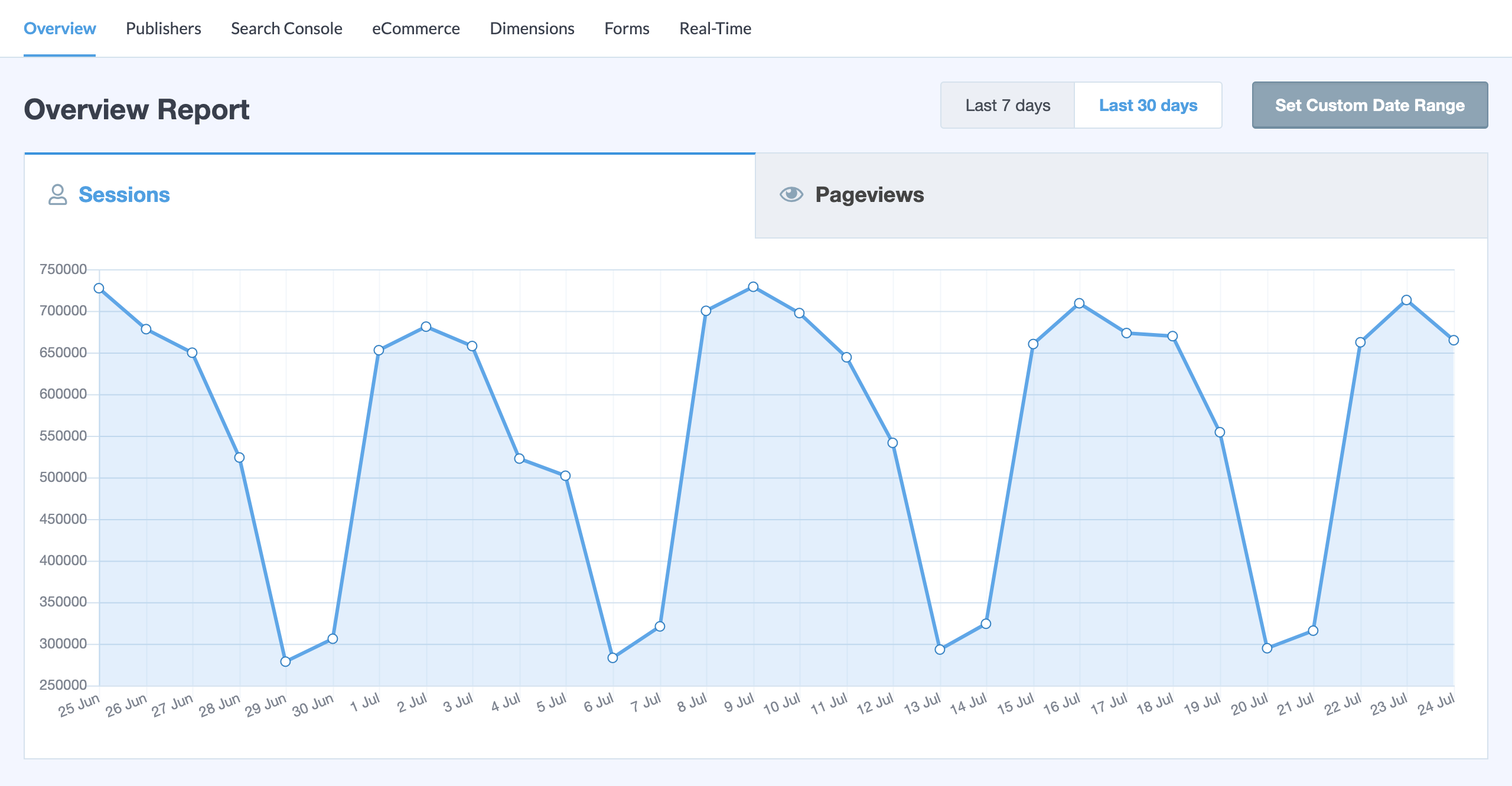
Read the full MonsterInsights review for detailed setup notes, screenshot walkthroughs, and a breakdown of which tier covers which features.
Pros
- Largest install base in the GA4 connector category: 2M+ active installs on WordPress.org
- 15+ GA4 reports inside WordPress admin, including eCommerce, Search Console, and real-time
- Charlie Chat AI analytics query interface is unique in this plugin category
- Per-author and per-category custom dimensions on Pro
- GDPR tools including PII stripping and consent platform integrations
- 14-day money-back guarantee
Cons
- Free Lite version has a 30-day data limit and no eCommerce/form/Search Console reports
- WooCommerce eCommerce tracking requires Pro at 99.50/yr
- Renewal rates roughly double the promotional price after the first year
- Agency plan covers only 25 sites; ExactMetrics has a 100-site option
2. Google Site Kit: best free WordPress analytics plugin
Site Kit by Google is the official WordPress plugin from Google. It is free, has no paid tier, and connects GA4, Google Search Console, PageSpeed Insights, AdSense, Google Ads, and Google Tag Manager into a single WordPress dashboard. No other plugin on this list offers Search Console keyword data, real page speed scores, and GA4 audience data together at zero cost.
The plugin has 5+ million active installs, making it the most-installed analytics plugin in the WordPress ecosystem by a wide margin. Google maintains it actively: version 1.185.0 shipped in August 2026 with PDF reports, a refreshed setup flow, and expanded Reader Revenue Manager integration. Rating: 4.2/5 from 1,009 reviews.
Best for: Site owners who want the full Google ecosystem (GA4, Search Console, AdSense, PageSpeed) in one place at zero cost and do not need deep WooCommerce eCommerce tracking or AI analytics queries.
Key features:
- GA4 connection (Google unified tag, GT- prefix)
- Search Console: impressions, clicks, CTR, and keyword data inside WordPress
- PageSpeed Insights: automatically enabled with no configuration
- AdSense and Google Ads integration
- Key Metrics: 2-8 configurable tiles from a 30+ metric library
- Visitor Groups: GA4 audience segmentation inside WordPress
- Site Goals: eCommerce (WooCommerce, EDD) and lead (CF7, WPForms, Ninja Forms) tracking
- Dashboard Sharing: share analytics data with non-admin editors
- Email reports: weekly, monthly, and quarterly subscriptions
- Consent Mode for GDPR compliance in EEA (with Complianz, Cookiebot, CookieYes)
- Sign in with Google site-wide for checkout and comment forms
Hands-on notes: I reviewed Site Kit through the official documentation at sitekit.withgoogle.com and the WordPress.org listing and changelog. The plugin is genuinely free with no upsells. The setup automatically creates and verifies a Search Console property, saving significant time compared to manual verification. Site Goals eCommerce tracking works for WooCommerce and EDD but does not provide per-product revenue, AOV, cart abandonment, or coupon performance data. Those require a paid plugin like MonsterInsights Pro.
Pricing: Free. No paid version.
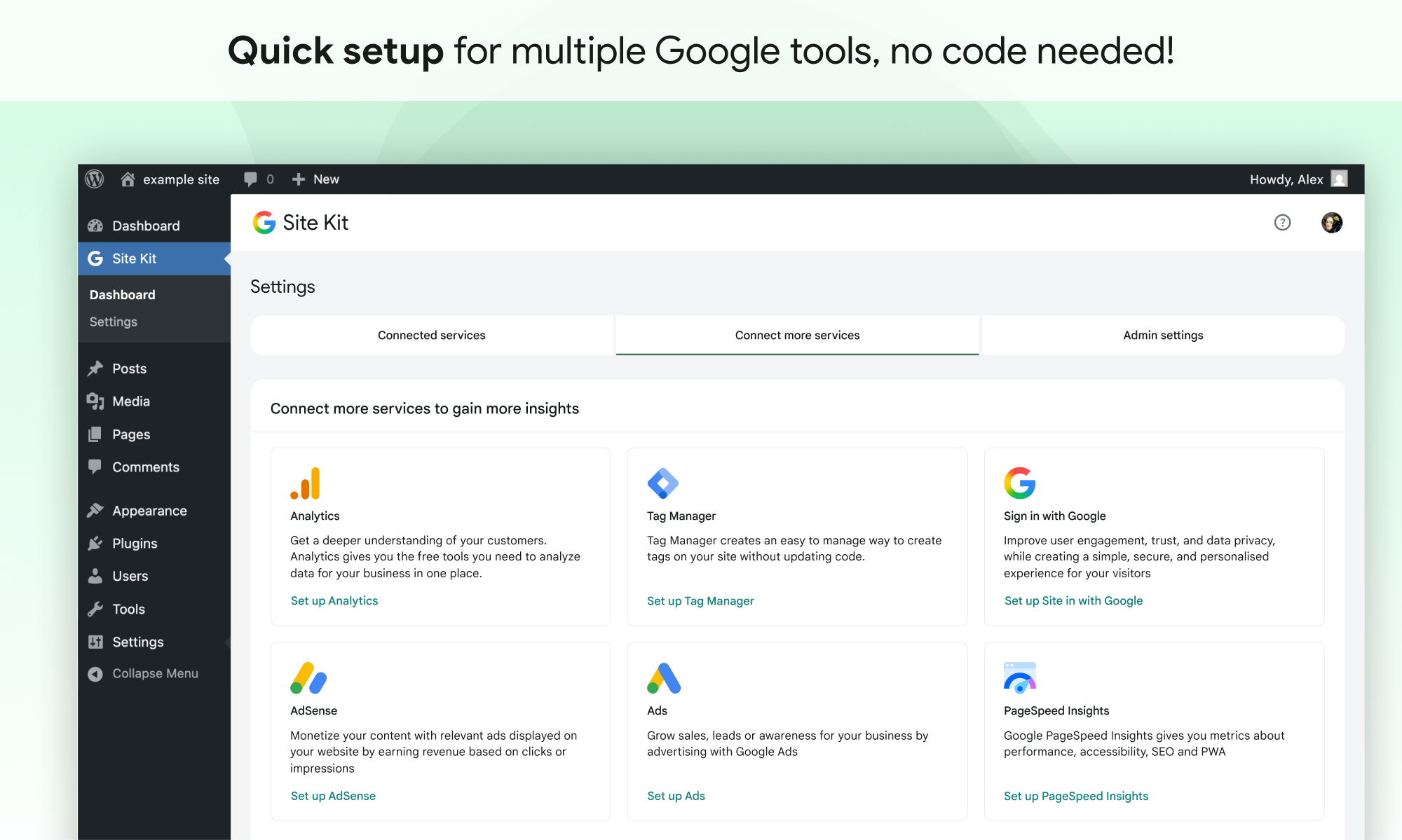
Read the full Site Kit by Google review for a detailed look at each connected service and the consent mode setup.
Pros
- Completely free: no paid tier, no upsells
- Official Google plugin with active development and support
- Combines GA4, Search Console, AdSense, and PageSpeed in one admin panel
- Automatic Search Console property creation and verification
- Email report subscriptions added in 2026
- 5M+ active installs: largest install base of any analytics plugin in the directory
Cons
- No deep WooCommerce eCommerce data layer (no per-product revenue, AOV, cart abandonment)
- No AI analytics queries or natural language reporting
- No per-author or per-category content dimensions
- Setup complexity increases when multiple Google accounts have touched the site
- Data can take several days to appear after initial connection
3. WP Statistics: best self-hosted WordPress analytics plugin
WP Statistics is the most-installed self-hosted analytics plugin in the WordPress directory. It tracks visitor data on your own server with no Google dependency. At 600,000+ active installs, it is the privacy-first tool that most WordPress site owners mean when they say “I want analytics without sending data to Google.”
The core plugin is free and covers more than most competitors gate behind paid tiers: geographic data, content analytics by page and category, outbound link tracking, file download tracking, and unlimited goals are all free. Version 14.16.10, last updated July 25, 2026. Rating: 4.1/5 from 757 reviews.
Best for: Site owners who want GDPR-compliant, cookie-free analytics without Google Analytics, and who need geographic data and unlimited goals at no cost.
Key features:
- Visitor tracking stored on your own server (no Google, no third-party data transfer)
- Geographic data: world map and country-level breakdown (free)
- Content analytics: top pages, categories, author attribution (free)
- Outbound link tracking and file download tracking (free)
- Unlimited goals and custom events (free)
- Real-Time Stats with live visitor session feed (premium add-on)
- Google Search Console integration (premium add-on)
- Email and PDF report scheduling (premium add-on)
- Privacy Audit tool for GDPR compliance review
- REST API for custom analytics data access (premium add-on)
Hands-on notes: I reviewed WP Statistics through the official wp-statistics.com website, the WordPress.org listing, and the feature, add-on, and pricing pages. The free core plugin covers a notably generous feature set. The dashboard is more information-dense than Burst Statistics, which some administrators prefer for raw data access. The Premium pricing structure bundles all add-ons into a single subscription rather than selling them individually.
Pricing: Free core plugin. Premium: Single Site 19/yr; Up to 5 Sites 49/yr; Unlimited (fair usage up to 100 sites) 49/yr. 14-day money-back guarantee.
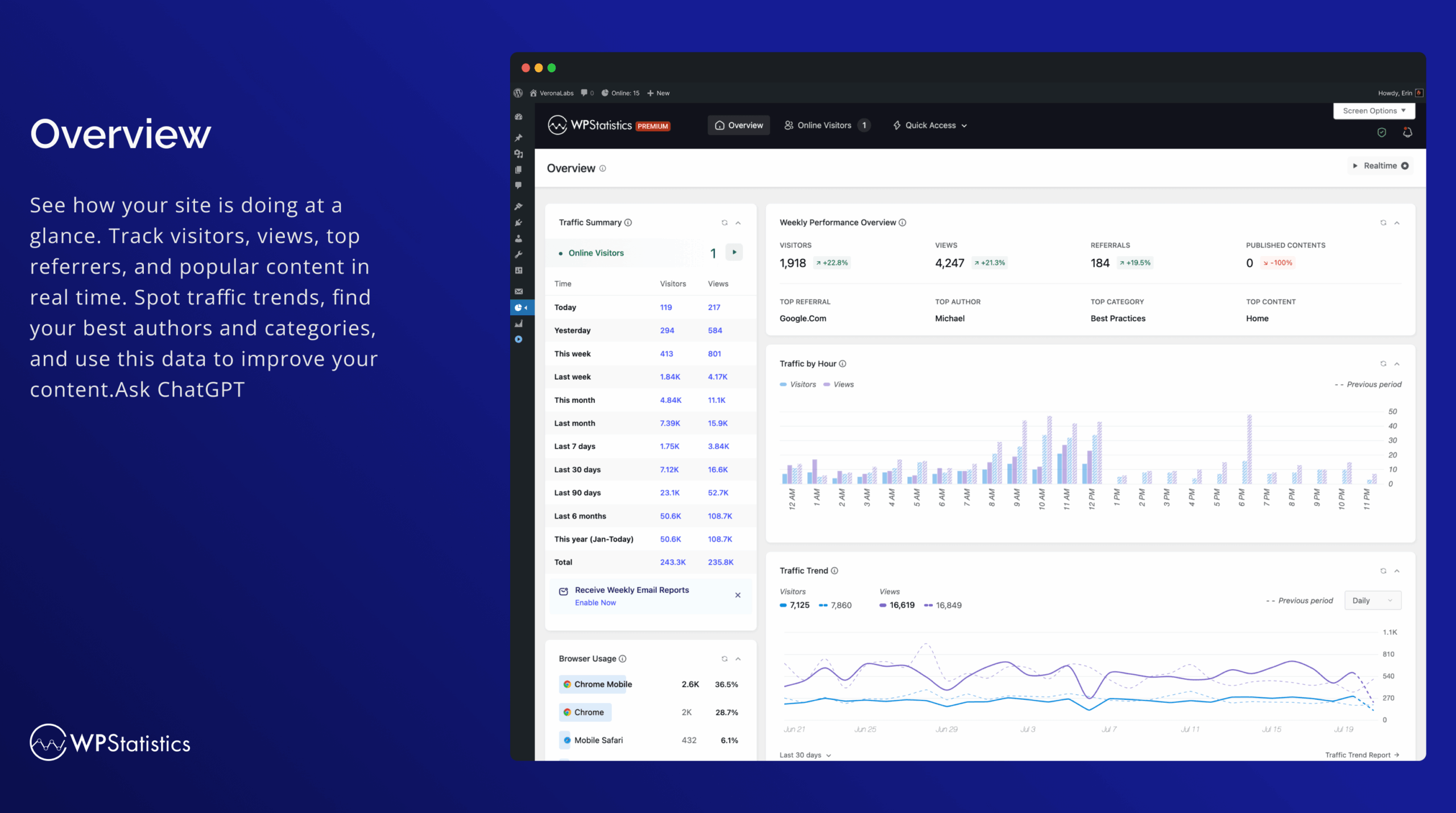
Read the full WP Statistics review for a detailed look at each report module and premium add-on.
Pros
- 600,000+ active installs: most installed self-hosted analytics plugin
- Geographic data, unlimited goals, and content analytics all free
- Complete data ownership: no Google, no third-party transfer
- Privacy Audit tool included for GDPR compliance review
- Available since 2011 with a long, maintained track record
- All-in premium tier: no per-add-on pricing
Cons
- Admin dashboard is more complex than Burst Statistics or Slimstat
- Premium pricing (19/yr single site) is higher than Burst Statistics
- Real-time stats, Search Console integration, and PDF reports require premium subscription
- Support forum shows some configuration complexity for edge cases
4. Burst Statistics: best simple, fast self-hosted analytics
Burst Statistics earns a 4.9/5 star rating from 182 WordPress.org reviews, the highest of any plugin on this list. It is built by Team Updraft (also behind UpdraftPlus, WP-Optimize, and All-In-One Security) and is the cleanest self-hosted analytics plugin available: setup takes under 60 seconds, the tracking script is under 4KB, and no cookie banner is needed because it uses cookieless tracking by default.
The free version handles core pageview and session tracking without any third-party data transfer. The paid tiers add geographic data, UTM campaign tracking, and conversion goals. Version 3.6.3, last updated August 19, 2026. 200,000+ active installs.
Best for: Site owners who want the simplest GDPR-compliant, cookieless analytics setup without relying on Google, especially in EU markets where cookie consent requirements add friction.
Key features:
- Cookieless tracking: no cookie banner required for analytics
- Under 4KB tracking script for minimal performance impact
- Self-hosted: all data stays on your WordPress database
- Real-time visitor monitoring
- Conversion goals: 3 goals free, unlimited on paid tiers
- Geographic data by country (Creator plan and above)
- UTM campaign source/medium tracking (Business plan and above)
- Visitor source breakdown: organic, direct, referral, social
- Community benchmarks to compare your metrics against similar sites (v3.6.3)
- WooCommerce eCommerce analytics (Business plan)
Hands-on notes: I reviewed Burst Statistics through the official burst-statistics.com website, the WordPress.org listing, and the features and pricing pages. The clean dashboard is one of the best-looking in this category. The trade-off with cookieless tracking is explicit in the WordPress.org FAQ: it uses statistical modeling that may differ from cookie-based tools. That is an honest disclosure and a worthwhile trade-off for sites where cookie consent friction matters. Geographic data and UTM tracking require a paid plan, distinguishing it from WP Statistics where those are free.
Pricing: Free version on WordPress.org. Single-site paid plans: Creator 9/yr; Business 9/yr; Agency 99/yr. Multi-site: Creator 5-site 9/yr; Business 5-site 19/yr; Agency unlimited 99/yr. 30-day money-back guarantee.
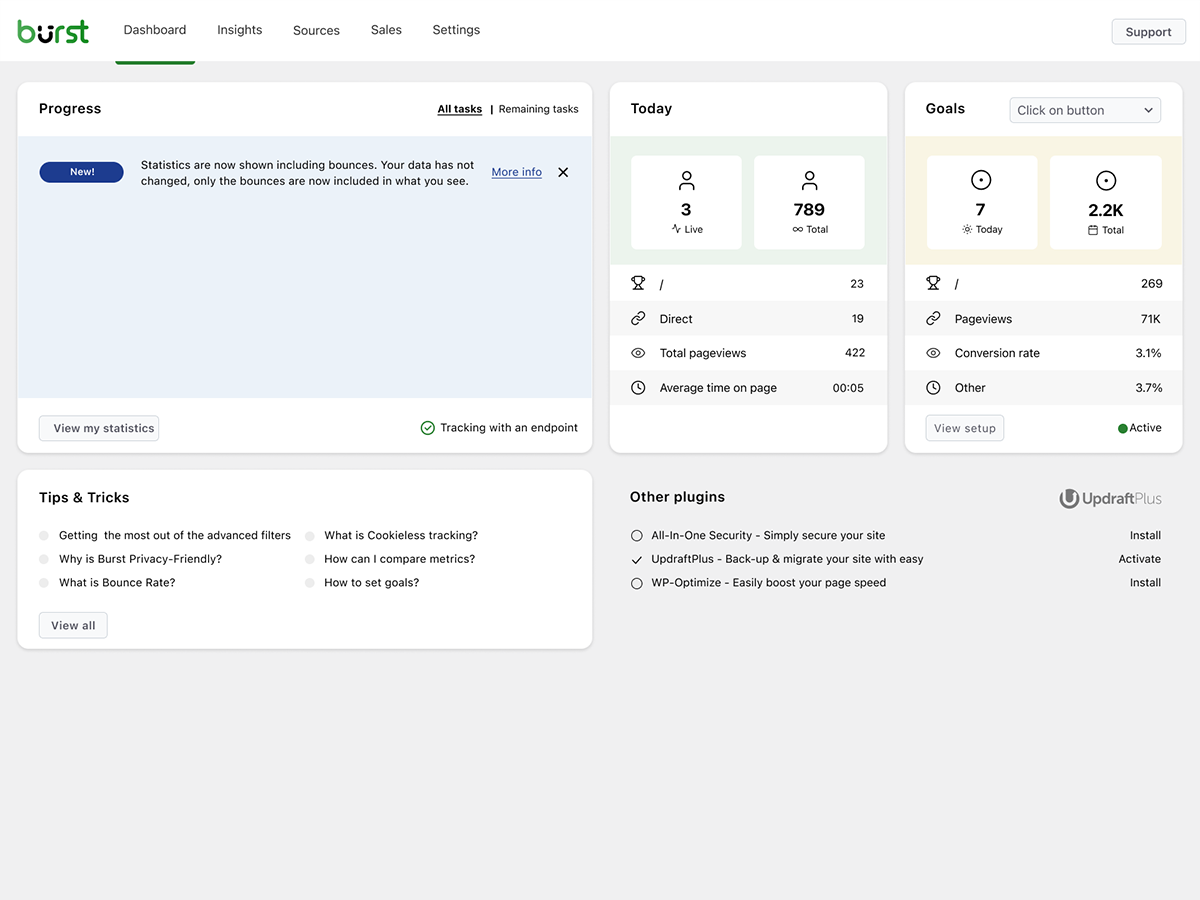
Read the full Burst Statistics review for details on the cookieless tracking model and a pricing tier comparison.
Pros
- 4.9/5 stars from 182 reviews: highest rating on WordPress.org of any plugin in this roundup
- Cookieless tracking eliminates cookie banner requirement for analytics
- Under 4KB tracking script: minimal performance overhead
- Built by Team Updraft (UpdraftPlus team): trusted developer with long track record
- 60-second setup claim holds up in practice
- Multi-site Agency plan matches single-site Agency price (99/yr)
Cons
- Cookieless tracking uses statistical modeling; does not match cookie-based tools exactly
- Geographic data gated behind Creator plan (9/yr); free in WP Statistics
- UTM campaign tracking gated behind Business plan (9/yr)
- Smaller community than WP Statistics (200K vs 600K installs)
- No AI analytics queries or natural language reporting
5. Analytify: best value Google Analytics plugin for WordPress
Analytify is the most affordable GA4 connector on this list that includes eCommerce tracking at its entry tier. While MonsterInsights requires the Pro plan at 99.50/yr for WooCommerce tracking, Analytify’s StartUp plan at 9/yr covers two sites and includes the WooCommerce add-on. That pricing difference matters for small store owners who do not need 25-site licenses or AI query credits.
Analytify also stands alone in the GA4 connector category for its LMS tracking add-ons: LearnDash and LifterLMS are specifically supported, which neither MonsterInsights nor ExactMetrics offers. Version 9.1.2, last updated August 17, 2026. Rating: 4.7/5 from 487 reviews.
Best for: Small WooCommerce stores, course creators running LearnDash or LifterLMS, and site owners who want GA4 reporting inside WordPress at the lowest practical price for eCommerce use.
Key features:
- GA4 dashboard inside WordPress admin
- Per-post and per-page analytics overlay in the post list
- Real-time visitor monitoring
- Email report notifications
- WooCommerce eCommerce tracking (included in all premium plans)
- Easy Digital Downloads tracking
- LearnDash and LifterLMS tracking (unique to Analytify in this category)
- Form tracking: CF7, Gravity Forms, WPForms, and others
- Author and campaign tracking
- Pixel tracking for Meta, TikTok, Pinterest, LinkedIn, X, Snapchat, and Microsoft Ads in one add-on
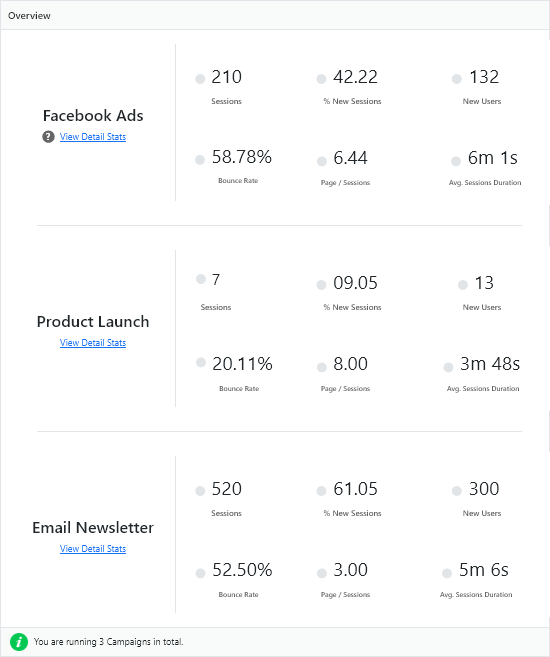
Hands-on notes: I reviewed Analytify through the official analytify.io website, the pricing and add-ons pages, and the WordPress.org listing. The free version provides basic GA4 connection and an overview dashboard widget, with premium add-ons unlocking eCommerce, form tracking, and LMS integrations. The per-post analytics overlay in the WordPress post list is a practical feature that makes checking individual content performance faster without leaving the admin. Analytify confirmed in its changelog that version 9.0 introduced four GA4 data accuracy fixes.
Pricing (promotional rates, verify at purchase time): StartUp 9/yr (regular 99, 2 sites, all add-ons); Agency 99/yr (regular 99, unlimited sites, VIP support); Developer 99 lifetime (regular 99, unlimited sites). 14-day money-back guarantee.
Read the full Analytify review for a walkthrough of the GA4 setup process, per-post stats overlay, and LMS tracking add-ons.
Pros
- WooCommerce eCommerce tracking included at StartUp price (9/yr for 2 sites)
- Only GA4 connector with dedicated LearnDash and LifterLMS tracking
- Agency plan covers unlimited sites at 99/yr
- Pixel tracking for 7 ad platforms in a single add-on
- Per-post analytics overlay in the WordPress post list admin
- Developer lifetime license available at 99
Cons
- Smaller install base than MonsterInsights or ExactMetrics (20,000+ vs 300K/2M)
- No AI analytics queries (no equivalent to MonsterInsights’ Charlie Chat)
- Free version is fairly limited: basic dashboard widget only
- Less robust third-party integration count compared to MonsterInsights
6. Matomo Analytics: best for data ownership and Google independence
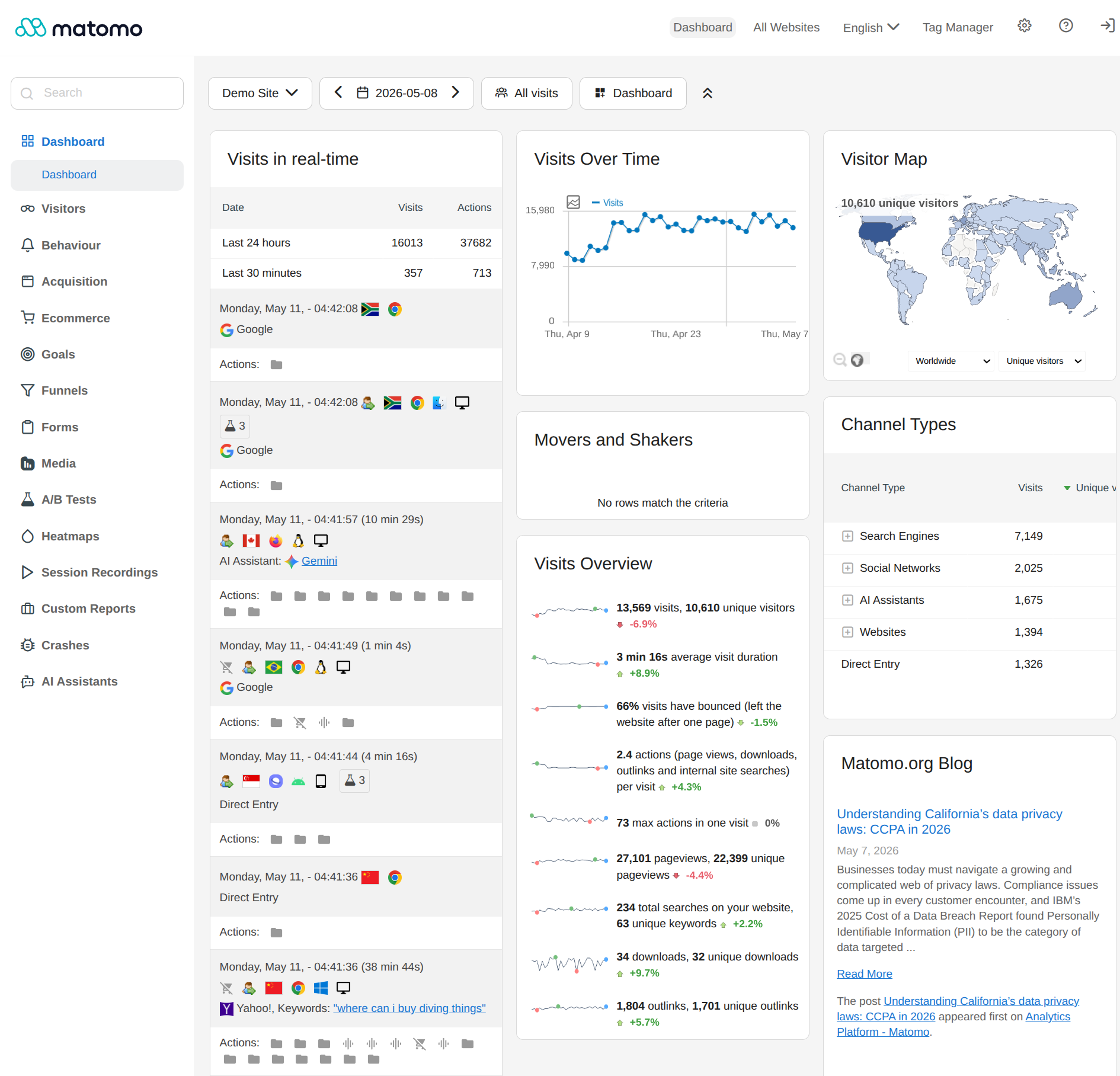
Matomo is the open-source analytics platform used by over 1 million organizations worldwide. The WordPress plugin brings Matomo On-Premise tracking into a WordPress install: data is stored in your own MySQL database, the JavaScript tag is self-hosted, and Google never receives a byte of your visitor data.
The feature set is substantially broader than any other plugin in this roundup: Matomo On-Premise includes heatmaps, session recording, funnel analysis, A/B testing, form analytics, and eCommerce reporting in the paid add-on tier, none of which are available in MonsterInsights, ExactMetrics, Analytify, WP Statistics, or Burst Statistics. Version 5.12.1. Rating: 4.6/5 from 177 reviews. 100,000+ active installs.
Best for: Organizations under strict data residency requirements (legal, healthcare, government, EU compliance) where Google Analytics data transfer is not acceptable, and sites that need heatmaps, session recording, or A/B testing alongside core analytics.
Key features:
- Self-hosted: all data stored in your WordPress MySQL database
- No Google dependency whatsoever
- GA4-comparable reporting: sessions, pageviews, bounce rate, traffic sources, devices, geo
- WooCommerce eCommerce analytics (plugin add-on)
- Heatmaps and session recording (paid add-on)
- Funnel analysis (paid add-on)
- A/B testing (paid add-on)
- Form analytics (paid add-on)
- Goals and event tracking
- GDPR-compliant data anonymization and deletion
- Matomo Cloud option for managed hosting
Hands-on notes: I reviewed Matomo for WordPress through the matomo.org website, the WordPress.org plugin listing, and official documentation. The plugin requires PHP 7.2+, MySQL 5.5+, and 128MB of memory (256MB recommended). WordPress.org documentation explicitly notes that Matomo is not recommended for high-traffic sites running the on-premise plugin: these sites should use Matomo Cloud or a separate Matomo server instance. For typical small-to-medium sites, the on-premise plugin works well.
Pricing: WordPress plugin free. Matomo Cloud: 9/mo Starter (50,000 hits, 21-day free trial). On-Premise add-ons (approximate, EUR-denominated, annual): heatmaps/session recording ~219 EUR/yr, funnels ~193 EUR/yr, A/B testing ~219 EUR/yr, WooCommerce Analytics ~39 EUR/yr.
Read the full Matomo Analytics review for setup guidance, a breakdown of the add-on ecosystem, and a comparison to GA4.
Pros
- Complete data ownership: zero Google or third-party data transfer
- Widest feature set in this roundup: heatmaps, session recording, A/B testing, funnels
- Open-source GPL core: auditable codebase
- ISO 27001:2022 certified organization (InnoCraft)
- GDPR-compliant by design including right-to-erasure tooling
- Cloud option for organizations that prefer managed hosting
Cons
- Not recommended for high-traffic sites using the on-premise WordPress plugin
- Advanced features (heatmaps, funnels, A/B testing) require separate EUR-denominated add-ons
- Setup and maintenance complexity is higher than any other plugin in this roundup
- Tag Manager does not work in Multisite mode
- On-premise self-hosting requires ongoing server and database maintenance
7. Slimstat Analytics: best for real-time visitor detail
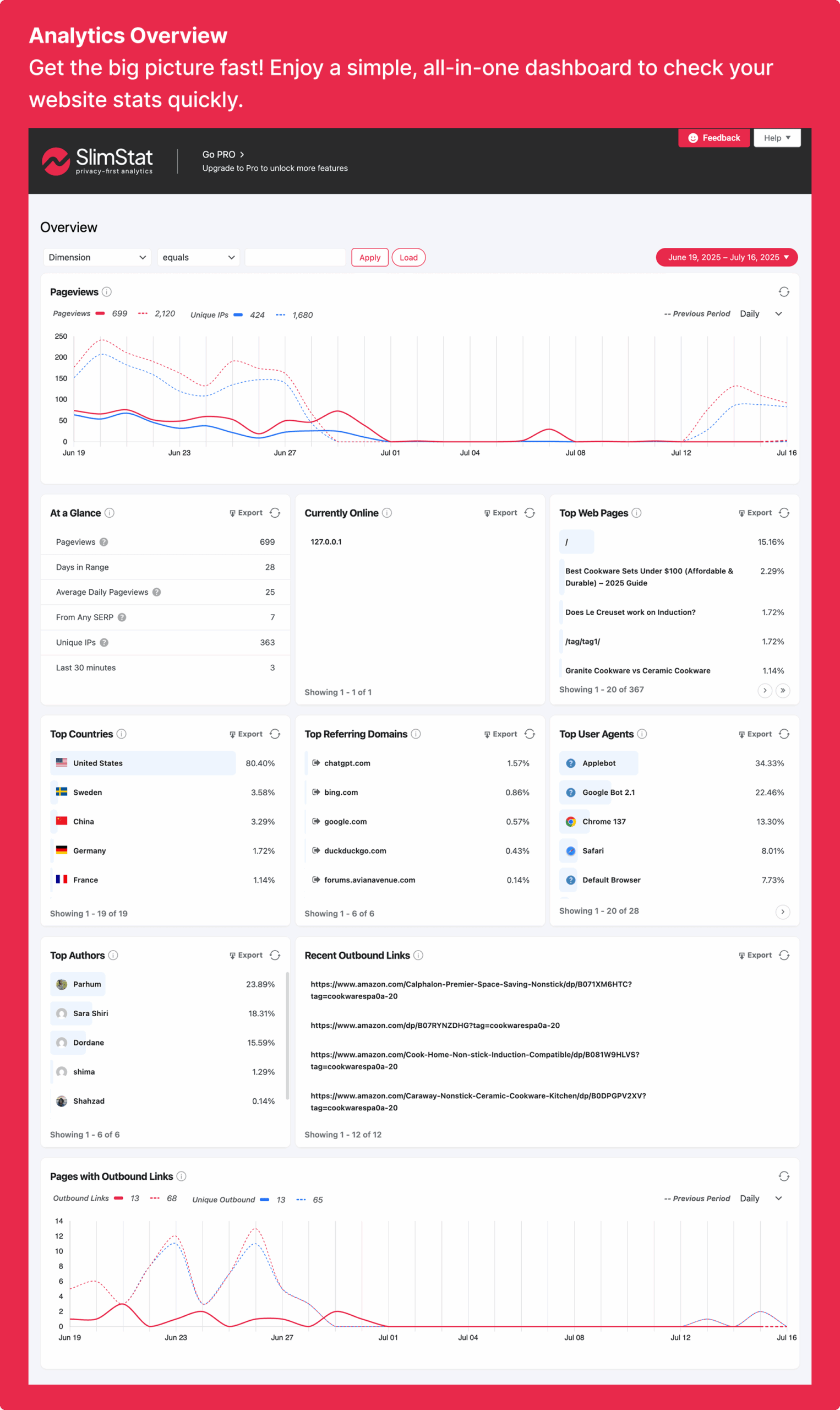
Slimstat Analytics is one of the oldest analytics plugins in the WordPress directory, published in April 2010 and consistently maintained to the present day. Its core distinction is the real-time access log: a live, row-by-row view of who is on your site right now, where they came from, what page they are reading, what browser and OS they are using, and where in the world they are.
No other plugin on this list shows that level of individual session detail in the free version. The paid Pro add-on layers goals, funnels, interactive heatmaps, and email digests on top of that foundation. Version 5.5.0, last updated June 24, 2026. Rating: 4.8/5 from 816 reviews. 70,000+ active installs.
Best for: Site owners who need real-time individual visitor detail, administrators debugging traffic anomalies in real time, and sites where per-visitor access logging matters more than aggregate trend reporting.
Key features:
- Real-time access log: row-by-row view of active and recent visitors (free)
- Geolocation with world map powered by DB-IP Lite (free)
- 5 dashboard pages with customizable layout (free)
- Content performance by page, category, and author (free)
- Traffic source tracking: organic, referral, direct, social (free)
- Outbound link tracking and file download tracking (free)
- Bot/IP filtering and GDPR privacy mode (free)
- Interactive heatmaps (Pro)
- Goals and funnels with modern card layouts and templates (Pro, redesigned in v5.5.0)
- Email digests (Pro)
- MaxMind API geolocation for higher precision (Pro)
Hands-on notes: I reviewed Slimstat Analytics through the WordPress.org listing, the official wp-slimstat.com website, and a third-party review audit. The 5.4.x series had a tracking failure issue (503 errors) that was addressed in 5.4.2 and fully resolved in 5.5.0, which also brought a redesigned Goals and Funnels interface. The current 5.5.0 release is stable. Slimstat is maintained by VeronaLabs, the same developer behind WP Statistics, which adds continuity to the self-hosted analytics toolset.
Pricing: Free core plugin. Pro 1 Site: 9/yr (promotional; regular 9/yr). Multi-site and unlimited plans available. 14-day money-back guarantee.
Read the full Slimstat Analytics review for a detailed look at the real-time access log and the Pro add-on feature set.
Pros
- Real-time per-visitor access log is the most granular free analytics view in this roundup
- Geolocation and world map included free
- Goals and funnels redesigned in v5.5.0 with modern card layouts
- 4.8/5 stars from 816 reviews: strong sustained community satisfaction
- Lowest Pro entry price in this roundup: 9/yr single site
- Active since 2010: mature, stable codebase
Cons
- Smaller install base (70,000+ vs 600,000+ for WP Statistics)
- 5.4.x series had notable tracking failures; confirm you are running 5.5.0
- Less modern dashboard design than Burst Statistics
- Heatmaps and email digests require Pro upgrade
8. ExactMetrics: worth comparing before buying MonsterInsights
ExactMetrics is a direct sister product to MonsterInsights: both are owned and operated by MonsterInsights, LLC (Awesome Motive). They share the same GA4 connection model, the same feature set at equivalent pricing tiers, and the same changelog cadence.
The main practical reason to compare ExactMetrics before buying MonsterInsights is the 100-site plan. MonsterInsights caps at 25 sites on the Agency plan; ExactMetrics offers a 100-site plan at 99.50/yr promotional. For agencies managing a large number of client sites, that difference matters. Note: ExactMetrics holds a 2.5/5 star rating on WordPress.org from 1,547 reviews, with 927 one-star reviews outnumbering 539 five-star reviews. 300,000+ active installs.
Best for: Agencies managing more than 25 client sites who need GA4 dashboard reporting and are willing to compare MonsterInsights and ExactMetrics side by side before purchase.
Key features:
- GA4 connection via OAuth
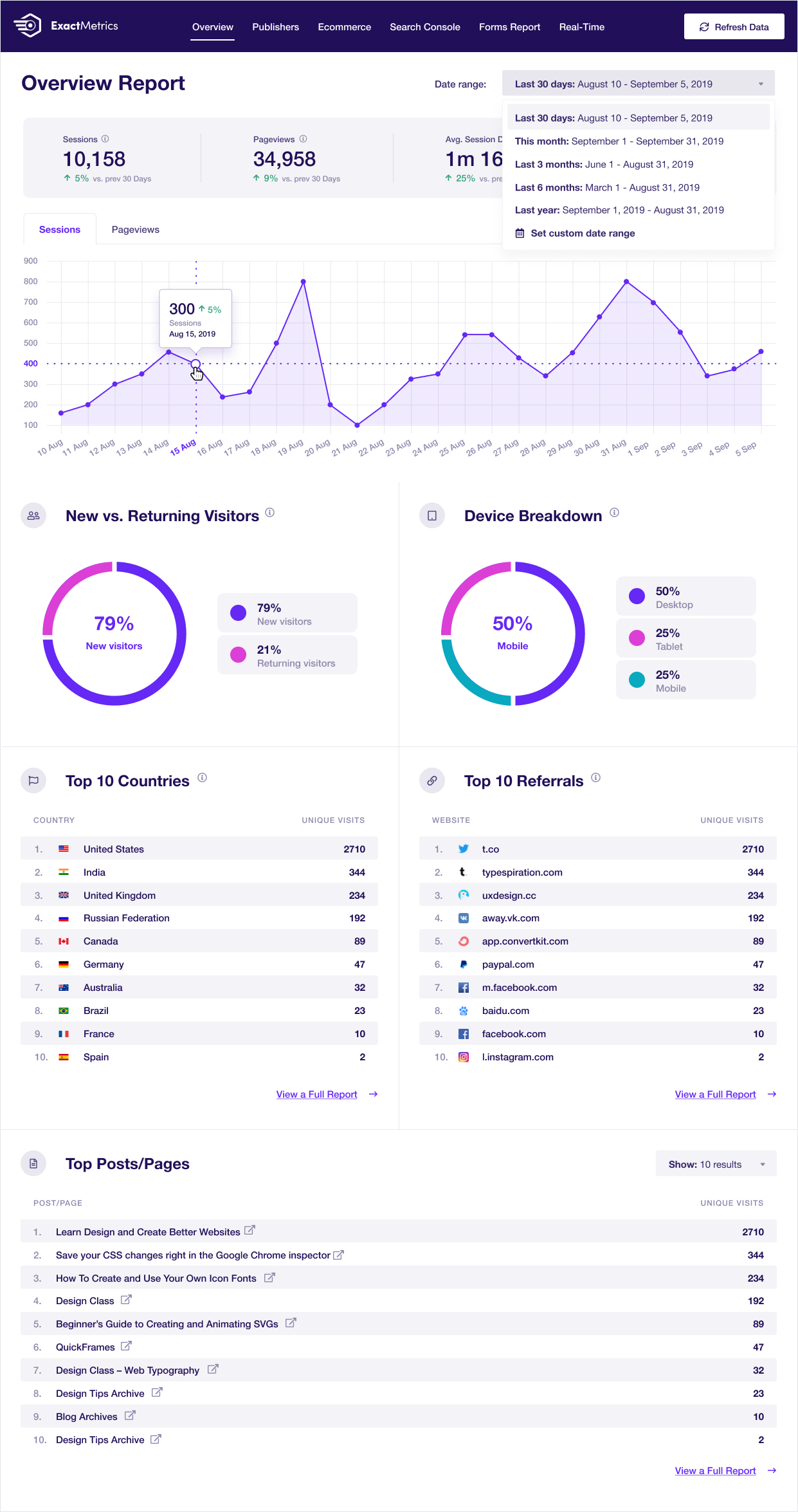
- Dashboard overview widget in small and full size
- Real-time visitor monitoring
- Publisher reports: author, category, tag, and content performance
- eCommerce tracking: WooCommerce, Easy Digital Downloads, MemberPress, and others (Pro)
- Form tracking: WPForms, Ninja Forms, Gravity Forms, and others (Pro)
- Custom dimensions: author, category, published date, SEO score (Pro)
- PrivacyGuard GDPR compliance tools
- AI analytics queries and headline analyzer
- Site Notes automations synced with GA4 annotations (Agency)
- 100-site plan: unique in this plugin category
Hands-on notes: I reviewed ExactMetrics through the official exactmetrics.com website, the WordPress.org listing, and the pricing and features pages. The feature architecture is nearly identical to MonsterInsights. The WordPress.org user review distribution deserves a close read before purchasing: 927 one-star reviews, many citing features gated behind the paywall and setup difficulties, versus 539 five-star reviews. That does not mean the plugin is bad, but it suggests a gap between marketing positioning and user experience for part of the user base.
Pricing (promotional rates, verify at purchase time): Plus 9.50/yr (regular 99, 1 site); Pro 99.50/yr (regular 99, 5 sites, 10,000 AI credits); Agency 99.50/yr (regular 99, 25 sites, 20,000 AI credits); 100-site 99.50/yr (regular ,399, 100 sites, 30,000 AI credits). 14-day money-back guarantee.
Read the full ExactMetrics review for a side-by-side comparison with MonsterInsights and a breakdown of which tier covers which features.
Pros
- 100-site plan is unique among GA4 connector plugins in this roundup
- Site Notes automations (synced GA4 annotations) at Agency tier
- Feature set and integration list match MonsterInsights at comparable price points
- PrivacyGuard GDPR tooling included
- 14-day money-back guarantee
Cons
- 2.5/5 stars on WordPress.org: substantially lower than MonsterInsights (4.5/5)
- 927 one-star reviews outnumber 539 five-star reviews
- Sister product to MonsterInsights: buying both is redundant; compare before purchase
- Pro features (eCommerce, custom dimensions, forms) require 99.50/yr tier
How to choose a WordPress analytics plugin
Choose MonsterInsights if: You run a WooCommerce store, publish content where per-author and per-category attribution matters, or want AI analytics queries (Charlie Chat) without switching to a separate BI tool. Pro at 99.50/yr is the practical starting point for eCommerce use.
Choose Google Site Kit if: You want GA4, Search Console, AdSense, and PageSpeed all in one dashboard at zero cost. It is the correct choice for any site that does not need deep WooCommerce eCommerce tracking (per-product revenue, cart abandonment, coupon codes).
Choose WP Statistics if: You want self-hosted, privacy-first analytics with the broadest free tier: geographic data, unlimited goals, and content analytics at no cost.
Choose Burst Statistics if: You want the simplest self-hosted setup with no cookie consent requirements, the best WordPress.org rating in this category (4.9/5), and are comfortable with geographic data and UTM tracking being paid-only.
Choose Analytify if: You run a WooCommerce store or a LearnDash/LifterLMS course site and want GA4 reporting at a price where eCommerce tracking is included in the entry tier rather than a higher paid tier.
Choose Matomo Analytics if: Your organization cannot transfer visitor data to Google for compliance reasons, or you need heatmaps, session recording, funnel analysis, and A/B testing alongside core analytics in one platform.
Choose Slimstat Analytics if: You need real-time, row-by-row visitor access logs as your primary use case, and want the lowest paid tier entry price in this roundup at 9/yr.
Choose ExactMetrics if: You are an agency managing more than 25 WordPress client sites and need GA4 dashboard reporting across all of them. Compare its WordPress.org reviews carefully against MonsterInsights before purchase.
FAQ
Which WordPress analytics plugin should you use?
For most WordPress sites that use Google Analytics, MonsterInsights is the benchmark: the deepest in-WordPress reporting, the most integrations, and the most active development in the GA4 connector category. Site Kit is the correct call if you want the full Google data ecosystem at zero cost and do not need WooCommerce-level eCommerce detail.
For sites where sending data to Google is not acceptable, WP Statistics and Burst Statistics together cover the most ground: WP Statistics for the broadest free tier and the largest install base, Burst Statistics for the cleanest UX and highest user rating. Matomo is the choice when you need a feature set that truly competes with GA4 itself, including heatmaps, session recording, and A/B testing.
The right analytics plugin is the one that matches how your site handles data, what reports you actually read, and what you are willing to pay. None of the eight plugins on this list are poor tools. The decision comes down to whether your data goes to Google or stays on your server, and how much in-WordPress reporting depth you need.