


I tested and reviewed eight WordPress email marketing plugins to find the best options for 2026. This guide covers every major category: Mailchimp connectors, self-hosted unlimited newsletter tools, full WordPress CRM platforms, SaaS platforms with native WordPress integration, creator-focused tools, and ecommerce-first solutions. Whether you run a blog, a WooCommerce store, or a membership site, there is a plugin on this list that fits your situation.
Choosing looks simple on the surface. Every plugin collects subscribers, sends campaigns, and tracks opens. The differences that actually matter show up later: whether the free tier has a hard subscriber cap, what the paid plans unlock, whether you need a separate Mailchimp account on top of the plugin, whether automation requires the most expensive tier, and whether your subscriber data lives on your own server or in a third-party cloud.
I worked through each plugin’s official documentation, WordPress.org listing, pricing pages, and hands-on features where the free version made testing possible. Here is what I found.
How I chose these plugins
The shortlist came from high-traffic SERP positions for WordPress email marketing queries, WordPress.org plugin directory rankings, and coverage of the major use-case categories. My evaluation criteria:
- Free tier quality. Does the free version deliver something genuinely useful, or is it a shell designed to push upgrades?
- Pricing structure. Is the first paid tier reasonably priced? Are there surprise jumps between tiers?
- WordPress integration depth. Does the plugin work with WooCommerce, Gutenberg, and common form builders?
- Automation capability. Can you build drip sequences, conditional workflows, or post-purchase flows without the most expensive plan?
- Sending infrastructure. Does the plugin include a sending service, or do you need a separate SMTP setup?
- Data ownership. Do subscriber records stay in WordPress, or do they move to a third-party cloud?
- Active maintenance. Last updated date, version history, and compatibility with current WordPress.
Quick comparison table
| Plugin | Best for | Free version | Starting paid price | Standout feature | Main limitation |
|---|---|---|---|---|---|
| FluentCRM | WordPress CRM + automation, unlimited contacts | Yes (basic CRM + campaigns) | $103/yr (1 site) | Visual automation builder; per-site pricing | No built-in sending service |
| Newsletter Plugin | Self-hosted unlimited newsletter, no monthly fees | Yes (unlimited subscribers) | 69 EUR one-time (1 site) | No subscriber cap ever; one-time payment model | Automation is Professional-only; no built-in SMTP |
| MC4WP: Mailchimp for WordPress | Mailchimp users growing a list from WordPress forms | Yes (1 form + all integrations) | $59/yr (1 site) | Deep plugin integrations (WooCommerce, CF7, Gravity Forms) | Mailchimp-only; requires separate account |
| Brevo | Transactional + marketing email in one account | Yes (unlimited contacts, 9,000/mo) | €7/mo (Starter) | Transactional and marketing email unified | Big jump from Standard to Professional (€499/mo) |
| ConvertKit (Kit) | Bloggers, newsletter writers, content creators | Yes (up to 10,000 subscribers) | $39/mo (Creator, monthly) | 10,000-subscriber free plan; native Gutenberg blocks | Pricing jumped sharply in 2025 |
| Omnisend | WooCommerce stores needing email + SMS automation | Yes (250 contacts, 500 emails/mo) | $16/mo (Standard) | Email + SMS + push from one platform; ecommerce-first | Not suited to non-ecommerce sites |
| HubSpot for WordPress | Small businesses wanting free CRM + email + live chat | Yes (1,000 contacts, 2,000 sends/mo) | $20/seat/mo (Starter) | Free CRM + live chat + forms + email in one install | Sharp jump to Professional ($890/mo) |
| Icegram Express | Budget-conscious self-hosted sites with flat-rate needs | Yes (unlimited contacts) | $99/yr (3 sites, Max) | No per-subscriber pricing ever; flat annual fee | Automation is Max-only; 3-site limit |
1. FluentCRM: best WordPress CRM and email automation plugin
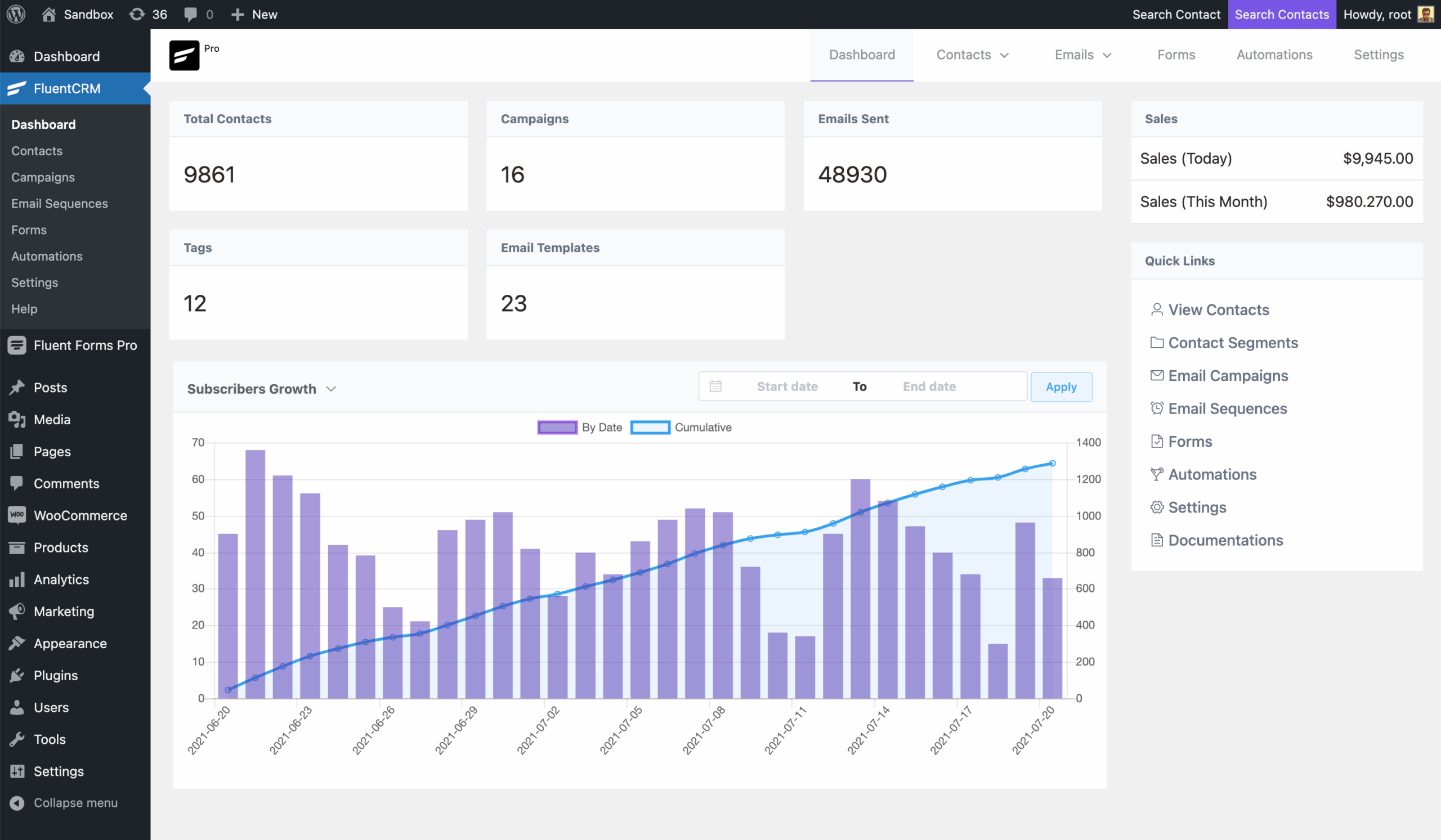
FluentCRM earns the top spot for WordPress sites that need serious email marketing automation without paying subscriber-based SaaS rates. It stores all contact data inside your own WordPress database, charges per website rather than per contact, and includes the most capable visual automation builder in the self-hosted WordPress category.
The free version is functional for smaller operations: contact management, list and tag segmentation, and basic email campaigns. The paid Pro version is where FluentCRM becomes genuinely compelling, unlocking the visual automation funnel builder, email sequences, drag-and-drop email composer, A/B testing, and deep integrations with WooCommerce, LearnDash, LifterLMS, and MemberPress. One important constraint: FluentCRM does not include email sending infrastructure. You need to configure FluentSMTP (their free companion plugin) or another SMTP service.
Best for: WooCommerce store owners, membership site operators, online course creators, and any WordPress site with a large or growing contact list that is tired of per-subscriber SaaS fees.
Key features:
- Contact management with unlimited custom fields, full activity history, and a 360-degree view pulling in WooCommerce, LMS, and membership plugin data
- Visual marketing funnel builder with multi-branch conditional logic, time delays, and diverse event triggers (Pro)
- Email sequences (drip campaigns) with configurable delay intervals between each step (Pro)
- Dynamic segments that auto-update based on real-time contact behavior (Pro)
- A/B testing for subject lines (Pro)
- WooCommerce integration: purchase history, order status, cart abandonment, and customer lifetime value as automation triggers (Pro)
- LMS integrations: LearnDash, LifterLMS, LearnPress, TutorLMS, Academy LMS (Pro)
- Membership plugin integrations: MemberPress, Paid Memberships Pro, Restrict Content Pro (Pro)
- Compatible with Amazon SES, Mailgun, SendGrid, Brevo, and Postmark via FluentSMTP
- 45+ integrations all included in the Pro license, no add-on upsells
Hands-on notes: I walked through FluentCRM in a clean WordPress install on the free version. Contact import, list creation, and campaign setup are logical and well-organized. The visual automation builder (available in Pro) is the standout feature: you drag trigger, action, and condition nodes onto a canvas and connect them into branching flows. This level of conditional logic is not available in any other self-hosted WordPress email plugin.
Pricing: Free version available on WordPress.org. Pro plans are annual: Solo $103/yr (1 site), Small Business $199/yr (5 sites), Agency $399/yr (50 sites). All plans include unlimited contacts. Pro pricing is discounted in year one; renewals are at full price ($129, $249, $499/yr respectively).
Pros
- Per-site pricing with unlimited contacts: no bill shock as your list grows
- Visual automation builder with multi-branch conditional logic is the strongest in the self-hosted category
- All subscriber data stays in your own WordPress database
- Deep WooCommerce integration: purchase events, order status, and cart data as automation triggers
- LMS integrations cover the main course platforms without extra plugins
- 4.8 out of 5 stars from 249 WordPress.org reviews
- Free version is a genuine starting point for contact management and basic campaigns
Cons
- No built-in email sending service: SMTP must be configured separately
- Pro pricing discounts are first-year only; renewals cost more
- No sales pipeline view or deal management
- Bulk contact actions are capped at around 600 contacts per batch
- Not a multi-channel platform (SMS and push require separate tools)
Read our full FluentCRM review
2. Newsletter Plugin: best free unlimited WordPress newsletter plugin
The Newsletter Plugin answers one specific question well: how do you send newsletters to an unlimited WordPress list without a monthly SaaS bill? The free version places no cap on subscribers at any list size, includes a drag-and-drop email composer, supports double opt-in and multiple lists, and works with any WordPress SMTP plugin. There is no “upgrade to keep sending” wall, ever.
Paid plans use a one-time payment model, which is rare in this category. The Professional plan at 99 EUR covers up to three sites with automation, WooCommerce integration, and direct API connections to Amazon SES, SendGrid, Mailgun, and Postmark. The honest constraint: the plugin does not include its own sending service. Reliable inbox placement requires configuring an SMTP plugin or delivery service.
Best for: Bloggers, content publishers, non-profits, and WordPress sites with large or fast-growing lists who want self-hosted newsletters with no monthly subscriber fees.
Key features:
- Unlimited subscribers and newsletters in the free version at any list size, with no expiry
- Drag-and-drop visual composer with fully responsive email output
- Multiple subscriber lists with AND/OR/NOT targeting logic
- Single and double opt-in, GDPR consent tools on all tiers
- Autoresponders and email drip series (Professional plan)
- WooCommerce integration: customer import, checkout opt-in, product blocks, segmentation by purchased products (Professional plan)
- Delivery service API integrations with bounce management: Amazon SES, SendGrid, Postmark, Mailgun, Mailjet, SparkPost (Professional plan)
- Form builder integrations: Gravity Forms, Contact Form 7, WPForms, Elementor, Ninja Forms, Fluent Forms (Essential plan and above)
- Native support for MailerSend, SMTP2Go, SMTP.com, and SendPulse (free)
- REST API access on all tiers
Hands-on notes: The Newsletter Plugin’s admin interface reflects its long history: functional and well-organized, but using an older aesthetic that does not match the current block editor style. The setup wizard creates the required shortcode page automatically. The list management system supports the kind of targeting combinations that cover most real segmentation needs. The visual composer produces reliable responsive email HTML with some cross-client inconsistencies in more complex formatting scenarios.
Pricing: Free plugin on WordPress.org with no subscriber cap. Paid plans are one-time payments: Essential 69 EUR (1 site), Professional 99 EUR (up to 3 sites, marked Popular), Agency 299 EUR (unlimited sites). 30-day money-back guarantee on all paid plans.
Pros
- Unlimited subscribers on the free plan at any list size, with no expiry
- One-time payment for paid plans: no recurring monthly fees
- Self-hosted with full data ownership
- Wide delivery service support: any SMTP plugin for free; Professional adds native API integrations with bounce management
- 4.6 out of 5 stars from 1,203 WordPress.org reviews
- Active development: version 9.3.4 tested to WordPress 7.0.4
- 30-day money-back guarantee on all paid plans
Cons
- No built-in sending service: reliable delivery requires SMTP or delivery service setup
- Automation (autoresponders, drip sequences) is Professional-only
- WooCommerce integration is Professional-only
- No abandoned cart emails even on Professional
- Admin UI design is visually dated compared to modern tools
- No A/B split testing on any tier

Read our full Newsletter Plugin review
3. MC4WP: Mailchimp for WordPress: best Mailchimp connector for WordPress
MC4WP is not an email platform. It is a bridge: a clean, well-maintained plugin that connects WordPress to an existing Mailchimp account. One million active installs and a 4.8-star rating from 1,497 reviews make it the most validated Mailchimp connector in the WordPress ecosystem.
What it does better than anything else in this list: turning existing WordPress forms into Mailchimp subscription points. WooCommerce checkout, Contact Form 7, Gravity Forms, Ninja Forms, WPForms, BuddyPress, MemberPress, and LearnDash can all add a Mailchimp opt-in checkbox with a few minutes of configuration and no custom code. The important constraint: MC4WP does nothing without a Mailchimp account. List management, campaign design, sending, and automation all happen inside Mailchimp. If you are not on Mailchimp, this plugin has nothing to offer. If you are, there is no better way to connect your WordPress site to it.
Best for: WordPress site owners who use Mailchimp and want to grow their audience through forms, WooCommerce checkout, and existing form plugins without custom code.
Key features:
- Dedicated sign-up forms embeddable via shortcode, Gutenberg block, widget, or PHP
- Integrations with WooCommerce, Contact Form 7, Gravity Forms, Ninja Forms, WPForms, BuddyPress, MemberPress, LearnDash, Easy Digital Downloads, and more
- AJAX form submission: no page reload on subscribe (Premium)
- Visual Styles Builder for form design without custom CSS (Premium)
- E-commerce module: WooCommerce revenue tracking, abandoned cart recovery, purchase-based segmentation, coupon syncing (Premium)
- User Sync: bidirectional WordPress-to-Mailchimp profile updates (Premium)
- Sign-up attempt logging with CSV/JSON export (Premium)
- Available in 33 languages
Hands-on notes: MC4WP’s free plugin is one of the few in this category where the free version is genuinely capable without feeling artificially restricted. The integration system, available entirely on the free plan, is the standout. Any of the 10+ supported form plugins can become a Mailchimp subscription source within minutes. The one-form limit on the free plan is a real constraint for sites that need different forms for different audiences, but it makes the $59/yr Single plan easy to justify when that need arises.
Pricing: Free plugin on WordPress.org (1 sign-up form, all integrations). Premium: Single $59/yr (1 site), Multi $99/yr (up to 5 sites), Agency $249/yr (up to 25 sites). 30-day money-back guarantee. Note: Mailchimp account costs are separate and scale with list size.
Pros
- 1M+ active installs; one of the most trusted plugins on WordPress.org
- 4.8 out of 5 stars from 1,497 reviews
- Integration system turns any supported form into a Mailchimp collection point with no code
- Free version: 1 form, all integrations, developer API, 33 languages
- Lightweight: minimal page load impact
- E-commerce features connect WooCommerce to Mailchimp’s automation and abandoned cart engine
- 30-day money-back guarantee
Cons
- Mailchimp-only: does not work with Brevo, MailerLite, ConvertKit, ActiveCampaign, or any other provider
- One sign-up form on the free plan
- No popup or exit-intent forms built in
- Manual CSS required for form styling on the free plan
- Total cost is MC4WP premium plus Mailchimp’s subscription fee, which scales with list size
- No email campaign management inside WordPress
4. Brevo: best for transactional and marketing email combined
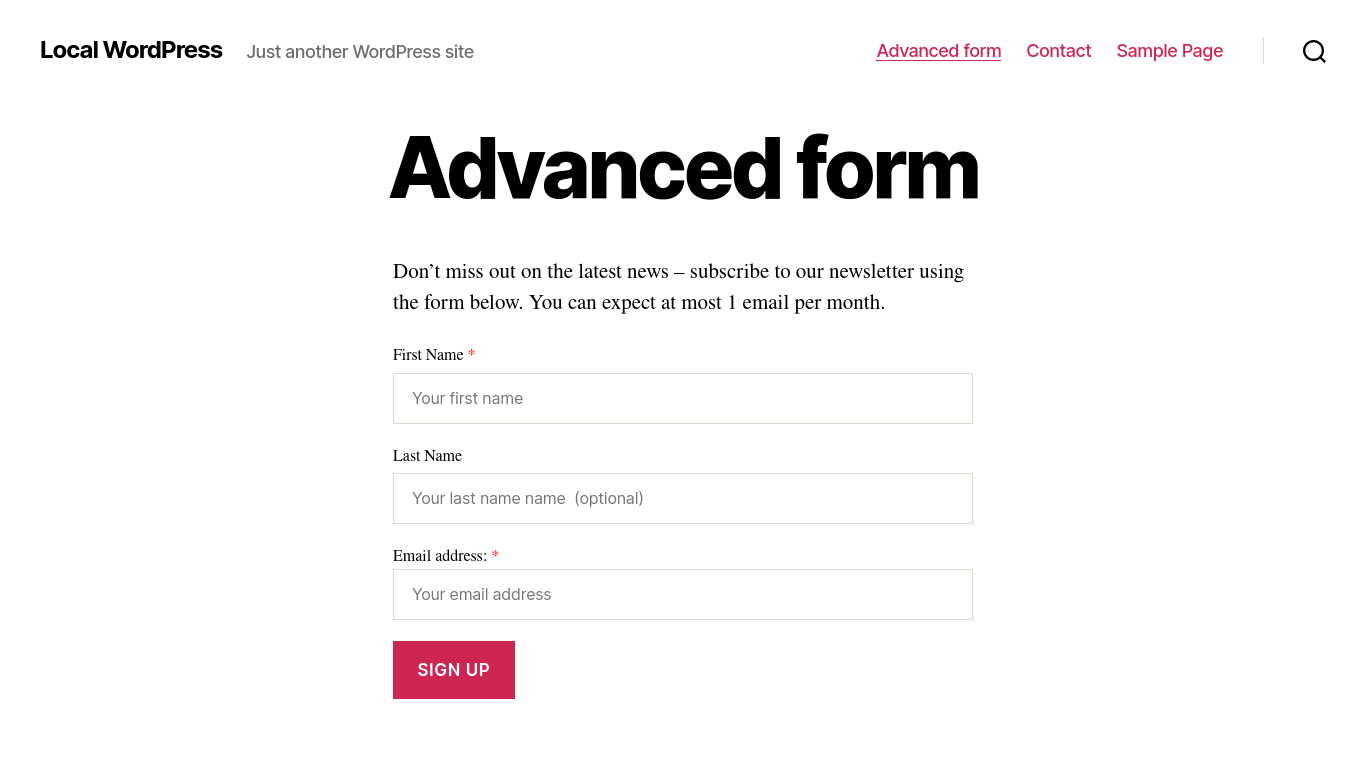
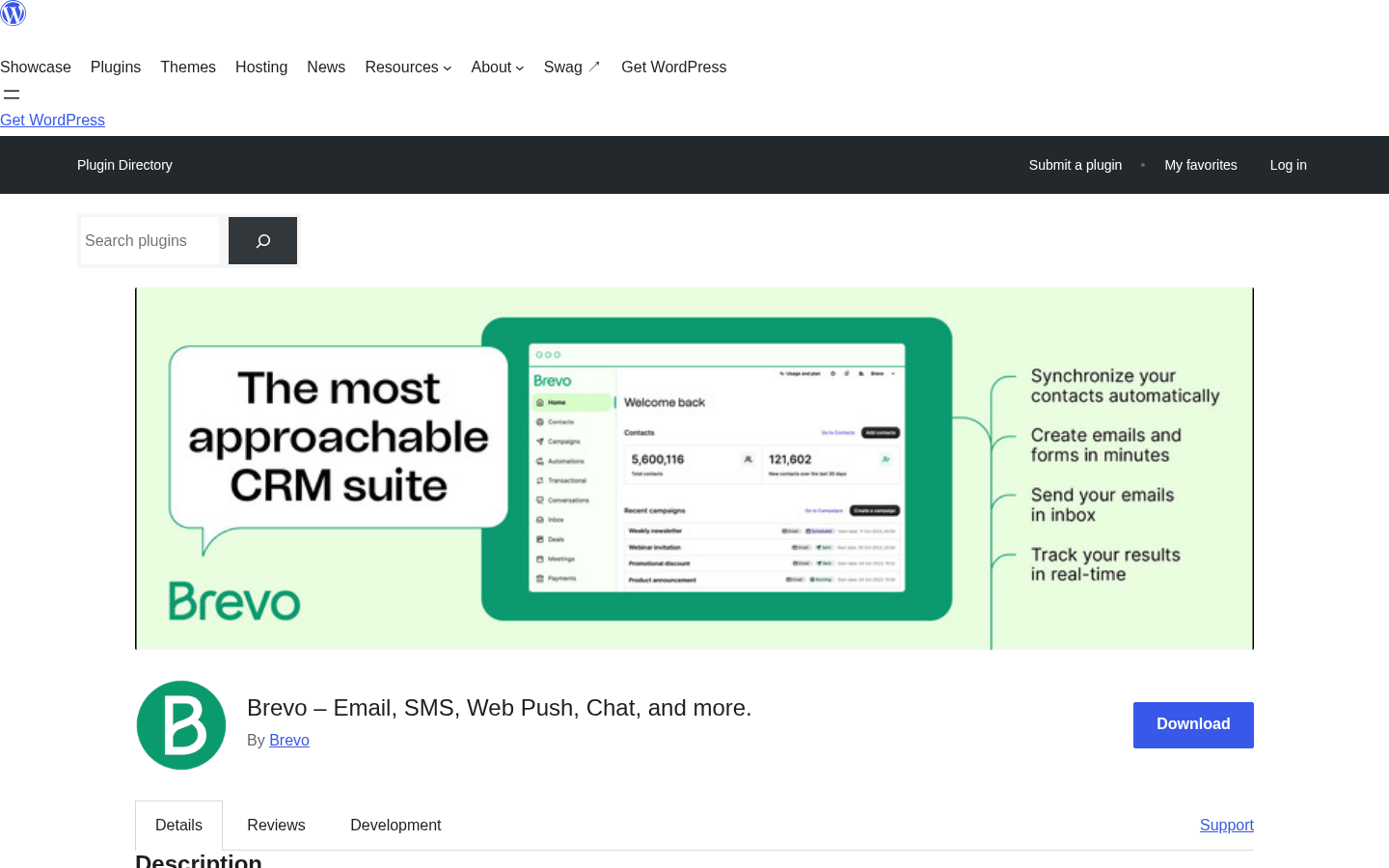
Brevo (formerly Sendinblue) solves a problem most email marketing plugins do not address: WordPress sites need both transactional email (order confirmations, password resets, contact form notifications) and marketing email (newsletters, campaigns). Most tools only handle one well. Brevo handles both from a single account and a single plugin.
The free tier is one of the most generous in this category: unlimited contacts, 300 emails per day (9,000 per month), and no credit card required. That significantly outpaces Mailchimp’s 500-contact free cap. One thing to note: the WordPress.org rating is 4.1 out of 5 from 285 reviews, with a bimodal split. The gap between Standard (€15/month) and Professional (€499/month) is also notably large for mid-scale senders.
Best for: WordPress and WooCommerce sites that need both transactional and marketing email from one account, sites switching from Mailchimp’s limited free tier, and European businesses wanting a GDPR-native platform.
Key features:
- Unlimited contacts on all plans including free
- 300 emails per day free (9,000 per month); higher send limits on paid plans
- Transactional email via Brevo SMTP relay, replacing WordPress wp_mail for reliable delivery
- Marketing email: drag-and-drop campaign editor, automation workflows, A/B testing (Standard+)
- WooCommerce integration: abandoned cart recovery, order-triggered emails, customer segmentation
- SMS and WhatsApp marketing from the same platform and account
- GDPR-native: double opt-in, consent management, and data processing agreements
- Certified B Corp; EU-based data infrastructure
Hands-on notes: Brevo’s setup is API-key based: connect your account via the Brevo dashboard, copy the API key, paste it into the WordPress plugin. From that point, transactional email routes through Brevo’s relay automatically. The campaign editor is polished and the WooCommerce abandoned cart flow is one of the cleaner setups in this category. The Starter plan includes “Sent with Brevo” in outgoing email footers; removing this costs an extra €8.10/month on top of the plan price.
Pricing: Free (unlimited contacts, 300 emails/day). Starter from €7/month billed yearly. Standard from €15/month billed yearly. Professional €499/month. Prices in EUR; verify current pricing at brevo.com.
Pros
- Unlimited contacts on the free plan, no subscriber cap
- Transactional and marketing email in one platform
- Generous free SMTP relay for WordPress transactional messages
- WooCommerce abandoned cart recovery and post-purchase automation
- Multi-channel: email, SMS, WhatsApp from one account
- GDPR-native: EU company with built-in compliance tooling
- Starter and Standard plans are well-priced for small teams
Cons
- Professional plan (€499/month) creates a steep gap above Standard (€15/month)
- WordPress.org rating of 4.1/5 with a bimodal review split; support resolution rate flagged by some users
- Brevo branding on Starter plan emails unless you pay an additional monthly fee
- Advanced automation and A/B testing require Standard plan or above
- CRM and sales pipeline live in the Brevo dashboard, not natively in WordPress
5. ConvertKit (Kit): best for WordPress bloggers and content creators
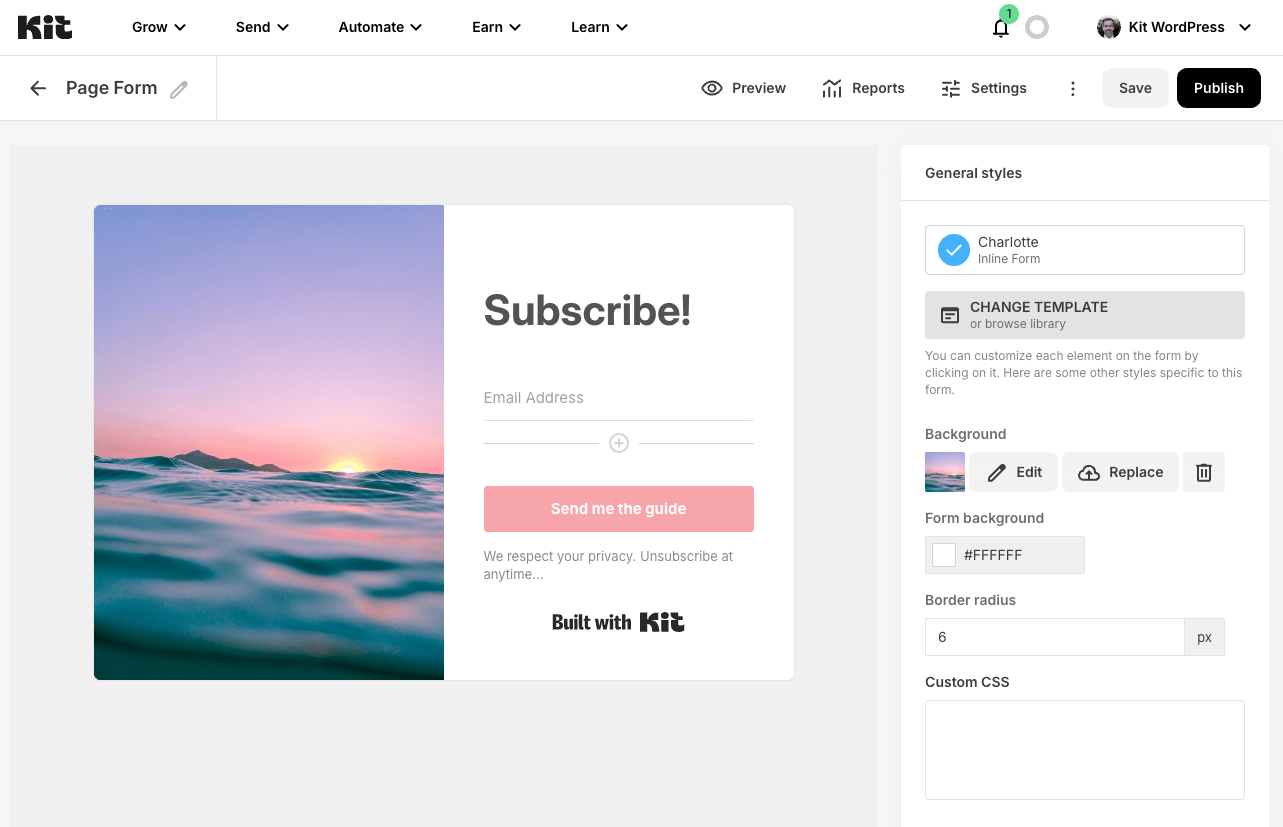
ConvertKit, rebranded to Kit in 2024, was built for the creator economy and every design decision reflects that focus. The subscriber model is tag-based rather than list-based: you manage one audience and segment with tags, which suits content creators who serve different reader interests from a single publication. The automation builder is visual, beginner-friendly, and well-suited to welcome sequences, content upgrade delivery, and subscriber journeys.
The 10,000-subscriber free plan is the category-leading free offer for creators. Mailchimp’s free plan caps at 500 contacts. Kit gives you 20 times that room to grow before paying anything. That makes it the logical starting point for bloggers and newsletter writers still building their audience. The honest caveat for 2026: Kit raised Creator plan prices significantly in September 2025. At 10,000 subscribers, annual billing reaches $92.50/month.
Best for: Bloggers, newsletter writers, course creators, podcasters, and solopreneurs building an audience on WordPress who want email marketing that grows with their content business.
Key features:
- 10,000-subscriber free plan with unlimited email broadcasts, unlimited landing pages, and unlimited forms
- One automation and one sequence included on the free plan
- Native Gutenberg form builder block for embedding subscription forms in posts and pages
- Broadcasts-to-posts: automatically import past email newsletters as indexed WordPress posts
- Membership content gating: restrict posts and pages to subscribers without a separate plugin
- Creator Commerce: sell digital products through Kit and trigger automations on purchase
- Creator Network: cross-promote newsletters with other Kit users
- Visual automation builder with event triggers, subscriber tagging, and branching logic
- WordPress plugin version 3.3.9, 40,000+ active installs, 4.8/5 stars from 90 reviews
Hands-on notes: The plugin connects via a single OAuth click, no API key management required. From that point, Gutenberg blocks for forms and landing pages are immediately available. The automation builder is genuinely beginner-friendly: a welcome sequence with content delivery and tags takes minutes to configure. The broadcasts-to-posts import is where Kit adds unique SEO value: past email newsletters become indexed WordPress posts, turning newsletter content into long-term search traffic.
Pricing: Free up to 10,000 subscribers (1 automation, 1 sequence, Kit branding). Creator: $39/month (monthly) or $33/month billed annually. Creator Pro: $79/month (monthly) or $66/month billed annually. Prices scale with subscriber count above the free threshold.
Pros
- 10,000-subscriber free plan is the most generous free tier in this category for content creators
- No credit card required to start
- Single OAuth connection setup; no API key management
- Native Gutenberg blocks and landing page replacement feel native to WordPress
- Broadcasts-to-posts import makes past newsletters indexable for search
- Content gating without a separate membership plugin
- Clean, beginner-friendly visual automation builder
Cons
- Pricing jumped sharply in September 2025: now significantly more expensive for growing lists
- At 10,000+ subscribers, Creator costs $92.50/month on annual billing
- A/B testing limited to subject lines only (2 variants on Creator, 5 on Creator Pro)
- No timezone-based broadcast scheduling
- Free plan includes Kit branding on emails and forms
- Not designed for complex multi-branch behavioral automation or ecommerce flows
Read our full ConvertKit review
6. Omnisend: best for WooCommerce email and SMS automation
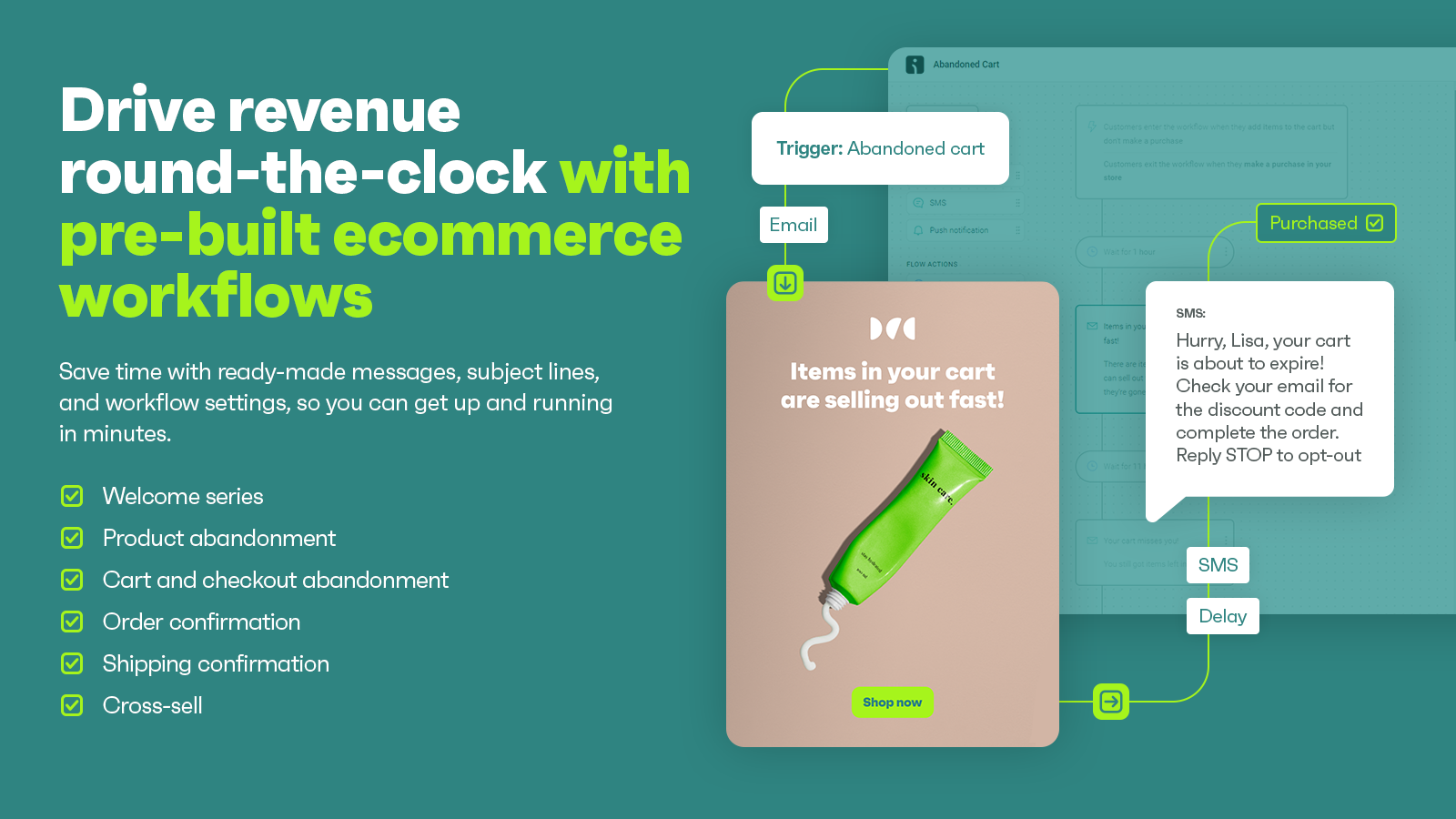
Omnisend is the most purpose-built ecommerce email marketing plugin in this comparison. It was designed for online stores from day one, and the feature set reflects that: abandoned cart recovery, post-purchase automation, product recommendation emails, and dynamic product blocks in the email builder are all available without custom code.
What sets Omnisend apart in this list is the multi-channel capability. Email, SMS, and web push notifications all run from the same platform and the same automated workflows. If you want an abandoned cart email followed by an SMS reminder and a web push notification through a single automation, Omnisend is the only plugin on this list that handles all three natively.
Best for: WooCommerce store owners who need ecommerce-specific email automation combined with SMS marketing.
Key features:
- WooCommerce sync: customer records, purchase history, product catalog, and order events pulled in automatically
- Abandoned cart recovery emails (available on free plan)
- Post-purchase automation sequences with configurable delays and conditions
- Dynamic product blocks in the email builder: pulls live WooCommerce product data automatically
- Email, SMS, and web push notification automation from one platform
- Pre-built automation templates: welcome series, cart abandonment, order follow-up, win-back sequences
- Conditional content blocks in emails: show different blocks to different customer segments
- A/B testing on all plans including free
- Send-time optimization powered by AI (Standard and Pro)
- Audience segmentation by purchase behavior, order value, and customer lifecycle stage
Hands-on notes: I set up a test WooCommerce store and connected it to a free Omnisend account. The initial data sync completed within a few minutes. The email builder’s dynamic product block is a genuine time-saver for promotional campaigns. The automation workflow builder is visual and practical, though less open-ended than FluentCRM’s canvas-style builder for non-ecommerce flows. Plan for a 30-60 minute orientation period if you are new to the platform.
Pricing: Free plan (250 contacts, 500 emails/month, 60 SMS, abandoned cart recovery included). Standard from $16/month (scales with contact count). Pro from $59/month (unlimited email sends, SMS credits included). SMS credits do not roll over month to month.
Pros
- Purpose-built for ecommerce: WooCommerce data is a first-class citizen in every feature
- Email, SMS, and web push from one platform and one automation workflow
- Abandoned cart recovery on the free plan
- Dynamic product blocks make promotional emails faster to build
- A/B testing on all plans including free
- 4.8-star rating from the core plugin; 4.9 stars from the WooCommerce-specific plugin (168 reviews)
- Pre-built automation templates reduce time to first workflow
Cons
- Not designed for non-ecommerce sites: limited value for bloggers or service businesses
- SMS credits expire monthly and do not roll over
- Free plan send caps are reached quickly for active senders
- Interface is information-dense; learning curve for new users
- Web push permission prompt fires on page load by default (manual configuration needed)
- Contact data lives in the Omnisend cloud, not in your WordPress database
7. HubSpot for WordPress: best free all-in-one CRM and marketing plugin
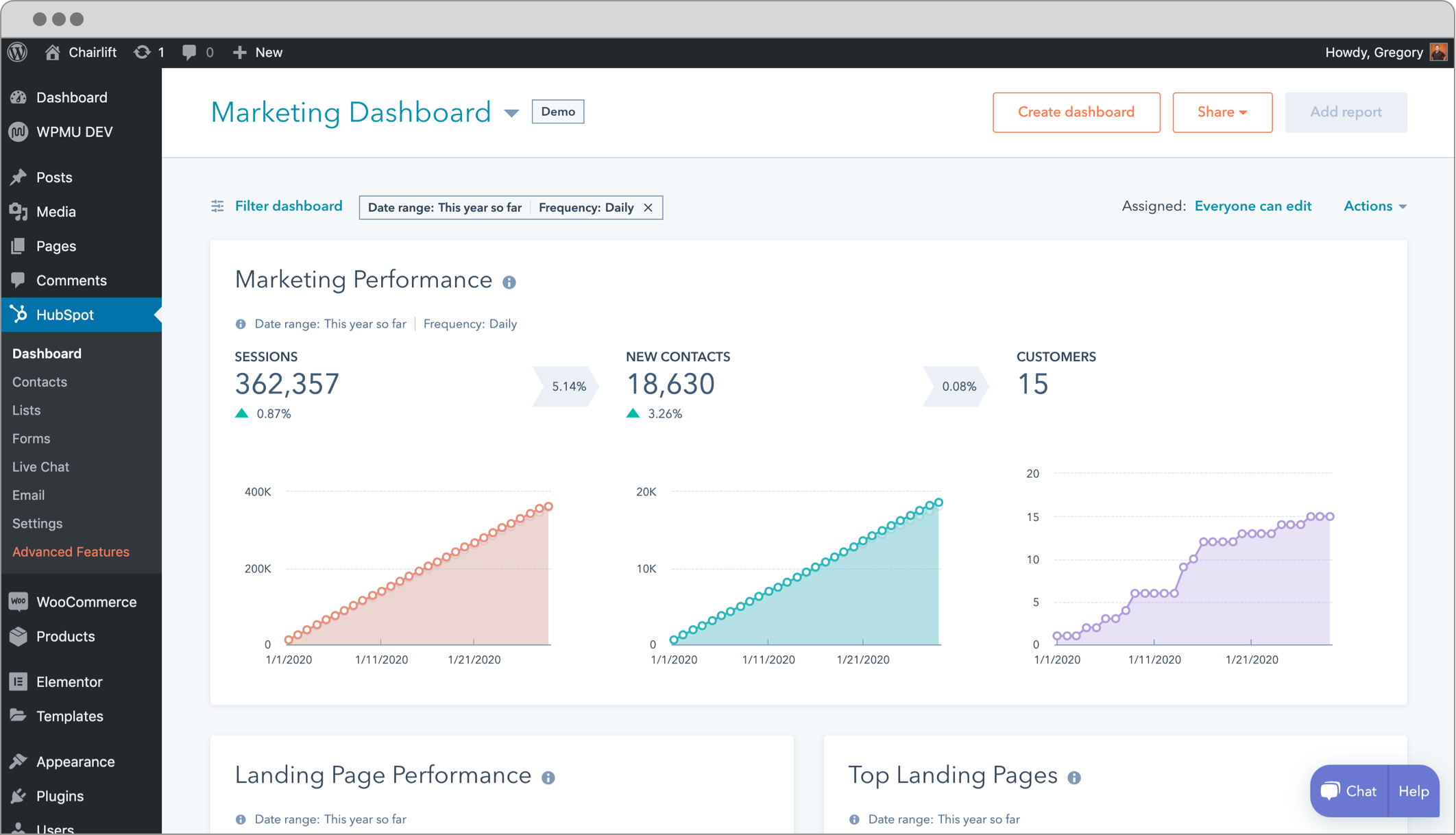
HubSpot for WordPress is the only plugin on this list where “email marketing plugin” does not capture what it delivers. The free version includes a working CRM, email marketing (up to 2,000 sends per month), live chat, six chatbot types, forms and popups, and analytics dashboards: all in a single free install connected to a free HubSpot account.
If you need more than email and want a single tool to handle form capture, live chat, lead tracking, and basic campaigns without building a patchwork of integrations, the HubSpot plugin free tier is worth considering seriously. The honest constraint: the cost cliff is steep. Moving from free to Professional jumps from $0 to $890 per month plus a mandatory $3,000 onboarding fee.
Best for: Small businesses, service firms, freelancers, and WooCommerce stores that want a free all-in-one CRM, email marketing, and live chat tool without managing multiple plugins.
Key features:
- Free CRM with contact records, full page-view history, and interaction tracking (up to 1,000 marketing contacts)
- Email marketing: 2,000 sends per month on the free tier (with HubSpot branding)
- Live chat with HubSpot branding (free)
- Six chatbot types: lead qualification, meeting scheduling, support routing, and more
- Forms and popups with 1,000 form submission notifications per month
- Analytics dashboards for site traffic, contacts, and campaign performance
- WooCommerce contact syncing and e-commerce segmentation
- GDPR-compliant consent checkboxes on all forms
- 200,000+ active installs; version 11.3.70, updated August 12, 2026; 4.3/5 from 207 reviews
Hands-on notes: Setup is clean: install the plugin, connect an existing or new free HubSpot account through an OAuth flow, and the tracking script goes live immediately. Contact records populate as visitors submit forms or start chat sessions, and the page-view history on each contact record is genuinely useful for sales follow-up. Email campaign creation happens inside the HubSpot web app rather than inside WordPress, which is a slight context-switch for users who prefer staying in the admin.
Pricing: Free (1,000 marketing contacts, 2,000 emails/month, HubSpot branding). Starter from $20/seat/month. Professional $890/month (3 seats, mandatory $3,000 onboarding fee). Enterprise $3,600/month (mandatory $7,000 onboarding fee).
Pros
- Free tier is the most feature-complete free CRM + email + chat combination available for WordPress
- 200,000+ active installs; actively maintained by HubSpot directly
- Live chat and six chatbot types included in the free plan
- Analytics dashboards give useful site and contact performance data
- WooCommerce integration for contact syncing and customer segmentation
- No credit card required to start
Cons
- 2,000 emails per month is a tight ceiling for active email marketers
- 1,000 marketing contact limit on the free plan
- Professional plan costs $890/month with a mandatory $3,000 onboarding fee
- Contact data goes to HubSpot’s cloud, not your WordPress database
- Email campaign design and sending happens in the HubSpot web app, not inside WordPress
- HubSpot branding on free tier emails and live chat widgets
- High vendor lock-in risk: migrating out of HubSpot is costly
Read our full HubSpot for WordPress review
8. Icegram Express: best flat-rate self-hosted email plugin
Icegram Express makes one promise and keeps it: no per-subscriber pricing, ever. Whether you have 100 contacts or 100,000, you pay the same flat annual fee. The free Lite tier gives you unlimited contacts, unlimited lists, unlimited forms, and broadcast campaigns with no contact cap or monthly send limit imposed by the plugin itself.
Icegram Express fits a specific profile: a small WordPress site that wants self-hosted list management, does not need complex multi-branch automation, and prefers a flat annual fee to a subscriber-scaling SaaS model. For sites that need the full range of drip workflows, WooCommerce abandoned cart, and conditional sequences, FluentCRM or Brevo are stronger options.
Best for: Bloggers, solopreneurs, and small WordPress sites with straightforward email needs who want unlimited subscribers at a predictable flat annual cost with full data ownership.
Key features:
- Unlimited contacts, lists, and forms on the free Lite tier
- Broadcast campaigns and post notification emails on the free tier
- Multiple subscriber lists with basic segmentation
- Single and double opt-in, GDPR tools
- Automation workflows and drip sequences (Max plan)
- Abandoned cart recovery and WooCommerce order-triggered automation (Max plan)
- Advanced segmentation with custom subscriber fields (Max plan)
- SMTP integrations: SendGrid, Mailgun, Amazon SES, Gmail API, and generic SMTP
- Direct integration with Icegram Engage for popup-based list building
- 50,000+ active installs; version 5.9.33, updated August 6, 2026; 4.6/5 from 1,168 reviews
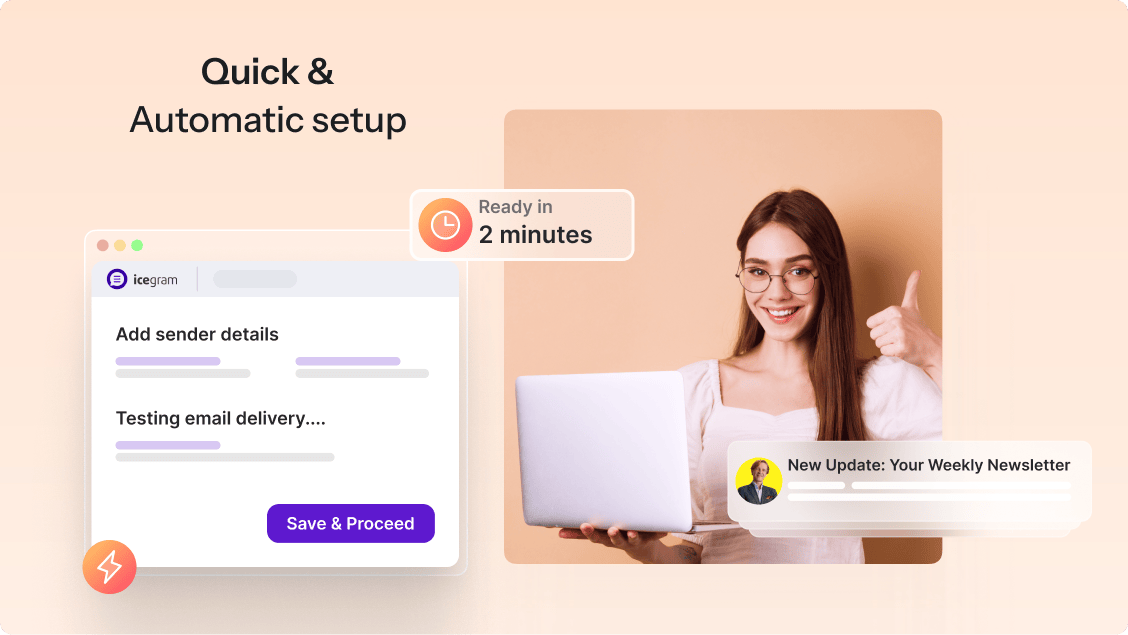
Hands-on notes: I installed Icegram Express in a clean WordPress sandbox and ran through the free tier setup. The onboarding wizard covers three practical steps: create a list, add a form, and set up a campaign. The guided flow reduces setup friction noticeably for beginners. SMTP configuration is surfaced prominently in the settings screen. The interface is organized and cleaner than the Newsletter Plugin’s admin UI, with a sidebar menu built around Campaigns, Forms, Audience, Reports, and Settings.
Pricing: Free Lite tier (unlimited contacts, unlimited lists, forms, and broadcast campaigns). Max plan: $99/yr covering three sites. Agency pricing available on request for 20 or more sites. Annual billing only; no monthly payment option.
Pros
- No per-subscriber pricing on any tier: flat annual fee regardless of list size
- Free Lite tier is genuinely capable for basic broadcast campaigns and list management
- Self-hosted: all subscriber data stays in the WordPress database
- Practical onboarding wizard lowers setup friction for beginners
- WooCommerce abandoned cart and order-triggered automation (Max plan)
- Integrates directly with Icegram Engage for popup-based list building
- 4.6 out of 5 stars from 1,168 reviews
Cons
- Reliable delivery requires SMTP configuration; no built-in sending service
- Automation workflows and drip sequences are Max-only
- Max plan covers three sites only; agency pricing requires contacting Icegram directly
- Annual billing only; no monthly payment option
- No A/B split testing
- Automation is linear sequence-based, not a visual branching workflow builder
Read our full Icegram Express review
How to choose the right WordPress email marketing plugin
The right choice depends on your site type, list size ambitions, technical comfort level, and whether you want data stored on your own server or in a third-party cloud.
- If you use Mailchimp and want to connect it to WordPress: MC4WP is the clear answer. It turns any existing WordPress form into a Mailchimp subscription point with no custom code.
- If you want unlimited subscribers at no cost, self-hosted: Start with the Newsletter Plugin. Unlimited subscribers and sends in the free version, full data ownership, and a one-time payment model for paid features.
- If you run a WooCommerce store and need ecommerce automation: Omnisend is purpose-built for this use case. Abandoned cart recovery, post-purchase sequences, and SMS all run from one platform. FluentCRM is a strong self-hosted alternative if you want CRM-grade contact management alongside ecommerce automation.
- If you are a blogger or content creator building an audience: ConvertKit’s 10,000-subscriber free plan gives you real room to grow before paying anything.
- If you want CRM-grade contact management and complex automation inside WordPress: FluentCRM is the strongest self-hosted option. Per-site pricing with unlimited contacts and a visual multi-branch automation builder.
- If you need transactional and marketing email from one tool: Brevo handles both from a single account and plugin. Strong fit for WooCommerce stores that need reliable order confirmation delivery alongside newsletter campaigns.
- If you want a free all-in-one CRM, live chat, and email marketing tool: HubSpot for WordPress is the only plugin that combines all three at no cost. Watch the pricing cliff carefully before you grow past the free tier limits.
- If you want flat-rate self-hosted email with no subscriber fees: Both Icegram Express and the Newsletter Plugin cover this use case. Icegram Express has a more modern interface for beginners; the Newsletter Plugin has a larger installed base and a more mature feature set overall.
FAQ
Which WordPress email marketing plugin is best for beginners?
For beginners who want the simplest possible setup, ConvertKit (Kit) and HubSpot for WordPress are the easiest to get running. ConvertKit connects via a single OAuth click and includes a 10,000-subscriber free plan. HubSpot connects similarly and adds live chat and CRM without extra plugins. Both handle deliverability through their own infrastructure, so you do not need to configure SMTP.
Do WordPress email marketing plugins include email sending?
It depends on the plugin. ConvertKit, HubSpot, Brevo, and Omnisend use their own cloud sending infrastructure. FluentCRM, the Newsletter Plugin, MC4WP, and Icegram Express do not include a sending service: you must configure an SMTP plugin or connect to a delivery service like Amazon SES or SendGrid for reliable inbox placement.
Which plugin has the best free tier?
For content creators: ConvertKit’s free plan supports up to 10,000 subscribers, the most generous subscriber limit in this category at no cost. For self-hosted unlimited list management: the Newsletter Plugin has no subscriber cap at all. For ecommerce: Omnisend’s free plan includes abandoned cart emails. For all-in-one CRM plus email plus live chat: HubSpot’s free plan covers all three.
Is there a WordPress email plugin with unlimited subscribers for free?
Yes. Both the Newsletter Plugin and Icegram Express offer a free tier with unlimited subscribers and no contact cap. Reliable delivery still requires external SMTP configuration. FluentCRM also places no contact cap on any paid plan, charging per website rather than per contact.
Which plugin works best with WooCommerce?
Omnisend is the most purpose-built choice: WooCommerce data syncs automatically and includes abandoned cart recovery, post-purchase sequences, and dynamic product blocks. FluentCRM is a strong self-hosted alternative for stores that need CRM-grade contact management alongside ecommerce automation. Brevo also supports WooCommerce abandoned cart flows from its free tier.
What is the difference between a WordPress email plugin and a newsletter plugin?
The terms are often used interchangeably, but there is a meaningful distinction. A newsletter plugin (like the Newsletter Plugin or Icegram Express) focuses on list collection and broadcast campaign sending. An email marketing plugin typically adds automation, sequences, segmentation, and sometimes CRM features on top of the newsletter function. FluentCRM sits at the full marketing automation end; MC4WP sits at the simple connector end; the Newsletter Plugin and Icegram Express are in the middle, with automation available on their paid tiers.
Do I need to pay for email sending separately?
With some plugins, yes. FluentCRM, the Newsletter Plugin, MC4WP, and Icegram Express do not include sending infrastructure. You need a separate SMTP plugin (FluentSMTP, WP Mail SMTP) or a delivery service account (Amazon SES, SendGrid, Mailgun). ConvertKit, HubSpot, Brevo, and Omnisend include sending infrastructure in their plans.
Final recommendation
- Blogger or content creator building a list: Start with ConvertKit (Kit) on the free plan. The 10,000-subscriber free tier gives you real room to grow before paying anything.
- WooCommerce store: Start with Omnisend. The WooCommerce plugin syncs automatically, and the free plan includes abandoned cart recovery.
- Site that needs CRM plus automation, self-hosted: Start with FluentCRM. The free version covers contact management and basic campaigns; Pro adds the visual automation builder when you are ready.
- Site that already uses Mailchimp: MC4WP connects your forms to Mailchimp in minutes, and the free version handles most small-site needs.
- Large or growing list with no SaaS bill: The Newsletter Plugin’s free version gives you unlimited subscribers and sends with no monthly cost.
- Transactional and marketing email in one account: Brevo’s free tier covers both, with no contact cap and 9,000 emails per month.
Browse our email plugin reviews for deeper comparisons, hands-on notes, and full pricing breakdowns for each tool.